Playing Valorant requires precision, timing, and quick reactions. Imagine planting the spike or making a clutch play only to be delayed by unexpected Valorant Lag. Lag can ruin even the most skilled matches, leaving players frustrated and questioning their setup.
Even with a fast internet connection, many players experience Valorant Lag that makes shots register late, abilities misfire, or movement feel unresponsive. In this guide, we will explain what causes lag, how it affects your gameplay, and how ExitLag can optimize your connection for the smoothest experience.
Ultimately, enjoying the game comes down to having a smooth and reliable connection. By taking control of your network and using the right tools, you can focus on strategy, teamwork, and improving your skills without interruptions.

What is lag in Valorant?
Before diving into solutions, it is important to define lag. Lag in Valorant is the delay between your actions and the response in the game. For instance, when you click to shoot or dash, but the game reacts a fraction of a second later, you are experiencing lag.
Lag is not always caused by your computer. Often, it is the network or the route your connection takes to reach Riot Games servers. This delay can come from packet loss, inefficient routing, or server distance. Understanding lag helps you identify the real problem before investing in hardware upgrades unnecessarily.
Main causes of Valorant lag
There are several reasons why players experience lag in Valorant. Each factor can affect your gameplay differently, but they all relate to network instability.
Connection Route Issues
Internet providers automatically select the route your data takes. Sometimes, these routes are congested or inefficient, causing higher latency and delayed responses in-game.
Packet Loss and Network Congestion
Packet loss happens when some of your data fails to reach the server. This leads to stuttering, teleporting characters, or delayed actions. Network congestion during peak hours makes this problem even worse.
Server Distance
The farther you are from Riot Games servers, the longer your data takes to travel. High latency often results from geographic distance and unavoidable network hops along the route.
Unstable Internet Provider
Even with high-speed internet, your provider may not prioritize gaming traffic. This causes inconsistent ping and intermittent lag spikes.
Lag, Ping, and FPS in Valorant explained
Understanding the difference between lag, ping, and FPS is essential for diagnosing issues correctly.
| Term | Definition | Main Cause | Gameplay Impact |
| Lag | Delay between player action and game response | Network issues | Slow reactions and delayed shots |
| Ping | Time in milliseconds for data to travel to the server and back | Connection distance and route | Higher ping increases input delay |
| FPS | Frames per second showing visual smoothness | Hardware performance | Low FPS causes choppy graphics |
With this understanding, you can see that Valorant Lag is often about your network rather than your hardware.
Why Valorant lag occurs even with good internet
Many players believe a fast internet connection guarantees smooth gameplay, but lag can still happen due to routing inefficiencies. Internet providers automatically select paths for your data that are not always optimized for gaming.
Think of it as a digital highway. Your packets could take a congested route instead of the fastest one. Even high-speed internet cannot fix this, as the problem is the route, not the bandwidth.
This is why players often experience sudden ping spikes, stuttering, and delayed inputs, despite having fiber or ultra-fast connections.
How ExitLag fixes Valorant lag
ExitLag is a software solution designed to optimize your connection for gaming. It uses advanced multi-route technology and intelligent tunneling to choose the fastest and most stable paths between your PC and Valorant servers.
Unlike VPNs or basic ping boosters, ExitLag monitors your connection in real time and automatically switches routes if congestion occurs. This ensures stable gameplay and smooth responses even during peak hours.
Key features of ExitLag
- Multi-Route Technology: Sends data through multiple paths and selects the fastest automatically.
- Smart Tunneling: Finds the most direct route to Riot servers for lowest latency.
- Real-Time Adjustments: Automatically reroutes traffic when congestion or packet loss occurs.
Benefits of using ExitLag for valorant players
ExitLag provides several advantages that improve both casual and competitive gameplay:
Lower and Stable Ping
Reduced latency ensures that every shot, dash, and ability registers instantly.
Fewer Stutters and Packet Loss
Optimized routing prevents sudden freezes, teleporting characters, and missed actions.
Enhanced Performance in Competitive Matches
During tournaments or ranked games, every millisecond counts. ExitLag ensures your connection stays stable for consistent reactions.
Easy Setup
ExitLag is simple to use. You select Valorant, apply the routes, and the software handles everything automatically.
Works During ISP Congestion
Even if your provider slows down during peak hours, ExitLag maintains stability by bypassing inefficient routes.
How to use ExitLag in Valorant
The process is extremely simple:
Step 1 – Access the official ExitLag website and download the application. There’s a free trial period for new users.
Step 2 – Install and open the program. Log in with your account.
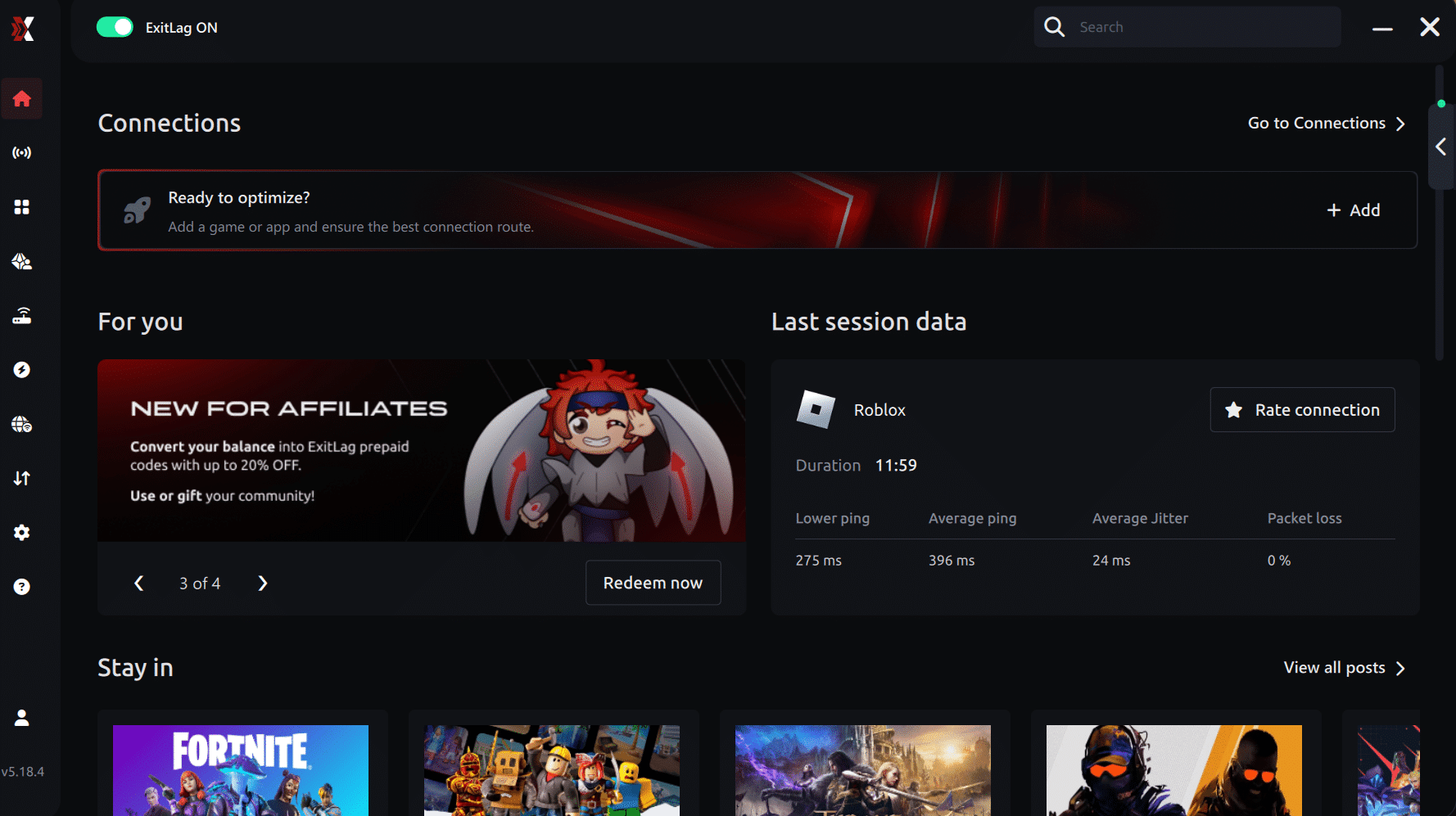
Connection screen Valorant
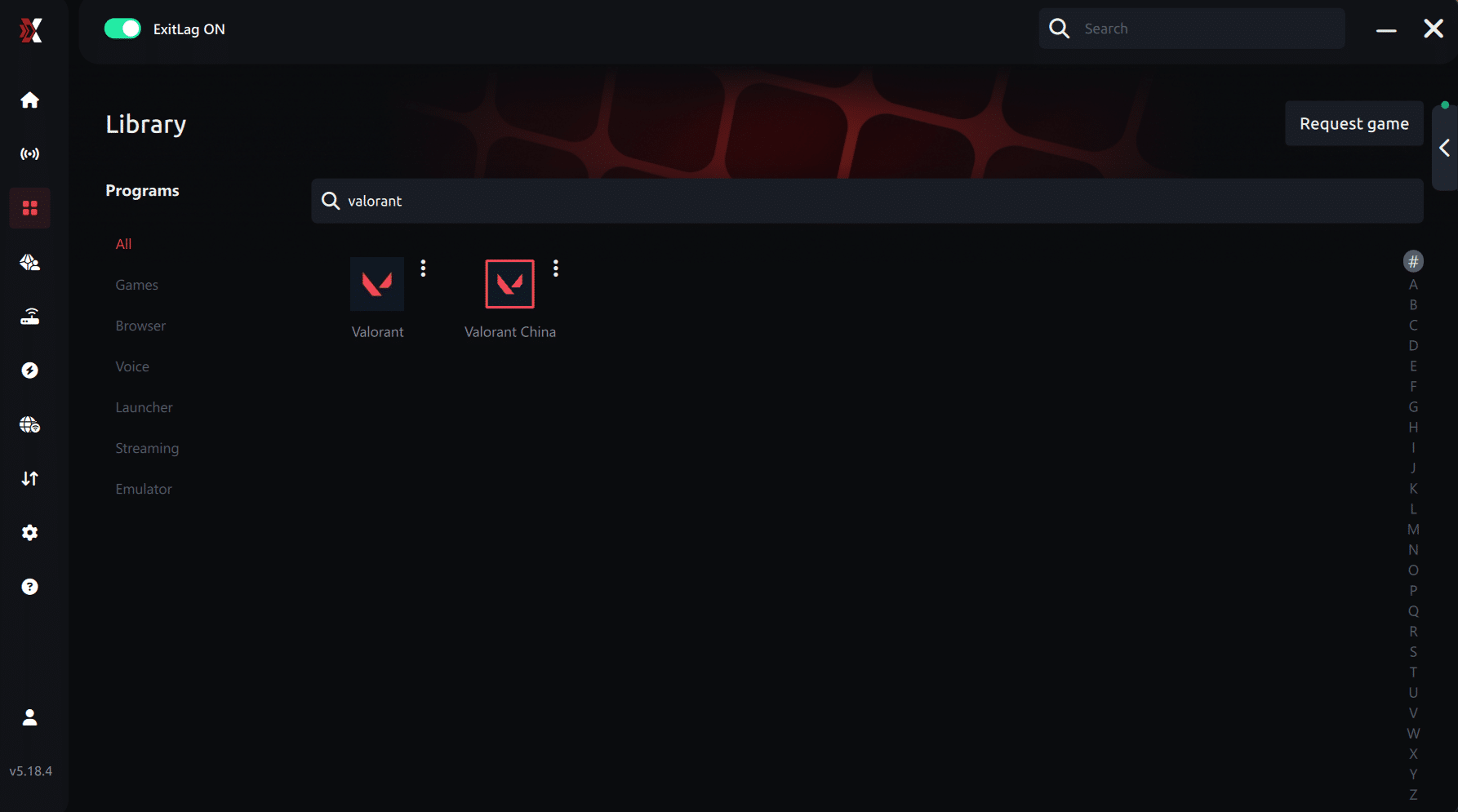
Step 3 – In the search bar, type “Valorant” and select the game from the list.
Step 4 – Choose the server manually
Based on the ping test results, you can manually choose the server that showed the lowest latency or the one that best meets your specific gaming needs.
Manual route
If you prefer to have full control over your connection, you can manually choose the server based on the ping test results. Simply select the server that showed the lowest latency or the one that best meets your specific gaming needs, allowing complete customization of your experience.
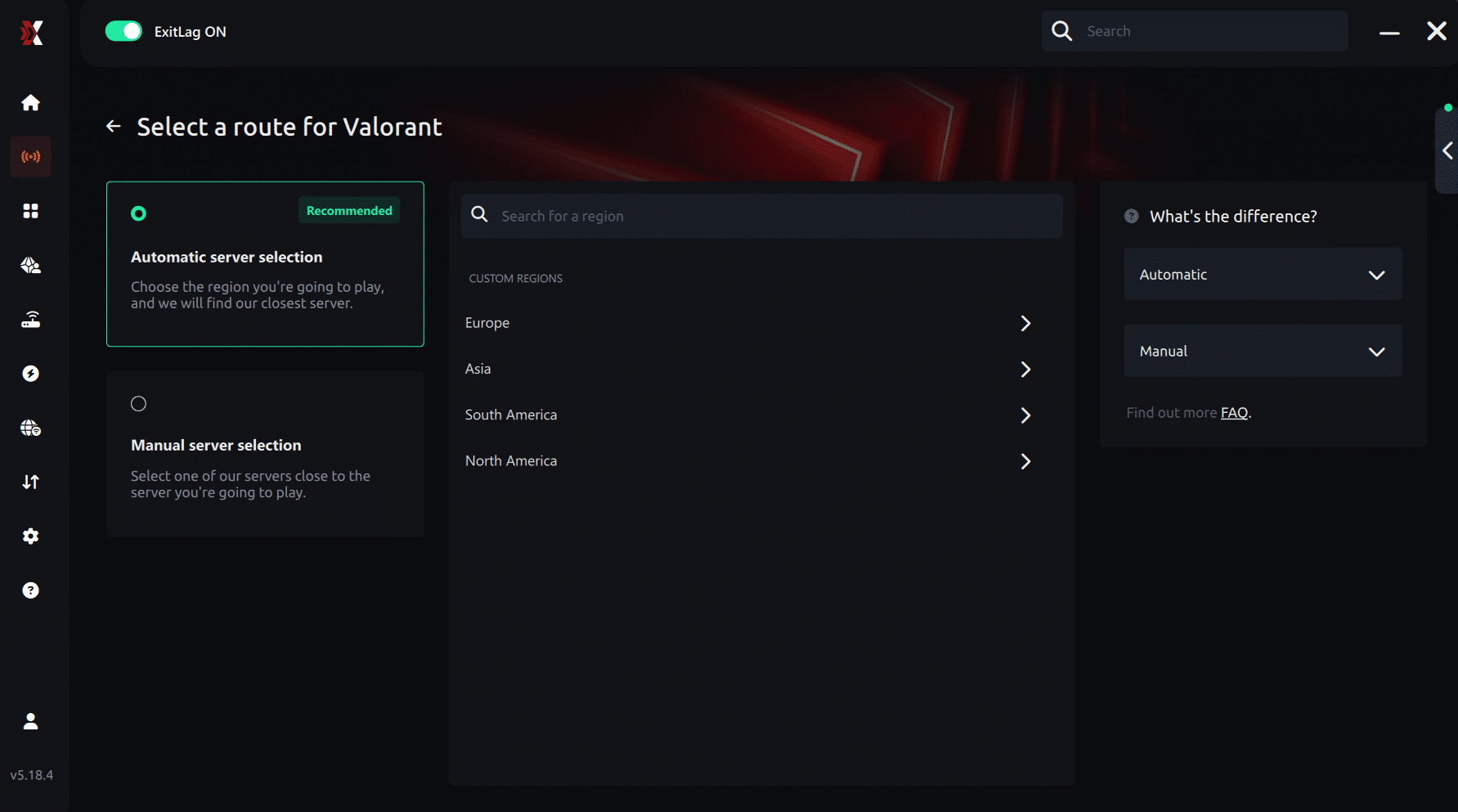
Step 5 – Click “Apply routes” or the play button. ExitLag will begin optimizing your connection automatically.
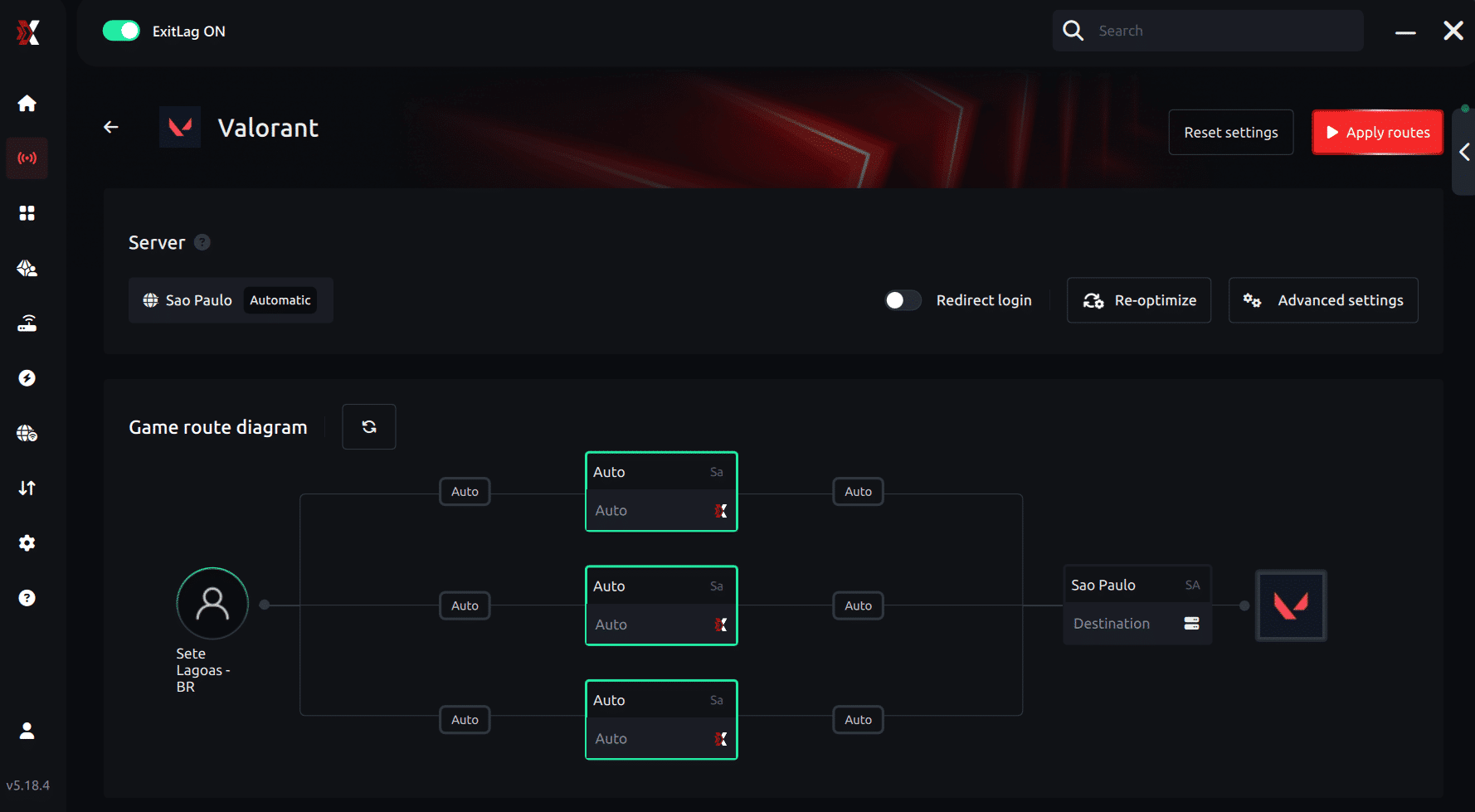
Step 6 – Wait a few seconds until optimization is complete. You’ll see ping indicators in the interface.
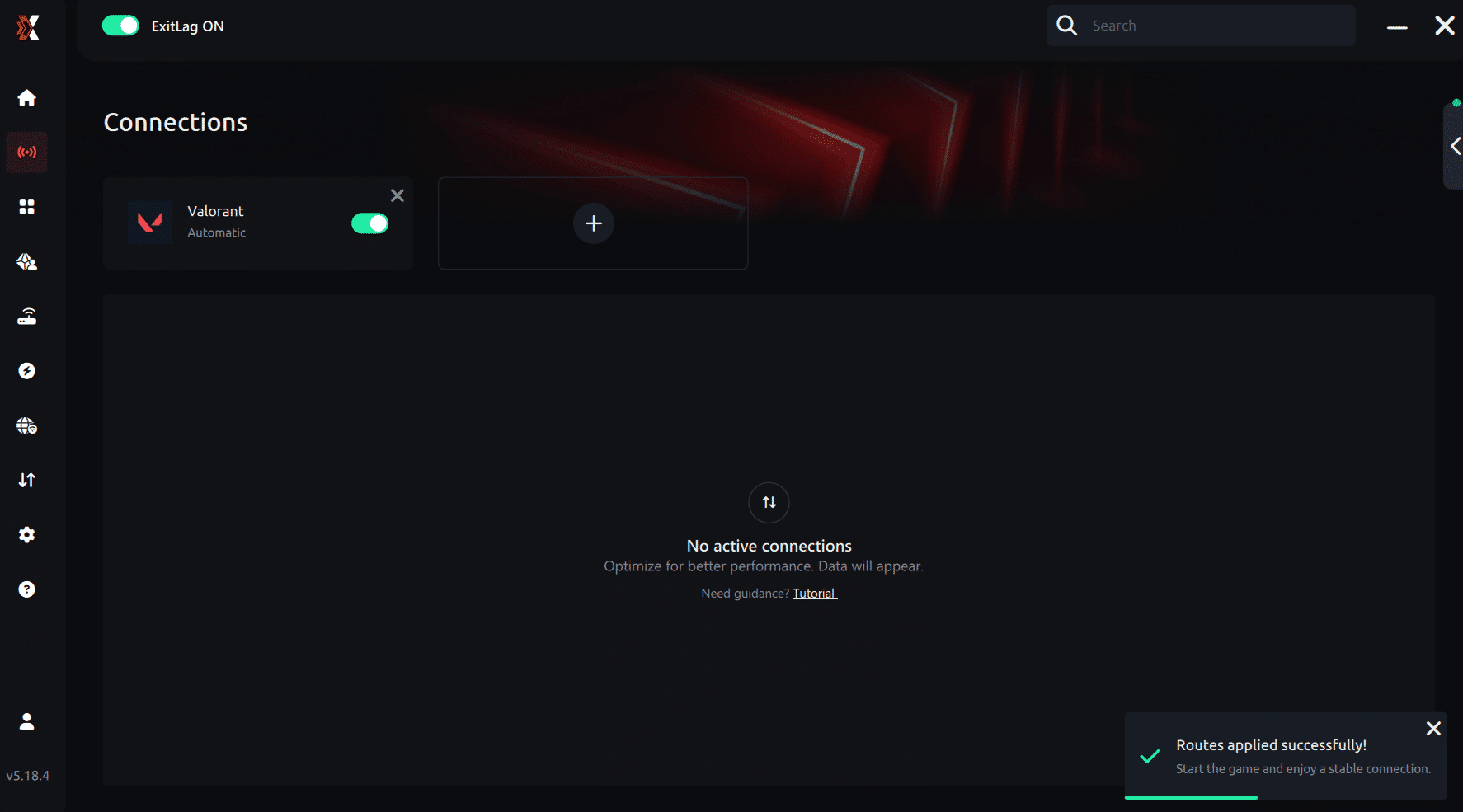
Step 7 – Launch Valorant normally. The optimization will already be active.
ExitLag runs in the background while you play, constantly adjusting routes to maintain the best possible performance.
How to use Ping for Games: step-by-step guide (Valorant)
Checking your connection quality before entering a match has never been easier. Here’s how to use Ping for Games in just a few steps:
1. Open the ExitLag software on your PC
Ensure the application is installed and open. The feature is integrated into the platform and available for free to all users.
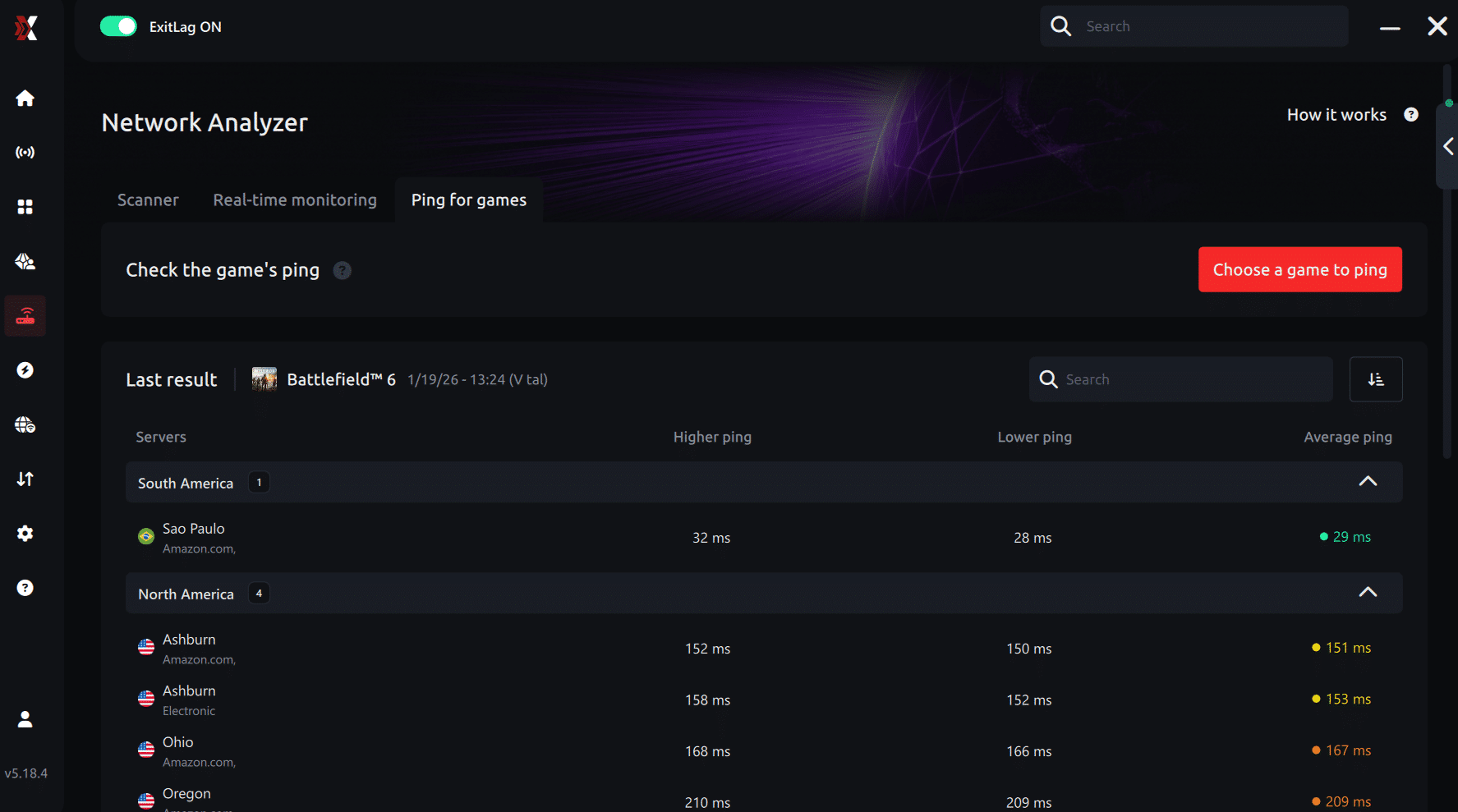
2. Access the Network Analyzer tool
Locate the Network Analyzer in the software menu. This is where you’ll find Ping for Games along with other connection analysis features.
3. Select the game you want to test
Choose Valorant from the list. The tool supports major online multiplayer games, including FPS, Battle Royales, MOBAs, MMORPGs, and more.
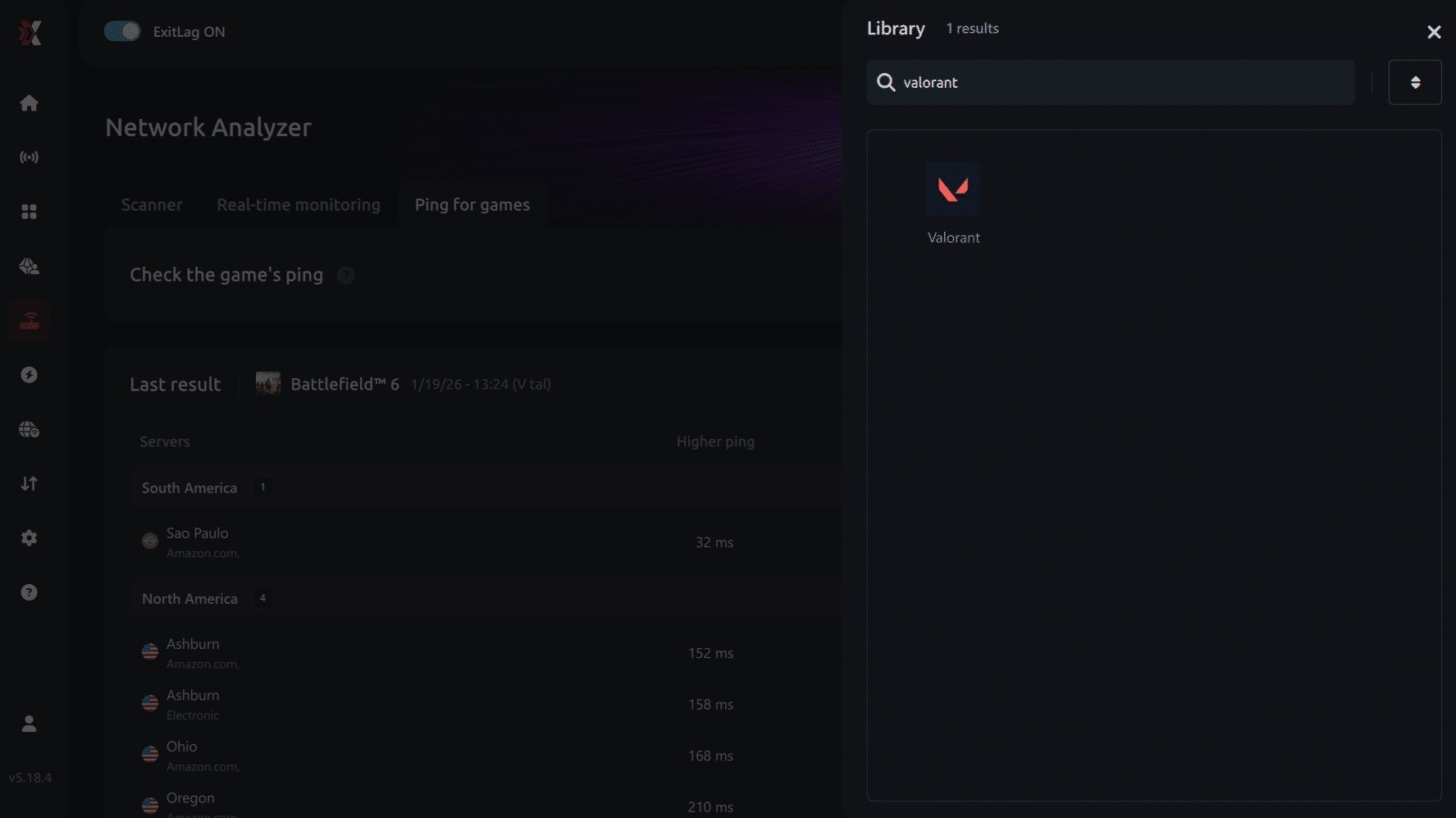
4. Choose the specific server
Select the exact Valorant server you want to test instead of a generic region. This ensures more accurate results for your match.
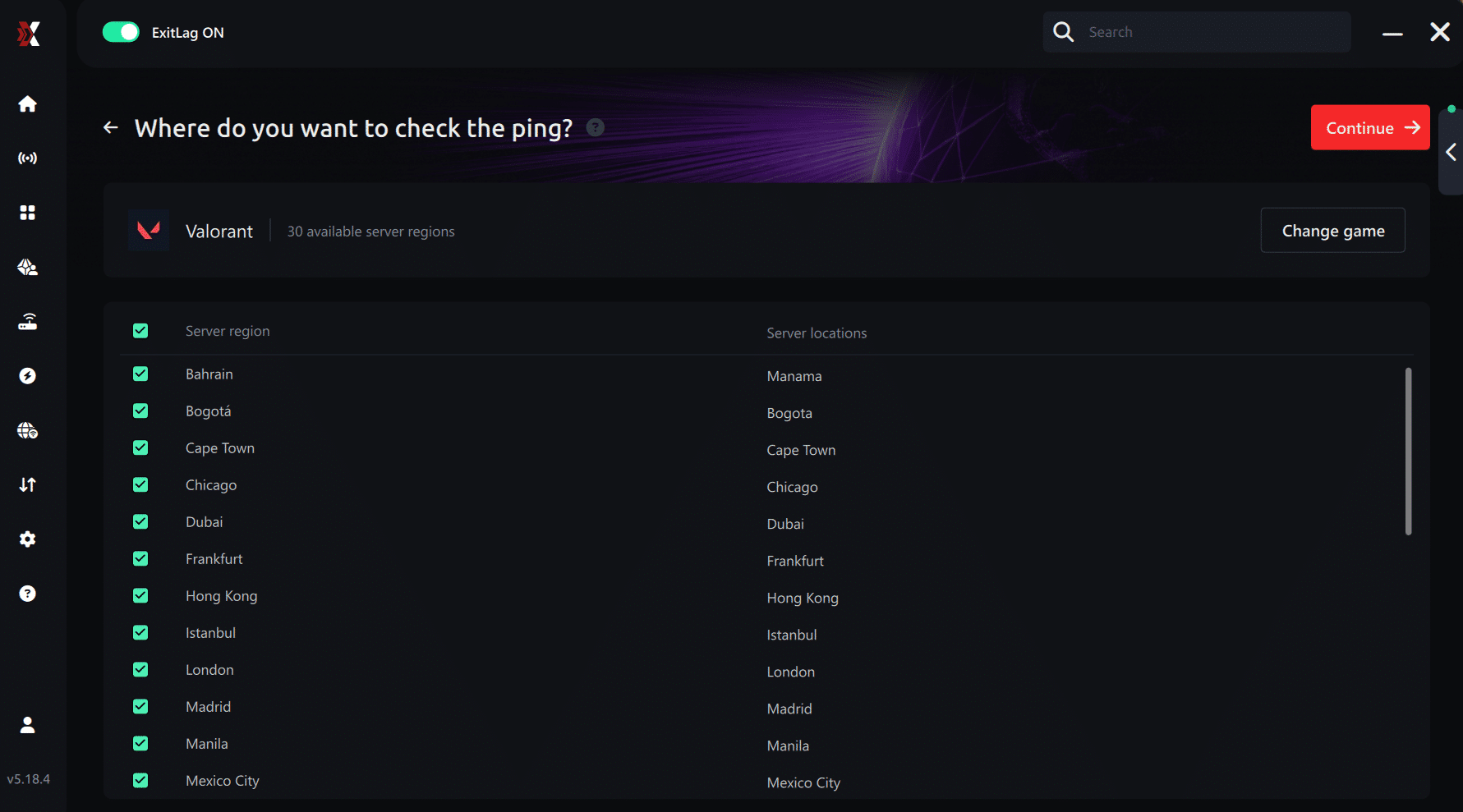
5. Start the ping test
With one click, the measurement is performed in real time between your device and the selected Valorant server, considering your current connection (cable or Wi-Fi).
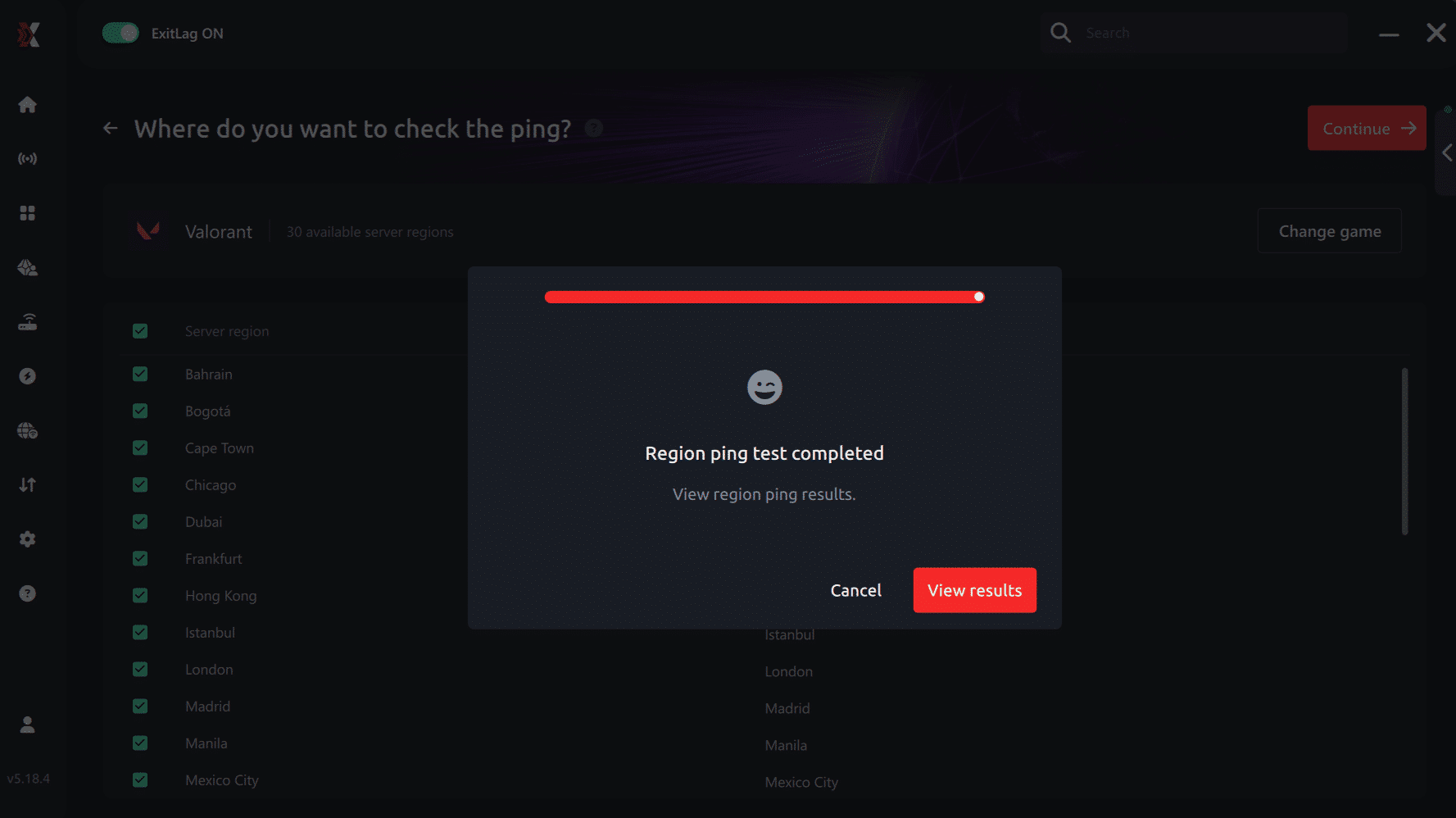
6. Analyze the results
Results appear in milliseconds (ms), automatically sorted from best to worst ping. You can also reorganize the view alphabetically if you prefer.
7. Choose the best server and play worry-free
With this information, simply select the server with the lowest latency and jump into Valorant knowing your connection is optimized.
Final thoughts: Play Valorant without lag forever
At the end of the day, Valorant lag should never decide your matches. You spend time mastering your aim, movement, and game sense — your internet connection should never be the reason you lose.
With ExitLag, you finally take control of your network performance. The software finds the fastest routes, eliminates lag, and stabilizes your ping so that every shot, every peek, and every clutch happens exactly when you want it to.
Try ExitLag for free right now and experience how smooth Valorant can be when your connection is fully optimized. Play with confidence, reach your full potential, and make lag a thing of the past.
Real world comparison: ExitLag vs no optimization
| Player | Setup | Average Ping | Game Stability |
| Player A | No optimization | 120 ms with spikes up to 200 ms | Stuttering, delayed abilities |
| Player B | ExitLag enabled | 45 ms stable | Smooth actions, responsive gameplay |
This example shows that optimizing routes can dramatically reduce lag and improve overall performance. Even with the same ISP, ExitLag makes the connection faster and more stable.

Extra tips to minimize Valorant lag
To further improve performance, combine ExitLag with these tips:
- Use a wired Ethernet connection instead of Wi-Fi.
- Close background applications consuming bandwidth.
- Choose the correct server region in Valorant settings.
- Keep drivers and OS updated.
- Enable Game Mode in Windows for optimal resource allocation.
These steps, alongside ExitLag, create the smoothest possible gameplay experience.
Play valorant without lag forever
Lag should never determine the outcome of your matches. With ExitLag, you finally gain control over your network connection.
By optimizing routes, reducing ping, and eliminating packet loss, ExitLag ensures smooth and responsive gameplay. No more frustrating stuttering, delayed shots, or misfired abilities. Every action in Valorant happens exactly when you execute it.
Try ExitLag for free today and experience Valorant without interruptions, enjoying stable connections and peak performance. Stop letting Valorant Lag ruin your competitive edge and play at your best.