

Fortnite Rocket Racing is one of the boldest additions to Epic Games’ battle royale universe, combining high-speed car races with Fortnite’s signature chaos. The game mode is both thrilling and skill-intensive, turning traditional Fortnite players into competitive racers.
Fortnite Rocket Racing isn’t just a spin-off — it’s an entire racing ecosystem with ranking systems, various vehicles, and techniques to master. Whether you’re here for the competitive edge or just want to collect the exclusive skins, there’s something for everyone.
What is Fortnite Rocket Racing?
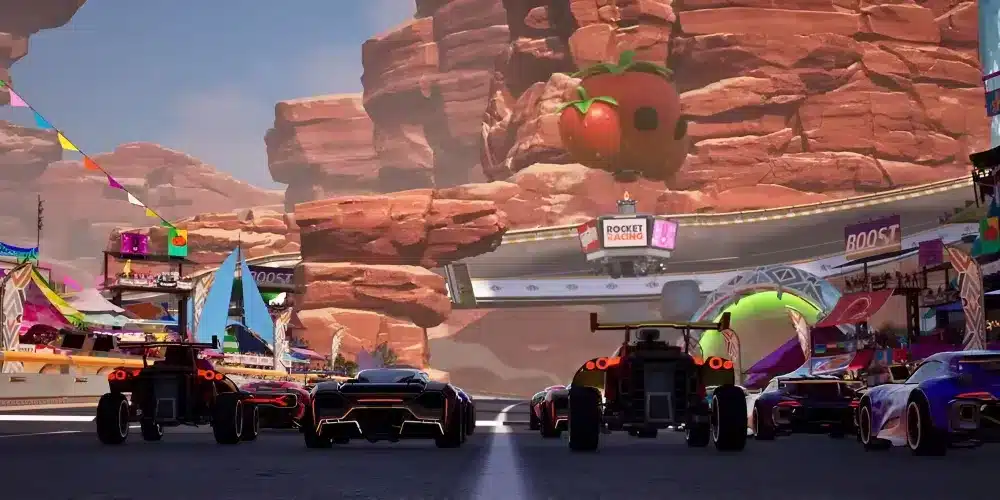
Rocket Racing is a competitive racing mode available within Fortnite, developed in collaboration with Psyonix, the studio behind Rocket League. It blends speed, drifting mechanics, and obstacle-based tracks with Fortnite’s signature art style. Players race online in ranked or casual lobbies, using boosts and advanced movement to finish first.
ExitLag supports Fortnite Rocket Racing by improving connection routes and reducing ping spikes in online gameplay. This helps competitive racers maintain consistency and lower latency while competing. Note: Rocket Racing is an online mode, and ExitLag is not applicable to offline content.
Fortnite Rocket Racing cars
What cars are available in Rocket Racing?
As of now, Epic Games has not released an official list of named vehicles exclusive to Rocket Racing. Some cars resemble models from Rocket League, such as the Octane-style frame, but most differences appear to be cosmetic. According to player reports, designs vary but do not significantly impact performance.
Community mentions have included:
- Sleek compact racers
- Heavier muscle-style cars
- Futuristic hover designs
However, these labels are informal and not officially confirmed by Epic Games.
Do cars affect performance?
Currently, there is no confirmed evidence from Epic Games that car cosmetics affect speed, handling, or boost efficiency. Players widely believe that all vehicles share the same performance stats, although this has not been publicly detailed by the developers.
Fortnite Rocket Racing boost system
How to get a boost at the start
Based on community gameplay experience, players can trigger a boost at the start of the race by accelerating right as the countdown ends and the race begins. Timing is crucial — pressing the button too early or too late may cancel the effect. This technique is widely used but has not been explicitly confirmed in official patch notes.
How to boost during the race
Mid-race boosts are gained in two main ways:
- Driving through boost pads scattered along the track
- Drifting around corners to charge your boost meter
Using boosts strategically, especially after a sharp drift or before a long straight, can help secure positions.
Fortnite Rocket Racing ranked system
How does the ranking system work?
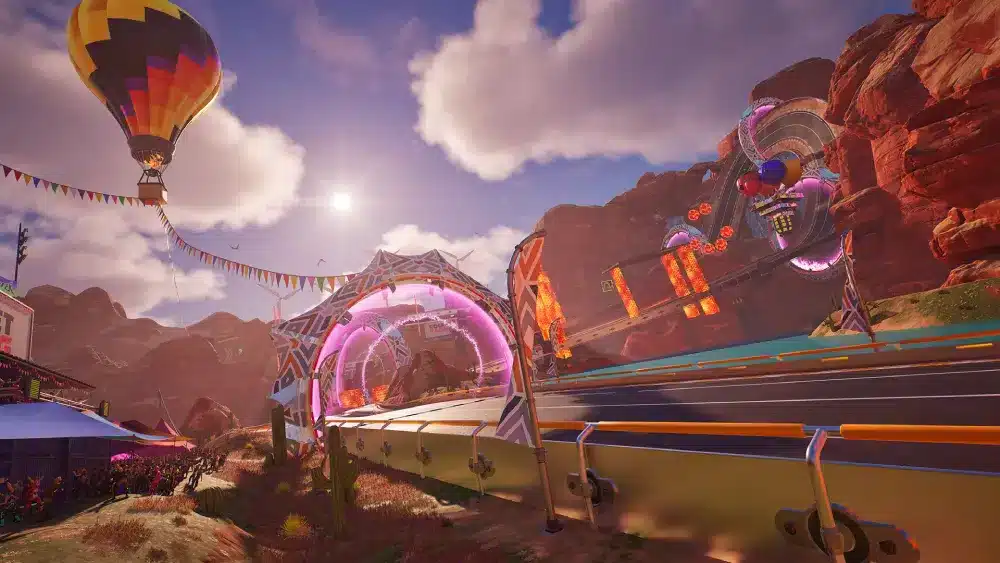
Rocket Racing includes an online ranked mode. While Epic has not released a full breakdown of rank tiers, players have reported progression based on performance in competitive lobbies. Community discussions often reference ranks similar to Rocket League (e.g., Bronze to Grand Champion), but these are not officially confirmed for Rocket Racing.
Progression appears to depend on race finishes, consistency, and match placement.
Rewards and resets
At the end of each season, rankings may reset, and cosmetic rewards can be earned. These may include:
- Unique car skins
- Profile decorations
- Trail effects
As with other Fortnite modes, these rewards are often seasonal and time-limited.
Fortnite Rocket Racing skins and unlockables
Can you unlock skins in Rocket Racing?
Yes, according to player feedback, some cosmetic items related to Rocket Racing can be unlocked via seasonal passes, quests, or in-game achievements. However, specific skin names like “Whiplash Racer” or “Neon Drift” have not been officially confirmed, and should be considered speculative or based on visual appearances shared by the community.
Cosmetic progression
Customizing your ride adds personality, though it does not affect performance. Keep an eye on the Fortnite Item Shop and event challenges for limited-time Rocket Racing cosmetics.
How to improve in Fortnite Rocket Racing
Practice and track mastery
Familiarity with track layouts is essential. Repeating races helps memorize turns, ideal drift points, and boost pad locations. This minimizes errors and increases your race consistency.
Technical skills to refine
- Perfecting boost timing
- Mastering corner drifts
- Managing speed after collisions
- Avoiding over-correction mid-air
As these techniques improve, so does your ability to finish in top positions.
How to access Rocket Racing in Fortnite

Do you need Fortnite to play Rocket Racing?
Yes. Rocket Racing is a mode built within Fortnite’s ecosystem. It cannot be played as a standalone game. A free Epic Games account and a Fortnite install are required.
How to play Rocket Racing
- Open Fortnite from your Epic Games launcher.
- From the main menu, click “Discover.”
- Locate the “Rocket Racing” mode under trending or racing categories.
- Select either Ranked or Casual mode.
- Enter matchmaking and start racing.
Recommended controls and settings (PC)
Note on controls
The control scheme may vary by platform and player configuration. The following setup is commonly used by PC players, but users should refer to in-game settings for accurate bindings:
| Action | Suggested Key |
| Accelerate | W |
| Brake/Reverse | S |
| Steer Left | A |
| Steer Right | D |
| Jump/Drift | Spacebar |
| Boost | Shift |
No official “Air Roll” command has been confirmed for Rocket Racing. Controls are more grounded compared to Rocket League.
Graphics and latency optimization
- Set FPS to 60+ (higher preferred for smoother gameplay)
- Disable motion blur
- Use Performance mode if available
- Turn off V-Sync to reduce latency
These settings ensure visual clarity and faster responsiveness, crucial during tight turns and boosts.
Why use ExitLag for Fortnite Rocket Racing?
Connection benefits for online racing
Rocket Racing is an online mode, where stable latency matters. ExitLag helps reduce packet loss and high ping by optimizing your data routes to Epic’s servers. While it won’t guarantee victory, it ensures that lag and connection spikes don’t ruin your chances.
Features that help racers
- Multi-path routing to avoid congestion
- Real-time route optimization
- Region-based server detection
ExitLag is especially useful for players with unstable ISPs or those connecting to distant Fortnite servers. It provides a competitive edge through connectivity improvements — but performance still depends on your gameplay.
Advanced strategies to dominate Fortnite Rocket Racing
Optimize your cornering
Mastering sharp turns in Fortnite Rocket Racing can make the difference between victory and middle-of-the-pack finishes. Always aim to enter a corner wide and cut in late, using your drift function to maintain speed. Practice this approach on each track until it becomes muscle memory.
Save your boost for straights
While it’s tempting to use boost whenever available, the most strategic time to unleash it in Fortnite Rocket Racing is on long straight sections of the track. This maximizes speed gains without risking control loss on curves.
Use walls and ramps to your advantage
Some Fortnite Rocket Racing tracks feature vertical segments or wall-riding sections. Approach these carefully and maintain a centered trajectory to avoid falling off. Mastering wall segments often separates average players from top performers.
Best maps for beginners and advanced players
Easy maps to learn mechanics
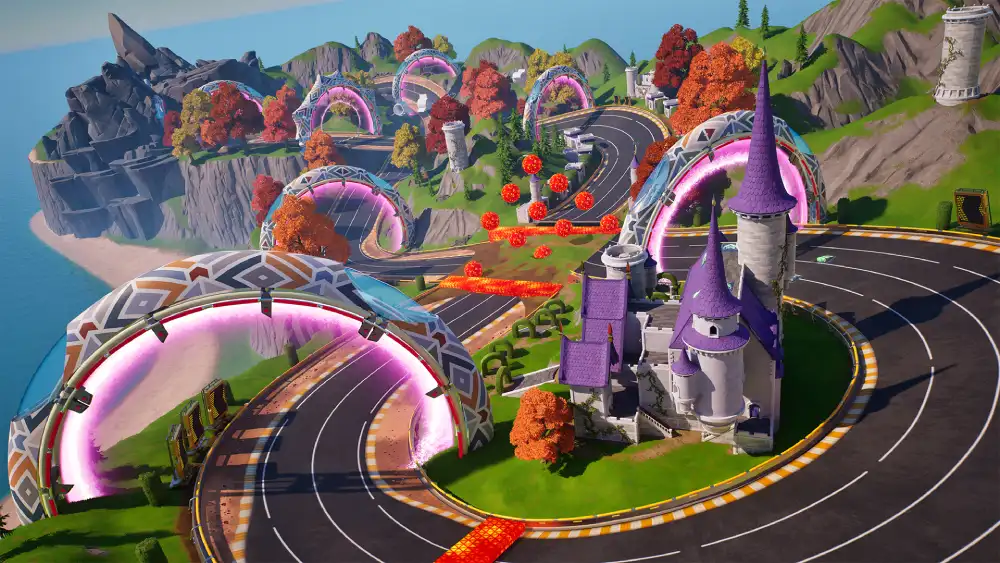
Community members often mention beginner-friendly Fortnite Rocket Racing tracks such as:
- Sky Speedway (example based on player feedback)
- Turbo Tunnels (community-named reference for smooth layouts)
Advanced maps for ranked push
Though not officially named by Epic, Fortnite Rocket Racing players have referred to:
- Velocity Vortex
- Neon Rush
These names come from community discussion and may vary in-game. Use them as general references to track types with varying difficulty in Fortnite Rocket Racing.
Tracking your stats in Fortnite Rocket Racing
Currently, Fortnite Rocket Racing does not include an in-depth stat tracker in-game. However, you can:
- Monitor your rank progression via the Ranked tab
- View race completion times after each match
- Use community tools or screenshots to manually track progress
Epic Games may integrate a full leaderboard or stat panel in future Fortnite Rocket Racing updates, based on community demand.
Troubleshooting common Fortnite Rocket Racing issues
Matchmaking errors
If you encounter errors while queuing in Fortnite Rocket Racing, try the following:
- Restart Fortnite
- Check your internet connection
- Ensure Fortnite is fully updated
- Use ExitLag to troubleshoot potential routing problems
Game lag or performance dips
Lower graphics settings and disable background apps. For users outside major server regions, ExitLag can reduce latency and improve consistency in online Fortnite Rocket Racing performance.
Tips to climb the Fortnite Rocket Racing ranked ladder faster
Note: Epic Games has not fully disclosed how points, penalties, or wins directly impact ranks in Fortnite Rocket Racing. These tips are based on observed gameplay patterns.
- Focus on finishing races — not just overtakes.
- Avoid crashing at all costs; consistency matters more than aggression.
- Don’t waste boosts. Drift strategically to charge your turbo meter.
- Learn from high-level Fortnite Rocket Racing racers by watching replays or streaming content.
- Communicate with friends and race in squads to reduce pressure.
How Fortnite Rocket Racing compares to Rocket League
While Fortnite Rocket Racing draws inspiration from Rocket League, the gameplay is more linear and time-trial-based. Key differences:
- No ball or goal mechanics — purely racing
- Emphasis on track memorization
- Turbo charges via drifting and maintaining momentum, rather than collecting pads
- Vehicle contact is less aggressive
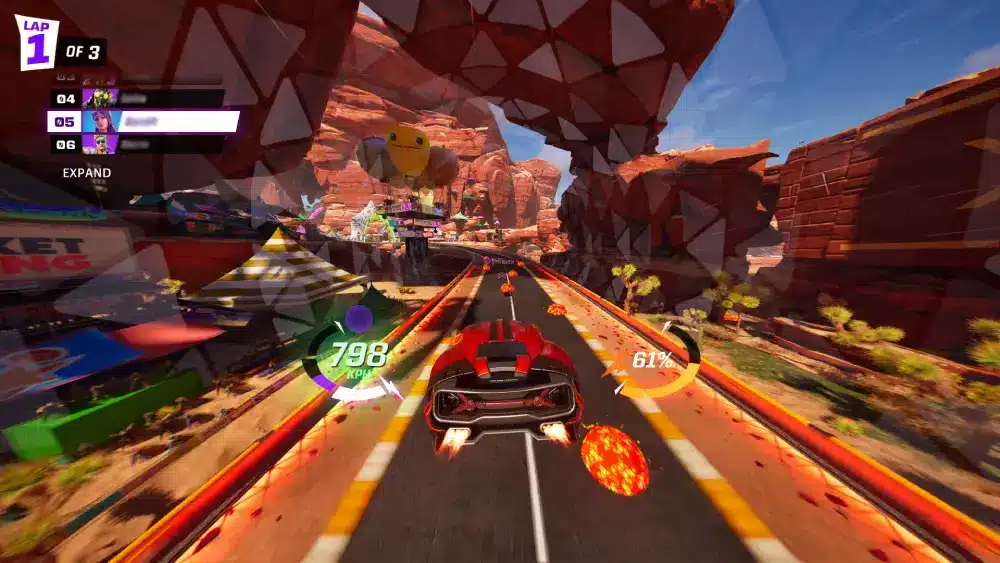
Fortnite Rocket Racing uses a turbo meter with up to three charges, gained by executing drifts. This system rewards technical skill over item collection.
Future updates and expectations
As of recent reports, Epic Games has confirmed that Fortnite Rocket Racing will no longer receive new official track seasons. While the mode remains playable and may receive minor updates, the ongoing development of new tracks by Epic has been paused.
However, Fortnite Rocket Racing players can expect:
- Expanded customization options
- Creative mode racing circuits
- Community-driven tournaments
Stay connected with Epic’s blog and patch notes for official Fortnite Rocket Racing updates.
FAQs about Fortnite Rocket Racing
Fortnite Rocket Racing is a high-speed, online racing mode integrated into Fortnite. Players compete in races using customizable cars, navigating obstacle-rich tracks with boosts, drifts, and tight turns. Developed with Psyonix, it combines elements from Rocket League and Fortnite’s universe.
Community-tested strategies suggest pressing the accelerate key right as the countdown reaches “Go” to trigger a start boost in Fortnite Rocket Racing. While not officially confirmed, many players rely on this timing for a competitive edge.
Currently, there is no official confirmation that different cars have unique performance stats in Fortnite Rocket Racing. Most visual differences are cosmetic, and Epic Games has not indicated any gameplay advantages between models.
Yes. Fortnite Rocket Racing is an online multiplayer mode, and ExitLag helps by optimizing your connection routes to Epic Games servers, reducing lag, ping, and packet loss. It’s especially helpful for competitive Fortnite Rocket Racing play or when dealing with unstable ISPs.
While Epic Games hasn’t detailed all unlock methods, some Fortnite Rocket Racing-themed cosmetics appear to be available via seasonal rewards, event challenges, or item shop rotations. Community findings suggest that skins do not affect Fortnite Rocket Racing gameplay performance.
Final thoughts
Fortnite Rocket Racing is more than just a fun add-on — it’s quickly becoming a favorite among Fortnite’s competitive and casual community. Its balance of skill, speed, and creativity offers players something refreshingly new. Whether you’re aiming to top the ranked charts or just race with style, the key lies in mastering the mechanics, understanding the maps, and optimizing your connection.
Stay ahead of the competition and enjoy smoother, more consistent Fortnite Rocket Racing sessions by using ExitLag. And remember — success in Fortnite Rocket Racing comes from precision, not just speed.
All game images used in this article about Fortnite Rocket Racing belong to Epic Games. They are used for informational/educational purposes only and do not imply endorsement or affiliation with the rights holders.
Got questions or want to connect with other players? Join the conversation at the ExitLag Forum!


