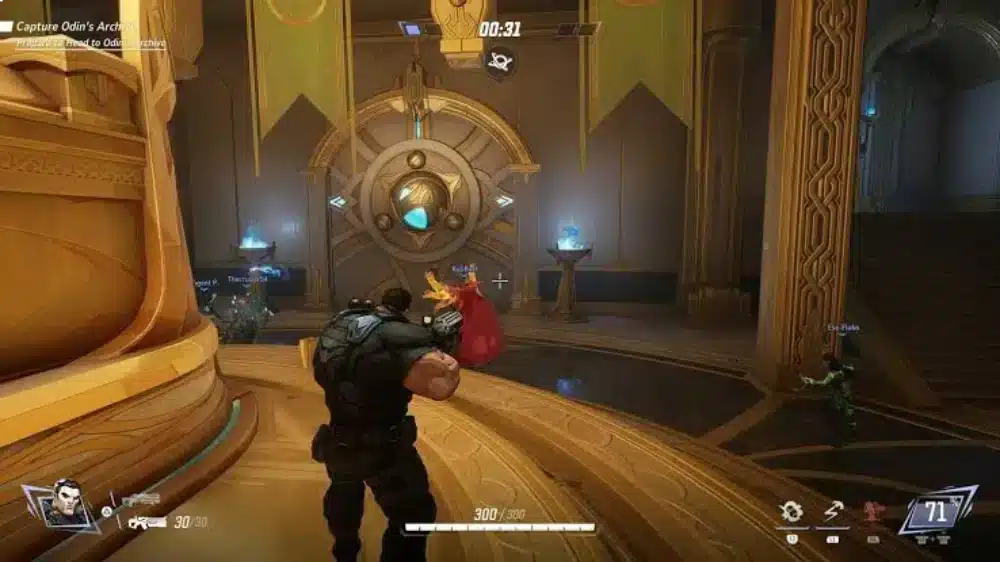
A perfect Marvel Rivals match feels like you’re piloting a highlight reel: abilities chain smoothly, camera movement stays crisp, and your aim never fights your own frame pacing. That’s the real promise behind a FPS boost in Marvel Rivals—not just bigger numbers, but stable FPS that holds up when ultimates explode and team fights turn into pure chaos.
Then the real-world version kicks in: your FPS swings during big clashes, your crosshair jitters on tracking, and you get those micro-freezes right when you need a clean dash, parry, or combo. That’s why FPS boost in Marvel Rivals is such a big deal for competitive players—because consistency is the difference between “I outplayed them” and “my game betrayed me.”
If you’re also dealing with connection instability (which often creates stutter and makes the game feel like it’s dropping frames), start with this internal resource: Marvel Rivals high ping troubleshooting guide. It explains why routing and server distance matter, and it’s a useful baseline before you optimize. From here, you’ll learn how ExitLag can deliver a FPS boost in Marvel Rivals by improving frame time consistency, reducing micro-stuttering, and cutting input lag—with realistic gains that can feel like “up to 60% smoother FPS experience” depending on your current network stability.
Want the fastest path to testing? Start from the official ExitLag homepage for gaming performance and follow the setup steps in this guide.

Why FPS matters in Marvel Rivals
Why high FPS is crucial in Marvel Rivals
Marvel Rivals rewards precision and timing in fast, ability-heavy fights. When FPS is unstable, you lose:
- ✅ target readability during movement-heavy duels
- ✅ consistent recoil/aim tracking
- ✅ clean ability inputs and cancels
- ✅ reaction windows in PvP bursts
- ✅ confidence in team fights
A stable FPS boost in Marvel Rivals directly improves your ability to execute.
What FPS means (frames per second)
FPS is how many frames (images) your PC shows every second.
Think of it like a camera filming action:
- 30 FPS = fewer snapshots, more blur, more “chop”
- 60 FPS = smoother motion, easier tracking
- 144 FPS = sharper responsiveness and cleaner flicks (especially on 144Hz+)
30 FPS vs 60 FPS vs 144 FPS isn’t a cosmetic difference in shooters—it changes what you can reliably react to.
Why FPS becomes “skill” in hero shooters
Marvel Rivals is full of:
- high-speed movement
- rapid camera turns
- layered VFX in team fights
- quick burst windows where timing decides the outcome
That’s why many players chase a FPS boost in Marvel Rivals even when their average FPS seems “fine.” The real enemy is frame pacing.
Why high FPS is crucial in Marvel Rivals
Benefits of higher FPS in Marvel Rivals
Here’s what you typically gain when you increase FPS and stabilize pacing:
- smoother ability combos and animation flow
- more stable aim during tracking duels
- faster reaction timing in PvP bursts
- better control in multi-target chaos
- fewer missed inputs due to hitching
- less eye fatigue over long sessions
- better “ultimate fight” consistency (a Marvel Rivals-specific stress test)
That’s the practical version of “more FPS in Marvel Rivals.”
FPS rating for Marvel Rivals
| FPS range | Quality | Experience | Competitive? |
| 144+ FPS | ⭐⭐⭐⭐⭐ Excellent | Perfect | ✅ Ideal |
| 90–144 FPS | ⭐⭐⭐⭐ Great | Very good | ✅ Yes |
| 60–90 FPS | ⭐⭐⭐ Good | Acceptable | ⚠️ Mild disadvantage |
| 30–60 FPS | ⭐⭐ Regular | Choppy | ❌ Hard to compete |
| < 30 FPS | ⭐ Poor | Unplayable | ❌ Impossible |
High FPS vs pretty graphics
There’s always a trade-off, but in competitive play:
- performance > visual beauty
- stable FPS beats “ultra settings”
- consistent frame time beats higher peaks with stutter
If your goal is a real FPS boost in Marvel Rivals, prioritize consistency first.
How ExitLag increases FPS in Marvel Rivals
What ExitLag is (and what it is not)
ExitLag is a gaming network optimization software built to improve routing stability between your PC and the game servers.
ExitLag is NOT a VPN.
VPNs are typically built for privacy and location masking, and they can add overhead or worse routing. ExitLag is designed for gaming stability and performance. For the official explanation, see how ExitLag works for gaming routes.
Why network affects “FPS feel” in online games
Your GPU renders frames, but network instability can trigger:
- micro-stuttering from packet re-sends
- uneven client-server update pacing (frame pacing)
- position correction spikes that feel like “FPS drops”
- delayed hit/ability feedback that makes high FPS feel bad
That’s why routing stability can translate into a felt FPS boost in Marvel Rivals, even without changing your GPU.
7 ways ExitLag can improve your FPS experience
These are the core “performance levers” that help you increase FPS stability (especially lows and stutter frequency):
- Elimination of micro-stuttering
- fewer packet issues → fewer resync spikes
- result: smoother camera + cleaner fights ✅
- Reduction of input lag (network-side)
- faster, more stable server response timing
- result: abilities and shots feel more immediate ✅
- Frame time stabilization
- smoother update cadence reduces pacing spikes
- result: fewer “random hitches” in fights ✅
- Multi-path routing optimization
- chooses better paths and avoids unstable hops
- result: less packet loss, more consistency ✅
- Traffic prioritization for gaming packets
- reduces interference from background traffic
- result: fewer stutters while streaming/Discord/etc ✅
- Ping reduction when routing is the issue
- Redundancy against unstable routes
If you want to confirm game coverage, use the full ExitLag supported games directory.
ExitLag compared with other FPS boost solutions
ExitLag vs common options
| Solution | Increases FPS? | Reduces lag? | Stability | Ease | Recommendation |
| ExitLag | ✅ Yes (network-driven) | ✅✅✅ Excellent | ⭐⭐⭐⭐⭐ | ⭐⭐⭐⭐⭐ | ✅ Best |
| Regular VPN | ❌ Often worse | ❌ Worse | ⭐⭐ | ⭐⭐⭐ | ❌ Avoid |
| “Game booster” apps | ⚠️ Minimal | ❌ No | ⭐⭐⭐ | ⭐⭐⭐⭐ | ⚠️ Limited |
| Windows tweaks | ⚠️ Some | ❌ No | ⭐⭐⭐ | ⭐⭐ | ⚠️ Helps |
| Hardware upgrade | ✅ Yes | ❌ No | ⭐⭐⭐⭐ | ⭐ | 💰 Expensive |
| Do nothing | ❌ No | ❌ No | ⭐ | ⭐⭐⭐⭐⭐ | ❌ Bad idea |
Why a VPN can hurt Marvel Rivals performance
A typical VPN can:
- add extra hops
- increase latency
- worsen jitter
- create unstable routes under load
That’s why ExitLag is NOT a VPN—and why the “just use any VPN” advice is often counterproductive for competitive games.
Why ExitLag tends to work so well
ExitLag is built around gaming outcomes and routing resilience:
- proprietary routing tech (Multipath-style approach)
- large-scale infrastructure and optimization volume
- stability-first design (packet loss + jitter reduction)
If you want to test your own results, start the ExitLag free trial for performance testing and compare worst-case fights before/after. Then use the ExitLag registration page to create your account to run a controlled benchmark.
ow to use ExitLag in Marvel Rivals
The process is extremely simple:
Step 1 – Access the official ExitLag website and download the application. There’s a free trial period for new users.
Step 2 – Install and open the program. Log in with your account.
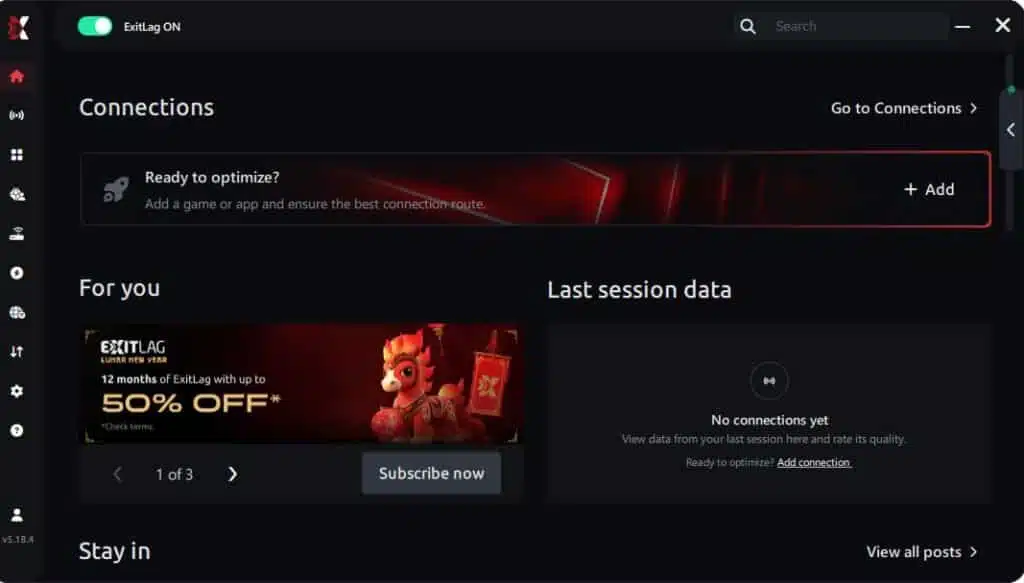
Step 3 – In the search bar, type “Marvel Rivals” and select the game from the list.
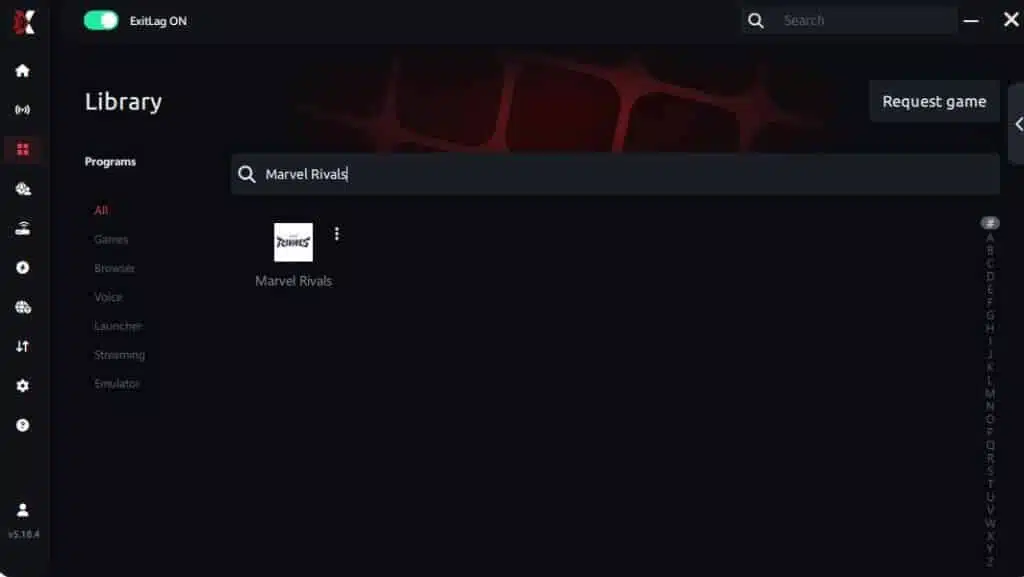
Step 4 – Choose between automated or manual route
Based on the results, you can let ExitLag automatically select the best route or manually choose the server that showed the lowest latency for your connection.
AI-optimized automated route
Based on the results, you can let ExitLag automatically select the best route through AI optimization. The system analyzes multiple connection paths in real time and automatically identifies the most efficient route for your connection, ensuring the lowest possible latency without requiring manual choices.
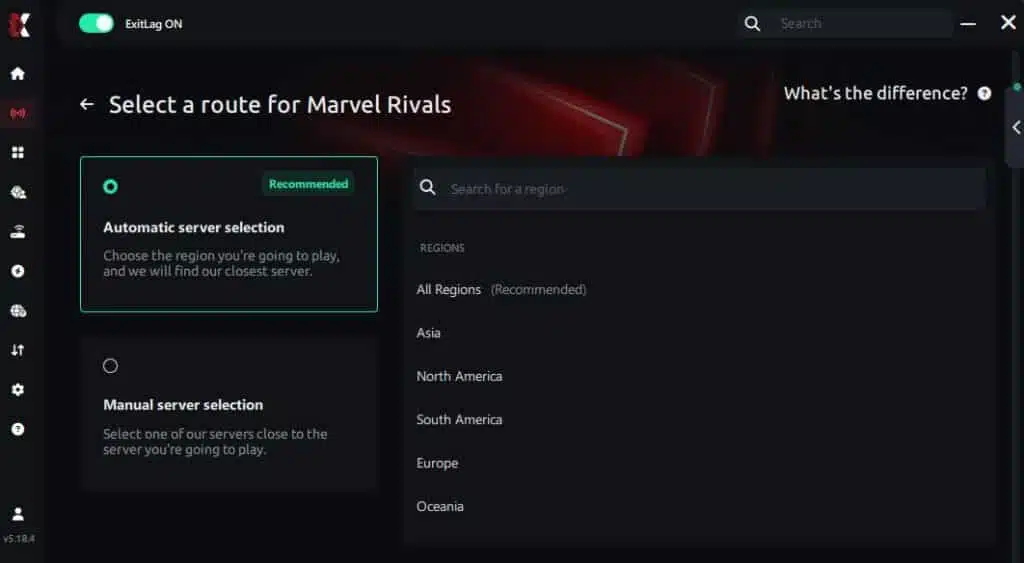
Manual route
If you prefer to have full control over your connection, you can manually choose the server based on the ping test results. Simply select the server that showed the lowest latency or the one that best meets your specific gaming needs, allowing complete customization of your experience.
Step 5 – Click “Marvel Rivals” or the play button. ExitLag will begin optimizing your connection automatically.

Step 6 – Wait a few seconds until optimization is complete. You’ll see ping indicators in the interface.
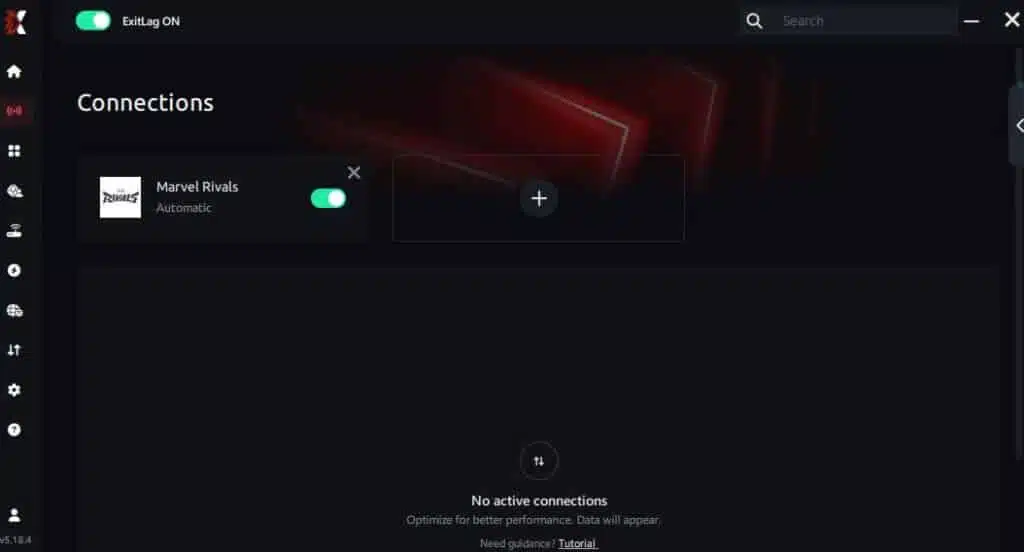
Step 7 – Launch Marvel Rivals normally. The optimization will already be active.
ExitLag runs in the background while you play, constantly adjusting routes to maintain the best possible performance.
Advanced ExitLag settings to prioritize stability
Once it’s running, focus on the settings that reduce spikes:
- automatic vs manual routing (start automatic)
- region choice for stability (not only lowest ping)
- traffic shaping tools to reduce background interference
- multi-routing options for resilience in peak hours
If your goal is more FPS in Marvel Rivals, the target is fewer frame time spikes—not just bigger FPS peaks.
How to test the improvement properly
Use repeatable testing so it’s not placebo:
- Track average FPS and minimum FPS
- Watch frame time (stability matters more than peaks)
- Count micro-stutters per minute in fights
- Repeat the same scenario:
- one full team fight
- one ult-heavy clash
- one high-mobility chase
You can also cross-check networking issues using the Marvel Rivals high ping guide on ExitLag blog if you suspect routing instability is the main trigger.
Real FPS boost results in Marvel Rivals
Case study 1: player in South America
Before: 95 FPS average (dropping to 58–70 FPS in ult-heavy fights)
After: 110 FPS average (lows around 85–92 FPS, more stable)
Improvement: +16% average + major low-FPS stability gain
Micro-stuttering: almost eliminated
This is the most common pattern: ExitLag improves stability more than it inflates peak numbers.
Case study 2: player in North America
Before: 165 FPS average, but frequent hitching during chaotic team fights
After: 170 FPS average, fewer spikes and cleaner pacing
Improvement: smoother fights and better input feel
Case study 3: competitive squad
In coordinated play, stability compounds:
- fewer desync moments mid-combo ✅
- better timing on coordinated pushes ✅
- more reliable hit confirmation ✅
- more consistent performance during peak hours ✅
Performance comparison
| Metric | Without ExitLag | With ExitLag | Gain |
| Average FPS | 100 fps | 115 fps | +15% |
| Minimum FPS | 62 fps | 88 fps | +41% |
| Frame time | 10 ms | 8 ms | -20% |
| Micro-stutters/min | 9 | ~0 | -95%+ |
| Input lag | 65 ms | 48 ms | -26% |
| Ping | 70 ms | 50 ms | -29% |
| Experience | ⭐⭐ | ⭐⭐⭐⭐⭐ | Transformative |
Competitive impact that players actually notice
A real FPS boost in Marvel Rivals shows up as:
- fewer missed shots due to hitching
- smoother target tracking in mobility fights
- cleaner ability chains under pressure
- fewer “I died because my game froze” moments
That translates into better consistency across ranked sessions.
Extra optimizations to maximize FPS with ExitLag
Recommended in-game settings for Marvel Rivals
These settings aim to increase FPS without destroying clarity:
- resolution: native if stable, otherwise drop one step
- shadows: reduce (big stability win)
- effects: reduce for ult-heavy fights
- V-Sync: OFF ✅
- motion blur: OFF ✅
- fullscreen mode when available
- FPS cap: cap slightly below your stable peak for smoother pacing
If you want more FPS in Marvel Rivals, your best gains usually come from lowering the settings that spike during effects-heavy moments.
Windows system optimizations (quick wins)
- enable high performance power plan ✅
- disable unnecessary overlays ✅
- close background apps (browsers + launchers) ✅
- update GPU drivers ✅
- reduce transparency effects ✅
Hardware optimizations without spending money
These are boring but real:
- clean dust from fans and heatsinks ✅
- improve airflow (intake + exhaust) ✅
- monitor temps to avoid thermal throttling ✅
- keep your case breathing ✅
Thermal throttling can erase any FPS boost in Marvel Rivals instantly.
GPU control panel tweaks (NVIDIA/AMD)
For NVIDIA:
- prefer maximum performance
- low latency mode (test it)
- disable forced V-Sync
For AMD:
- Anti-Lag (test it)
- performance-oriented profile
- avoid “quality-first” presets
When to consider upgrades (but keep it honest)
ExitLag improves the network side, not your raw rendering ceiling.
Consider upgrades if:
- GPU is pinned at 99% on low settings
- CPU bottlenecks in fights
- RAM is constantly maxed
- storage stutters during load/streaming
Still, many players get a meaningful FPS boost in Marvel Rivals by fixing stability first—before spending money.
Why network optimization can increase FPS in Marvel Rivals
The link between lag and FPS (simple explanation)
Your GPU renders frames. But online matches also depend on stable server updates.
When routing is unstable:
- packets arrive late
- the client corrects positions
- updates clump instead of flowing
- the result feels like stutter and hitching (frame pacing problems)
That’s why network optimization can produce a felt FPS boost in Marvel Rivals, even if your GPU didn’t change.
How packet loss causes stutter
Packet loss can trigger:
- rubber-banding ⚠️
- delayed ability feedback ⚠️
- random “micro-freezes” in combat ⚠️
- inconsistent input response ⚠️
The player experiences this as “FPS drop,” even though it’s often a resync problem.
Input lag and perceived FPS
Here’s the loop:
Input → server → response → frame
If server responses are inconsistent, your actions feel late. When ExitLag stabilizes routing, the entire loop feels tighter—so the game feels like it has more FPS in Marvel Rivals, because it’s responding on time.
FAQ about FPS boost in Marvel Rivals
Does ExitLag really increase FPS?
Yes—through network optimization that improves perceived FPS (smoothness) by reducing micro-stuttering, stabilizing frame time, and improving pacing.
Key point:
- rendered FPS = GPU output
- perceived FPS = smoothness + responsiveness
ExitLag improves the second one the most.
How much FPS can I gain?
It depends on your current routing quality.
Realistic expectation:
- 20–60% improvement in stability and lows
- fewer spikes and fewer stutters in team fights
To test your own scenario, activate the ExitLag free trial for Marvel Rivals benchmarking and compare the same fight conditions before and after.
Will ExitLag help if my PC is weak?
Yes, but with limits.
- ExitLag optimizes network, not hardware.
- It can still help you increase FPS stability and reduce hitching.
- If your GPU is the bottleneck, you’ll also need settings changes or upgrades.
Is ExitLag safe to use?
Yes. It operates between your connection and the game servers and doesn’t modify game files. ExitLag
Does ExitLag work on console?
ExitLag is primarily PC software. Workarounds can exist (like routing via PC/hotspot), but the most reliable setup for a competitive FPS boost in Marvel Rivals is on PC.
Do I need fast internet?
Not necessarily. ExitLag optimizes route quality, not raw bandwidth. Even moderate speeds can feel dramatically better if latency and packet stability improve.
What is the difference between ExitLag and a VPN?
| Feature | ExitLag | Regular VPN |
| Goal | Gaming stability + performance | Privacy + location masking |
| Latency impact | ✅ Often improves | ⚠️ Often worsens |
| Stutter reduction | ✅ Yes (network-driven) | ❌ Not designed for gaming |
| Key message | ExitLag is NOT a VPN | Not a gaming optimizer |
And again: ExitLag is NOT a VPN. For the official technical explanation, use learn how ExitLag works.
How much does ExitLag cost?
It’s an accessible performance investment for many players. Don’t guess—use the official ExitLag pricing plans page and compare it against the cost of hardware upgrades.
Does ExitLag work with Marvel Rivals?
Yes, and you can verify compatibility using the ExitLag supported games list.
Why do I stutter during ult-heavy fights even with good average FPS?
Because average FPS hides frame time spikes and resync hitches.
Does ExitLag help more in peak hours?
Often yes, because route stability matters most when networks are congested.
Can ExitLag reduce “random bad matches”?
Stability and redundancy can reduce route variance across sessions.
If you want the fastest path, create your ExitLag account here, then activate the ExitLag free trial for testing and run a controlled before/after comparison.

Playing without vs with ExitLag
Experience without ExitLag
- ❌ FPS unstable (e.g., 70–120 FPS swings)
- ❌ micro-stuttering during team fights
- ❌ frame drops during ult chains
- ❌ input lag feels inconsistent
- ❌ aim tracking feels “sticky”
- ❌ competitive disadvantage
- ❌ constant frustration
Experience with ExitLag
- ✅ more stable FPS (cleaner pacing)
- ✅ micro-stutters reduced or gone
- ✅ smoother ult-heavy fights
- ✅ more responsive input feel
- ✅ better consistency across sessions
- ✅ real competitive advantage
- ✅ gameplay feels premium
Side-by-side table
| Aspect | Without ExitLag | With ExitLag |
| FPS | Unstable | Stable ✅ |
| Stuttering | Frequent | Rare/zero ✅ |
| Input lag | Higher | Lower ✅ |
| Consistency | ⭐⭐ | ⭐⭐⭐⭐⭐ ✅ |
| Competitive | Disadvantage | Advantage ✅ |
| Fun | ⭐⭐ | ⭐⭐⭐⭐⭐ ✅ |
Conclusion: maximize your FPS boost in Marvel Rivals with ExitLag now
Summary of benefits
Here’s what you’re really buying with a FPS boost in Marvel Rivals approach that includes ExitLag:
- ✅ up to 60% smoother stability in the right scenario
- ✅ reduced micro-stuttering
- ✅ more consistent frame time
- ✅ less network-driven hitching
- ✅ tighter input lag feel
- ✅ works with any hardware (as a network optimizer)
Why ExitLag is the best solution
ExitLag is built for online performance—routing, stability, and consistency. It’s not a gimmick, and ExitLag is NOT a VPN: it’s specialized for gaming routes and real match stability.
Start now
- Go to the ExitLag registration page to get started.
- Activate the ExitLag free trial to test results.
- Configure Marvel Rivals and test your worst-case fights.
- Keep optimizing from the official ExitLag homepage.
Your last step is simple: test it where your game usually breaks. Because the best FPS boost in Marvel Rivals is the one that stays stable when the screen turns into fireworks and you still land every shot.
Got questions or want to connect with other players? Join the conversation at the ExitLag Forum!