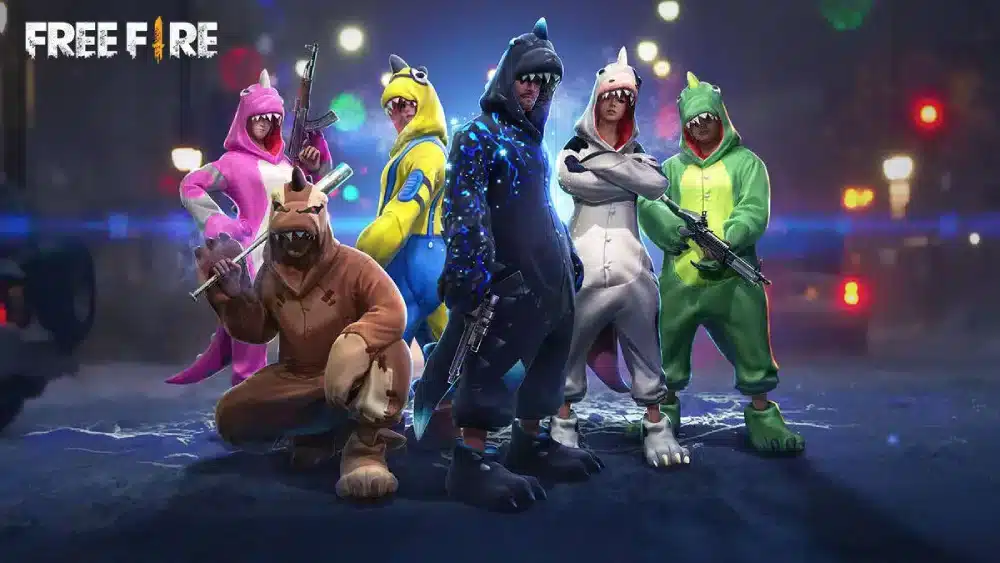
The Free Fire Advance Server is Garena’s official beta testing program that gives selected players early access to the next major OB update weeks before it reaches the live game. If you have ever seen a content creator showcasing new characters, weapons, or maps that are not in your version of Free Fire yet, they were almost certainly playing on the Advance Server.
This guide covers everything: what the Advance Server is, how every OB cycle works, who is eligible, how to register step by step, how to get and use an activation code, how to download the APK, what rewards you get for reporting bugs, and the complete 2026 OB schedule from OB52 through the expected OB55 window.

What Is the Free Fire Advance Server?
Free Fire Advance Server gives selected players a way to try new content before Garena’s official release. You can install a beta version of the game weeks before a major OB update goes live through this program. It allows you to test new weapons, characters, and game modes inside a separate app that runs alongside your main game.
The Advance Server is not a separate game. It is a parallel build of Free Fire that runs independently of your main installation. Your main game account, progress, and diamonds are entirely separate from what happens in the Advance Server environment.
For competitive players, the Advance Server is more than a sneak peek. It is a chance to learn new weapon balancing, character abilities, and map changes before they hit ranked. Knowing how a new character plays two weeks ahead of the crowd is a real edge once the update lands on live servers. For everyone else, it is simply the most direct way to influence the game. Garena uses Advance Server feedback to fix bugs and tune features before release, so the reports players send during this window genuinely shape the final patch.
How Every Advance Server Cycle Works
Each major Free Fire update (OB release) follows the same cycle:
- Registration opens on the official Advance Server website, typically 2 to 4 weeks before the OB update goes live
- Registration closes when slots fill or after a set period
- Selected players receive an activation code via email
- APK download goes live on the same day the Advance Server opens
- Testing window runs for approximately 2 weeks
- Advance Server closes, and Garena uses the bug reports to finalize the update
- Main OB update launches globally on the live game
Registration does not guarantee an activation code. Garena only hands these out to a limited number of registered players. Registering does not guarantee a code, so the earlier you sign up, the better your odds of getting selected.
Eligibility Requirements
Not everyone can join the Advance Server. Before registering, confirm you meet all conditions:
- Minimum age: 18 years old
- Account age: Your Free Fire account must be at least 9 months old
- Account link: Your game account must be linked to Facebook or Google
- Supported region: Your account must be registered in a region Garena supports for the Advance Server
- Platform: Android only (iOS access depends on official testing programs per cycle)
Registration is still open, but the number of activation codes is limited, so it is best to register as soon as possible. Slots can fill within hours of opening.
How to Register for the Free Fire Advance Server
The registration process is the same for every OB cycle:
- Visit the official Advance Server website at ff-advance.ff.garena.com
- Log in using the Facebook or Google account linked to your Free Fire game account
- Enter your email address in the required field
- Tap or click the Join Now button
- Wait for Garena to review your application
- If selected, you will receive an activation code via email
- Save the activation code immediately after receiving it
Important: Without the activation code, players will not be able to access the server. If you did not receive a code, you were not selected in that cycle. Wait for the next OB registration.
How to Download and Install the Advance Server APK
On the day the Advance Server opens, registered players with a valid activation code can download the Advance Server APK from the official site.
Step-by-step download and installation:
- Visit ff-advance.ff.garena.com on your Android device
- Log in with the same account used during registration
- Tap the Download APK button when it becomes available on launch day
- Before installing, go to your phone’s Settings and enable Install Unknown Apps (or Install from Unknown Sources) for your browser or file manager
- Open your file manager and tap the downloaded APK file
- Follow the installation prompts
- Open the Advance Server app
- Enter your activation code on the first screen
- Log in with your account credentials
- Start testing
The APK is approximately 694 MB, so make sure you are on Wi-Fi before downloading.
The Advance Server app installs separately from your main Free Fire game. Both can exist on your device simultaneously without affecting each other.
The Activation Code: Everything You Need to Know
Open the Advance Server app to see a code entry field on the first screen. Paste the code correctly to get instant access to the beta build. Each code works only once per registered account. Sharing a code with another player usually causes a login error.
Additional rules for activation codes:
- Codes are case-sensitive: enter them exactly as received
- Codes tied to another account never activate on a different login
- If the app shows “Server Closed,” the testing period has ended for that cycle
- Keep your APK installed: Garena often reuses the same file for future updates
If you did not receive a code: This is the most common outcome. Demand for Advance Server codes exceeds supply every cycle. The only options are to wait for the next registration cycle and register as early as possible when it opens.
Warning about third-party codes: Do not purchase, trade, or use activation codes from sources other than your own registered email. Codes shared or sold by third parties are almost always already used, invalid, or tied to accounts that can be banned for sharing.
Bug Reporting Rewards: Free Diamonds
One of the strongest incentives to join the Advance Server is the diamond reward for valid bug reports.
You earn free diamonds just for finding bugs and helping make the game better for millions of players worldwide.
Diamond rewards are distributed after the testing window closes, based on the quality and validity of your bug reports. Cosmetic bugs and minor visual issues typically earn fewer diamonds than gameplay-breaking bugs. The more specific and reproducible your report, the higher the reward.
How to submit a bug report:
- Within the Advance Server app, find the bug report or feedback button (typically in the settings or main menu)
- Describe the bug clearly: what you were doing, what happened, and what you expected to happen
- Include a screenshot or screen recording if possible
- Submit the report through the in-game system
Complete 2026 OB Advance Server Schedule
| OB Update | Advance Server Period | Main Update Release |
|---|---|---|
| OB52 | December 25, 2025 to January 9, 2026 | January 14, 2026 |
| OB53 | March 20 to April 2, 2026 | April 8, 2026 |
| OB54 | June 5 to June 18, 2026 | Late June 2026 |
| OB55 | Expected September 2, 2026 | Expected September 2026 |
The OB55 Advance Server is expected to launch on September 2, 2026, allowing selected players with an activation code to download, log in, and test new OB55 features before the official global release.
What Was Tested in 2026
OB53 Advance Server (March 20 to April 2, 2026)
OB53 featured a new character with a partial invisibility skill, a rideable horse vehicle that lets players fire while mounted, the Eclipse legendary outfit for both male and female characters, a new Water City combat zone, and a Gintama collaboration event.
OB54 Advance Server (June 5 to 18, 2026): 9th Anniversary
The OB54 Advance Server opened June 5, 2026, and ran until June 18, 2026. The cycle tested 9th Anniversary content, including new weapon balancing, character abilities, and system changes tied to Free Fire’s ninth anniversary celebration.
Frequently Asked Questions About the Free Fire Advance Server
Can I play my main account on the Advance Server?
You log in with your main account credentials, but the Advance Server is a separate environment. Your main game progress, ranked stats, and diamonds are not affected by anything that happens in the Advance Server.
Does the Advance Server work on iOS?
The Advance Server APK is Android-only. iOS access is not standard and depends on whether Garena includes iOS in a specific cycle’s official testing program.
What happens if the Advance Server shows “Server Closed”?
If the system shows “Server Closed,” it means the testing period has ended. You must wait for the next registration phase.
Can I keep the Advance Server APK installed for the next cycle?
Keep your APK installed: Garena often reuses the same file for future updates. Having it installed means you only need to update rather than perform a full reinstall for subsequent cycles.
Is there a guaranteed way to get an activation code?
No. Registration is required but does not guarantee selection. The only factors that improve your odds are registering as early as possible after the window opens and meeting all eligibility requirements.
Play Free Fire with ExitLag for Better Connection Performance
Whether you are playing on the Advance Server or the live game, your connection to Garena’s servers determines how smooth every match feels. High ping causes shot registration delays, character skill timing issues, and the rubber-banding that gives enemies an unfair positional advantage in firefights.
The Advance Server specifically runs on beta infrastructure that may have higher baseline latency than the live game servers. Optimizing your connection during Advance Server sessions helps you test features under realistic conditions rather than through the distortion of connection-induced lag.
ExitLag is a connection optimizer used by over 30 million players across 4,000+ game titles including Free Fire. It analyzes multiple network routes in real time and selects the fastest, most stable path between your device and Garena’s servers, replacing your ISP’s default routing with one built for gaming performance.
Features that directly benefit Free Fire and Advance Server players:
- Real-Time Optimization: Continuously selects the lowest-latency route to Garena’s servers. Shot registration, character skill timing, and movement responsiveness all improve with lower, more consistent ping.
- Multipath Technology: Routes your game data through multiple simultaneous paths. Packet loss in Free Fire causes bullets that should connect to register as misses. Multipath eliminates this by ensuring your data arrives through alternative paths when one drops a packet.
- Traffic Shaper: Prioritizes Free Fire traffic above every other application on your device. Background downloads and notifications cannot spike your ping during a firefight.
- Multi-Internet: Supports up to four simultaneous connections. If your primary connection drops during a match or an Advance Server bug-reporting session, a backup maintains your connection without a disconnect.
Setting up ExitLag for Free Fire:
- Download ExitLag from exitlag.com/free-trial
- Search for Free Fire in the game library
- ExitLag shows your real-time latency to Garena’s regional servers
- Enable optimization
- Launch Free Fire or the Advance Server APK normally
- Check your in-game ping indicator to confirm the improvement
Pro Tips: Free Fire Advance Server
- Register the moment the window opens: Registration slots fill within hours once a new cycle begins. Setting a calendar reminder for the expected registration date and checking the official channels frequently gives you the best chance of registering before slots fill.
- Use the same account for registration and login: Use the same Facebook account registered during sign-up. Logging in with a different account than the one used to register will fail even with a valid activation code.
- Report as many bugs as possible with specific details: Diamond rewards scale with bug quality and validity. Generic reports earn less than specific, reproducible reports with screenshots. Document every unusual behavior you encounter during testing.
- Follow @FreeFire_BR and @FreeFire_GLOB on social media: Advance Server opening announcements arrive on official channels first. Being among the first to register maximizes your code selection odds.
Common Advance Server Mistakes
- Entering the activation code with extra spaces or incorrect characters: Activation codes are case-sensitive and any formatting error causes a login failure. Copy-paste the code directly from your email rather than typing it manually to avoid transcription errors.
- Registering with a game account younger than 9 months: Account age is a hard eligibility requirement. Registering with an ineligible account wastes a registration slot and will not result in an activation code regardless of how early you signed up.
- Downloading the APK from unofficial sources: Third-party sites distributing Advance Server APKs may bundle malware or outdated versions that do not function with current activation codes. The only safe download source is the official website at ff-advance.ff.garena.com. Any other source is a security risk to your device and your Free Fire account.
Quick Reference: Free Fire Advance Server
| Detail | Info |
|---|---|
| Official URL | ff-advance.ff.garena.com |
| Registration Login | Facebook or Google (same as in-game) |
| Activation Code | Required, distributed by Garena via email |
| APK Size | Approximately 694 MB |
| Platform | Android (iOS varies by cycle) |
| Minimum Account Age | 9 months |
| Minimum Age | 18 years |
| Rewards | Free diamonds for valid bug reports |
| Next Expected Cycle | OB55 (expected September 2, 2026) |
| Cost | Free |
Download ExitLag and play Free Fire with the lowest latency available.
Free Fire and related marks are trademarks of Garena. Used for informational and educational purposes only.
Got questions or want to connect with other players? Join the conversation at the ExitLag Forum!