The Free Fire game remains one of the most played mobile battle royale titles in the world. Since its launch, it has attracted millions of players thanks to its fast-paced matches, accessible gameplay, and constant stream of updates. Whether you are new to the battlefield or looking to improve your skills, understanding the game’s core mechanics is essential.
The Free Fire game offers a unique experience that combines survival, strategy, and action. Unlike many battle royale titles that require powerful hardware, Free Fire runs smoothly on a wide range of devices, making it accessible to players across different regions and platforms. And before we continue, know that to know more about all the relevant content about gaming, you just have to check our blog.
What is Free Fire game and why is it so popular?

If you’re wondering what makes the Free Fire game so popular, the answer lies in its combination of quick matches, character abilities, and competitive progression. Developed by Garena, the title continues to evolve with new content, events, and features designed to keep players engaged throughout every season.
The Free Fire Game was developed by 111dots Studio and published by Garena in 2017. Since then, it has become one of the biggest mobile battle royale games globally, especially in regions such as Latin America, Southeast Asia, and India.
Unlike many competitors, the game focuses on shorter matches and optimized performance. As a result, players can enjoy intense action without needing high-end devices. This accessibility helped Free Fire build one of the largest gaming communities in the mobile industry.
How Free Fire game works
Every match begins with players parachuting onto an island filled with weapons, equipment, and resources. The main objective is simple: survive until you are the last player or squad standing.
As the match progresses, the safe zone gradually shrinks. Therefore, players must constantly reposition while managing resources and engaging opponents. This mechanic creates tension and encourages strategic decision-making throughout the game.
In addition, players can choose different landing locations depending on their preferred playstyle. Aggressive players often seek high-loot areas, while cautious players may choose quieter locations to gather equipment before fighting.
Why millions still play Free Fire
One major reason for the game’s success is its accessibility. The Free Fire mobile game runs efficiently on entry-level smartphones while still offering competitive gameplay.
Furthermore, Garena regularly introduces updates that include:
- New characters
- Seasonal events
- Exclusive skins
- Weapon balancing
- Limited-time game modes
Because of these updates, players constantly find fresh content and new strategies to explore. Even more importantly, the game maintains an active esports ecosystem that attracts both casual and competitive audiences.
Check also: Best Free Fire Names: +100 Ideas to Create a Unique FF ID
Free Fire mobile game features every player should know
One of the biggest strengths of the Free Fire mobile game is its variety of gameplay systems. Characters, pets, weapons, and cosmetics all contribute to creating unique experiences in every match.
At the same time, players can combine different abilities and equipment to develop personalized strategies suited to their preferred style of play.
Characters and unique abilities
Characters play a central role in Free Fire. Unlike traditional battle royale games, many characters feature unique active or passive abilities that directly affect gameplay.
Some of the most popular options include:
- Alok for healing and movement speed
- Chrono for defensive protection
- K for energy regeneration
- Skyler for utility and aggression
- Kelly for increased mobility
Learning how these abilities interact can significantly improve your performance during fights.
Moreover, advanced players often create optimized combinations that maximize survivability, mobility, or damage output.
Weapons, pets and customization
Beyond characters, customization is another defining feature of Free Fire.
Players can unlock:
- Weapon skins
- Character outfits
- Pets with special abilities
- Emotes
- Vehicle skins
Many weapon skins also provide small attribute adjustments, adding another layer of strategic decision-making.
Similarly, pets contribute valuable passive bonuses. Depending on the pet selected, players may receive benefits related to healing, inventory management, or combat support.
This extensive customization system helps players create unique identities while enhancing gameplay options.
You may also like: How to fix high ping in Free Fire: complete guide to reduce latency
Game modes available in Free Fire game
The Free Fire game offers multiple modes designed to satisfy different types of players. Whether you enjoy solo survival or coordinated team combat, there is always a mode that matches your preferences.
As a result, players can switch between casual matches and highly competitive environments without becoming bored.
Battle Royale mode
Battle Royale remains the flagship experience.
In this mode, more than fifty players compete on a large map while searching for equipment and eliminating opponents. The shrinking safe zone ensures that action constantly intensifies as the match progresses.
Success requires:
- Smart positioning
- Efficient looting
- Resource management
- Strong map awareness
Because every match unfolds differently, adaptability becomes one of the most important skills to develop.
Clash Squad and Ranked modes
Clash Squad offers a faster and more tactical experience.
Instead of long survival matches, teams compete in multiple rounds using purchased weapons and equipment. This format places greater emphasis on teamwork, communication, and mechanical skill.
Ranked progression adds another layer of competition. Players can climb through different tiers while facing increasingly skilled opponents.
Popular competitive ranks include:
- Bronze
- Silver
- Gold
- Platinum
- Diamond
- Heroic
- Grandmaster
Consequently, many players spend most of their time refining strategies and improving performance within the ranked ecosystem.
As competition becomes more intense, maintaining a stable connection becomes increasingly important. This is where ExitLag can help Free Fire players by reducing latency, minimizing packet loss, and improving connection stability. Whether you’re pushing for Heroic rank or competing in high-pressure squad matches, smoother gameplay can make every decision and reaction count.
ExitLag can drastically improve your gameplay for an accessible price. To know more, check our pricing page.
How to download and play Free Fire game
Getting started with the Free Fire game is simple, whether you prefer mobile devices or a PC setup. Garena designed the game to be accessible, allowing players from different regions and hardware configurations to jump into matches quickly.
Because of its lightweight requirements, Free Fire continues to attract millions of players worldwide. Furthermore, regular updates ensure that new users always have fresh content to explore.
Android and iOS installation
Installing Free Fire on mobile devices only takes a few minutes.
Follow these steps:
- Open the Google Play Store or Apple App Store.
- Search for Free Fire.
- Tap Install.
- Wait for the download to finish.
- Launch the game and create or connect an account.
The game is free to download and frequently receives updates that introduce new characters, maps, and seasonal content.
Playing on PC with emulators
Many players enjoy the Free Fire mobile game on PC because of the larger screen and customizable controls.
Popular emulator options include:
- BlueStacks
- LDPlayer
- GameLoop
Benefits of playing on PC include:
- Improved aiming precision
- Larger field of view
- Keyboard and mouse controls
- Better multitasking capabilities
However, always download emulators from trusted sources and verify compatibility with your system.
Check also: How to fix FPS Drop Free Fire: complete guide to reduce latency
Is poki games Free Fire available?
Many users search for poki games Free Fire while looking for browser-based alternatives. However, it’s important to understand how these searches relate to the official Free Fire experience.
The official Free Fire title is distributed through Garena and authorized app stores. Therefore, players should always prioritize official downloads for security, updates, and full feature access.
Understanding browser searches for Free Fire
Searches for poki games Free Fire often come from users looking for quick browser access without downloading the full game.
While browser gaming platforms offer various action titles, the complete Free Fire experience is typically available through official mobile versions and approved installation methods.
This ensures access to:
- Character progression
- Ranked gameplay
- Official events
- Account synchronization
- Security updates
Differences between official Free Fire and browser alternatives
Players searching for poki games Free Fire max are often interested in enhanced versions or alternative experiences.
However, the official Free Fire ecosystem offers features that browser alternatives cannot fully replicate.
These include:
- Full graphics settings
- Competitive ranked systems
- Character abilities
- Esports integration
- Regular content updates
As a result, players seeking the authentic battle royale experience should focus on official Garena releases.
Read also: FPS Boost in Free Fire: How ExitLag Improves Performance 2026
Best tips to improve your Free Fire game performance
Improvement in Free Fire comes from a combination of mechanical skill, strategy, and game knowledge. Even experienced players continuously refine their approach to remain competitive.
Fortunately, several practical adjustments can dramatically improve performance.
Essential strategies for better results
Follow these steps to improve your gameplay:
- Land in locations that match your skill level.
- Learn recoil patterns for your favorite weapons.
- Use headphones to detect nearby enemies.
- Master character combinations and abilities.
- Optimize your device before every session.
Consistency is often more important than aggressive play. Therefore, developing strong habits can produce better long-term results.
Settings every player should optimize
Proper settings can provide noticeable advantages during combat.
Consider adjusting:
- Sensitivity levels
- HUD layout
- Graphics quality
- Aim precision
- Button placement
In addition, testing different configurations in training mode helps identify the setup that feels most comfortable.
Many professional players spend significant time optimizing settings because even small improvements can impact performance during intense fights.
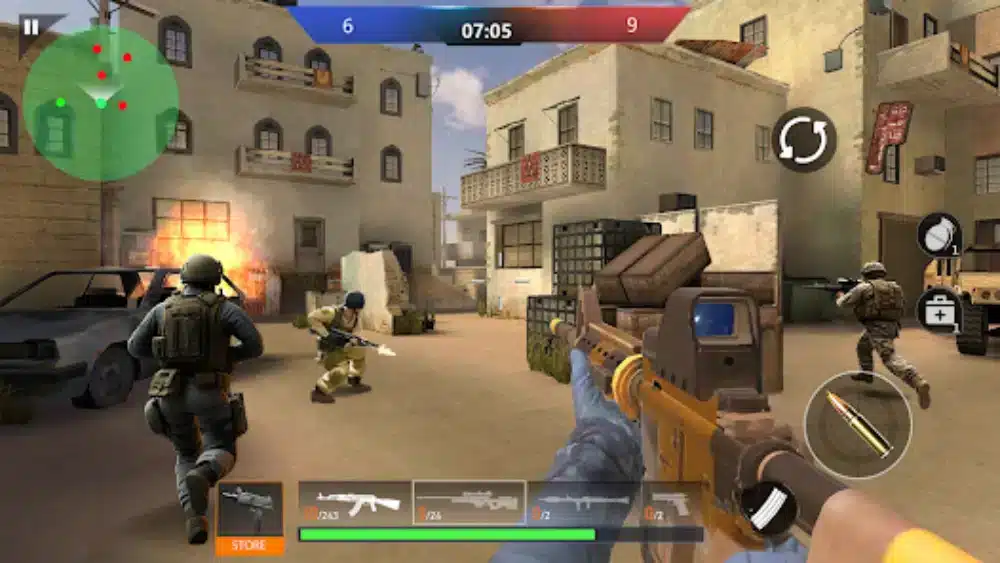
How ExitLag improves Free Fire game performance
Network stability is one of the most important factors in competitive gaming. Even highly skilled players can struggle when facing lag spikes or unstable connections.
This is where ExitLag becomes valuable for Free Fire players seeking smoother matches.
Lower ping and packet loss
ExitLag uses advanced routing technology to identify more efficient paths between players and game servers.
As a result, players may experience:
- Reduced latency
- Lower packet loss
- More consistent responsiveness
- Fewer connection interruptions
This becomes especially important during ranked matches where every second matters.
Better stability in ranked matches
Competitive gameplay demands reliability.
Whether you’re climbing the ladder or competing with friends, a stable connection helps maintain consistent performance throughout every match.
| Feature | Standard Connection | ExitLag Optimized |
| Ping Stability | Variable | Improved |
| Packet Loss | Possible | Reduced |
| Route Optimization | No | Yes |
| Competitive Performance | Standard | Enhanced |
For players pushing toward Heroic or Grandmaster ranks, connection quality can be just as important as aiming skill and map awareness. Use the free trial to explore all features!
Free Fire game community, esports and future updates
The success of the Free Fire game extends far beyond casual matches. Its massive community and esports ecosystem continue to drive engagement around the world.
Garena consistently invests in tournaments, creator programs, and seasonal events that keep the player base active.
Competitive scene and tournaments
Free Fire has established itself as one of the largest mobile esports titles.
Major competitions attract professional teams from multiple regions and feature substantial prize pools.
Popular competitive features include:
- Regional championships
- International tournaments
- Ranked seasons
- Professional organizations
- Community competitions
Consequently, aspiring players have numerous opportunities to improve and participate in organized competition.
Upcoming updates and content
Garena regularly introduces updates that keep the game evolving.
Players can expect:
- New characters
- Additional maps
- Balance adjustments
- Cosmetic collections
- Seasonal collaborations
Because of this constant evolution, the game remains fresh for both newcomers and veterans.
Frequently asked questions
Free Fire is a battle royale game developed by 111dots Studio and published by Garena. Players compete against one another in survival-based matches where the goal is to become the last survivor or squad standing. The game is known for fast-paced gameplay, accessible hardware requirements, and a large roster of characters with unique abilities.
Yes. Although Free Fire was originally designed for mobile devices, many players use Android emulators such as BlueStacks or LDPlayer to play on PC. This allows greater control customization, improved aiming precision, and a larger display while maintaining access to the full game experience.
No. Searches for poki games Free Fire generally refer to browser-based gaming alternatives. The official Free Fire experience is distributed by Garena through authorized stores and platforms. Downloading from official sources ensures access to updates, events, account progression, and security features.
Yes. ExitLag can help improve connection stability by optimizing network routes, reducing packet loss, and lowering latency. This can lead to smoother gameplay and more consistent responsiveness, especially during competitive matches and ranked play. You should check more games compatible with ExitLag at our official games page.
Yes. The Free Fire mobile game is free to download and play. While optional in-game purchases are available for cosmetics, characters, and other content, players can access the core gameplay experience without paying.
In conclusion
The Free Fire game continues to be one of the most influential battle royale titles in mobile gaming. Its combination of accessible gameplay, competitive depth, character abilities, and constant updates keeps millions of players engaged every day.
Whether you are learning the basics, climbing the ranked ladder, or exploring advanced strategies, mastering the Free Fire game requires dedication, adaptability, and the right tools. For players looking to maximize performance, ExitLag can provide a smoother and more stable gaming experience, helping you stay focused on every fight and every victory. Download ExitLag now!
Got questions or want to connect with other players? Join the conversation at the ExitLag Forum!