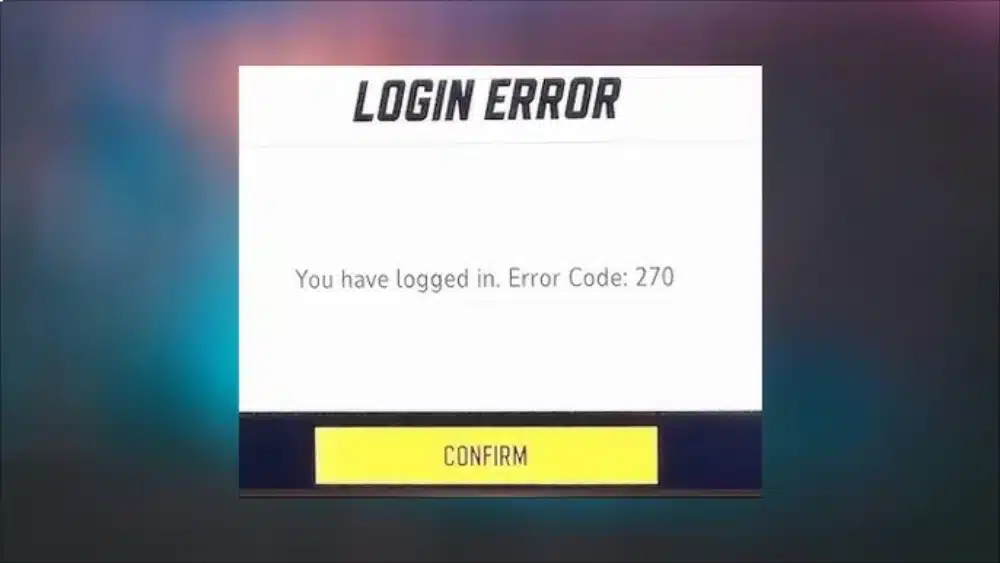
The GPU Crash Dump Triggered in Marvel Rivals error has become one of the most frustrating problems for players trying to enjoy NetEase’s fast-paced superhero shooter. Matches freeze. Screens go black. Then the game shuts down without warning.
For many players, the crash appears during intense team fights.
For others, it happens right after launching the game.
Either way, Marvel Rivals GPU Crash Dump Triggered errors make the game unplayable.
Even high-end PCs are not immune.
This issue is not random.
It is tied to how Marvel Rivals handles graphics, drivers, and system resources.
If you are seeing GPU Crash Dump Triggered in Marvel Rivals, this guide explains exactly what it means, why it happens, and how to fix it before it ruins another ranked match.
What Does GPU Crash Dump Triggered Mean in Marvel Rivals?
In simple terms, a GPU crash dump happens when your graphics card driver stops responding. When this occurs, Marvel Rivals forces the game to close to avoid system instability.
In Marvel Rivals, this error usually appears as:
- “GPU Crash Dump Triggered”
- Sudden freeze followed by crash
- Black screen and forced exit
- Crash during loading or hero selection
The Marvel Rivals GPU Crash Dump Triggered message is a safeguard.
It prevents your PC from locking up completely.
However, frequent crashes indicate deeper problems.
Who Is Affected by This Error?
The GPU Crash Dump Triggered in Marvel Rivals error affects:
- NVIDIA and AMD users
- High-end GPUs like RTX 3070, 3080, 4060, and 4070
- Mid-range systems with older drivers
- Players using unstable network routes
This issue is not limited to one brand or configuration.
Why GPU Crash Dump Triggered Happens in Marvel Rivals
Understanding the root cause is the first step to fixing Marvel Rivals GPU Crash Dump Triggered problems.
Common Causes of GPU Crashes in Marvel Rivals
Several factors contribute to this error:
- Outdated or unstable GPU drivers
- DirectX conflicts
- Overheating GPUs
- Background overlays and recording software
- Unstable network routing causing asset load failures
Marvel Rivals pushes modern GPUs hard.
Fast ability effects, destructible environments, and rapid camera movement increase GPU load.
When the driver fails to keep up, the crash dump is triggered.
Unreal Engine and GPU Crash Dumps
Marvel Rivals runs on Unreal Engine.
Unreal Engine is powerful but sensitive to driver instability.
When Unreal detects GPU timeouts or memory access failures, it triggers a crash dump automatically.
That’s why Marvel Rivals GPU Crash Dump Triggered errors often occur during:
- Explosions
- Ultimate abilities
- Fast camera rotations
- Large-scale team fights
GPU Crash Dump Triggered Marvel Rivals: First Fixes to Try
Before changing advanced settings, start with the basics.
Update Your GPU Drivers (Clean Install)
This is the most important fix.
Do not just update.
Perform a clean installation.
Steps:
- Download the latest driver from NVIDIA or AMD
- Use “Clean Install” during setup
- Restart your PC
Many GPU Crash Dump Triggered in Marvel Rivals cases disappear after this step alone.
Verify Marvel Rivals Game Files
Corrupted files can trigger GPU errors.
On your launcher:
- Verify integrity of game files
- Allow the launcher to replace missing assets
This prevents crashes during asset loading.
Disable Overlays and Background Apps
Overlays are known crash triggers.
Disable:
- Discord overlay
- NVIDIA ShadowPlay
- AMD ReLive
- MSI Afterburner overlay
- OBS (temporarily)
These tools hook into the GPU and can conflict with Unreal Engine.
Advanced Fixes for Marvel Rivals GPU Crash Dump Triggered
If basic fixes don’t work, move to advanced solutions.
GPU Crash Dump Triggered Marvel Rivals: Graphics Settings That Matter
Lowering the right settings makes a huge difference.
Recommended In-Game Graphics Settings
Change these options:
- Shadow Quality: Medium or Low
- Effects Quality: Medium
- Post-Processing: Low
- Motion Blur: Off
- V-Sync: Off
Avoid maxing everything out.
High effects plus high resolution often trigger Marvel Rivals GPU Crash Dump Triggered errors.
Resolution and Upscaling
If you play at 1440p or 4K:
- Lower resolution temporarily
- Enable DLSS or FSR if available
This reduces GPU spikes during combat.
Marvel Rivals GPU Crash Dump Triggered: Settings Comparison Table
The table below shows recommended stability focused settings.
| Setting Category | High Stability Value | Why It Helps |
| Shadows | Medium | Reduces GPU spikes |
| Effects Quality | Medium | Limits particle overload |
| Anti-Aliasing | Off / Low | Prevents driver stress |
| FPS Limit | On (60–120) | Stops frame spikes |
| V-Sync | Off | Avoids render delay |
| Resolution Scaling | 90–100% | Lowers GPU load |
| Ray-Tracing | Off | Major crash source |
Using these settings dramatically reduces crash frequency.
They are especially effective against the marvel rivals gpu crash dump triggered error during team fights.
DirectX and Windows Fixes for GPU Crash Dumps
Force DirectX 11 (If Available)
Some systems experience instability on DirectX 12.
If Marvel Rivals allows launch options:
- Force DirectX 11
- Test stability
DirectX 11 is often more stable on older drivers.
Windows Power Settings
Set Windows to high performance:
- Power Plan: High Performance
- GPU Power Mode: Prefer Maximum Performance
This prevents GPU downclocking mid-match.
Network Instability Can Trigger GPU Crashes
This part surprises many players.
Marvel Rivals streams assets dynamically during matches.
If network routing is unstable, asset loading fails.
This can trigger a GPU Crash Dump Triggered in Marvel Rivals error.
Why Network Issues Affect GPU Stability
When assets fail to load properly:
- GPU waits for missing data
- Driver times out
- Crash dump is triggered
This is common in online-only games.
How ExitLag Helps Fix Marvel Rivals GPU Crash Dump Triggered
ExitLag plays a crucial role in preventing Marvel Rivals GPU Crash Dump Triggered issues caused by network instability.
ExitLag works by:
- Optimizing your routing to game servers
- Reducing packet loss
- Stabilizing asset delivery
- Preventing data delays during fights
By ensuring consistent data flow, ExitLag reduces GPU stalls that can lead to crash dumps.
Many players report fewer crashes after stabilizing their connection.
For competitive matches, ExitLag is not optional.
It directly improves stability and responsiveness.
GPU Crash Dump Triggered Marvel Rivals: Hardware Factors
Sometimes the problem is physical.
GPU Overheating
Check your temperatures.
If your GPU exceeds safe limits:
- Clean dust from fans
- Improve airflow
- Reduce overclock
- Set custom fan curves
Thermal throttling often precedes crash dumps.
Overclocking and Undervolting
If your GPU is overclocked:
- Reset to stock settings
- Test stability
Even stable overclocks can fail in Unreal Engine games.
Quick Checklist to Stop Marvel Rivals GPU Crashes
Before you queue again, confirm:
- Drivers updated (clean install)
- Overlays disabled
- Graphics settings optimized
- Network stabilized with ExitLag
- GPU temperatures under control
This checklist resolves most GPU Crash Dump Triggered in Marvel Rivals cases.
Why This Error Became Common in Marvel Rivals
Marvel Rivals is still evolving.
Early builds often have:
- Optimization gaps
- Driver incompatibilities
- Unreal Engine memory leaks
As patches roll out, stability improves.
Until then, manual optimization is essential.
GPU Crash Dump Triggered Marvel Rivals: Deep Technical Causes You Should Know
While most players focus on drivers and graphics settings, the GPU Crash Dump Triggered in Marvel Rivals error often comes from deeper technical conflicts that are not immediately obvious.
Understanding these hidden causes helps prevent recurring crashes.
Shader Compilation Issues
Marvel Rivals relies heavily on real-time shader compilation.
If shaders fail to compile correctly, the GPU driver may timeout.
This often happens when:
- Shader cache is corrupted
- Game updates overwrite cached data
- GPU driver updates conflict with old shader files
Clearing shader cache can dramatically reduce Marvel Rivals GPU Crash Dump Triggered errors.
How to Clear Shader Cache Safely
For NVIDIA users:
- Open NVIDIA Control Panel
- Disable Shader Cache temporarily
- Restart your PC
- Re-enable Shader Cache
For AMD users:
- Clear shader cache from Adrenalin Software
- Restart system
This forces Marvel Rivals to rebuild shaders cleanly.
Memory Allocation and VRAM Spikes in Marvel Rivals
One overlooked factor behind Marvel Rivals GPU Crash Dump Triggered errors is VRAM saturation.
Marvel Rivals loads:
- High-resolution textures
- Hero ability effects
- Environmental destruction assets
If VRAM usage spikes suddenly, the GPU driver may crash.
Signs of VRAM-Related GPU Crashes
Watch for these symptoms:
- Crash occurs during intense fights
- Crash happens when multiple ultimates trigger
- Stuttering before shutdown
Lowering texture quality often fixes this instantly.
GPU Crash Dump Triggered Marvel Rivals: Windows-Level Fixes
Some fixes go beyond the game itself.
Disable Hardware-Accelerated GPU Scheduling
This Windows feature can destabilize Unreal Engine games.
Steps:
- Windows Settings
- System → Display
- Graphics → Default graphics settings
- Disable Hardware-Accelerated GPU Scheduling
- Restart PC
Many players report fewer GPU Crash Dump Triggered in Marvel Rivals crashes after disabling it.
Update Visual C++ Redistributables
Marvel Rivals depends on Microsoft runtime libraries.
Outdated redistributables can cause GPU errors.
Make sure you have:
- Latest Visual C++ Redistributables
- Latest .NET Framework
This improves engine stability.
BIOS and Firmware: The Last Resort Fix
If crashes persist, firmware may be involved.
Update Motherboard BIOS
Modern GPUs rely on motherboard compatibility.
Outdated BIOS versions may cause:
- PCIe instability
- Power delivery issues
- Random GPU driver failures
Updating BIOS has resolved Marvel Rivals GPU Crash Dump Triggered errors for advanced users.
Only do this if you are comfortable with BIOS updates.
GPU Crash Dump Triggered Marvel Rivals: Laptop-Specific Fixes
Laptop players experience this error more frequently.
Force Dedicated GPU Usage
Marvel Rivals must not use integrated graphics.
Check:
- NVIDIA Control Panel → Program Settings
- AMD Switchable Graphics
Set Marvel Rivals to High Performance GPU.
Integrated GPU switching is a major cause of Marvel Rivals GPU Crash Dump Triggered on laptops.
Power Throttling on Laptops
Laptops often downclock GPUs aggressively.
Fix this by:
- Plugging in charger
- Setting Windows Power Mode to Best Performance
- Disabling battery saver
GPU throttling mid-match can trigger crash dumps.
Network Desync and GPU Crash Dumps: The Hidden Link
Marvel Rivals processes network data and rendering simultaneously.
When packets arrive late or out of order:
- Asset streaming stalls
- GPU waits on missing data
- Driver timeout occurs
This is where ExitLag becomes critical.
How ExitLag Stabilizes Marvel Rivals at a Technical Level
ExitLag does more than reduce ping.
It creates:
- Optimized routing paths
- Redundant data delivery
- Packet loss prevention
For Marvel Rivals, this means:
- Consistent asset streaming
- Fewer rendering stalls
- Reduced GPU timeouts
Players experiencing GPU Crash Dump Triggered in Marvel Rivals errors caused by desync often see immediate improvement after using ExitLag.
Stable data equals stable GPU behavior.
GPU Crash Dump Triggered Marvel Rivals: Competitive Impact
Crashes don’t just affect performance.
They affect:
- Ranked progression
- Match penalties
- Team coordination
A single crash can ruin an entire competitive session.
That’s why stability optimization matters as much as FPS.
Common Myths About Marvel Rivals GPU Crashes
Let’s clear up confusion.
Myth 1: “My GPU Is Too Weak”
False.
Many crashes happen on high-end GPUs.
This is a stability issue, not raw power.
Myth 2: “Lower FPS Means More Crashes”
False.
Crashes are caused by spikes, not low FPS.
Sudden GPU load changes are the real problem.
Myth 3: “It’s Always the Game’s Fault”
Partially false.
While optimization is ongoing, system configuration plays a huge role.
Long-Term Stability Tips for Marvel Rivals
If you want permanent stability:
- Avoid beta GPU drivers
- Keep Windows updated
- Monitor GPU temperatures
- Use ExitLag consistently
- Rebuild shader cache after updates
These habits prevent recurring Marvel Rivals GPU Crash Dump Triggered errors.
When to Reinstall Marvel Rivals
Reinstallation should be a last step.
Do it if:
- Game files are repeatedly corrupted
- Crashes occur even at low settings
- Verification fails multiple times
Always reinstall after cleaning old config files.
GPU Crash Dump Triggered Marvel Rivals: Final Stability Checklist
Before your next session, confirm:
- Clean GPU driver installation
- Stable temperatures
- Shader cache rebuilt
- Overlays disabled
- ExitLag active
- Power settings optimized
This checklist dramatically reduces crash probability.
Why Marvel Rivals Stability Will Improve Over Time
Marvel Rivals is actively patched.
Future updates will bring:
- Engine optimizations
- Better memory management
- Improved GPU handling
Until then, manual optimization is the key to smooth gameplay.
Final Performance Advice for Serious Players
Competitive Marvel Rivals demands:
- Consistent FPS
- Zero crashes
- Stable network routing
Ignoring stability costs you wins.
Optimizing your system and network is as important as mastering heroes.
Closing Thoughts on GPU Crash Dump Triggered Marvel Rivals
The GPU Crash Dump Triggered in Marvel Rivals error is frustrating, but not permanent.
With the right setup, it becomes rare or disappears entirely.
Stability creates confidence.
Confidence wins matches.
And no ultimate should ever be interrupted by a crash.
Mandatory General Disclaimer
All game images used in this blog belong to NetEase Games. They are used for informational/educational purposes only and do not imply endorsement or affiliation with the rights holders.
Got questions or want to connect with other players? Join the conversation at the ExitLag Forum!