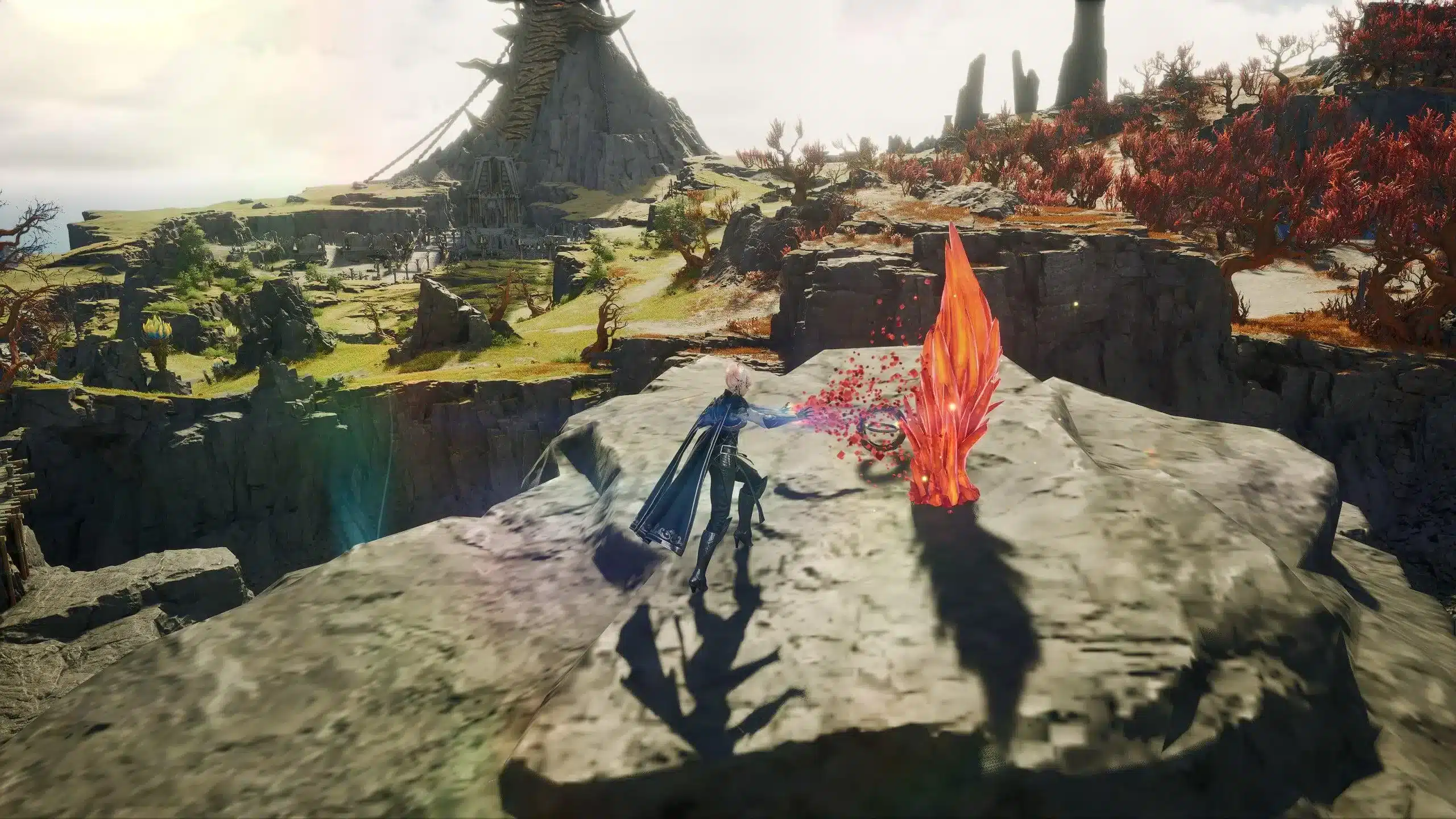
Aion 2 arrived with stunning graphics, dynamic combat, and a vast world to explore. You're immersed in an epic battle, ready to use that decisive combo, but something goes wrong.
The command doesn't respond immediately. Your character hesitates. The opponent hits you first. Game over. The culprit? High ping.
If you've experienced this, you know how frustrating it is. High ping transforms what should be an exciting experience into something frustrating and even unplayable. But the good news is that there are practical solutions to this problem, and one of the most efficient is ExitLag.

What is ping and why does it matter?
Ping is the time it takes for data to travel from your computer to the game server and back. Measured in milliseconds (ms), the lower the number, the better. In real-time action games like Aion 2, every millisecond counts.
With low ping, your actions are instantaneous. With high ping, everything is delayed. You see enemies moving erratically, your abilities take time to activate, and dodging becomes nearly impossible.
For competitive games or complex raids, this can mean the difference between victory and defeat. If you're also experiencing lag issues in Aion 2, know that you're not alone.
Why is your ping high in Aion 2?
There are several reasons why you might be experiencing high latency:
- Geographic distance - If you're in Brazil and the server is in Korea or the United States, your data needs to travel thousands of miles. The greater the distance, the higher the ping.
- Inefficient routing - Your internet provider doesn't always choose the fastest path for data to reach the server. Often, data passes through several unnecessary points, increasing latency.
- Unstable connection - WiFi with weak signal, many devices connected to the same network, or interference can cause lag spikes.
- Network congestion - During peak hours, when many people are online, internet speed decreases and ping increases.
- Network settings - Programs running in the background, active downloads, or streaming can consume your bandwidth and impact game performance.
Basic solutions to eliminate high ping in Aion 2
Before moving to specialized tools, try these tips:
- Connect via Ethernet cable - WiFi is convenient but unstable. A wired cable offers faster and more stable connection.
- Close unnecessary applications - Shut down programs that use internet: torrents, streaming, automatic updates. Leave the bandwidth free for the game.
- Restart your router - Sometimes the router accumulates old connections. A restart can improve performance.
- Test alternative DNS servers - Switching to Google DNS (8.8.8.8) or Cloudflare (1.1.1.1) can reduce latency.
- Play during off-peak hours - Late at night or early morning, there's less network traffic, which can result in better ping.
These measures help, but don't always solve the main problem: the route your data travels to the server. Additionally, optimizing Aion 2's graphics settings can also improve overall game performance.
ExitLag: The perfect solution for high ping
When home solutions don't work, it's time to use a specialized tool. ExitLag is a connection optimizer developed specifically for gamers who suffer from high latency and instability.
How does ExitLag work?
ExitLag works with three main pillars:
- Route optimization - The software analyzes multiple paths between you and the game server, automatically choosing the fastest and most stable route. This eliminates unnecessary detours your provider might be making.
- Multiple simultaneous connections - ExitLag creates several connections at the same time with the server. If one has problems, the others compensate, ensuring stability.
- Packet loss reduction - Packet loss causes freezing and disconnections. ExitLag minimizes these losses, keeping your connection fluid.
ExitLag advantages for Aion 2
- Significant ping reduction - Users report a 30% to 70% decrease in latency, depending on location and provider.
- Connection stability - Eliminates those annoying lag spikes that appear out of nowhere during important battles.
- Simple configuration - Intuitive interface, no need for advanced technical knowledge.
- Multi-game support - Besides Aion 2, works with hundreds of other titles, allowing you to optimize your entire game library.
- Free trial available - You can try it for free before deciding if it's worth it for you.
How to use ExitLag in Aion 2
The process is extremely simple:
Step 1 - Access the official ExitLag website and download the application. There's a free trial period for new users.
Step 2 - Install and open the program. Log in with your account.
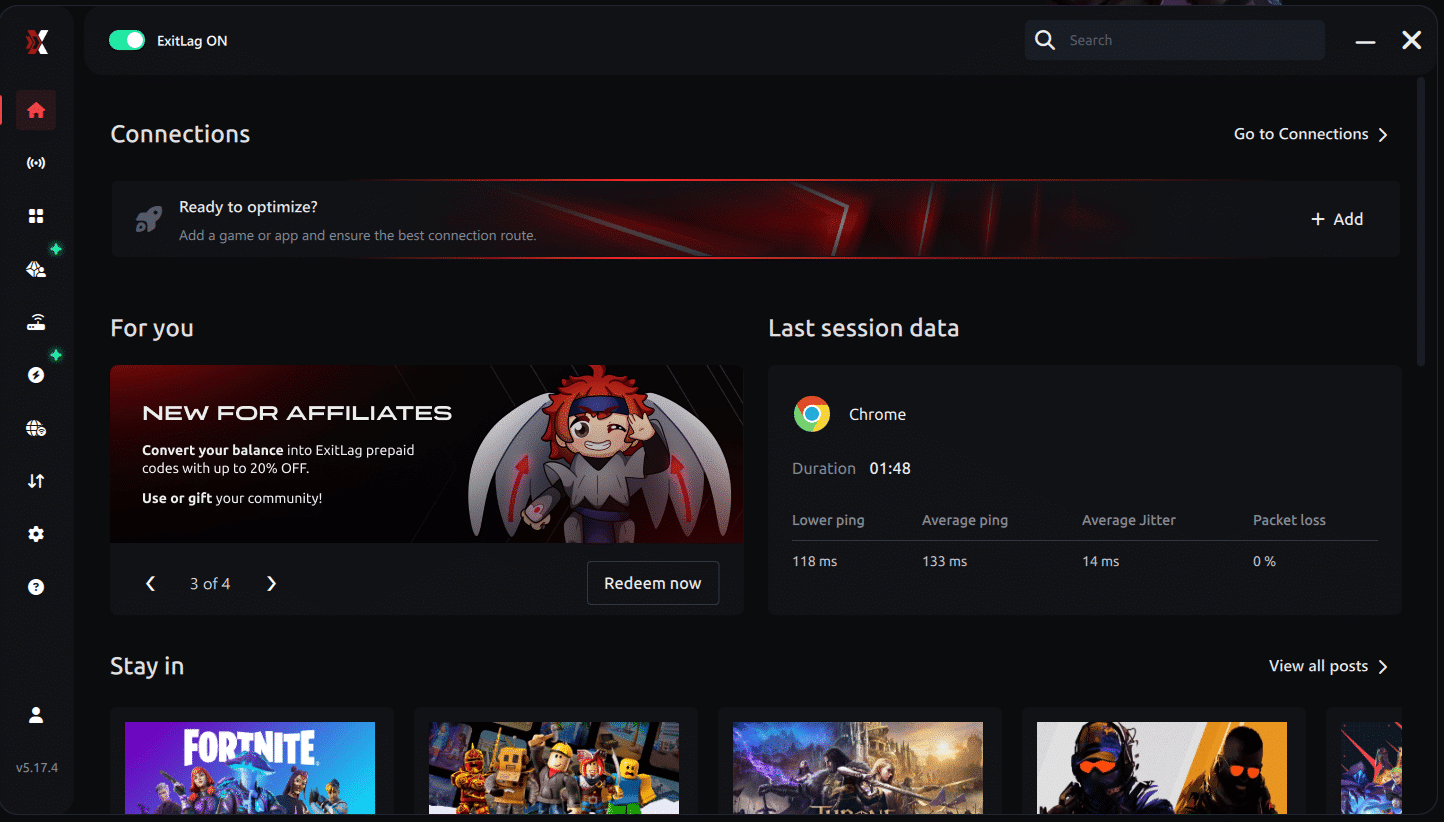
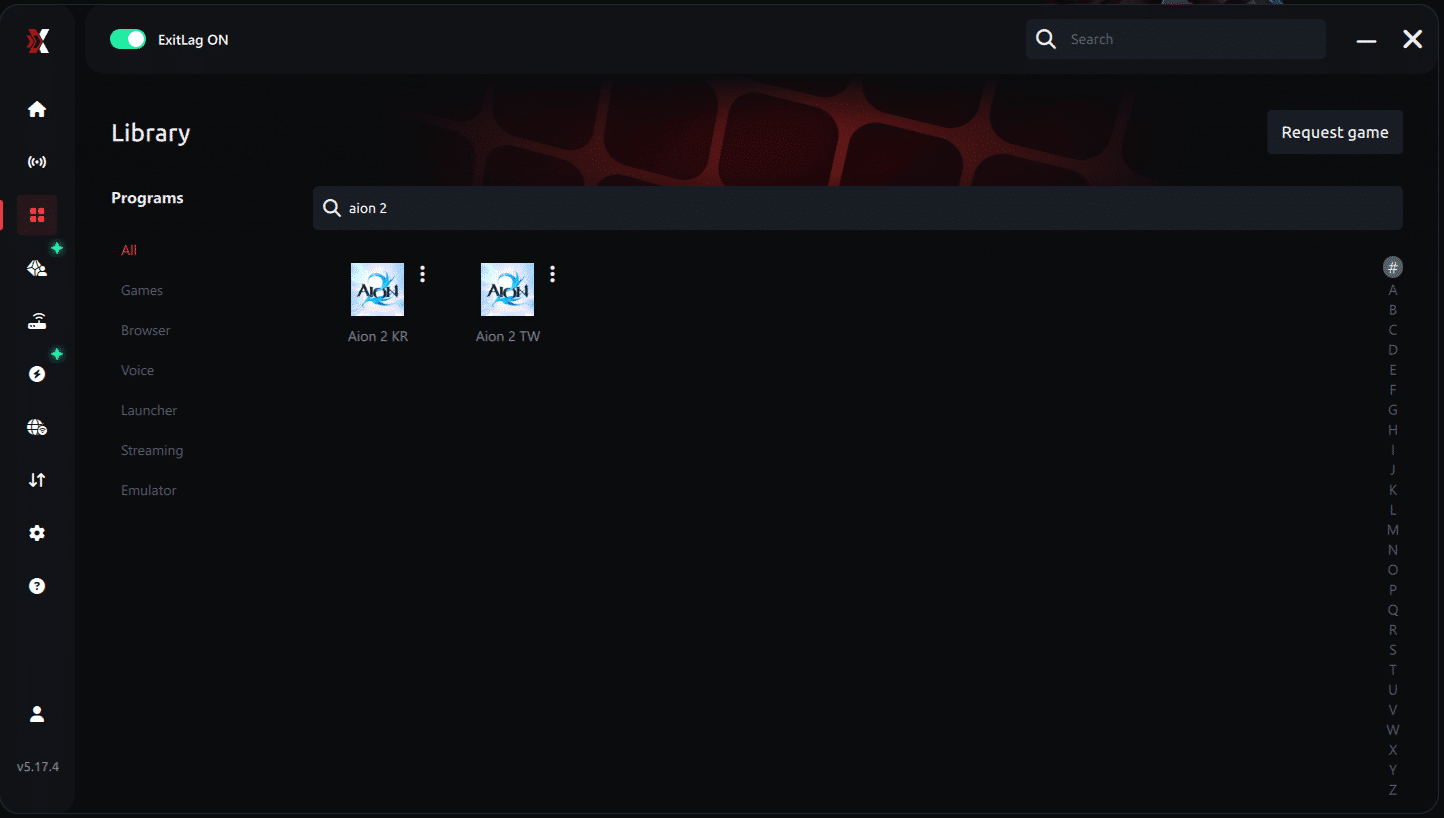
Step 3 - In the search bar, type "Aion 2" and select the game from the list.
Step 4 - Choose between automated or manual route
Based on the results, you can let ExitLag automatically select the best route or manually choose the server that showed the lowest latency for your connection.
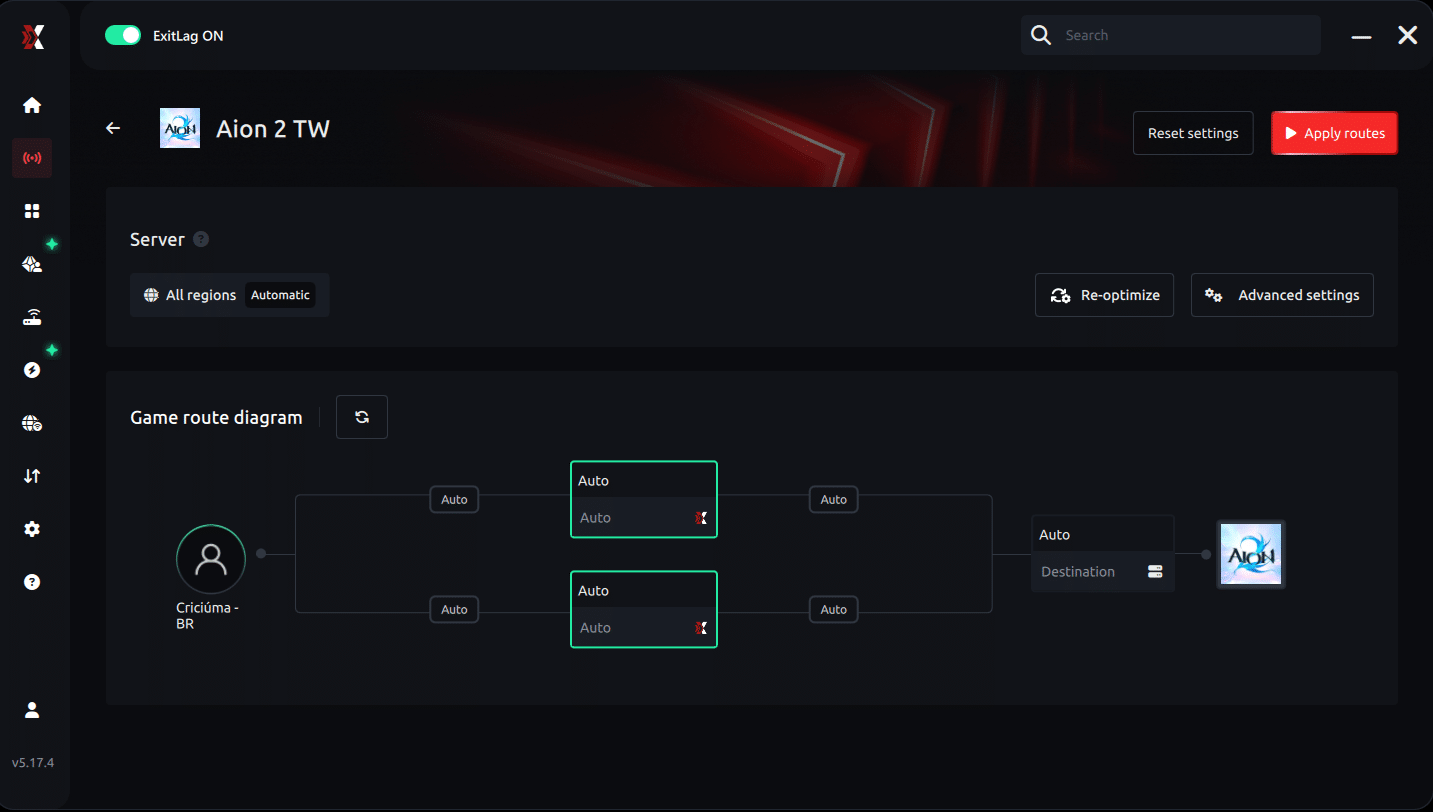
AI-optimized automated route
Based on the results, you can let ExitLag automatically select the best route through AI-optimized . The system analyzes multiple connection paths in real-time and automatically identifies the most efficient route for your connection, ensuring the lowest possible latency without requiring manual choices.
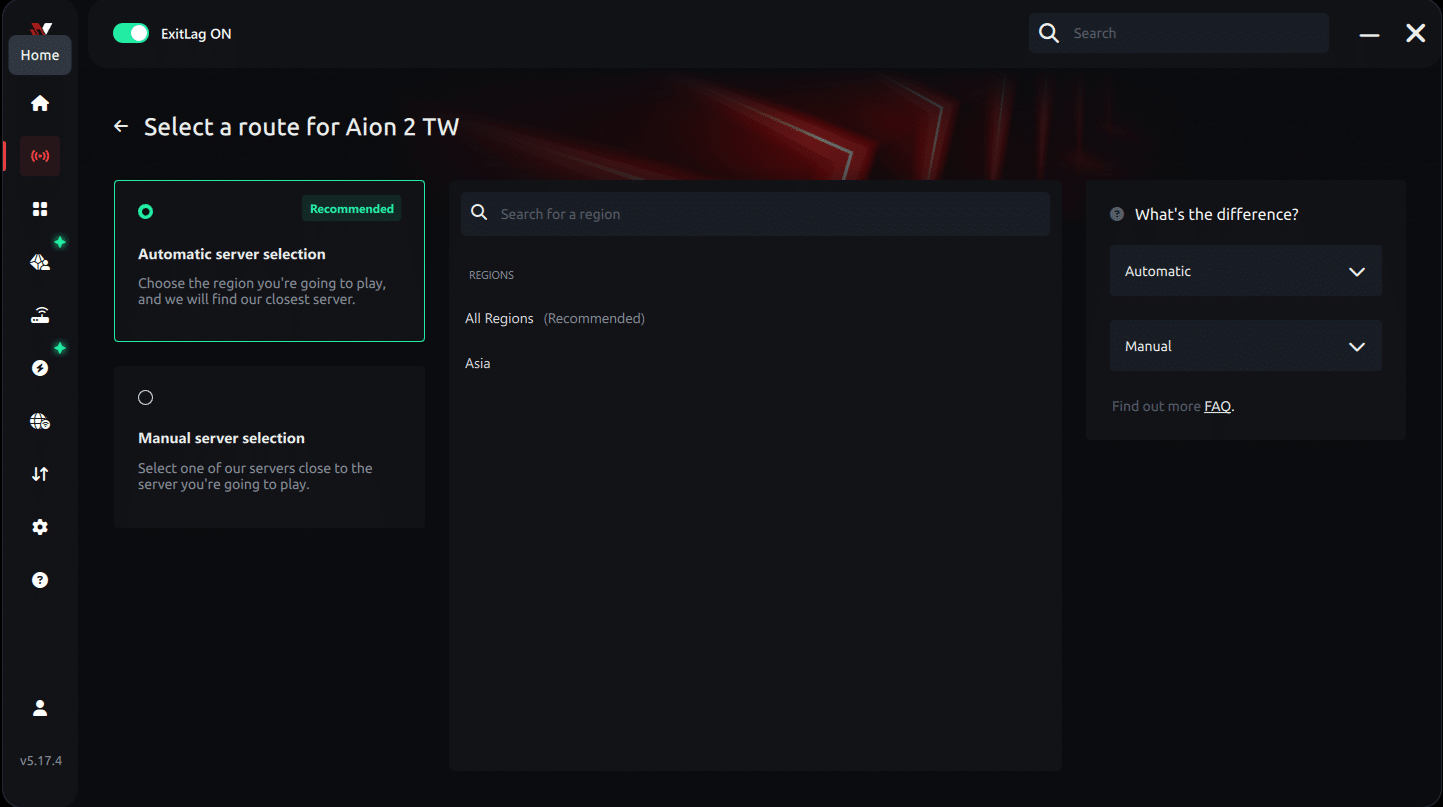
Manual route
If you prefer to have full control over your connection, you can manually choose the server based on the ping test results. Simply select the server that showed the lowest latency or the one that best meets your specific gaming needs, allowing complete customization of your experience.
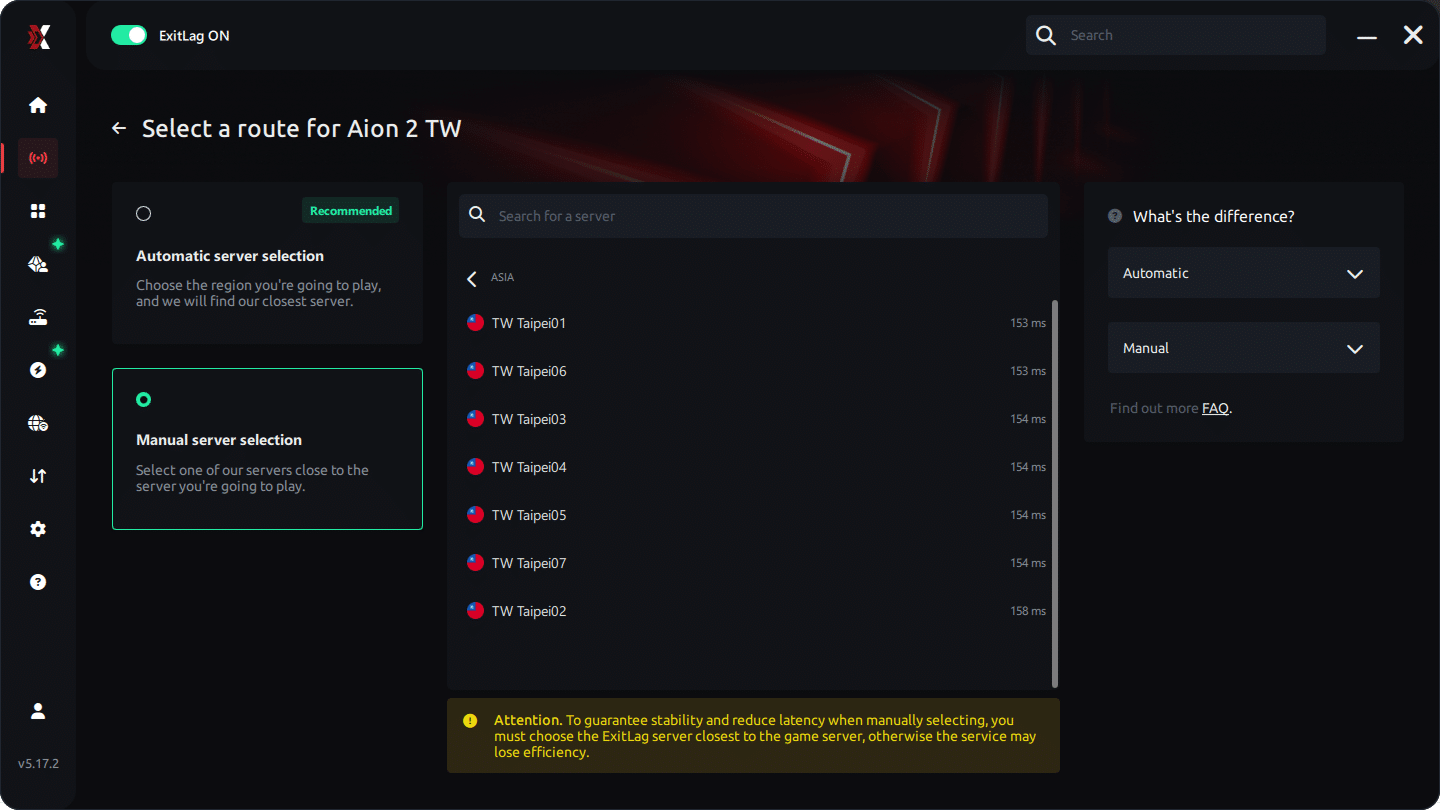
Step 5 - Click "Apply routes" or the play button. ExitLag will begin optimizing your connection automatically.
AI-optimized automated route:
Manual route:
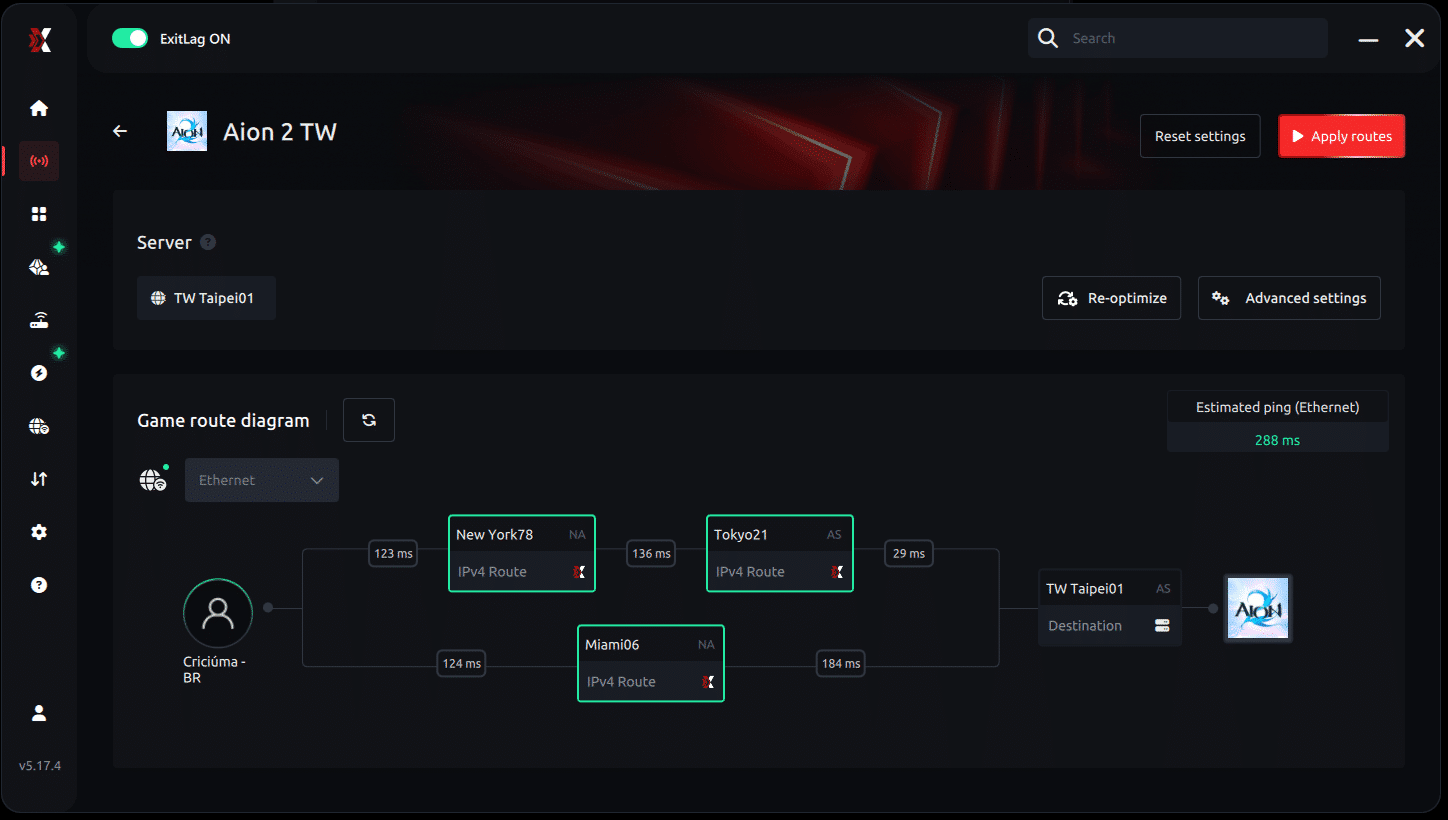
Step 6 - Wait a few seconds until optimization is complete. You'll see ping indicators in the interface.
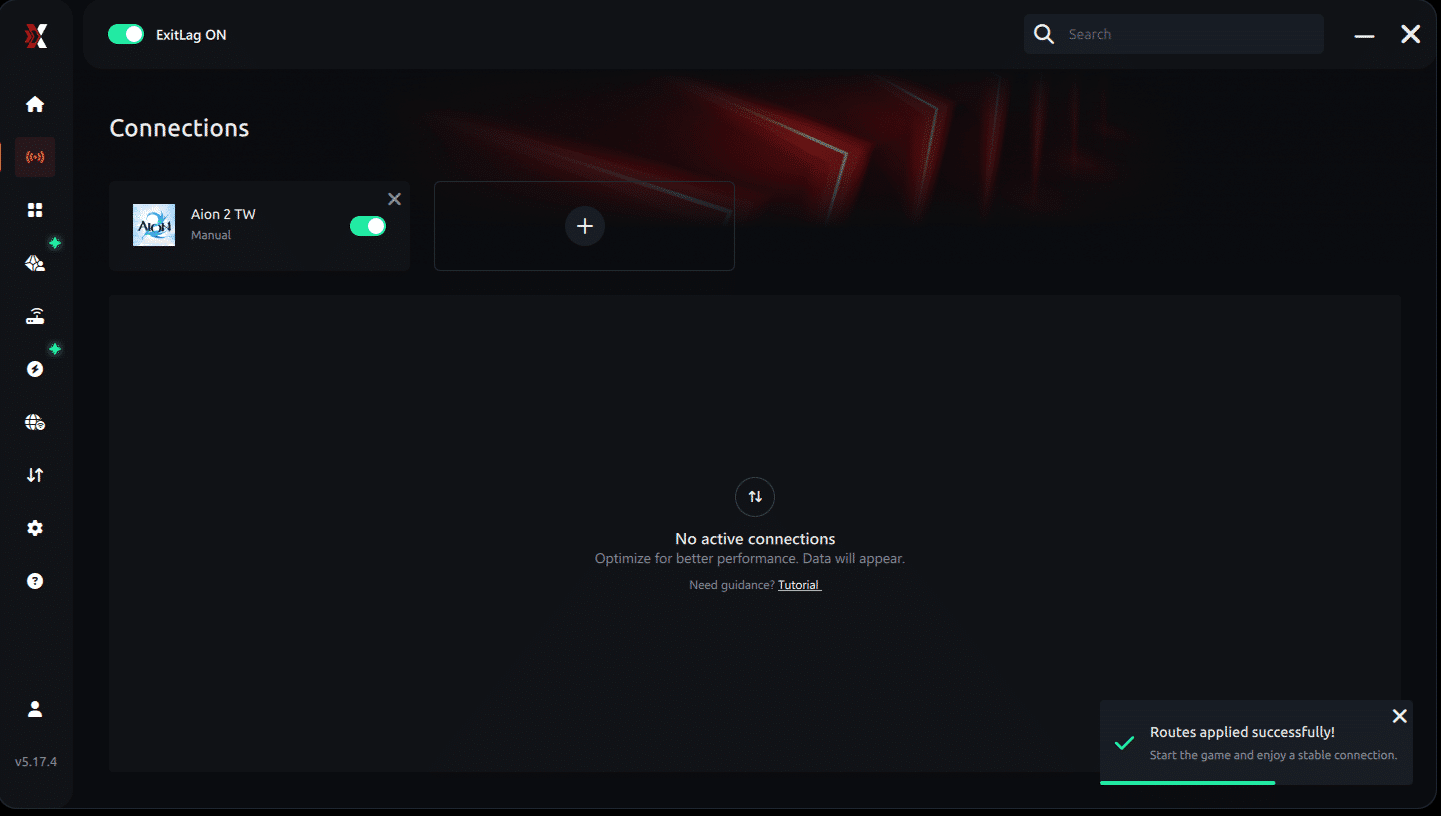
Step 7 - Launch Aion 2 normally. The optimization will already be active.
ExitLag runs in the background while you play, constantly adjusting routes to maintain the best possible performance.
How to use Ping for Games: step-by-step guide
Checking your connection quality before entering a match has never been easier. Here's how to use Ping for Games in just a few steps:
1. Open the ExitLag software on your PC
Ensure the application is installed and open. The feature is integrated into the platform and available for free to all users.
2. Access the Network Analyzer tool
Locate the Network Analyzer in the software menu. This is where you'll find Ping for Games along with other connection analysis features.
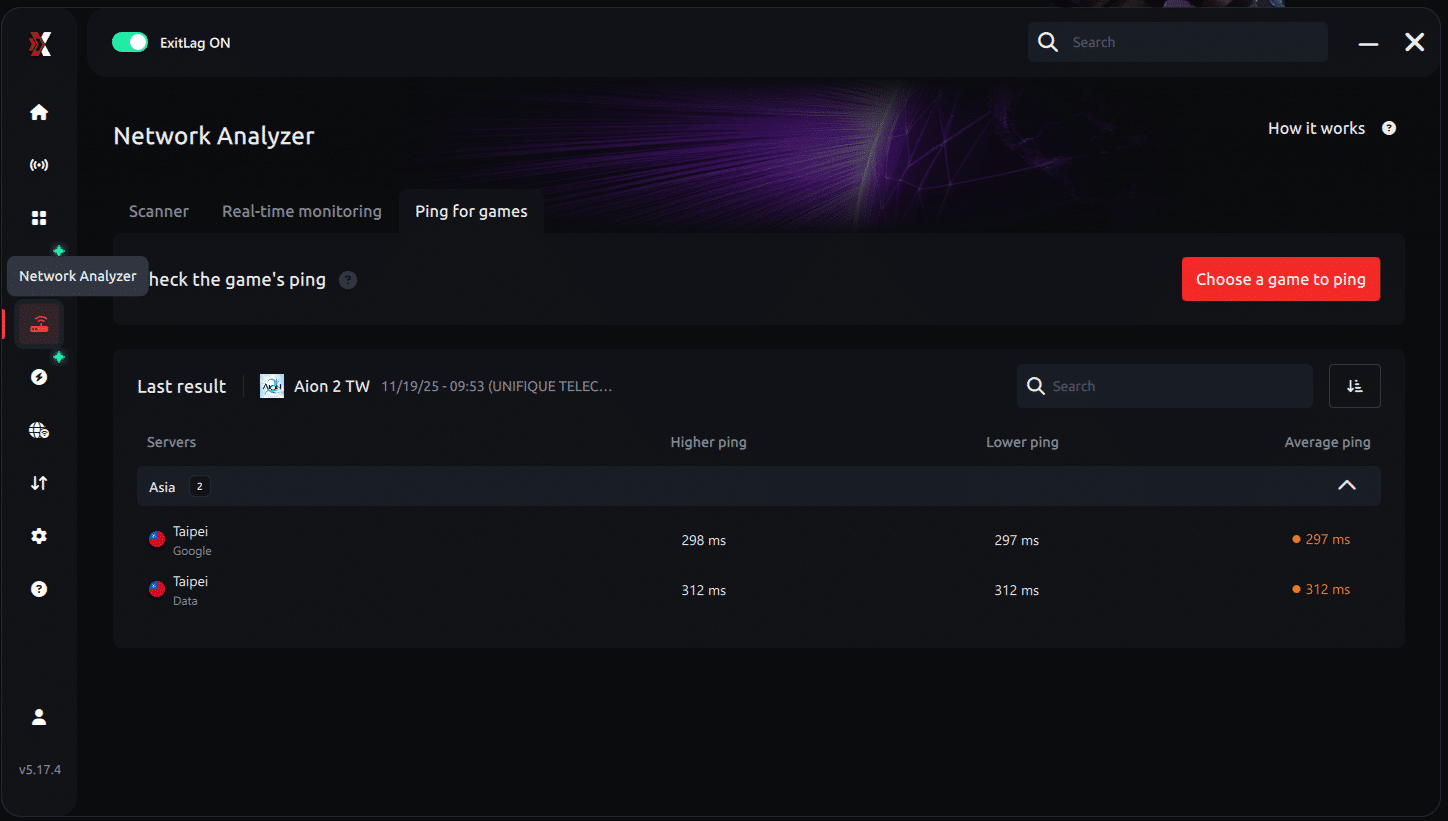
3. Select the game you want to test
Choose from the list the title you plan to play. The tool supports major online multiplayer games, including MOBAs, FPS, Battle Royales, MMORPGs, and more.
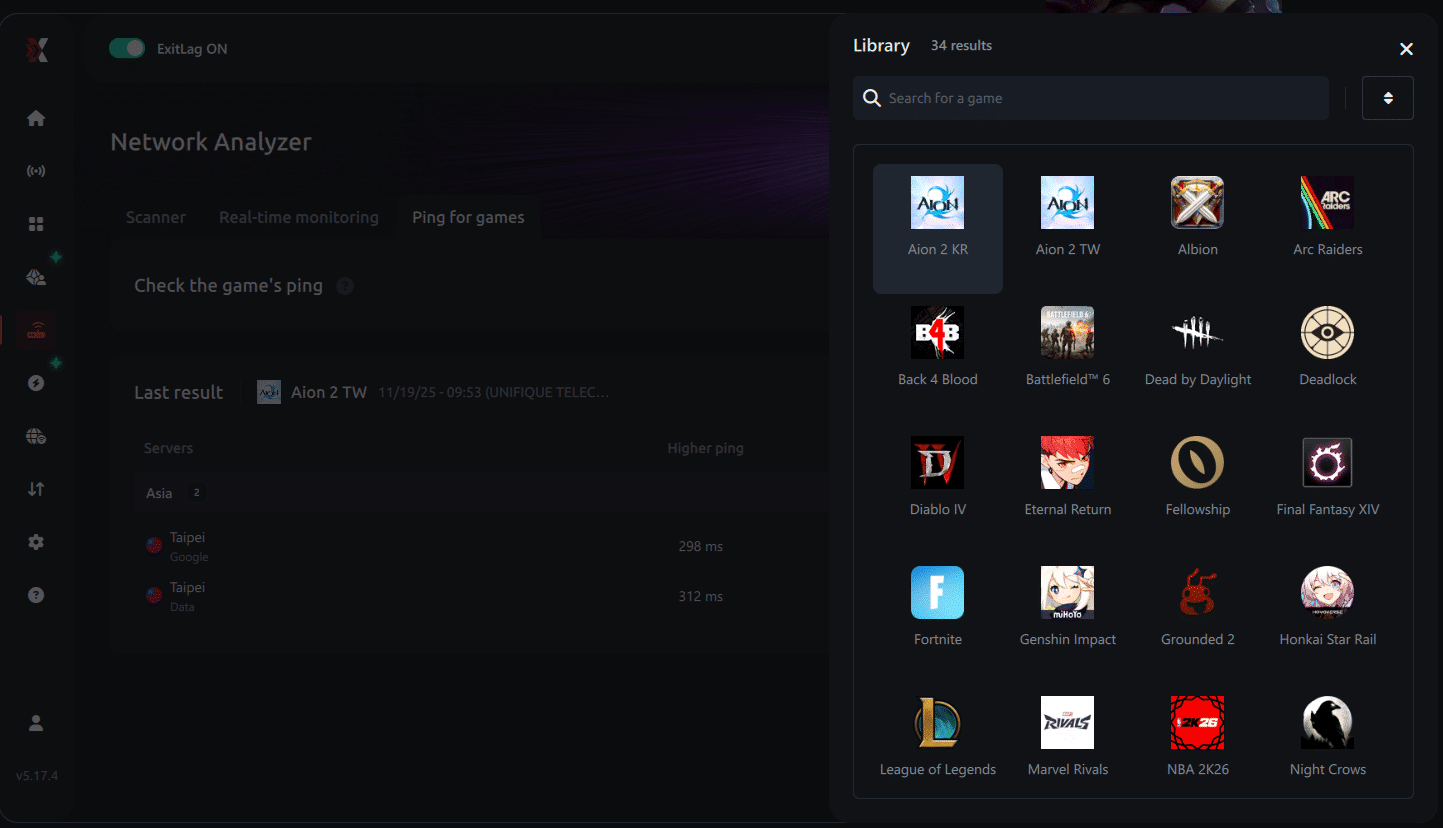
4. Choose the specific server
Now you select directly the server you want to test, instead of just a generic region. This ensures much more accurate results for your choice.
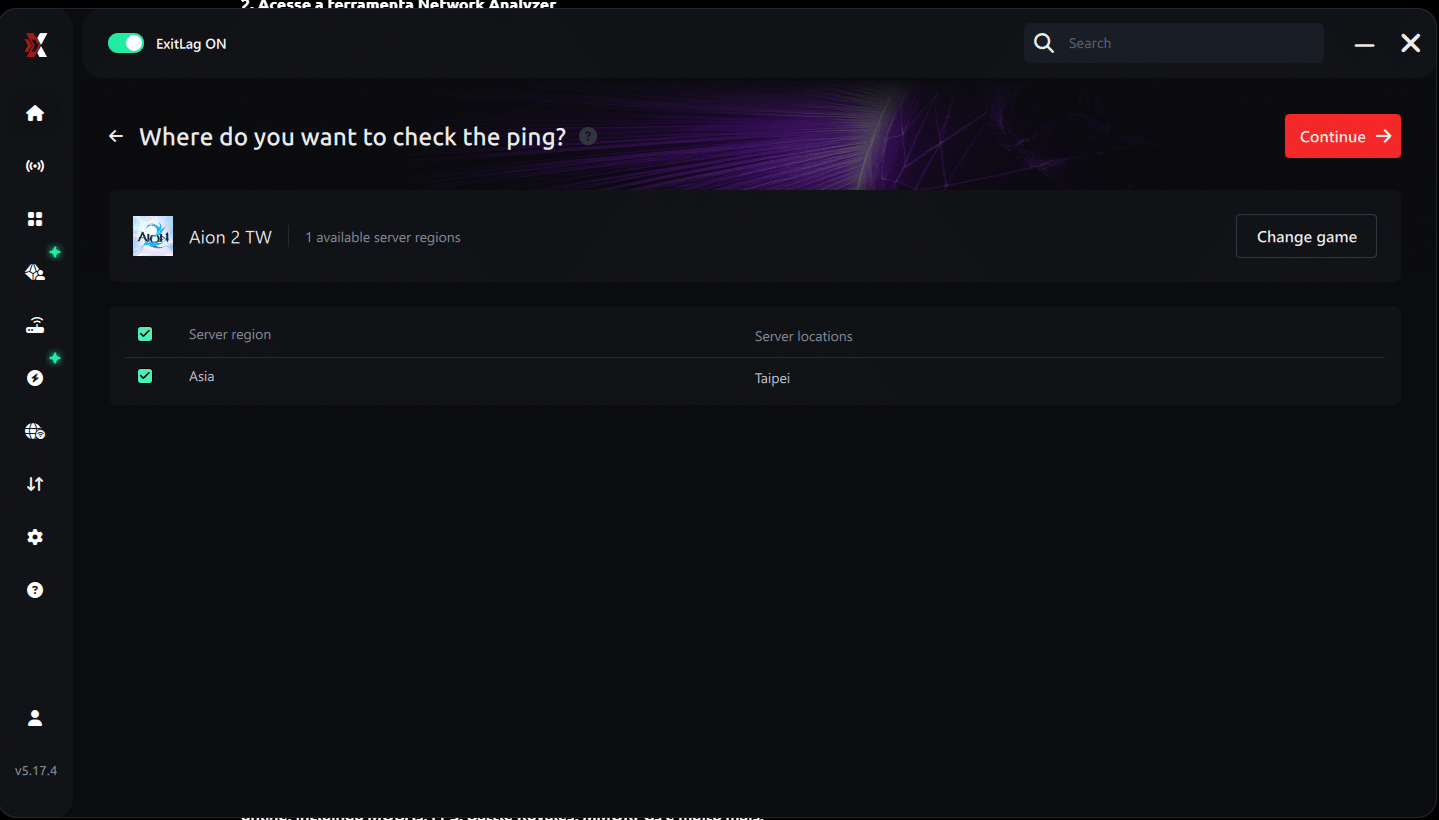
5. Start the ping test
With one click, the measurement is performed in real-time between your device and the chosen server, considering your current connection (cable or Wi-Fi).
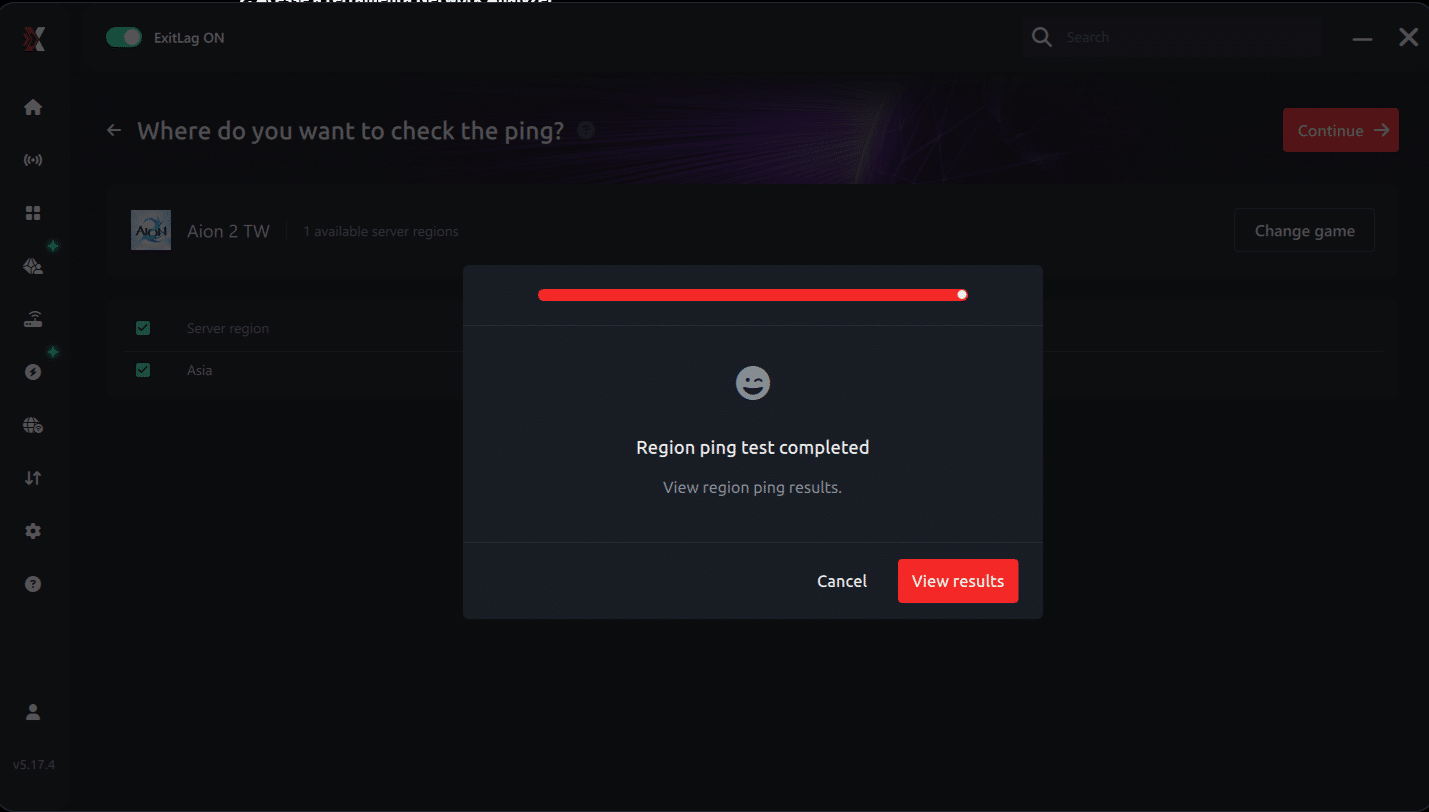
6. Analyze the results
Results appear in milliseconds (ms), automatically sorted from best to worst ping. You can also reorganize the view alphabetically, if you prefer.
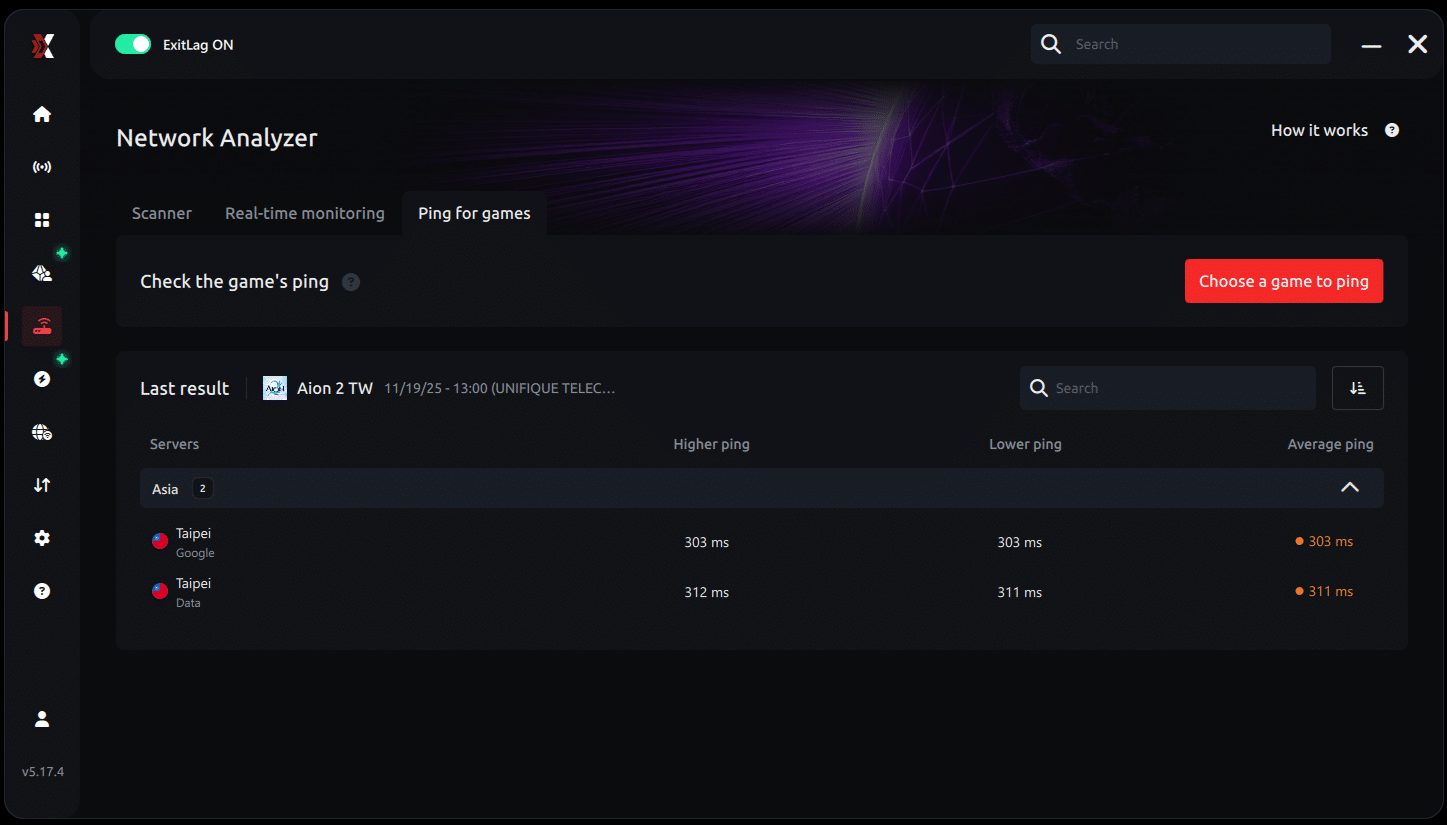
7. Choose the best server and play worry-free
With the information in hand, just select the server with the lowest latency and enter the match knowing your connection is optimized.
Extra tips to further improve your experience
Even when using ExitLag, some practices help maximize results:
- Keep drivers updated - Outdated network card and chipset can limit performance.
- Disable overlay programs - Discord overlay, GeForce Experience, and similar can cause micro-stuttering.
- Configure game priority - In Windows Task Manager, set Aion 2 to high priority.
- Verify file integrity - Corrupted game files can cause lag unrelated to internet.
- Monitor PC temperature - Overheating can cause throttling and affect overall performance. Adjusting graphics settings can help reduce heat.
Frequently Asked Questions
What is the ideal ping to play Aion 2 comfortably?
Ideally, keep ping below 80ms for a smooth experience. Between 80-150ms the game is still playable, but you'll notice some delay. Above 150ms, the experience begins to be compromised, especially in PvP.
Does ExitLag work with any internet provider?
Yes, ExitLag works regardless of your provider. It optimizes the data route after it leaves your home network, so it's compatible with any carrier.
Does ExitLag reduce download speed?
No. ExitLag focuses on route optimization and connection stability, not transfer speed. It can even improve game patch downloads by choosing closer servers.
Do I need to be a tech expert to use it?
Absolutely not. The interface is user-friendly and the process is automatic. You just need to select the game and click apply.
Is it worth paying for ExitLag?
If you play regularly and suffer from high ping, yes. The monthly cost is relatively low compared to the benefit of being able to play without freezing. Also, you can test it for free before subscribing.
Does switching internet providers solve the problem?
Not always. The problem usually isn't the contracted speed, but the route your provider uses. Even with fast internet, if the route is inefficient, ping will remain high. That's why tools like ExitLag are more effective than simply switching plans.
High ping doesn't have to be the end of your Aion 2 experience. With the right tools, you can transform a problematic connection into something perfectly playable. ExitLag offers a professional solution, tested and approved by thousands of gamers around the world.
The technology behind the software is sophisticated, but the use is simple. In just a few clicks, you can be playing with significantly lower latency, enjoying all the potential that Aion 2 has to offer.
If you're tired of losing fights because of lag, seeing your abilities fail, or being disconnected at crucial moments, try ExitLag. The difference might be exactly what you needed to dominate the game.
Good luck in your Aion 2 adventures!