How to play CS 1.6 online in 2026 is more straightforward than many people assume. Despite being over 25 years old, Counter-Strike 1.6 remains one of the most active classic shooters in online multiplayer, with thousands of community servers running around the clock across every region.
CS 1.6 represents the era many longtime Counter-Strike fans consider the game’s golden period. The version refined and standardized the mechanics that Valve first introduced in the 1999 Half-Life mod: round-based bomb disposal, hostage rescue, weapon purchasing economy, and the core five-versus-five team structure that has defined tactical shooters ever since.
The game is available on Steam for $9.99, frequently dropping to $0.99 during sales. Once purchased, it downloads through Steam and launches from your library like any other title. The challenge is not installing the game. It is finding the right server.

How to Play CS 1.6 Online: Step-by-Step Setup
Getting into an online CS 1.6 match in 2026 requires a slightly different approach than modern matchmaking games. CS 1.6 does not have an automated matchmaking system. Instead, it uses a server browser that shows every publicly listed server, along with player counts, maps, and server settings.
Method 1: Through Steam (Recommended)
Follow these steps to start playing:
- Open Steam and search for “Counter-Strike” in the Store.
- Purchase the game for $9.99 or wait for a sale where it regularly drops to $0.99.
- Download and install the game from your Steam library.
- Launch Counter-Strike from the library.
- On the main menu, click Find Servers to open the server browser.
- The browser populates a list of active servers. Filter by region, map, or player count to find matches that suit your preferences.
- Double-click any server to join it.
Method 2: Play CS 1.6 in Your Browser
A browser-based version of CS 1.6 is available at cs-online.club, which lets players join servers without downloading or installing anything. The platform requires no registration and no payment. You select a server from their list and connect directly in your browser window.
This option is useful for:
- Players who want to try the game before purchasing on Steam
- Connecting from public or shared computers where installation is not possible
- Quick sessions without loading the full Steam client
Method 3: Connect Directly via Server IP
If you already know the IP address of a specific server (found on community tracking sites or Discord groups), you can connect directly through the in-game console:
- Press the tilde key (~) to open the developer console.
- Type connect [server IP]:[port] and press Enter.
- The game connects directly to that server without navigating the browser.
This is the fastest way to return to a specific server you already enjoy.
Best Servers for Playing CS 1.6 Online
The CS 1.6 server ecosystem is diverse and highly active, particularly in Eastern Europe, the Middle East, and Southeast Asia, where the game maintains its largest current player communities.
Where to Find CS 1.6 Servers
Several platforms maintain live-updated server lists with player counts, latency indicators, and filter options:
- GameTracker (gametracker.com): One of the oldest and most comprehensive server tracking platforms for CS 1.6. Searchable by region, map, and player count. Shows live player activity and historical data for each server.
- tsarvar.com (tsarvar.com): A dedicated CS 1.6 server monitoring platform with thousands of servers listed. Automatically detects your region and shows nearby servers first. Includes server descriptions, map rotations, and player count history.
- csboost.eu: Another server directory with filtering by game mode, country, and server type. Useful for finding specific community types like Surf, AWP Only, or classic 5v5 matches.
Types of CS 1.6 Servers Available
The CS 1.6 server ecosystem is heavily modded compared to modern matchmaking games. Understanding server types helps you find the experience you are looking for:
| Server Type | What to Expect |
| Classic 5v5 | Standard bomb defusal or hostage rescue with original gameplay |
| Deathmatch | No round structure, respawn instantly, practice aim freely |
| AWP Only | Only AWP sniper rifles allowed, skill-focused sniping matches |
| GunGame | Start with a pistol, advance weapon by getting kills, first to complete all wins |
| Surf | Custom surf maps where players navigate angled surfaces using physics |
| Zombie | Players hunt survivors who must reach a safe zone, modded game mode |
| Aim Maps | Small purpose-built maps for aim training duels |
| Classic Casual | Larger player counts (up to 64 players) on expanded maps |
Recommended Server Communities
A few long-running communities have maintained consistent quality and active player bases across many years:
- CStrikeArena (cstrikearena.com): Running since 2005, known for stable servers and a mature player base. Primarily European but accessible globally.
- cs-online.club: Browser-accessible servers with a streamlined interface. Good option for casual players who want quick access without the full Steam browser.
- Regional community Discord servers: Many regional CS 1.6 communities organize through Discord and maintain curated server lists. Searching “CS 1.6 server” with your region in Discord’s server discovery surfaces active groups.
Counter-Strike Arcade: What It Means in Gaming Culture
Counter-Strike arcade refers to two distinct things in gaming culture, and knowing which one someone means requires context.
CS 1.6 as “Arcade-Style” Gaming
In casual conversation, calling Counter-Strike an “arcade game” often describes the experience of playing it in a LAN cafe, which was the dominant way millions of players in Asia, Eastern Europe, and Latin America encountered the game throughout the early 2000s.
Physical game arcades and LAN cafes served CS 1.6 on dedicated terminals with hourly pricing. The game’s low system requirements meant it ran on almost any hardware from that era, and the short round-based structure was perfect for the café environment where players paid by the hour and games needed to deliver fast, satisfying sessions.
This cafe culture shaped CS 1.6’s competitive identity in many regions:
- Southeast Asian CS 1.6 was dominated by café LAN tournaments before dedicated gaming venues existed
- Eastern European cafes produced many of the professional players who defined the global competitive scene in the early 2000s
- Brazilian café networks formed grassroots communities that eventually produced players competing at the highest international levels
CS:GO Arcade Mode and Community Servers
Within CS:GO and CS2, “arcade” typically describes heavily modified community servers running non-standard game modes. These include:
- GunGame: A progression-based mode where each kill advances your weapon, starting from a pistol and ending with a knife kill to win.
- Deathmatch: No economy, no rounds, unlimited respawns. Pure aim practice against live opponents.
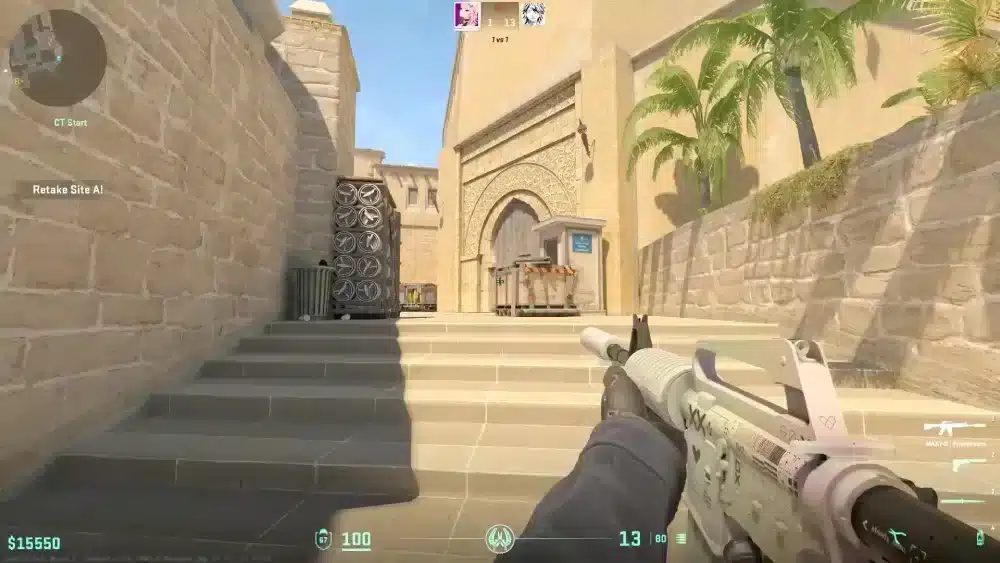
- Retake Servers: Community servers that start every round from a post-plant position, allowing players to practice retaking sites without playing full matches.
- Casual Servers: Valve’s own casual mode allows more players per team and removes the round-economy stakes of competitive play.
These arcade-style experiences are still accessible within CS2 through the official game modes and community server browser.
Why Players Still Choose CS 1.6 Over Modern Versions
CS 1.6 has held a consistent player base for more than two decades for reasons that go beyond nostalgia.
The Technical Reasons
- Minimum hardware requirements: CS 1.6 runs on hardware that predates most current players’ birth. Systems that cannot handle CS2 or even CS:GO run CS 1.6 without any difficulty.
- No anti-cheat dependency: The game’s lighter infrastructure makes certain community-run servers more flexible for custom mods.
- Netcode simplicity: Some players prefer the older tick-based netcode and its predictability compared to CS2’s sub-tick system, particularly in low-latency LAN environments.
- Map permanence: The classic CS 1.6 map pool has not changed meaningfully in decades. Players who invest time in learning positions and angles on maps like de_dust2, de_inferno, and cs_assault do not have to re-learn their knowledge base with engine updates.
The Community Reasons
The CS 1.6 community in 2026 skews toward players with long histories in the game. The average age of players on active CS 1.6 servers is reported to be in the late 20s to mid-30s, reflecting people who played the game as teenagers and continue returning to it.
This demographic creates a specific server culture: experienced players who understand the game’s mechanics deeply and operate within the unwritten social rules of classic-era Counter-Strike.
Pro Tips: Getting the Most Out of CS 1.6 in 2026
- Use GameTracker to find servers with consistent populations: Servers that show high player counts during your local prime time hours are your best bet for active matches. Check a server’s historical player graph on GameTracker to see when its community is most active before bookmarking it.
- Bind your console key before your first session: CS 1.6’s console is essential for direct server connections and basic configuration. Confirm that your tilde key opens it in settings, or bind it manually if your keyboard layout uses a different character.
- Adjust your sensitivity from CS:GO or CS2 expectations: CS 1.6 mouse input does not have raw input by default. Enable raw input in Options, Mouse to bypass Windows cursor acceleration and create consistent aim behavior.
- Try the browser version before purchasing: If you are unsure whether you want to invest in the Steam version, cs-online.club lets you experience the game first without any commitment.
Common Mistakes When Playing CS 1.6 Online
- Joining heavily modded servers expecting classic gameplay: Most populated CS 1.6 servers run custom modifications including zombie modes, GunGame, or up to 64-player lobbies. Classic 5v5 servers exist but require filtering specifically for them. Fix: Use server browser filters to select servers with player counts of 10 or fewer, which typically indicates standard 5v5 configurations.
- Not adjusting mouse settings from modern game defaults: CS 1.6 does not apply raw input by default, meaning Windows cursor acceleration affects your aim. Fix: Open Options, then Mouse, and enable Raw Input to remove acceleration from the equation.
- Trying to use modern keyboard shortcuts: CS 1.6 has different default bindings and console commands than CS:GO or CS2. Muscle memory from modern Counter-Strike may produce unexpected behavior. Fix: Spend 15 minutes in a bot match or empty server to reset expectations before joining a live game.
Play CS 1.6 with a Low-Latency Connection Using ExitLag
CS 1.6 runs on community servers distributed across many hosting providers with widely varying network quality. Unlike modern matchmaking systems that place you on nearby official servers, CS 1.6 server browsing means you may connect to servers with suboptimal routing from your location.
ExitLag is a connection optimizer used by over 30 million players across 4,000+ game titles. It analyzes multiple network routes in real time and selects the fastest, most stable path between your device and the server you are connecting to, whether that is a classic CS 1.6 community server or a modern CS2 Premier match.
Features that benefit CS 1.6 players:
- Real-Time Optimization: Finds the lowest-latency available route to any game server, reducing ping on community-hosted CS 1.6 servers that may be geographically distant.
- Multipath Technology: Routes game data through multiple simultaneous paths so a single connection failure does not drop you from a match mid-round.
- Traffic Shaper: Prioritizes Counter-Strike traffic over background applications, preventing interference from Steam downloads or other software.
- Multi-Internet: Supports up to four simultaneous connections, ensuring stable sessions even when your primary connection is unreliable.
Download ExitLag and reduce lag on any Counter-Strike server.
All images used in this blog post belong to their respective owners and are used for informational and educational purposes only. They do not imply endorsement or affiliation with the rights holders.
Got questions or want to connect with other players? Join the conversation at the ExitLag Forum!