
Learning how to play Minecraft starts with a surprisingly simple loop: collect resources, craft tools, build somewhere safe, find food, and gradually explore a world that gives you very few fixed objectives. Survival mode is usually the best introduction because every basic system has a purpose, from chopping trees and mining stone to finding a bed before hostile mobs become a problem at night.
Once you understand the first survival steps, how to play Minecraft becomes less about following instructions and more about choosing what you want to create. A collection of Minecraft build ideas for different skill levels can help you move from an emergency first-night shelter to farms, houses, castles, villages, and larger projects without making the early game unnecessarily complicated.
How to play Minecraft also changes depending on whether you want a solo world, a shared Bedrock world, a Java server, a Realm, or another multiplayer setup. This guide covers the complete beginner path while also explaining how to play Minecraft with friends, transfer a server world to single-player, use legitimate free versions, and understand the current status of VR.
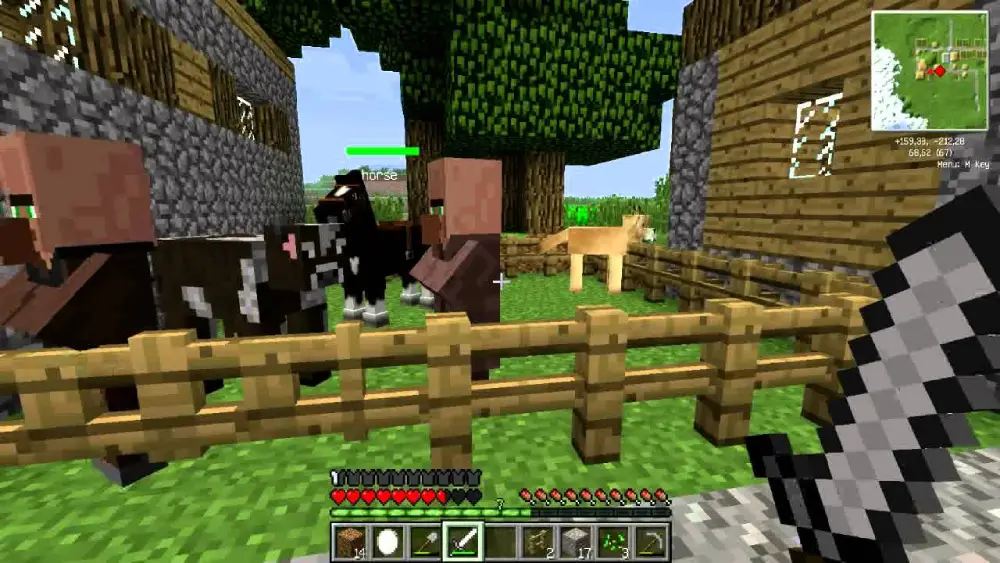
How do you play Minecraft for the first time?
The easiest way to learn how to play Minecraft is to start a Survival world and focus on a few immediate goals instead of trying to understand every recipe, biome, mob, and structure at once. Minecraft is intentionally open-ended, so there is no required campaign telling you exactly where to go next.
Your first day should be practical. Gather wood, craft basic tools, secure food, and create somewhere safe before spending too much time exploring.
Gather wood and upgrade your tools
When you spawn, find the nearest tree and break a log. Convert logs into wooden planks and use four planks to create a Crafting Table.
Your first useful progression is:
- Collect logs.
- Turn logs into planks.
- Craft a Crafting Table.
- Make a wooden pickaxe.
- Mine stone.
- Replace the wooden tools with stone equipment.
Wooden tools are temporary. Once you have access to cobblestone, a stone pickaxe, axe, sword, and furnace are much more useful.
Iron becomes the next major objective. An iron pickaxe allows you to mine resources that stone cannot handle efficiently, while iron also gives you armor, buckets, shields, shears, and other important equipment.
That basic progression is the foundation of how to play Minecraft in Survival. You do not need diamonds immediately, and rushing into deep caves without food, torches, or spare tools often creates more problems than progress.
Prepare for your first night
Night introduces hostile mobs, so shelter matters immediately.
A first base can be extremely simple. A small wooden box, a room dug into a hillside, or a sealed cave entrance is enough as long as mobs cannot easily reach you.
Try to have:
- a Crafting Table;
- a furnace;
- basic tools;
- food;
- torches;
- a door or blocked entrance;
- a bed when possible.
Beds require three matching wool and three wooden planks. Besides letting you skip nighttime under normal conditions, a bed establishes your respawn point in the Overworld.
Food is equally important. Animals, fish, crops, berries, and village supplies can all help early on. Cooking meat generally makes it more effective than eating it raw.
Once your immediate survival needs are covered, the game becomes much more flexible. You can explore caves, start farming, search for villages, build a permanent base, or begin collecting materials for larger projects.
After your starter base becomes functional, looking through the top 10 Minecraft builds for inspiration can give you longer-term goals. Large builds work best after you already have stable food, storage, tools, and resource collection rather than trying to construct everything during the opening days.
How do you progress in a Minecraft survival world?
Understanding how to play Minecraft beyond the first night means learning how its progression systems connect. There is no single required route, but Survival naturally moves from basic materials toward stronger equipment, enchanting, Nether exploration, and eventually the End.
You can also ignore that progression completely and spend hundreds of hours building. Minecraft does not force you to defeat its bosses.
Move from stone to iron, diamond, and Netherite
A common equipment progression looks like this:
| Material | Main role |
| Wood | Temporary opening tools |
| Stone | Reliable early-game tools |
| Iron | Major survival upgrade |
| Diamond | Strong tools, weapons, and armor |
| Netherite | Late-game upgrade for diamond gear |
Iron is generally the first material that significantly expands what you can do.
Once you are prepared for deeper mining, diamonds become an important target. Diamond tools and armor can later be upgraded using Netherite-related materials obtained through Nether progression.
Mining safely matters more than mining quickly. Carry food, blocks, torches, and spare tools, and avoid digging straight down into terrain you cannot see.
Explore villages, caves, and dimensions
Minecraft becomes much larger once you stop treating your starting base as the whole world.
Villages can provide food, beds, trading, and useful workstations. Caves offer ores and underground resources. Generated structures create exploration targets and often contain loot.
Eventually, you can build a Nether portal using obsidian. The Nether contains unique resources and is important for progression toward brewing and reaching the End.
A traditional Survival progression may eventually involve:
- finding a Nether Fortress;
- obtaining Blaze Rods;
- collecting Ender Pearls;
- crafting Eyes of Ender;
- locating a Stronghold;
- entering the End;
- fighting the Ender Dragon.
None of this is mandatory for someone learning how to play Minecraft. The game is equally valid if your main goal is building a massive city, maintaining farms, exploring every biome, or playing cooperative survival.
How do you play Minecraft with friends?
Players searching for how to play Minecraft with friends have several options, and the correct one depends primarily on the edition everyone owns. Java Edition and Bedrock Edition use different multiplayer ecosystems under normal official gameplay.
Bedrock is designed around cross-platform multiplayer across supported Bedrock devices. Java multiplayer normally connects Java players using Windows, macOS, or Linux.
Play together on Bedrock Edition
If you are learning how to play multiplayer on Minecraft Bedrock, the built-in friends system is usually the easiest starting point.
A player can open a world, use the multiplayer settings, and invite Microsoft account friends. The host's world remains available while the host is playing.
Bedrock cross-platform support includes compatible versions on platforms such as:
- Windows;
- Xbox;
- PlayStation;
- Nintendo Switch;
- Android;
- iOS;
- other currently supported Bedrock devices.
Console online multiplayer may require the relevant platform subscription.
For an always-available private world, Realms is another option. A Realm stays hosted even when its owner is offline, allowing invited players to continue using the active world.
This makes Realms useful for groups asking how to play Minecraft multiplayer without managing a dedicated server.
Use LAN, servers, or Realms on Java
Players researching how to play Minecraft Java with friends have three main official routes: LAN, online servers, and Java Realms.
LAN is the simplest when everyone is connected to the same local network. Load a single-player world, open the pause menu, choose Open to LAN, select the available options, and start the LAN world.
Other Java clients on the same network can then discover or connect to it.
For friends in different locations, you need an online server or Realm. Java Edition lets players join servers through the Multiplayer menu by entering the server address.
A Java Realm removes much of the technical server setup and remains available when the owner is offline.
Therefore, when someone asks how to play with friends on Minecraft Java, the practical choice is:
- LAN for the same home or network;
- Realms for a simple private online world;
- a dedicated server for more control;
- a public server for existing communities and minigames.
Online responsiveness can also depend on your route to the host. The Minecraft server ping guide explains why distance, routing, latency, and connection stability can affect movement, combat, block interaction, and other multiplayer actions.
How do you play multiplayer on Minecraft Java?
The question how to play multiplayer on Minecraft Java appears frequently because Java offers more flexibility than a simple friend-invite system. Players can use public servers, privately hosted servers, local LAN sessions, or Realms.
The main requirement is compatibility. The client and server generally need compatible Minecraft versions, and modded servers may require matching loaders, mods, or modpack versions.
Join an existing Java server
To join a Java server:
- Start Minecraft: Java Edition.
- Make sure you are using the version required by the server.
- Select Multiplayer.
- Choose Add Server or Direct Connection.
- Enter the server address.
- Connect.
Public servers may have their own rules, accounts, plugins, game modes, resource packs, or moderation systems.
A private server gives your group more control. Someone can self-host using the official Java server software or use a third-party hosting provider.
This is one of the main answers to how to play multiplayer on Minecraft Java when friends are not on the same network.
Know the difference between Java and Bedrock
Java and Bedrock can look extremely similar, but their multiplayer compatibility is important.
| Feature | Java Edition | Bedrock Edition |
| Windows | Yes | Yes |
| macOS | Yes | No standard Bedrock client |
| Linux | Yes | No standard Bedrock client |
| Xbox | No | Yes |
| PlayStation | No | Yes |
| Nintendo Switch | No | Yes |
| Android/iOS | No | Yes |
| Java-to-Bedrock native crossplay | No | No |
| Realms | Java Realms | Bedrock Realms |
Third-party server software can sometimes bridge Java and Bedrock players, but that is not the same as native Mojang-supported crossplay and may require additional server configuration.
If all of your friends are on PCs and want mods or extensive server customization, Java can be attractive. If the group includes consoles or mobile devices, Bedrock is generally the simpler official cross-platform option.
How do you move a Minecraft server world into single-player?
Players searching for how to integrate a Minecraft server file into single player are usually trying to preserve an online world after closing a server or make a local copy for testing and exploration.
For a standard Java server, the process is mostly a matter of moving the correct world folder into your local saves directory.
Copy a Java server world to your saves
Before copying anything, stop the server cleanly and create a backup.
On a typical vanilla Java server, server.properties uses the level-name value to identify the active world folder. If the value is world, for example, the relevant folder is normally named world.
Copy that complete world directory.
On Windows, Java Edition single-player saves are normally stored under:
%appdata%\.minecraft\saves
Place the copied world folder inside saves, launch Minecraft using a compatible version, and check the Singleplayer menu.
On macOS, the normal Minecraft data location is under:
~/Library/Application Support/minecraft/saves
On Linux, it is generally:
~/.minecraft/saves
This is the practical answer to how to integrate a Minecraft server file into single player for a standard vanilla Java world.
Watch for modded and plugin-based servers
Things can become more complicated with modded servers or server platforms.
Some server software organizes Nether and End dimension data differently from vanilla Minecraft. A server may also depend on custom datapacks, mods, world-generation tools, or plugins.
If you open such a world in plain vanilla Minecraft, you may encounter:
- missing modded blocks;
- missing entities;
- changed terrain;
- unavailable dimensions;
- compatibility warnings;
- broken mechanics.
Keep the original backup rather than opening your only copy.
Ideally, launch the single-player world using the same major Minecraft version and any required mods or loaders first. After confirming the transfer works, you can decide whether to update or alter the world.
How can you play Minecraft for free?
There are legitimate answers to how to play Minecraft for free, but they do not provide an unrestricted permanent copy of the current Java and Bedrock editions.
Mojang currently provides an official free trial on supported platforms, while Minecraft Classic offers a much older browser-based version of the game.
Use the official Minecraft free trial
The official trial lets new players test the core Survival experience before purchasing the game.
At the time of writing, the trial offers approximately 100 minutes of in-game play, although the exact availability and duration can vary by device.
Online multiplayer servers are disabled during the trial, while LAN multiplayer is supported in applicable versions.
Players who want the current official client can download Minecraft through the official website. This is the safest route when testing the trial or installing a purchased copy.
Be cautious with pages offering a “free full version,” cracked launcher, account generator, or permanent premium access.
Those are not the same as official options for how to play Minecraft for free and may expose players to malware, account theft, modified files, or unauthorized software.
Play Minecraft Classic in a browser
Minecraft Classic is another legitimate free option, but it represents a very early version of Minecraft rather than the modern Survival experience.
It has only a small selection of blocks and lacks most features players now associate with the game.
There is no modern:
- Survival progression;
- Nether;
- End;
- current mob roster;
- modern crafting system;
- enchanting;
- modern world generation;
- current Java or Bedrock feature set.
You can play the official Minecraft Classic browser version to experience an early snapshot of Minecraft history.
Therefore, when people search for how to play Minecraft for free, the distinction matters: Classic is free and playable in a browser, while the current game is primarily a paid product with official trial options.
Can you still play Minecraft in VR?
Players searching for how to play Minecraft VR may find many tutorials that are now outdated. Mojang ended official VR/MR support for Minecraft Bedrock after March 2025, meaning the latest Bedrock releases no longer officially support those VR/MR devices in the way older versions did.
Third-party Java solutions may still exist, but they are separate from official Minecraft VR support.
Official Bedrock VR support has ended
Older tutorials may mention supported headsets, Windows Mixed Reality, Oculus-related setups, or Bedrock VR launch options.
Those instructions describe historical functionality.
Mojang announced that VR/MR devices would stop receiving support after the final update in March 2025. Existing worlds and Marketplace purchases could still be used through normal non-VR Minecraft on compatible devices.
As a result, an article claiming that you can simply enable official Bedrock VR today would be outdated.
Third-party Java VR is unofficial
Community tools have historically allowed Java Edition to run in VR, and third-party projects may continue to support particular headsets and Minecraft versions.
However, these are not the same as native current Mojang support.
If you are researching how to play Minecraft VR, verify all of the following before installing anything:
- supported Minecraft version;
- headset compatibility;
- mod-loader requirements;
- motion-control support;
- multiplayer compatibility;
- whether other server players need additional software;
- whether the project is still maintained.
Do not assume a tutorial from 2023 or 2024 still works with a 2026 installation.
How can ExitLag help when playing Minecraft online?
Learning how to play Minecraft offline does not involve network routing, but multiplayer does. Once you join Realms, public servers, private servers, or online PvP, your connection must continually exchange data with the server.
ExitLag is designed to optimize that network path when routing is inefficient or unstable. It does not modify Minecraft itself.
When network routing matters
Network-related multiplayer symptoms can include:
- high ping;
- delayed block interaction;
- rubberbanding;
- delayed entity movement;
- inconsistent combat timing;
- connection drops;
- packet loss.
These problems are different from low FPS.
A computer struggling to render a heavily modded world needs graphics, CPU, memory, or settings troubleshooting. A player experiencing good FPS but unstable communication with a distant server may instead be facing a network issue.
For someone learning how to play Minecraft with friends online, distinguishing those problems helps avoid troubleshooting the wrong system.
ExitLag can optimize routes for supported connections and may provide a more stable route when the ISP's default path is inefficient. Results depend on the player's location, network, ISP, server location, and available routes.
What ExitLag cannot fix
ExitLag does not:
- increase hardware-limited FPS;
- repair corrupted worlds;
- make Java natively crossplay with Bedrock;
- fix incompatible mods;
- change server versions;
- bypass server bans;
- make a LAN server available over the internet automatically;
- restore deleted saves;
- fix a global Minecraft service outage.
It also cannot guarantee lower ping.
If connection routing is contributing to problems while you how to play Minecraft multiplayer with friends or on public servers, testing ExitLag can show whether an alternative network path performs better on your specific connection.
FAQ
Learning how to play Minecraft covers much more than your first Survival night. Edition differences, multiplayer, servers, free trials, transferred saves, and discontinued features can all affect how you start.
The answers below cover some of the most common questions new and returning players search for.
How do I start playing Minecraft as a beginner?
Start a Survival world, collect wood immediately, create a Crafting Table, make a wooden pickaxe, and upgrade to stone tools.
Then find food, create shelter, make torches, and try to obtain a bed.
That basic routine is the easiest way to understand how to play Minecraft without being overwhelmed by advanced systems.
How do I play Minecraft with friends?
For how to play Minecraft with friends, first confirm that everyone is using compatible editions.
Bedrock players can use friend invites, Realms, LAN options, and compatible servers across supported Bedrock platforms.
Java players can use LAN, Java Realms, or Java servers.
How do I play Minecraft Java with friends online?
The simplest answers to how to play Minecraft Java with friends online are Java Realms or an online Java server.
LAN only works directly for players on the same local network.
If you operate your own server from home, additional network configuration may be required. A hosted server or Realm removes much of that setup.
How do I play with friends on Minecraft Java without a server?
For how to play with friends on Minecraft Java without running a dedicated server, use Open to LAN when everyone is connected to the same network.
For players in different locations, Java Realms provides an official hosted option, but it requires a subscription after any eligible trial period.
How do I play multiplayer on Minecraft?
The answer to how to play multiplayer on Minecraft depends on the edition.
Bedrock offers cross-platform friend play across supported Bedrock devices. Java supports Java servers, LAN, and Java Realms across compatible desktop systems.
Always verify edition and game version first when a connection fails.
Can Java and Bedrock players play together?
Not through normal native multiplayer.
Java Realms accept Java players, while Bedrock Realms accept Bedrock players.
Some independently operated servers use third-party bridging software, but that requires a specially configured server and should not be confused with official native Java-to-Bedrock crossplay.
Can I convert my multiplayer world to single-player?
Yes, if you have access to the world files.
For a vanilla Java server, stop the server, back it up, copy the active world folder, and place it inside your local .minecraft/saves directory.
More complex modded or plugin-based worlds may require additional files or matching software.
Can I play current Minecraft completely free forever?
There is no official unrestricted permanent free version of the full current Java and Bedrock experience.
Players researching how to play Minecraft for free can use the official trial where supported or play Minecraft Classic in a browser. Classic is an early historical version and lacks most modern features.
Does Minecraft still officially support VR?
No. Official VR/MR support for Bedrock ended after March 2025.
Players looking for how to play Minecraft VR may still encounter community-created Java solutions, but those are unofficial and should be checked for current version and headset compatibility before installation.
Is Java or Bedrock better for playing with friends?
That depends on your group.
Bedrock is generally more convenient when friends use a mixture of Windows PCs, consoles, and mobile devices. Java is well suited to desktop groups that want extensive server customization or modding.
Neither is universally better for everyone.
The easiest way to learn how to play Minecraft is to begin small, master Survival basics, and add multiplayer or advanced systems when you actually need them. Whether you eventually build with friends, run a Java server, use a Realm, or explore public communities, keep your edition and version compatibility in mind. If online routing becomes a problem, ExitLag can help optimize the connection path in supported scenarios, although results depend on your network and server.
All game images used in this article belong to their respective owners. They are used for informational and educational purposes only and do not imply endorsement or affiliation with the rights holders.



