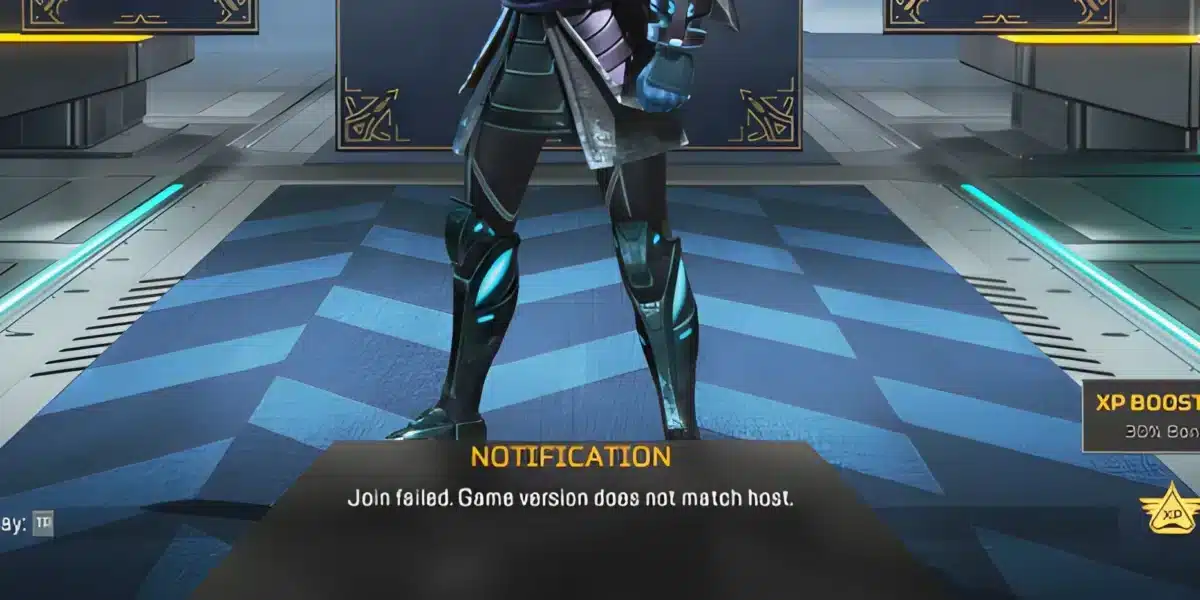
When you jump into a fast–paced battle royale like Apex Legends, nothing breaks your focus more than sudden jitter, fluctuating latency, and unpredictable instability ruining your competitive momentum. One second your inputs feel smooth, and the next your character rubberbands across the arena or your shots fail to register. This inconsistency is even more frustrating in PvP, ranked, and high-intensity gunfights where timing determines survival.
If you’re tired of unstable matches and want to take control of your experience, Apex Legends is one of the hundreds of supported games listed at ExitLag supported games.

What is jitter in Apex Legends?
In online games, jitter refers to the irregular variation in latency between your device and the game server. While ping measures how long it takes for data to travel back and forth, jitter measures how inconsistent that travel time is.
If your ping is stable (for example, always around 60ms), your gameplay feels predictable. But when your ping jumps between 40ms, 120ms, 80ms, 150ms, you’re experiencing instability that leads to unpredictable gameplay delays.
In Apex Legends, ideal connections fluctuate only 5–10ms at most. Anything higher introduces noticeable response time issues with the servers that affect your ability to play at a competitive level.
How jitter affects your gameplay in Apex Legends
Jitter doesn’t simply cause delay — it causes inconsistent delay. This unpredictability breaks many core mechanics in Apex Legends:
- Inconsistent commands: Sometimes abilities activate instantly; other times they take an extra second to register.
- Difficult dodges/movement: Executing a last-second strafe or wall jump becomes unreliable.
- Broken combos: Timing–based sequences like tactical→ultimate setups and movement tech fail unpredictably.
- Sudden deaths: Enemies appear to teleport, or you take damage before their animation appears.
- PvP frustration: It’s impossible to compete in ranked when server responses vary constantly.
- Wasted consumables: Shield swaps, battery timings, and phoenix kits get disrupted by random delay shifts.
- Inconsistent hit registration: Your bullets may land perfectly one moment and fail the next.
- Unreliable aim: Tracking targets becomes nearly impossible when latency varies wildly.
Main causes of jitter in Apex Legends
1. Network congestion
When multiple devices stream, download, or upload simultaneously, your connection becomes unstable. Packet priority shifts constantly, generating jitter that directly affects Apex Legends responsiveness.
2. Unstable routing
If your connection takes different routes to the server at different moments — due to ISP routing issues — your travel time varies, causing spikes in latency consistency.
3. Unstable Wi-Fi
Wireless interference from walls, other devices, microwaves, and distance from the router makes Wi-Fi naturally prone to connection variation.
4. ISP (provider) problems
ISPs with overloaded or improperly managed infrastructure produce inconsistent latency, especially during peak hours.
5. Long distance to servers
Apex Legends servers can be far from your region. More distance means more routers and more opportunities for jitter–inducing disruptions.
6. Apex-specific causes
Occasionally, game updates or regional servers experience instability, which amplifies latency variation for many players at once.
How to identify and measure jitter in Apex Legends
Test your connection with an extended ping test
Running a long ping command helps detect variations. If you see steady values mixed with sudden spikes, you are dealing with jitter.
Signs of jitter inside the game
- The in-game ping graph jumps constantly.
- The game randomly feels inconsistent, even though the average ping might seem “fine.”
- Gameplay alternates between smooth and severely delayed moments.
- Short, unexpected rubberbanding occurs during movement.
- Abilities activate with variable delays.
- The overall experience feels unstable, even on low ping.
These symptoms confirm jitter rather than simple high ping.
Jitter levels table
| Jitter Level | Variation (ms) | Gameplay Impact |
| Excellent | 0–5ms | Smooth, competitive, fully predictable |
| Good | 6–15ms | Mostly stable, minor inconsistencies |
| Moderate | 16–30ms | Noticeable delays in abilities, aim inconsistencies |
| Bad | 31–60ms | Rubberbanding, broken combos, hit-reg issues |
| Severe | 60ms+ | Unplayable in ranked; extreme instability |
Basic solutions to reduce jitter in Apex Legends
Prioritize your connection
- Use an ethernet cable to eliminate Wi-Fi interference.
- Close background applications that perform syncs, updates, or streaming.
- Limit devices on your network to reduce congestion.
- Disable automatic updates on Steam/Origin/EA App while playing.
- Update network drivers for maximum compatibility.
- Adjust Apex Legends data center selection to the lowest–ping region.
Configure QoS on your router
Quality of Service (QoS) allows you to prioritize gaming traffic so that Apex Legends receives guaranteed bandwidth even when the network is busy. This reduces packet variation and stabilizes latency.
Check with your ISP
If jitter persists, contacting your provider helps identify issues such as damaged cables, overloaded nodes, or outdated modems.
ExitLag: the definitive solution to eliminate jitter in Apex Legends
What is ExitLag?
ExitLag is a specialized software designed exclusively for connection optimization in online games. It acts as a real-time stabilizer that ensures your data reaches Apex Legends servers through the most stable and consistent routes possible. Developed by gamers who understand these problems deeply, it is engineered to fix routing instability, packet variation, and latency spikes. Learn more at ExitLag technology.
How ExitLag eliminates jitter in Apex Legends
ExitLag uses Multi-Internet technology that sends data through multiple routes simultaneously, guaranteeing stability even if one path behaves unpredictably. Details at how ExitLag works.
Here’s how it works:
- Multiple simultaneous routes
Data is transmitted through various optimized paths. If one path fluctuates, others maintain stability. - Intelligent packet selection
The system keeps only the fastest packets and discards slow arrivals, removing jitter at the source. - Real-time route optimization
Routes are constantly analyzed and adjusted dynamically to maintain consistent latency. - Reduced hops
By shortening the number of routers between you and Apex servers, variation decreases drastically. - Smart buffering
A controlled, stable flow of packets ensures a consistent gaming experience even during internet instability.
Advantages of ExitLag for Apex Legends players
Complete ping stabilization
ExitLag transforms a fluctuating connection into a predictable one, ideal for competitive play.
Total jitter elimination
Its multi-route system prevents variation, making your latency as consistent as possible.
Enhanced timing precision
Abilities, movement inputs, and aim feel immediate and reliable.
Competitive edge
In PvP and ranked, stable latency defines performance. ExitLag ensures you always play at your best.
Works on every server
Supports global Apex Legends data centers, allowing you to play locally or internationally.
Simple interface
Select the game, apply routes, and play — no technical knowledge required.
Is ExitLag worth using for Apex Legends?
Absolutely — especially if you:
- Experience jitter or random instability
- Play on distant or international servers
- Compete in ranked or tournaments
- Play during peak hours
- Use Wi-Fi
- Have routing issues with your ISP
- Lose fights due to unpredictable delays
- Want perfect timing in abilities and movement
Check plans and learn more at ExitLag pricing.
How to use ExitLag in Apex Legends
The process is extremely simple:
Step 1 – Access the official ExitLag website and download the application. There’s a free trial period for new users.
Step 2 – Install and open the program. Log in with your account.
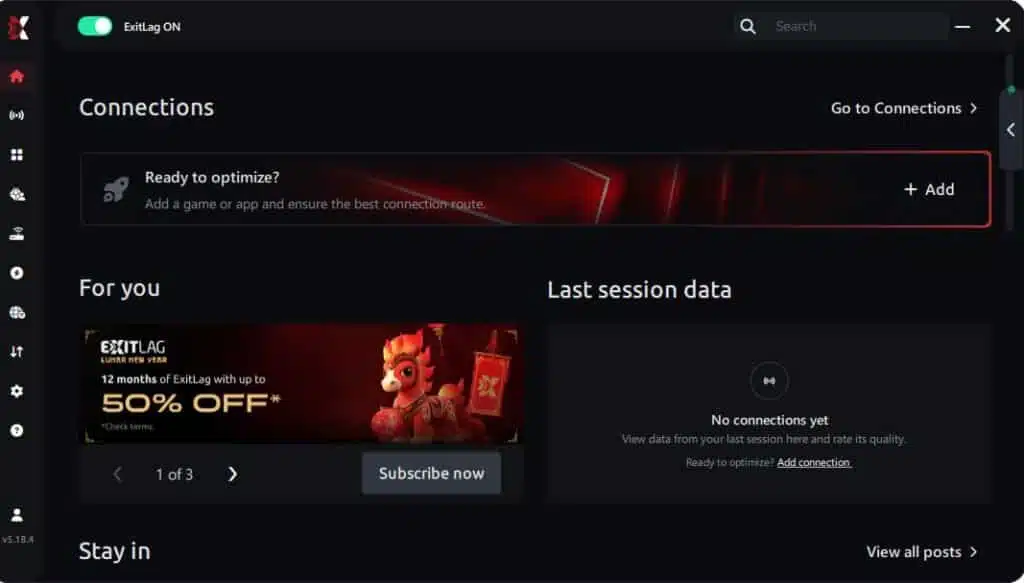
Step 3 – In the search bar, type “Apex Legends” and select the game from the list.
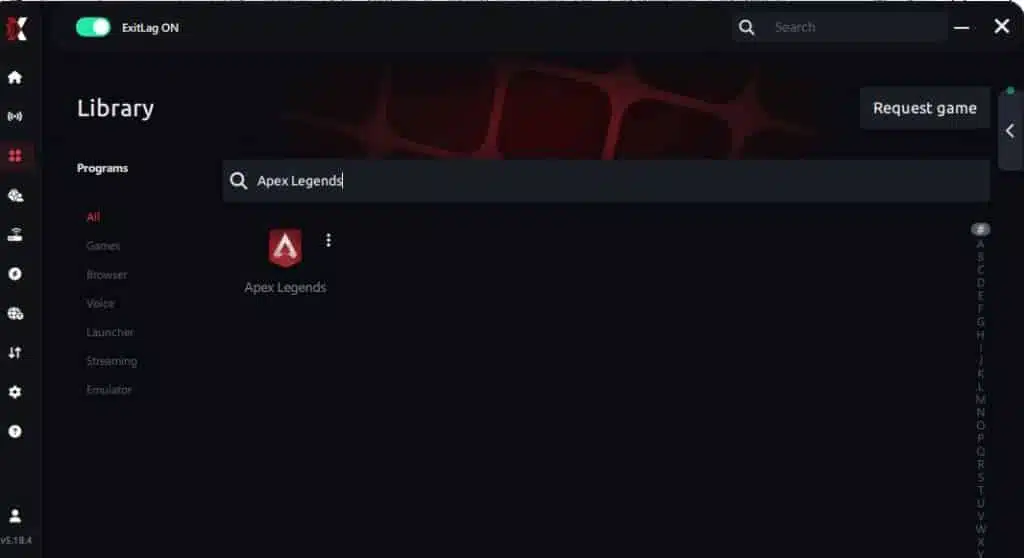
Step 4 – Choose between automated or manual route
Based on the results, you can let ExitLag automatically select the best route or manually choose the server that showed the lowest latency for your connection.
AI-optimized automated route
Based on the results, you can let ExitLag automatically select the best route through AI optimization. The system analyzes multiple connection paths in real time and automatically identifies the most efficient route for your connection, ensuring the lowest possible latency without requiring manual choices.
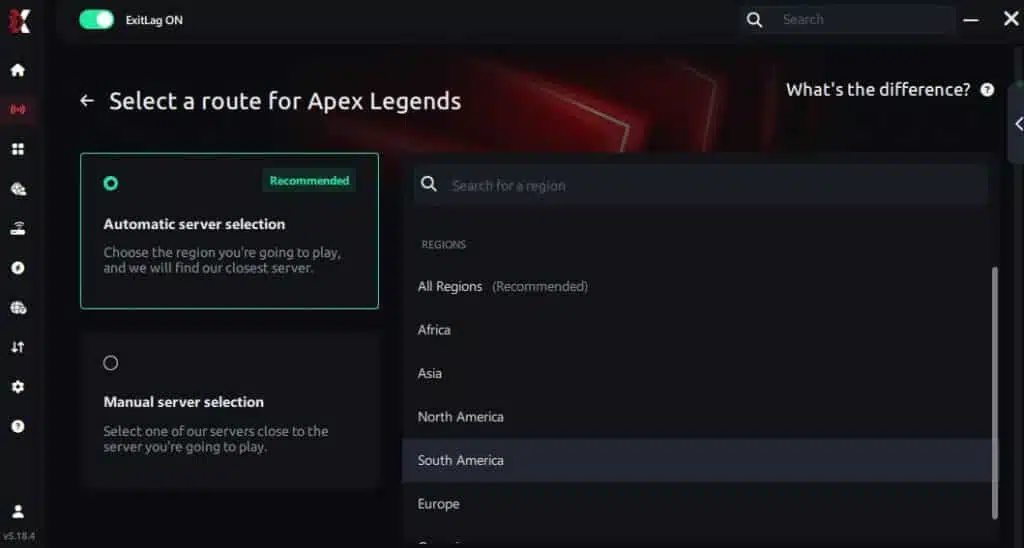
Manual route
If you prefer to have full control over your connection, you can manually choose the server based on the ping test results. Simply select the server that showed the lowest latency or the one that best meets your specific gaming needs, allowing complete customization of your experience.
Step 5 – Click “Apex Legends” or the play button. ExitLag will begin optimizing your connection automatically.
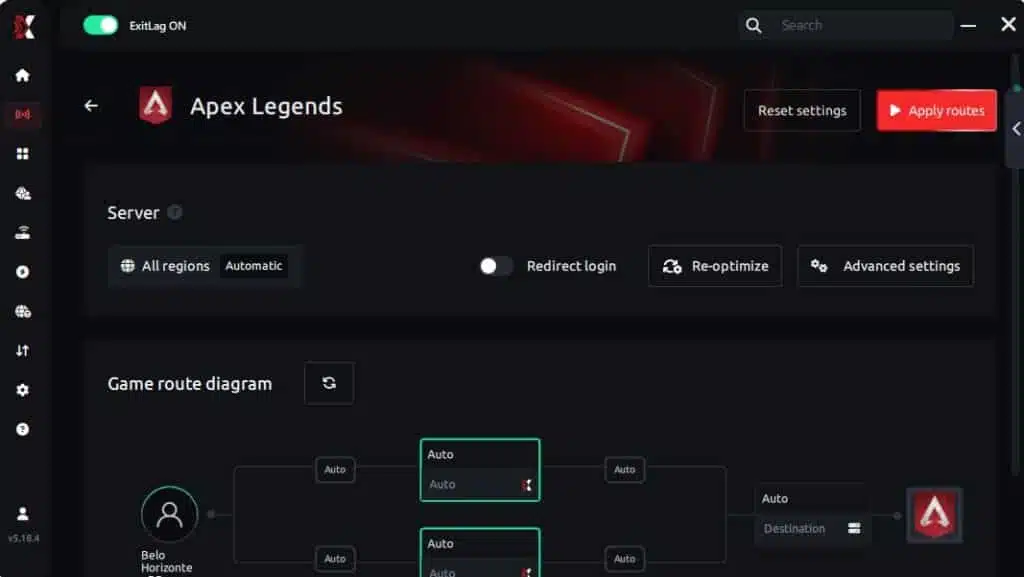
Step 6 – Wait a few seconds until optimization is complete. You’ll see ping indicators in the interface.
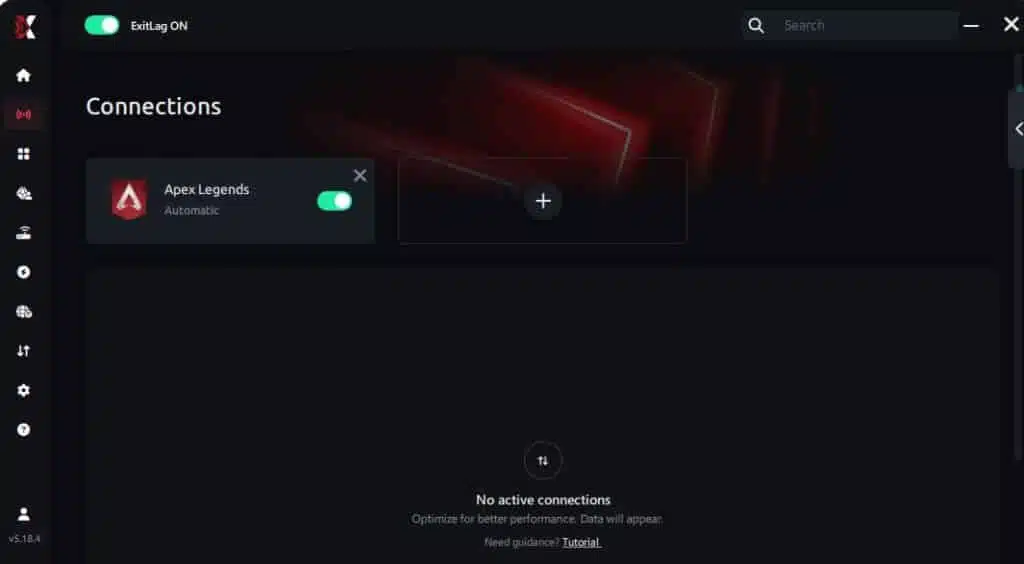
Step 7 – Launch Apex Legends normally. The optimization will already be active.
ExitLag runs in the background while you play, constantly adjusting routes to maintain the best possible performance.
FAQ: frequently asked questions about jitter in Apex Legends
What’s the difference between jitter, lag, and packet loss?
Jitter is variation in ping; lag is delay caused by high latency; packet loss is data not reaching the server. You can have low ping but high jitter, creating a terrible gameplay experience. Each issue has a different root cause and requires different solutions.
Why is my ping fluctuating in Apex Legends?
Most commonly due to network congestion, unstable ISP routing, Wi-Fi interference, too many devices on the network, or distance to the servers. Apex Legends also has regional servers that can experience instability.
Is jitter worse than high ping?
Often yes. High ping that is stable (e.g., always 110ms) is more playable than unstable ping that jumps between 30ms and 150ms. Jitter removes your ability to predict timing.
How do I know if I have jitter?
Run a long ping test and look for inconsistent values. In Apex Legends, jitter feels like unpredictable delay — sometimes smooth, sometimes suddenly laggy.
Does Wi-Fi cause jitter?
Yes. Wireless signals are prone to interference and instability. Ethernet connections provide much more consistent latency.
Does ExitLag fix more than jitter?
Yes. ExitLag also reduces ping, eliminates packet loss, protects against DDoS, and stabilizes your route in hundreds of supported games.
Do I need to keep ExitLag open while playing?
Yes. It must remain active during your game session to maintain optimization.
Does Apex Legends have server-specific jitter issues?
Some regions have more unstable servers, especially during major updates or high-traffic seasons. Using optimized routing helps avoid these issues.
Conclusion
Jitter can take a fun Apex Legends session and turn it into a frustrating spiral of missed shots, broken movement tech, and unpredictable delays.
But this doesn’t have to be your reality. With the right setup and the power of ExitLag, you can eliminate variation, ensure smooth responsiveness, and regain the consistency competitive Apex players need.
Don’t let instability cost you ranked points or intense clutch moments — take control of your performance and experience Apex Legends exactly as designed: fast, fluid, and precise. Learn more strategies and connection insights at ExitLag blog.
Ready to fix jitter and stabilize your Apex Legends connection? Start your free trial now at ExitLag free trial.
Got questions or want to connect with other players? Join the conversation at the ExitLag Forum!