Few things kill the mood faster than queuing up for a game and getting blocked by a wall of red text. If you searched for League Of Legends Vanguard Errors, you already know that pain. This guide breaks down exactly why these errors happen and how to clear them.
Riot Vanguard is the anti-cheat driver that runs quietly in the background of every League of Legends session. When it fails to load, update, or communicate with the game client, it throws a specific VAN code. Each code points to a different root cause.
The most common issue behind League Of Legends Vanguard Errors is a Vanguard service that never started, a driver conflict, or a Windows security setting that does not meet current requirements. Fortunately, almost every one of these errors has a known fix, and most players resolve them in under ten minutes.
Below, you will find dedicated fixes for the most reported codes, including the vanguard error van 57 league of legends fix, the vanguard error 84 league of legends issue, and the vanguard error 1067 league of legends crash.
We will also cover the deeper system settings that trip up experienced players, not just the basic restart-and-pray routine.
What Causes League Of Legends Vanguard Errors?
Before jumping into specific codes, it helps to understand the pattern. Vanguard runs as a Windows service called vgc, and it needs a clean, uninterrupted handshake with both the operating system and Riot’s servers at launch.
Consequently, almost every Vanguard failure traces back to one of these root causes:
- Service not running: The vgc service is disabled, stuck, or was blocked from starting automatically.
- Corrupted installation: Vanguard driver files got damaged during an update or a forced shutdown.
- Security settings mismatch: TPM 2.0, Secure Boot, or Virtualization-Based Security are disabled in BIOS.
- Conflicting software: Third-party drivers, older anti-cheat tools, or virtualization apps interfere with Vanguard.
- Network instability: Unstable routing or packet loss disrupts the connection handshake, especially for vanguard error league of legends codes tied to connectivity.
Why Do Vanguard Errors Spike After Updates?
Vanguard often ships driver updates alongside League of Legends patches. If your PC restarts mid-update or a background app locks a file, the new driver can fail to register correctly.
That single failure is enough to trigger a fresh wave of League Of Legends Vanguard Errors right after patch day, even on machines that ran perfectly fine before.
How Do You Know Which Vanguard Error You Have?
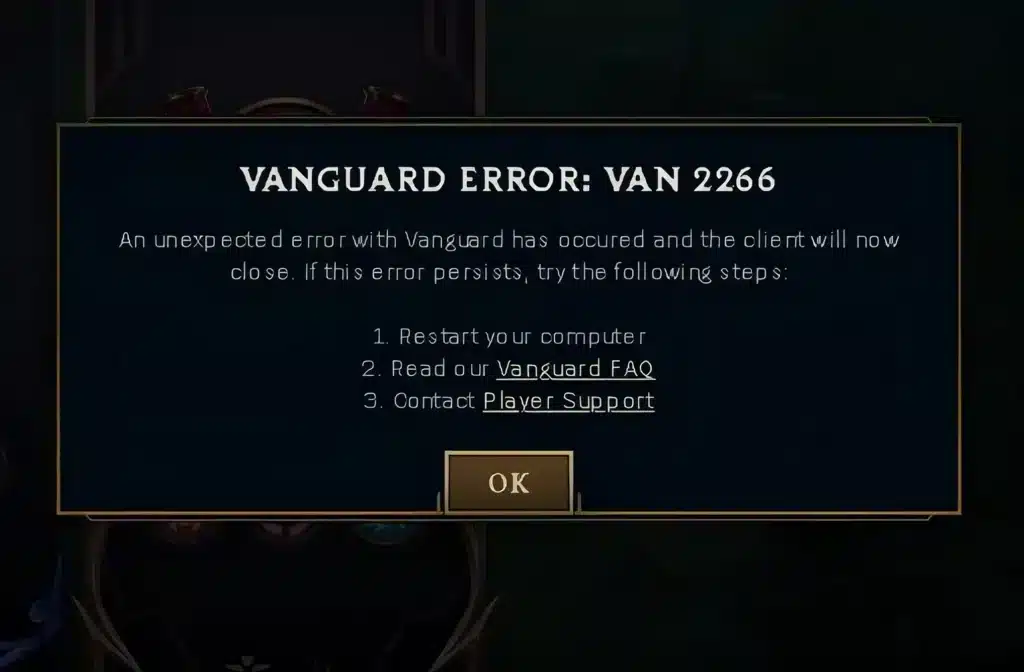
Every Vanguard crash displays a short code, usually formatted as “VAN” followed by a number. That number is the fastest way to diagnose the actual problem, so always note it down before searching for a fix.
Here is a quick reference for the codes players report most:
| Error Code | Typical Cause | Fastest Fix |
|---|---|---|
| VAN 57 | vgc service not running or crashed | Restart the vgc service in services.msc |
| VAN 84 | Connection or handshake failure | Check network stability, restart Riot Client |
| VAN 1067 | Vanguard service terminated unexpectedly | Enable TPM 2.0 and Secure Boot in BIOS |
| VAN 135 | Driver conflict with third-party software | Remove conflicting drivers, reinstall Vanguard |
| VAN 9001 | Secure Boot disabled | Enable UEFI Secure Boot mode |
Fixing League Of Legends Vanguard Error VAN 57
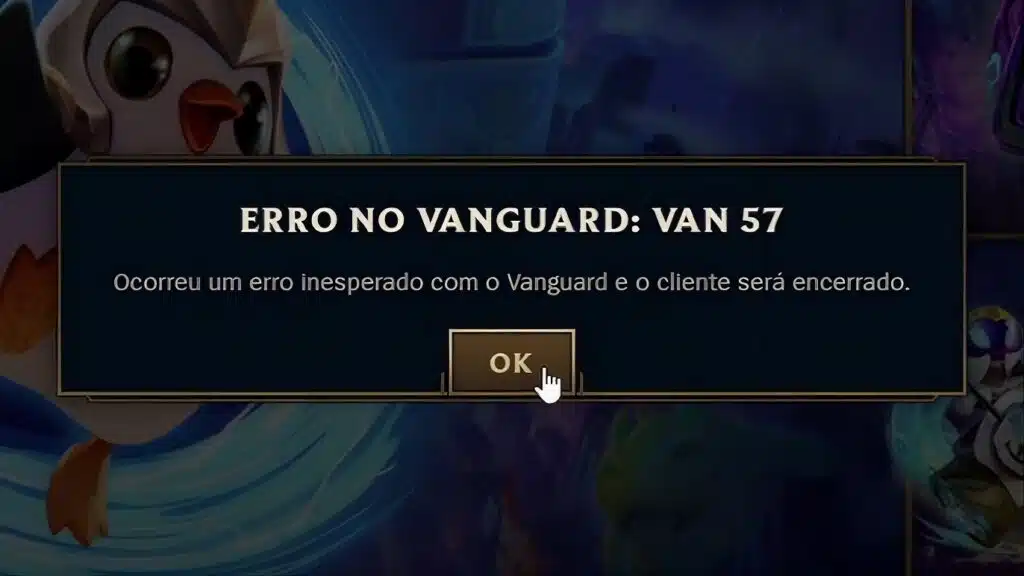
The vanguard error van 57 league of legends message is the single most reported Vanguard issue. It essentially means the vgc background service either failed to launch or crashed before League could connect to it.
Therefore, the fix almost always starts with checking that service directly rather than reinstalling the whole game. Follow these steps in order.
- Press Windows + R, type services.msc, and press Enter.
- Scroll down and find the entry named vgc.
- Right-click vgc and select Properties.
- Set the Startup Type to Automatic, then click Start if it is not already running.
- Restart your PC and launch the Riot Client again.
If the service refuses to stay running, reinstall Vanguard instead of repeatedly forcing it to start. A damaged driver or a conflicting security tool is often blocking it silently.
What If VAN 57 Keeps Coming Back?
When the league of legends vanguard error van 57 error returns after a fresh restart, the underlying Vanguard installation is likely corrupted. In that case, remove the anti-cheat component completely and let the Riot Client reinstall it from scratch.
You typically do not need to uninstall League of Legends itself to do this. Just clear the Vanguard driver files, restart, and open the Riot Client so it can rebuild a clean copy automatically.
Should You Reinstall Vanguard for VAN 57?
Reinstalling should be your second step, not your first. Jumping straight to a reinstall wastes time when a simple service restart would have fixed it in seconds.
Only reinstall once you have confirmed the vgc service will not stay running after being set to Automatic and started manually.
Solving Vanguard Error 84 League Of Legends
Moving on to connection-based failures, the vanguard error 84 league of legends code usually appears when the anti-cheat driver cannot complete its handshake with Riot’s servers. Unlike VAN 57, this one is less about the local service and more about network reliability.
In fact, if VAN 84 shows up alongside reports from many other players at the same time, it is worth checking server status before touching any settings. Widespread outages produce this exact symptom.
Assuming it is not a server-side issue, here is what usually resolves it:
- Switch to a wired connection: Wi-Fi introduces packet loss that can interrupt the Vanguard handshake mid-process.
- Flush your DNS cache: Run ipconfig /flushdns in Command Prompt, then restart the Riot Client.
- Reset your network stack: Run netsh winsock reset, restart your PC, and try again.
- Run the Riot Client as Administrator: This grants the permissions Vanguard needs to initialize its service properly.
- Restart your router: Unplug it for about thirty seconds, then reconnect and retest.
Is Vanguard Error 84 Related to My Internet Provider?
Sometimes, yes. Unstable routing between your ISP and Riot’s game servers can trigger repeated vanguard error 84 league of legends disconnects, even when your local connection looks fine on paper.
This is precisely where routing quality becomes as important as raw bandwidth. A stable, low-latency path to the correct regional server reduces the odds of a handshake timeout during champion select or login.
Can Antivirus Software Trigger VAN 84?
Occasionally, yes. Aggressive third-party antivirus tools sometimes intercept Vanguard’s network calls, mistaking them for suspicious activity during the login handshake.
If the fixes above do not help, temporarily add Vanguard and the Riot Client to your antivirus exclusion list, then relaunch the game to test.
Repairing Vanguard Error VAN 1067 In League Of Legends
The vanguard error 1067 league of legends crash is different from the two above because it typically points to a system security requirement rather than a simple service hiccup. It means the Vanguard service terminated unexpectedly, often right at launch.
Riot Vanguard currently enforces TPM 2.0 and UEFI Secure Boot on supported systems, particularly for Windows 11 machines. If either of these is disabled, VAN 1067 becomes far more likely to appear.
Here is the recommended order of operations:
- Reboot into your BIOS or UEFI settings menu (usually by pressing Delete or F2 during startup).
- Locate the TPM setting, sometimes labeled PTT on Intel systems or fTPM on AMD systems, and enable it.
- Find Secure Boot under the Boot or Security tab and set it to Enabled with Standard mode.
- Save changes and restart normally into Windows.
- Open the Riot Client, select League of Legends, and choose Repair to rebuild any damaged files.
Why Does Vanguard Require These Security Features?
Riot Vanguard uses hardware-backed security to confirm the operating system has not been tampered with before a match starts. TPM 2.0 stores encryption keys safely, while Secure Boot blocks unsigned code from loading during startup.
As a result, disabling either one is treated as a red flag by the anti-cheat, and it will refuse to initialize until both are active again. This is not unique to League of Legends; several competitive titles now enforce the same baseline.
Do I Need to Remove Old Registry Keys?
If you previously edited registry keys to bypass an earlier Vanguard requirement, those leftover keys can now cause conflicts on updated systems.
Reverting any manual registry edits related to Vanguard, then letting the Riot Client rebuild its settings naturally, clears this cause of VAN 1067 for good.
Other Common Vanguard League Of Legends Errors
Beyond the three headline codes, a handful of other vanguard league of legends error messages show up regularly. Understanding them saves time compared to guessing at random fixes.
- VAN 135: Usually caused by a conflicting third-party driver, most often older anti-cheat leftovers or virtualization tools. Uninstall the conflicting software and reinstall Vanguard cleanly.
- VAN 9001: Appears when UEFI Secure Boot is switched off entirely. Enable it through BIOS following the same steps used for VAN 1067.
- VAN 25: Points to a corrupted Vanguard driver file. A full Vanguard reinstall through the Riot Client typically clears it.
- VAN 6: Indicates the service could not initialize during a Windows update transition. A simple restart after the update finishes usually fixes it.
Should You Always Reinstall Vanguard First?
No. Reinstalling is a last resort for most of these codes, not a first response. Start with the targeted fix for the specific code you received.
When Should You Contact Riot Support?
If none of the fixes above resolve the code after two or three attempts, it is worth opening a support ticket. Include your exact VAN code and a screenshot for a faster response.
Pro Tips:
- Always restart before reinstalling: A full PC restart resolves a surprising share of Vanguard issues because it clears stuck services and driver handles. Try this before any advanced fix.
- Keep Windows fully updated: Outdated system files sometimes conflict with Vanguard drivers. Regular Windows updates keep compatibility issues to a minimum.
- Disable conflicting overlays temporarily: Some third-party overlay tools and older anti-cheat drivers from other games interfere with Vanguard’s kernel-level checks.
- Check Windows Security exclusions: Confirm your antivirus is not quarantining Vanguard files, since aggressive security suites occasionally flag the driver by mistake.
- Note the exact error code every time: Screenshotting the code before it disappears makes troubleshooting far faster on a second attempt.
How Often Should You Repair Vanguard?
There is no strict schedule, but running a Repair through the Riot Client after any major Windows update is a smart habit. It catches small file conflicts before they turn into a VAN code.
Common Mistakes League Of Legends Players Make
- Reinstalling the entire game first: Many players jump straight to a full League of Legends reinstall when the issue is only the Vanguard component. Fix: reinstall Vanguard alone through the Riot Client before touching game files.
- Ignoring BIOS settings: Players often skip TPM and Secure Boot checks because they sound technical. Fix: these two settings resolve a large share of vanguard error van 84 league of legends and 1067 cases, so check them early.
- Forcing the vgc service repeatedly: Manually restarting a service that keeps crashing does not fix the underlying corruption. Fix: reinstall Vanguard cleanly instead of repeating the same manual restart.
- Overlooking network stability: Players blame Vanguard itself when the real trigger is packet loss or an unstable route to the game server. Fix: test on a wired connection and monitor your route before assuming it is a Vanguard bug.
Why Connection Stability Still Matters for League Of Legends
Not every Vanguard hiccup is about drivers or BIOS settings. Some league of legends vanguard error reports line up with periods of network instability, where packet loss or route congestion disrupts the handshake between your PC and Riot’s servers.
This is exactly the kind of scenario where a tool like ExitLag becomes genuinely useful. ExitLag is not a VPN, it does not encrypt traffic, mask your IP, or touch any anti-cheat process. Instead, it analyzes multiple network paths in real time and automatically selects the fastest, most stable route to your game server.
How Does ExitLag Help With League Of Legends?
For League of Legends specifically, that means fewer disconnects during champion select, steadier ping throughout the match, and less chance of a connection-related error interrupting your session. ExitLag currently supports over 4,000 titles across PC and mobile, backed by more than 1,500 servers spread across 190-plus countries.
Its Multipath technology sends your packets through several routes at once, so if one path degrades, the others keep your connection alive. Combined with real-time optimization, this reduces the packet loss that sometimes gets mistaken for a Vanguard bug in the first place.
Is ExitLag Safe to Use With Riot Vanguard?
Importantly, ExitLag does not modify game files, inject code, or interact with anti-cheat systems in any way, which makes it safe to run alongside Riot Vanguard. Just avoid running it together with a separate VPN, since that combination reduces effectiveness for both tools.
If unstable routing has been part of your Vanguard headaches, you can grab the ExitLag Download and test your connection quality before your next ranked match.
Frequently Asked Questions
Yes. Riot Vanguard is designed to run persistently or on demand depending on your settings, and it only monitors for cheating-related processes. It does not collect personal browsing data or interfere with unrelated applications.
Absolutely. Codes tied to the handshake process, such as vanguard error 84 league of legends, are frequently linked to unstable routing rather than a broken installation. Testing on a different network often confirms this quickly.
Wrapping Up League Of Legends Vanguard Errors
Dealing with League Of Legends Vanguard Errors is frustrating, but nearly every code has a documented, repeatable fix. Whether you are facing VAN 57, VAN 84, or VAN 1067, the pattern is the same: identify the code, match it to a root cause, and apply the targeted solution.
What Is the Fastest First Step?
Start with the basics, a full restart and a service check, before moving into BIOS-level changes like TPM 2.0 and Secure Boot. This single habit resolves a large share of reported cases.
What Should You Do If Nothing Works?
Combine the BIOS and service fixes with a stable network connection, and most League Of Legends Vanguard Errors stop appearing entirely. If the issue persists, a support ticket with your exact code gets you the fastest resolution.
All game images used in this blog post belong to Riot Games. They are used for informational and educational purposes only and do not imply endorsement or affiliation with the rights holders.
Got questions or want to connect with other players? Join the conversation at the ExitLag Forum!