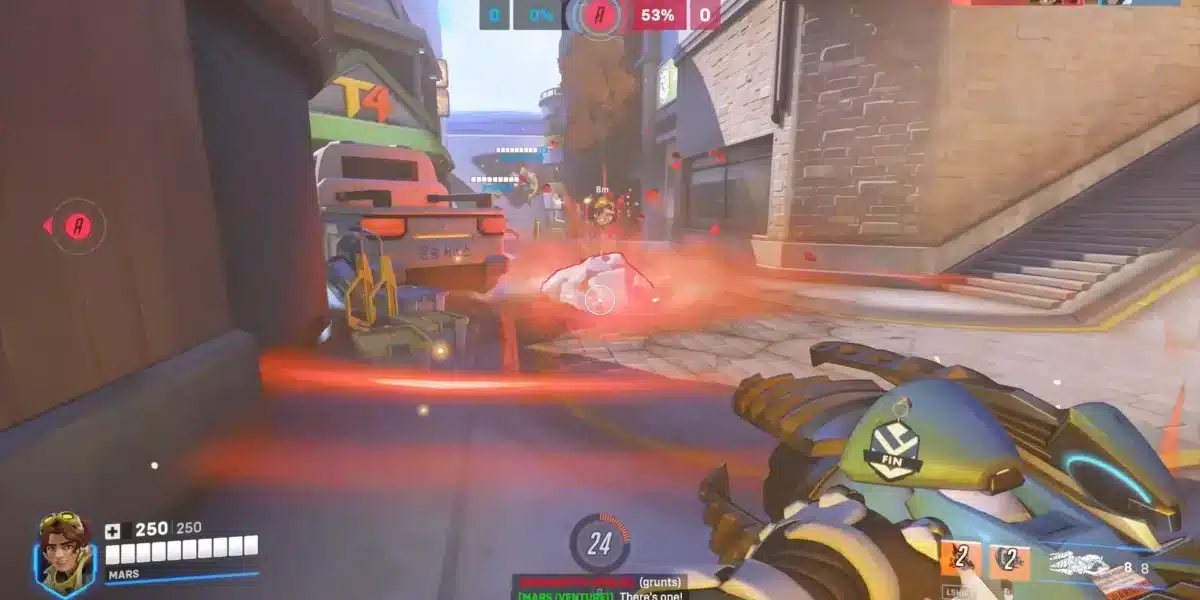
Overwatch 2 is built entirely around five players working together as one unit. A Tank creating space, two Damage heroes applying pressure, two Supports keeping the team alive and enabled. When all five roles are filled by players who communicate and coordinate, the game becomes something completely different from solo queue randomness. That coordinated version of Overwatch is what Overwatch LFG gives you access to.
Overwatch LFG stands for Overwatch Looking For Group, and it refers to the process of actively finding teammates before queuing rather than letting random matchmaking assemble your team. Players use Discord servers, in-game tools, Reddit communities, and dedicated platforms to connect with others who share their rank, playstyle, role preference, and communication standards.
Solo queue in Overwatch 2 puts five strangers together with no shared context, no agreed strategy, and no established communication. An Overwatch LFG group solves every one of those problems before the match starts. You know exactly who is playing Tank, who is on Support, and whether everyone has a microphone. That foundation transforms how every round plays out.
This guide covers where to find the best Overwatch LFG communities, how to use them effectively, what to include in your posts, and how to build a squad that consistently performs at the level you are capable of.

Why Overwatch LFG Makes a Real Difference
The frustrations of solo queue in Overwatch 2 are well-documented among the player community. Role fills, silent teammates, disconnects after a bad first round, and mismatched expectations around how serious the match should be. These are not problems with the game itself. They are problems with how random matchmaking assembles teams.
Overwatch LFG removes those variables from the team-building layer. You choose your teammates based on the information they have shared about themselves: rank, role, communication preference, and what they want out of each session.
The impact on your results is measurable. Teams with established communication and pre-agreed roles consistently outperform random five-stacks at the same skill level because coordination in Overwatch 2 is not just an advantage. It is the entire design of the game.
What Changes When You Queue as an LFG Group
Here is a direct comparison of what a typical session looks like solo versus through LFG:
| Factor | Solo Queue | Overwatch LFG Group |
| Role coverage | Assigned by matchmaker | Pre-agreed before the match |
| Communication | Variable, often absent | Established before queuing |
| Tilt behavior | Unknown, often contagious | Pre-screened to your preference |
| Hero swapping | Often resisted | Discussed and agreed in advance |
| Session goal | Random mix of intentions | Aligned from the first queue |
| Trust level | Zero before match | Built through brief pre-match chat |
Every row on that table represents a match-deciding variable. LFG does not guarantee wins. It removes the chaos from the variables you can control.
The Best Overwatch LFG Platforms Right Now
Overwatch LFG communities exist across multiple platforms, and the best approach is to be active on more than one simultaneously.
Discord: The Primary Home of Overwatch LFG
Discord is where the largest and most active Overwatch LFG communities live. The platform’s combination of organized channels, voice chat, bots, and real-time messaging makes it the most effective tool for finding teammates quickly.
The most active Overwatch LFG Discord servers currently include:
- Overwatch LFG (Community Server): One of the largest dedicated Overwatch 2 LFG servers with over 165,000 members, organized by region (NA, EU, Asia), with 24/7 active voice channels and ongoing giveaways and community events.
- Official Overwatch Discord: Run in collaboration with Blizzard, this server covers all aspects of the game including LFG channels, patch notes, esports updates, and community discussions. Its size makes it one of the most active resources for finding players at any hour.
- Overwatch 2 Stadium Community Servers: With Stadium Mode becoming a major part of the game, dedicated servers have emerged specifically for players grinding that mode, with LFG channels, build discussions, and scrims.
- Regional Overwatch Servers: Dedicated servers for specific regions and languages, including EU-focused communities, Asian servers, and language-specific communities for players who prefer coordinating in their native language.
In-Game LFG: Overwatch 2’s Built-In Tool
Overwatch 2 includes a built-in Looking For Group system accessible through the Social menu in the game client. This tool allows players to post LFG requests, browse existing groups, and join sessions without leaving the game.
To use the in-game LFG system:
- Open the Social menu from the main screen.
- Select the Groups tab.
- Choose your intended game mode (Competitive, Quick Play, etc.).
- Browse existing groups or create your own with role and rank specifications.
- Set your preferred role, rank range, and communication requirements before posting.
- Browse incoming requests and evaluate players based on their rank, endorsement level, and listed preferences.
The in-game LFG tool is most useful for quick, same-session group building. For longer-term connections and more detailed screening, Discord communities offer more control.
Reddit and Other Communities
Beyond Discord and in-game tools, Overwatch LFG players also use:
- r/Overwatch and r/Overwatch2: Subreddits where players post LFG requests, often with detailed information about rank, region, and role preference.
- Battle.net LFG Forums: Blizzard’s official LFG forum for Overwatch 2, accessible through the Battle.net platform, where players post and browse teammate requests.
- LFG-specific apps: Platforms like GameTree offer Overwatch-specific team finding with filters for rank, role, and playstyle, along with personality-based matching algorithms that go beyond basic stats.
How to Write an Effective Overwatch LFG Post
The quality of your Overwatch LFG post directly determines the quality and speed of responses you receive. A complete, specific post attracts the right players immediately. A vague post gets ignored or attracts mismatched teammates who waste everyone’s time.
What Every Overwatch LFG Post Must Include
A strong LFG post for Overwatch 2 covers these elements:
- Battle.net tag or platform ID so interested players can add you immediately without a back-and-forth message chain
- Current rank in the specific role you are queueing for, stated honestly (Tank, Damage, or Support ranks are separate in Overwatch 2)
- Region and platform (NA, EU, Asia / PC, Console)
- Role or hero pool so players know what you bring and whether it fills their need
- Communication preference (mic required, Discord preferred, text only, etc.)
- Session goal (competitive climb, Practice Range warm-up first, specific rank target, casual Quick Play)
- Availability in your timezone so players know when to reach out
A complete example: “BTag#1234 / Diamond 2 Support / NA East / PC / Kiriko and Ana main / mic on, Discord req / serious ranked grind / available weeknights 7-11pm EST”
Every player reading that post knows in five seconds whether they are a match. That speed is what gets your post acted on instead of scrolled past.
Overwatch 2 Role Considerations for LFG
Overwatch 2 uses a 5v5 Role Queue format: one Tank, two Damage heroes, and two Supports per team. When posting in Overwatch LFG communities, being specific about which role you fill is critical because each role has its own separate rank in Competitive mode.
Key points that make Overwatch LFG different from other games:
- Roles have separate ranks: A player can be Diamond in Tank and Gold in Support. Specify your rank for the role you are queueing for.
- Tank is a single-player role: With only one Tank per team in 5v5, the Tank player’s hero selection and decision-making affects the entire match more directly than in any other role. A good LFG group discusses Tank picks before queuing.
- Support flexibility matters: Players who can comfortably play multiple Support heroes (main healer and off-healer) are more valuable in LFG groups because they adapt to what the team composition actually needs.
- Widematch: Overwatch 2’s Widematch system allows players outside the standard rank range to queue together, though with reduced point gains and losses. If you want to play with a friend outside your rank range, Widematch is the option, but be clear about this in your LFG post.
Pro Tips: Getting More From Overwatch LFG
Pro Tips: Overwatch LFG
- Post your endorsement level alongside your rank: Overwatch 2’s endorsement system (Shot Caller, Good Teammate, Sportsmanship) gives potential teammates a quick signal about your communication style and behavior in matches. A high endorsement level alongside a good rank makes your post significantly more trustworthy to serious players who are screening carefully.
- List your hero pool, not just your role: “Support main” tells people very little. “Ana, Kiriko, and Lucio” tells a Tank player exactly whether your hero pool covers the healing style their playstyle requires. The more specific the information, the faster and better the match.
- Test chemistry in Quick Play before ranked: When you connect with a new LFG player, queue one Quick Play match together before moving to competitive. This brief test reveals communication style, hero flexibility, and tilt response at zero cost to either player’s rank.
- Build a roster over time, not just per session: Each time you have a genuinely good LFG experience, add that player to a personal list with their Battle.net tag, role, timezone, and notes about their playstyle. Over several weeks, this list becomes a reliable roster that makes finding a five-stack significantly faster than starting from scratch each session.
Common Mistakes Overwatch LFG Players Make
Common Mistakes Overwatch LFG Players Make
- Listing the wrong rank for the role being queued. Because Overwatch 2 tracks ranks per role separately, a player who lists their highest rank rather than the rank of the role they are actually queuing for creates a mismatch from the start. Fix: always specify the rank for the exact role you are going to play in the upcoming session. If you are queuing Support, list your Support rank, not your Tank rank.
- Skipping the voice chat setup before the first match. Many LFG groups assume everyone is ready for voice communication, then spend the first two rounds sorting out Discord invites, microphone issues, and push-to-talk settings. Fix: confirm voice chat is working and everyone is in the same channel before the first queue, not during the loading screen.
- Not specifying Widematch intentions. Players who want to queue with friends outside their rank range often do not mention this in their LFG post, which creates confusion when the session starts and rank gaps become visible. Fix: if you are planning to use Widematch, state it clearly in your post along with the approximate rank range of your group.
Is Your Connection Ready for Overwatch LFG Play?
When you build a coordinated Overwatch LFG squad, every player’s connection quality directly affects the team’s performance. Overwatch 2 is a game where ultimate timing, ability coordination, and split-second decision-making determine round outcomes. One player dealing with unstable latency can throw a perfectly executed team fight because their Transcendence fires late or their Graviton Surge lands 200 milliseconds after the window closed.
Connection issues in Overwatch 2 create specific problems in coordinated play:
- Ability desync: Your ultimate animation plays on your screen but reaches the server late, making it visible to opponents before it takes effect
- Movement inconsistency: Rubberbanding causes your position on teammates’ screens to differ from your actual position, breaking the spatial awareness your Tank relies on
- Reaction delay: Decisions made on outdated information (your view of the game state lags behind the server) result in wrong positioning and mistimed engagements
ExitLag is a game connection optimizer used by over 30 million players worldwide. It analyzes multiple network paths in real time and selects the fastest, most stable route between your PC and Overwatch 2’s servers, rather than relying on your ISP’s default routing, which is not built for low-latency gaming.

For Overwatch LFG groups, the features that matter most are:
- Multipath Technology: Sends game data through multiple routes simultaneously. If one path degrades mid-match, others continue without visible interruption or lag spike.
- Real-Time Optimization: Keeps your ping stable across the entire session, not just the first few rounds, so the coordination you built through LFG stays intact through the final team fight.
- Traffic Shaper: Prioritizes Overwatch 2 traffic over everything else on your network, preventing background processes, streaming, or other devices from consuming bandwidth during your session.
- PC Boost: Reduces background processes and frees RAM so your hardware is focused on the game during competitive matches.
ExitLag supports 4,000+ titles across 1,500+ servers in 190+ countries. Start with a free trial before your next Overwatch LFG session and test the difference a stable connection makes in coordinated team play.
All images used in this blog post belong to their respective owners and are used for informational and educational purposes only. They do not imply endorsement or affiliation with the rights holders.
Got questions or want to connect with other players? Join the conversation at the ExitLag Forum!