Nothing is more frustrating for a dedicated MMORPG player than seeing the character freeze in the middle of a crucial battle. And for many players, Lineage II Lag is a problem that appears even when the internet connection seems perfectly fine. The delay between your command and the server’s response ruins quests, interrupts PvP action, and disrupts siege strategy.
However, the truth is that lag in Lineage II is much more common than most players think. Even users with stable plans, fiber connections, or powerful PCs frequently experience sudden spikes, rubberbanding, or delayed skills. That means the root of the problem is often deeper than hardware alone.
Therefore, this article will explain in simple terms what causes lag, how connection routes influence your gameplay, and how ExitLag delivers the ultimate stability and performance upgrade so you can enjoy Lineage II the way it was meant to be played.

What is lag in Lineage II?
Lag occurs when there is a delay between the moment you press a command and the time the server processes it. In Lineage II, this delay can show up as slow movement, late skills, or sudden character jumps. Even if your internet is fast, the route your data travels may be inefficient, long, or congested.
Difference between lag, ping and fps
Like this, it’s important to clarify that not every performance issue is the same:
- Lag: the visible delay between command and action.
- Ping: the round-trip time data takes to reach the server and return.
- FPS: the visual performance of your PC (frames per second).
However, when players complain about delayed combat responses or unstable character movement, the issue is usually network-related especially when experiencing Lineage II Lag during busy hours.
Why lag happens even with good internet
Even with a good connection, your internet provider automatically selects the route your data will take to reach the game server. These routes are not always the fastest or most stable. Imagine your data stuck in a “digital traffic jam” where the path is crowded, long, or full of interruptions.
Additionally:
- Data may travel through multiple unnecessary nodes.
- Certain regions have more congested pathways during peak hours.
- ISP routing isn’t optimized for gaming; they prioritize cost efficiency, not speed.
Therefore, the problem isn’t your internet speed, but the path it takes before reaching Lineage II’s servers.
ExitLag as the definitive solution
And if you could manually force your connection to take the fastest possible route? That’s exactly what ExitLag does.
ExitLag is a connection-optimization software designed for gamers. It identifies the best paths automatically, bypassing unstable and congested routes. Through multi-routing and intelligent tunneling technology, it provides stability, responsiveness, and a lower ping in real time.
ExitLag’s core benefits for Lineage II
- More consistent ping: routes optimized for speed and stability.
- Reduced packet loss: no more rubberbanding or character teleporting.
- Better responsiveness: smoother gameplay during PvP and sieges.
- Easy setup: plug-and-play experience with clear interface.
Comparison table
Below is a quick comparison showing the difference between playing normally and using ExitLag:
| Feature | Without ExitLag | With ExitLag |
| Ping Stability | Frequent spikes | Stable and optimized routes |
| Packet Loss | Common in crowded hours | Significant reduction |
| Rubberbanding | Often noticeable | Rare or eliminated |
| Overall Gameplay | Inconsistent | Smooth and reliable |
How to use ExitLag in Lineage II
The process is extremely simple:
Step 1 – Access the official ExitLag website and download the application. There’s a free trial period for new users.
Step 2 – Install and open the program. Log in with your account.
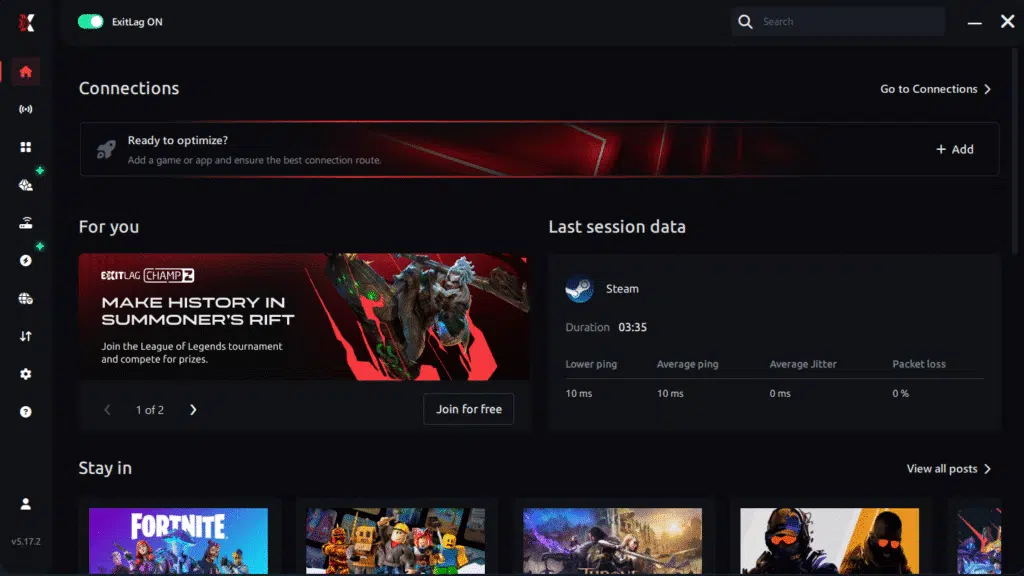
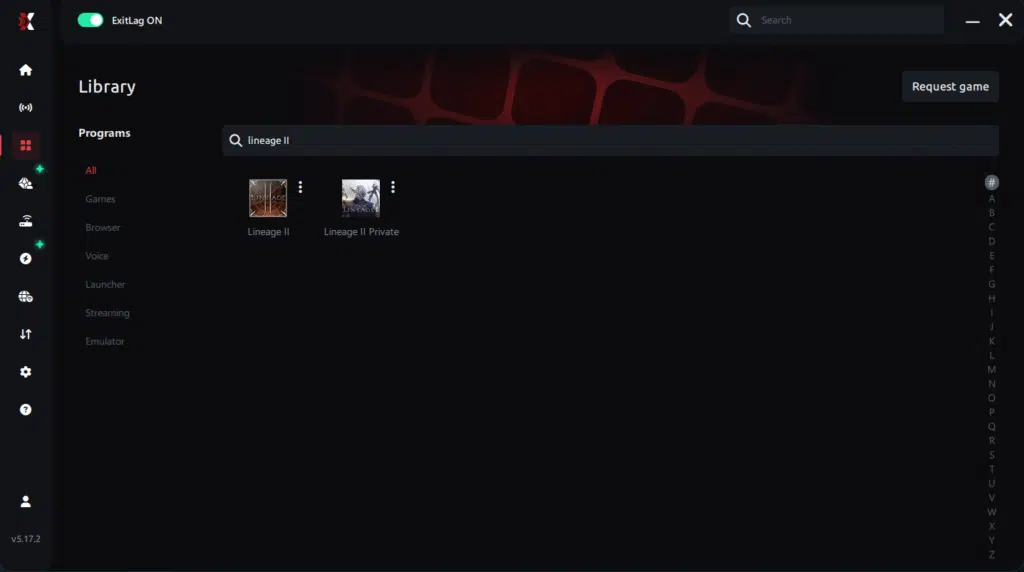
Step 3 – In the search bar, type “Lineage II” and select the game from the list.
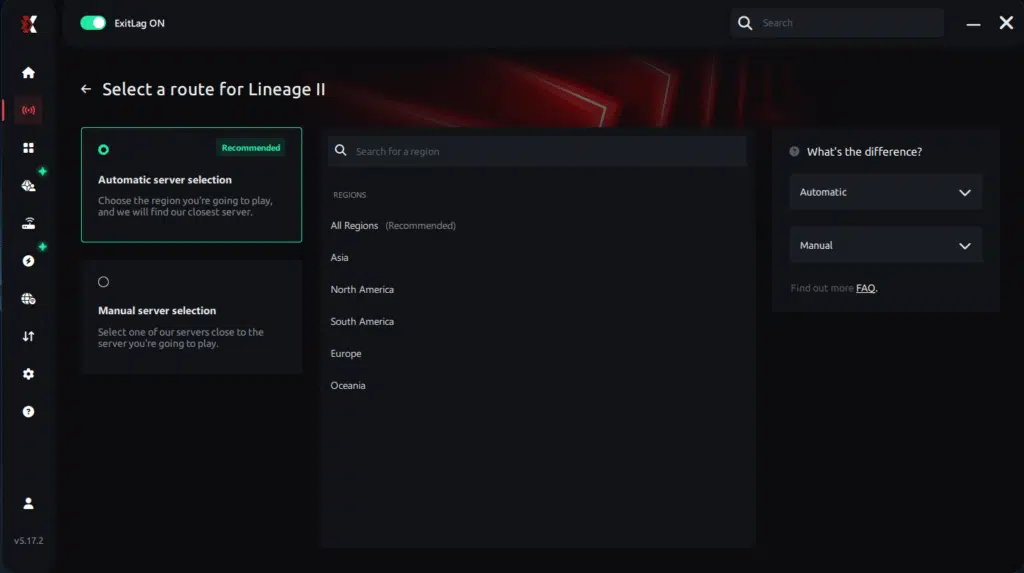
Step 4 – Choose between automated or manual route
Based on the results, you can let ExitLag automatically select the best route or manually choose the server that showed the lowest latency for your connection.
AI-optimized automated route
Based on the results, you can let ExitLag automatically select the best route through AI optimization. The system analyzes multiple connection paths in real time and automatically identifies the most efficient route for your connection, ensuring the lowest possible latency without requiring manual choices.
Manual route
If you prefer to have full control over your connection, you can manually choose the server based on the ping test results. Simply select the server that showed the lowest latency or the one that best fits your gameplay needs, whether for PvP, raids, or sieges.
Step 5 – Click “Apply routes” or the play button. ExitLag will begin optimizing your connection automatically.
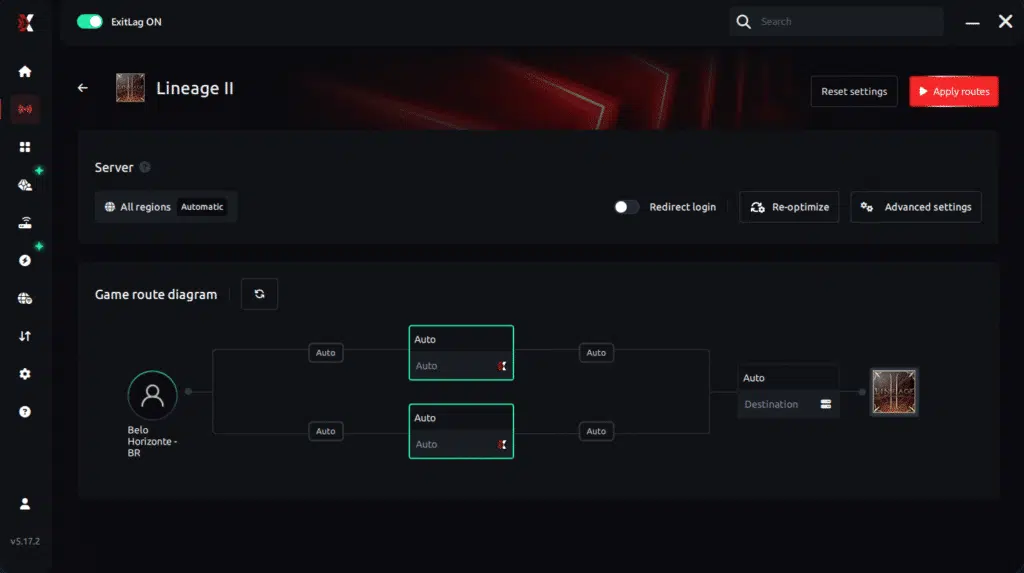
Step 6 – Wait a few seconds until optimization is complete. You’ll see ping indicators in the interface.
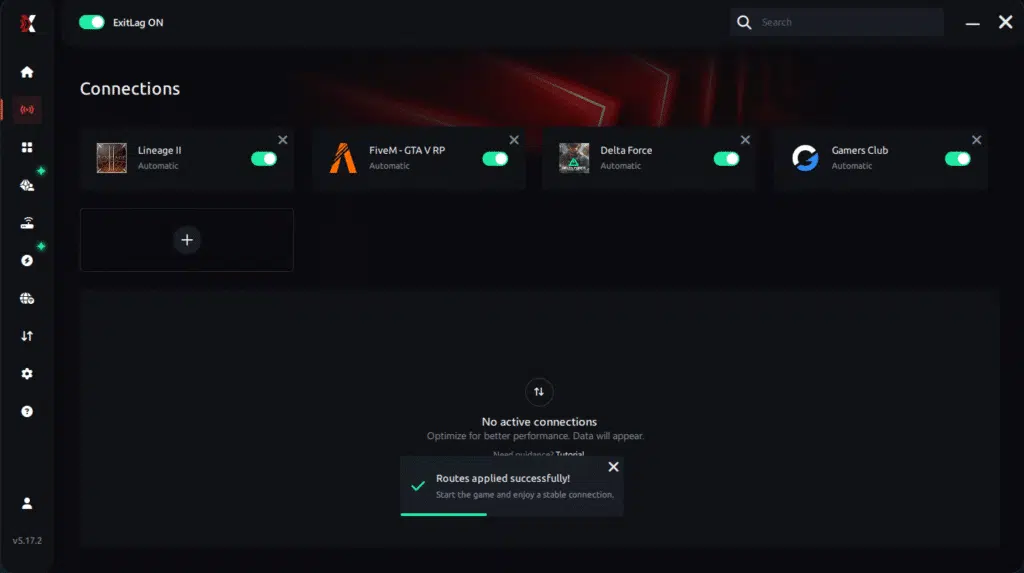
Step 7 – Launch Lineage II normally. The optimization will already be active.
ExitLag runs in the background while you play, constantly adjusting routes to maintain the best possible performance.
Final thoughts: Play Lineage II without lag forever
Lineage II is all about timing — skills, combos, PvP reactions and siege coordination. Lag should never decide the outcome of a duel or a castle siege.
With ExitLag, you take full control of your connection. The software finds the fastest routes, reduces packet loss, and keeps your ping stable so every skill lands exactly when it should.
Try ExitLag for free and experience Lineage II the way it was meant to be played: smooth, stable, and competitive.ust select the server with the lowest latency and enter the match knowing your connection is optimized.
Conclusion
Your gameplay experience should not depend on unstable routing or unpredictable spikes. By optimizing the path between you and the server, ExitLag removes delays, stabilizes the connection, and ensures you enjoy every battle with maximum performance, no interruptions, no frustration, and no more Lineage II Lag holding you back.
Therefore, don’t let connection issues determine the outcome of your sieges, raids, or PvP encounters.
Start your free ExitLag trial now and experience the true potential of Lineage II with stable routes, lower ping, and ultra-smooth gameplay.
Got questions or want to connect with other players? Join the conversation at the ExitLag Forum!