

Flames in MapleStory aren’t just random enhancements—they’re a critical component of gearing that can dramatically boost your character’s effectiveness. Whether you’re new to the game or pushing into late-game content, understanding how to optimize these bonuses is vital. That’s where tools like the MapleStory flame calculator come into play.
These calculators provide data-driven insights into how your flames rank compared to optimal values, saving you from wasting rare resources. With the right approach, you can turn average gear into game-changing assets by leveraging flame score calculations.
For players curious about community perspectives, reading threads like picking up MapleStory again on Reddit offers great insights into how others navigate gear progression and trading in 2025.
What is the MapleStory flame calculator?
The MapleStory flame calculator is a specialized tool that measures the value of flame stats on your equipment. It calculates a total score based on predefined weightings, allowing you to compare enhancements objectively. This helps you determine whether to keep your current gear or reroll for better stats.
How does ExitLag help?
While flames enhance your stats, ExitLag enhances your game experience. By optimizing your connection routes, ExitLag reduces lag spikes and stabilizes ping—giving you an edge during grind-heavy sessions and boss fights. Flames make your character stronger; ExitLag makes your gameplay smoother.
What Is the MapleStory Marketplace?

The term “marketplace” in MapleStory refers to any system—official or community-based—through which items and resources are exchanged between players. The official version is managed by Nexon, integrated directly into the game client, and remains the safest option for most users.
However, additional avenues like MSU.io, community Discord servers, and historical tools like the Steam marketplace (beta, now defunct) have expanded the trading landscape.
Players experimenting with newer systems often explore resources such as the MapleStory Vella guide, which showcases character-specific optimizations tied to trading and progression.
What platforms are available in 2025?
(Refer to the MapleStory Marketplace Platforms Overview table.)
| Platform | Trade Type | Risk Level | Active Users |
| Nexon In-Game | In-game items | Low | High |
| MSU.io | External listings | Medium | Moderate |
| Steam Marketplace (Beta) | Beta trading (retired) | N/A | Discontinued |
| Reddit Trading | Community-based | High | Variable |
| Discord Servers | Community-based | Medium | High |
What is the safest method?
The Nexon auction house remains the most secure platform. It operates within the client, enforces Nexon’s policies, and provides detailed listings, transaction history, and filters.

To buy and sell items on the MapleStory marketplace, players must use one of the available trading channels. The Nexon in-game auction house remains the most accessible and secure method, especially for newer players.
How do you buy items?
- Browse the Auction House via in-game interface
- Filter by item type, rarity, level, and price
- Use mesos (or NX in some cases) to purchase instantly or place a bid
How do you list items?
- Select the item from your inventory
- Set a price or allow bidding
- List for a defined time period (24–72 hours)
- Receive mesos upon successful sale
Knowing what’s valuable is essential—rare gear, nodestones, and flames often dominate listings. For advanced players, even specialized systems like how to summon Riche in MapleStory can tie indirectly into market dynamics, since rare bosses and summons fuel demand for specific gear and resources.
What Can You Trade in MapleStory?
Knowing what items perform well on the market is crucial for profit.
Most profitable categories
- Rare gear (Fafnir, Arcane Umbra, Absolab)
- Event-exclusive cosmetics
- Crafting materials (Spell Traces, Stones)
- Pets and pet equipment
- Nodestones and flames
When should you sell?
- During events with high traffic
- After updates that shift meta builds
- When demand peaks for leveling gear
How Has Trading in MapleStory Evolved?
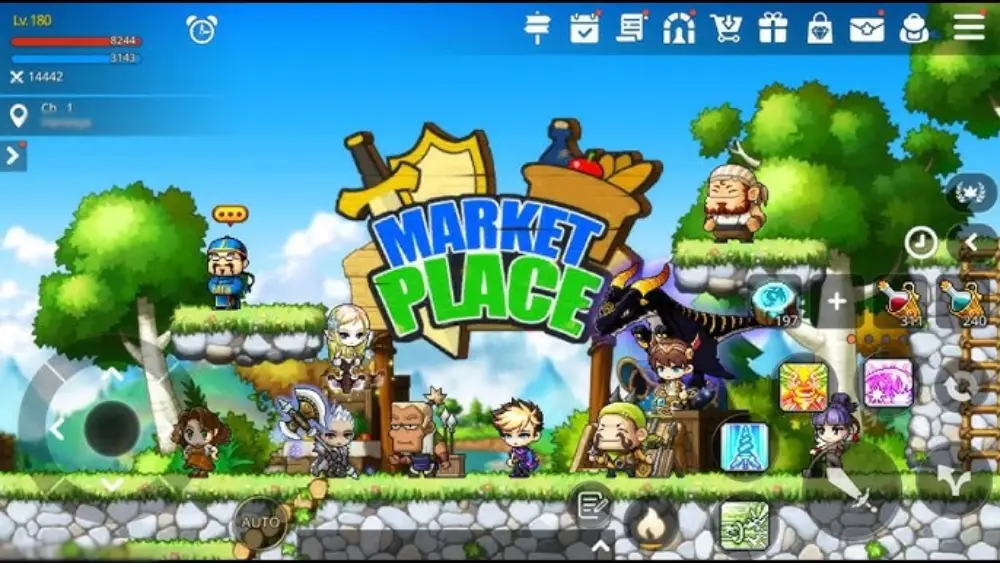
The game’s economy has changed significantly over time, moving from Free Market stalls to a structured Auction House. Steam’s beta marketplace experiment ended in 2024, shifting focus back to Nexon’s internal systems and unofficial community hubs like Discord and Reddit.
To stay updated with current features and events, visiting the official MapleStory homepage is a must. It provides authoritative updates, event schedules, and trading system adjustments that directly affect the marketplace.
Key phases of trade evolution
- Free Market (2003–2018)
Manual player stalls using hired merchants. - Auction House (2016–Present)
Automated system with search functions, filters, and listing caps. - Steam Marketplace Beta (2023–2024)
External trading via Steam, now discontinued. - Rise of External Tools (2024–2025)
Platforms like MSU.io, Discord, and trading via MapleStory Reddit gained traction.
Community feedback
MapleStory Reddit users often highlight:
- Trusted Discord sellers
- Scam alerts
- Daily market insights
- Opinions on Nexon’s trading restrictions
What Happened to the Steam Marketplace for MapleStory?

The Steam marketplace beta for MapleStory, introduced in 2023, was a short-lived experiment that allowed players to trade select items through the Steam client. The system aimed to integrate MapleStory’s trading with the broader Steam ecosystem, allowing for improved visibility and item tracking.
However, the platform was shut down in 2024. Nexon cited technical limitations, fraud risks, and compliance concerns with third-party sales regulations as key reasons for ending the beta.
Why was the Steam beta marketplace removed?
- High volume of scam reports and account takeovers
- Difficulty enforcing in-game terms through external platforms
- Lack of cross-platform support (Steam vs Nexon client)
- Regulatory conflicts regarding real-money transactions
Is MapleStory still on the Steam marketplace?
Yes, MapleStory remains available as a downloadable title on Steam, but in-game trading is no longer supported via the Steam marketplace. All trades must occur through Nexon’s official systems or community tools.
Are There Safe Alternatives to the MapleStory Marketplace?
With the Steam marketplace closed, players now turn to external and community-run platforms for trading and price tracking. These can offer convenience—but come with varying degrees of risk.
Popular alternatives to consider
| Platform | Features | Risk Level |
| MSU.io | Price listings, recent sales data | Medium |
| Trusted seller megathreads, price checks | High | |
| Discord | Invite-only trading servers | Medium |
Are these platforms officially supported?
No. Nexon does not support trades made through external tools or communities. Players using them assume full responsibility for their transactions, and scammed items will not be recovered.
Tips for safer trading:
- Only trade with verified sellers (Reddit flair, Discord reputation).
- Never share account login info—even screenshots.
- Avoid trades involving real money (against ToS).
- Use middlemen in high-value deals.
- Report scammers via community platforms and Nexon support.
Nexon continues to caution players that unofficial trades are not recoverable if scams occur. To deepen exploration, check out Nexon’s Explore MapleStory guide, which outlines official gameplay systems, progression, and safer paths for asset management.
How to Avoid Scams in the MapleStory Marketplace
With more trade options come more opportunities for bad actors. Following Nexon’s recommendations and using common sense are your best defenses.
Red flags to watch for:
- Too-good-to-be-true deals
- New accounts offering rare items
- Pushy or rushed communication
- Requests to trade outside of game systems
- Demands for payment via crypto or gift cards
What does Nexon recommend?
- Use the in-game Auction House for all important trades
- Avoid off-platform communications for trades
- Never share account or billing information
- Report scams using Nexon’s support ticket system
Nexon actively bans accounts involved in real-money trading (RMT), account sharing, or botting—regardless of whether you were scammed or not.
Frequently Asked Questions (FAQ)
The MapleStory marketplace is a system for trading items through the Nexon client, typically via the in-game Auction House. Players can list or buy gear using mesos, set prices, and manage transactions securely.
Yes. Players can buy and sell equipment, crafting materials, pets, and more through the in-game Auction House. External platforms exist, but they are unofficial and come with risk.
MapleStory is still available as a game on Steam, but item trading via the Steam marketplace was removed in 2024. Trading must now occur through Nexon’s official systems.
It was discontinued in 2024 due to security concerns, fraud reports, and technical challenges. Nexon returned to relying solely on in-client trading systems.
Yes—platforms like MSU.io, Reddit, and Discord offer alternatives. However, they are not supported by Nexon and carry moderate to high risk of scams or account bans.
Conclusion: Maximize Marketplace Profit While Staying Safe

Trading in MapleStory remains one of the most exciting and lucrative parts of the game—but only for players who know what they’re doing. Whether you’re flipping gear for mesos or collecting rare cosmetics, using the MapleStory marketplace wisely can dramatically improve your in-game wealth.
Stay informed, trade smart, and always use secure platforms.
And don’t forget: smoother gameplay leads to smarter trading.
Use ExitLag to reduce latency during marketplace browsing, boss farming, and peak-time trading. Stable connections make a difference, especially when every millisecond counts.
Boost your experience now with ExitLag—your trading and grinding companion.
Got questions or want to connect with other players? Join the conversation at the ExitLag Forum!
