Marvel Rivals code is your gateway to unlocking exclusive content, bundles, and boosts inside the new team-based Marvel shooter. These codes can grant limited-time skins, in-game currency, and other special items that help enhance your gameplay. Whether you’re grinding ranked matches or just starting out, redeeming the right code can give you a serious edge.
Even more, these Marvel Rivals code are often distributed in giveaways, livestreams, or during special promotional events. Staying updated with new releases allows you to grab rewards before they expire. Understanding how, when, and where to redeem these codes is the first step toward getting the most from Marvel Rivals.
What are Marvel Rivals codes?
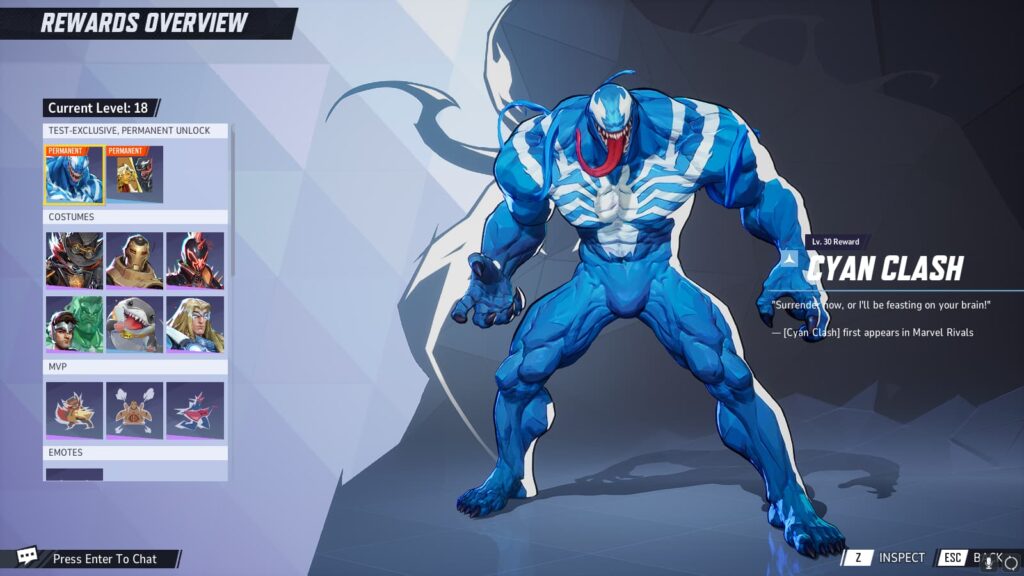
Marvel Rivals codes are alphanumeric keys distributed by the developers for promotional rewards. These codes can be entered via in-game menus or redemption platforms, offering players access to exclusive content.
You’ll often encounter various types of Marvel Rivals codes:
- Marvel Rivals bundle code: unlocks a package of skins, currency, or power-ups.
- Marvel Rivals invite code: grants early access to beta versions or special events.
- Marvel Rivals beta code: allows users to participate in test builds before official launch.
- Marvel Rivals code giveaway: shared during livestreams, Discord events, or social media.
- Marvel Rivals friend code: enables you to invite a friend to join exclusive test phases.
- Marvel Rivals crosshair code: custom crosshair presets used by pros or streamers.
- Marvel Rivals Iron Man code: special variant skins or themed items for Tony Stark.
Each of these is time-sensitive and often comes with platform restrictions, meaning you’ll need to redeem them quickly and correctly.
You may also like: Marvel Rivals Wolverine: all the Details & Much More
Sample table of codes and rewards
Here’s a quick look at common Marvel Rivals codes and what they offer:
| Code Type | Description | Common Reward Examples |
| Bundle Code | Unlocks multiple items | Skin + Coins + Boost |
| Invite Code | Grants beta access | Early gameplay access |
| Beta Code | Activates test build | Limited beta features |
| Code Giveaway | Randomized rewards via events | Cosmetic skins, currency |
| Iron Man Code | Character-specific content | Armor variant, weapon skin |
By identifying the type of code you’re redeeming, you can manage your expectations and plan how to use the rewards most effectively.
How to get Marvel Rivals codes?
First of all, staying connected to the official Marvel Rivals channels is the safest way to obtain valid codes. These include:
- Social media (Twitter, Instagram, Facebook): developers often release limited-time codes.
- Official livestreams: Twitch and YouTube streams hosted by Marvel Rivals sometimes include giveaways.
- Beta testing programs: signing up early increases your chances of receiving a Marvel Rivals beta code or invite code.
- Community forums and Discord servers: players share Marvel Rivals code giveaway opportunities in real time.
- Email newsletters: subscribing to Marvel Rivals updates may give you exclusive early-access keys.
Avoid scams and fake codes
Despite that, be cautious. Many third-party websites promise codes for free but often distribute expired, fake, or malicious content. Always verify that your source is official or trusted. If a Marvel Rivals code for sale seems too good to be true, it probably is.
Sometimes, even legit-looking sites can compromise your data. That’s why it’s important to stick with authorized sources and ignore unsolicited code offers, like the official website.
Read this: Marvel Rivals Jeff the Land Shark: Details & More
How to redeem Marvel Rivals codes step by step
Redeeming your Marvel Rivals code is a quick and simple process when done correctly. Whether you’re using the official website, a gaming platform like Steam, or a console, the procedure is nearly identical—just tailored to the platform.
Understanding where to go and what to click will ensure you don’t lose out on valuable rewards. Below, we break it down clearly.
Redeem via official website
To redeem your Marvel Rivals code through the official site, follow these steps:
- Visit the Marvel Rivals official redemption page
- Log into your game account
- Locate the code input field
- Enter your code exactly as shown, including case sensitivity
- Click Redeem
- Launch the game and check your inventory for new items
Often, this is the preferred method for players who participate in Marvel Rivals code giveaway events or promotions received via email.
Redeem via platform (Steam, PS5)
If you’re playing Marvel Rivals on Steam, PlayStation, or Xbox, the redemption path is slightly different. Each platform has its own interface and code section. Here’s how to redeem on Steam:
- Open Steam and navigate to Games > Activate a Product on Steam
- Paste your Marvel Rivals code into the input box
- Confirm the terms and click Next
- The game or content will be added to your library
On PlayStation and Xbox, access the code redemption section from the store menu, enter your code, and confirm. In every case, codes are usually tied to the region of your account, so mismatches might trigger errors.
Common Marvel Rivals code errors and how to fix them
While redeeming is easy, users often encounter technical errors—especially with expired codes or platform mismatches. Here’s how to recognize and resolve them.
Most frequent error codes
- Error 211: This code indicates an expired or invalid entry. Double-check your input or verify the promotion period.
- Error 4: Typically signals a region-locked code. If your code was issued for another country, it won’t work on your account.
- Error 101: Server issue. Try redeeming again later when the system is stable.
- Code Already Redeemed: You or someone else has used the code. Check with the source or try contacting support.
Each of these has specific solutions, and knowing them in advance helps avoid frustration.
Troubleshooting tips
- Always copy and paste codes to avoid typos
- Don’t add extra spaces before or after the code
- Use the correct platform—some codes only work on specific devices
- Redeem codes within the time limit
- Avoid using codes from unverified sellers
Sometimes, technical issues may be out of your control. If you continue having problems, reach out to Marvel Rivals support with screenshots and error messages.
Above all, staying informed and alert ensures that your redeem Marvel Rivals code experience goes smoothly. By identifying errors early and understanding how to work around them, you protect your account and maximize your rewards.
Check also this: Scarlet Witch in Marvel Rivals: Ultimate Guide
FAQ: your top questions answered
How to get Marvel Rivals code?
You can get a Marvel Rivals code through several reliable sources. First, check the game’s official social media channels and email newsletters. Developers frequently release codes during livestreams or after major updates. Additionally, joining Discord communities or participating in closed beta events increases your chances of receiving early-access or Marvel Rivals invite codes.
Sometimes, promotional partnerships with streamers or gaming sites also include code drops. Just make sure you’re following verified accounts and never pay for codes from untrusted sellers.
How to redeem Marvel Rivals code?
To redeem Marvel Rivals code, visit the official Marvel Rivals redemption page or use your platform’s code activation system. On PC, you can enter the code via the website or Steam. On consoles, access the “Redeem Code” option in the store interface.
Always ensure you enter the code exactly as received—case-sensitive and without extra spaces. If the code is valid and unexpired, your reward will be delivered directly to your in-game account.
Where to enter Marvel Rivals code?
The correct place to enter your Marvel Rivals code depends on where you play. On PC, go to the official Marvel Rivals website and log in with your account. You’ll find a field specifically for code redemption.
If you’re playing on Steam, the path is “Games > Activate a Product on Steam.” On PlayStation or Xbox, use the “Redeem Code” feature in their respective stores. Choosing the right location avoids common errors and ensures the process goes smoothly.
Check this to know all about the characters: Best Marvel Rivals Characters: Top Picks & Analysis
Where to redeem Marvel Rivals code?
You can redeem your Marvel Rivals code either through the game’s website or directly on your gaming platform. For bundle or cosmetic codes tied to your user profile, it’s best to use the official site. For platform-wide codes that install or unlock content, use your console or Steam interface.
The key is to match the redemption method to the code type. A Marvel Rivals bundle code for in-game items might not work on external platforms unless specified.
What is the Marvel Rivals bundle code for?
A Marvel Rivals bundle code usually includes a group of in-game items such as exclusive skins, currency, and power-ups. These bundles are often part of special promotions or limited-time events and provide excellent value for players who want to customize their heroes.
Sometimes, these bundles are themed—like a Marvel Rivals Iron Man code offering a unique armor variant. They might also include bonus content like emotes, player cards, or XP boosts. Redeeming them quickly is crucial, as availability is often limited.
Why Marvel Rivals code is key to your game—and why ExitLag takes it further
Using a Marvel Rivals code opens the door to some of the most exciting customization and performance rewards the game has to offer. Whether you’re looking for a rare skin, a special bundle, or early beta access, codes help you stay ahead of the curve. With so many code types available—from invite to crosshair to friend codes—knowing how to find and redeem them is now a must for any serious player.
However, that’s just one part of the experience. If you want smoother matches, faster matchmaking, and reduced latency, ExitLag gives you the competitive edge. With multi-path routing, real-time optimization, and intelligent server selection, ExitLag ensures your gameplay is stable—even during high-traffic events or intense PvP matches.
Now that you know all about the Marvel Rivals code, don’t let lag get in the way of unlocking your full potential. Download ExitLag today and power up your Marvel Rivals experience with a stronger, faster, and more reliable connection.
Got questions or want to connect with other players? Join the conversation at the ExitLag Forum!