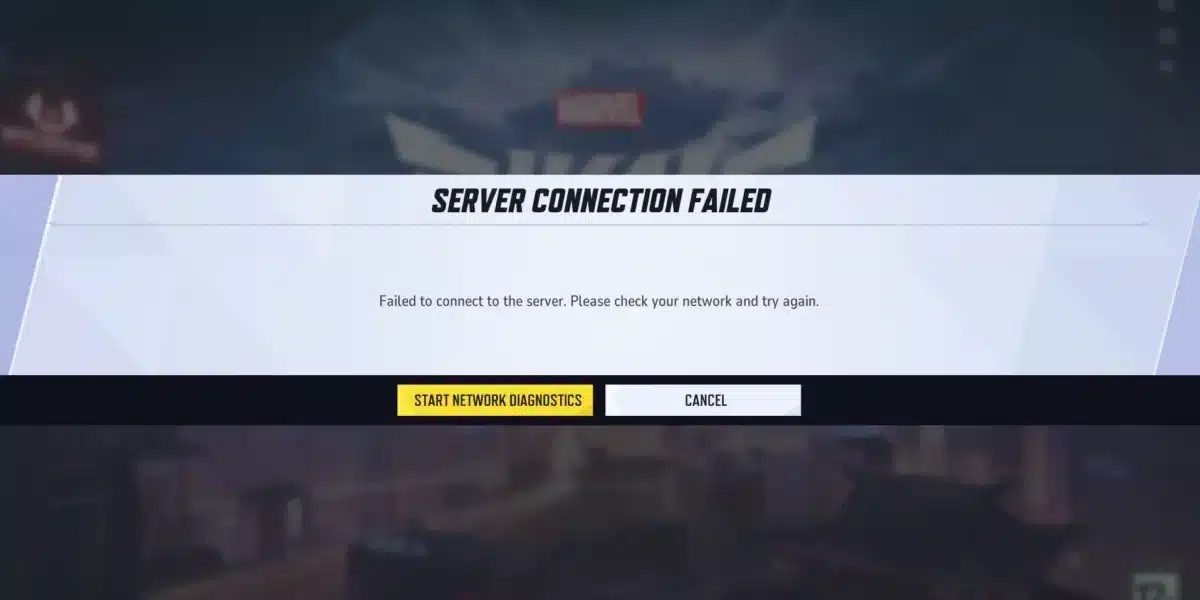
Playing Marvel Rivals In Russia currently comes with real technical headaches that most guides gloss over. Between regional access restrictions and a total lack of a dedicated Russia server, many players struggle just to get into a match.
If you have been searching for answers about Marvel Rivals In Russia, you are not alone. Thousands of players across the region report the same frustrating pattern: long queues, sudden disconnects, and error messages that seem to appear out of nowhere.
So here is the direct answer. Marvel Rivals In Russia currently has no official regional storefront listing and no dedicated local server, which means Russian players typically route through European servers in Frankfurt or Warsaw. That extra distance, combined with regional network restrictions, is the main reason for high ping and failed connections.
This guide breaks down exactly why these problems happen, what you can do about them right now, and how a smarter connection setup can turn a frustrating queue into a smooth match.
Why Is Marvel Rivals Not Working In Russia?
Understanding the root cause makes troubleshooting much faster. There are actually two separate problems layered on top of each other here.
Regional Access And Store Restrictions
Marvel Rivals is not listed for purchase or free download through official regional storefronts inside Russia. As a result, many players rely on alternate account regions or third party guides just to install the game in the first place.
This is different from a simple bug. It is a publisher level decision that affects visibility and storefront access, not necessarily the game client itself once installed.
- No official regional store listing inside Russia
- Players often use alternate account regions to download the client
- Community guides exist specifically for installing and launching the game locally
- Support channels rarely address regional access questions directly
Network Level Disruptions
Beyond storefront access, many Russian players report that Marvel Rivals Not Working In Russia coincides with broader disruptions to Western gaming platforms and websites. These outages are not isolated to one title.
Consequently, standard fixes like changing DNS settings or restarting the client often fail to resolve anything. The problem sits further upstream, somewhere between your local network and the international route the game traffic needs to take.
Why Does Marvel Rivals Fail To Connect To Server In Russia?
This question deserves its own breakdown because the failure point matters for choosing the right fix.
The Missing Dedicated Server Problem
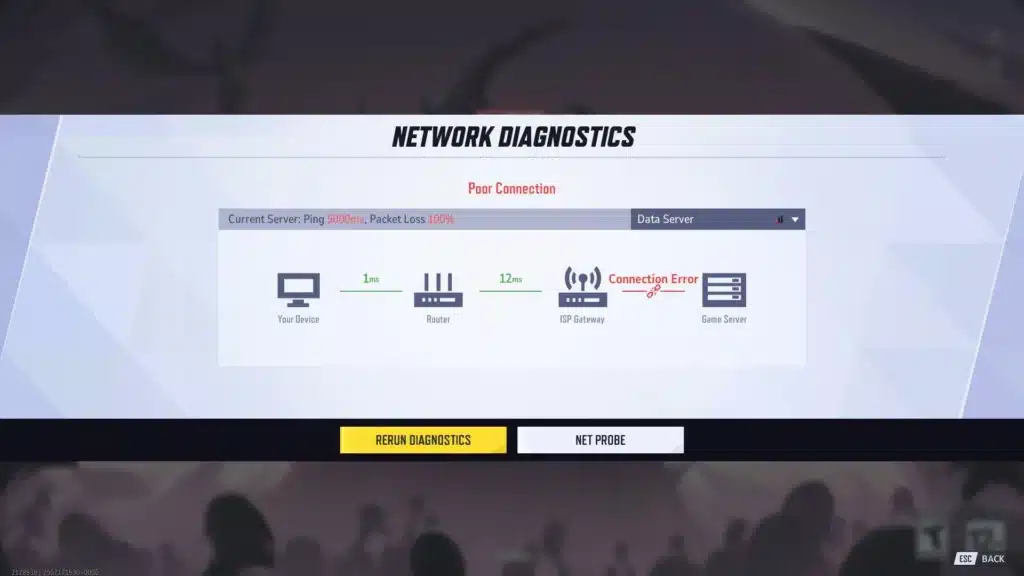
Unlike massive shooters with dozens of regional data centers, Marvel Rivals currently offers a more limited server footprint. The closest options for Russian players are Frankfurt and Warsaw.
Neither of these cities is close to most Russian population centers. Therefore, your packets travel a long international path before reaching the server, and every extra hop adds delay and risk of loss.
Common Triggers For The Connection Error
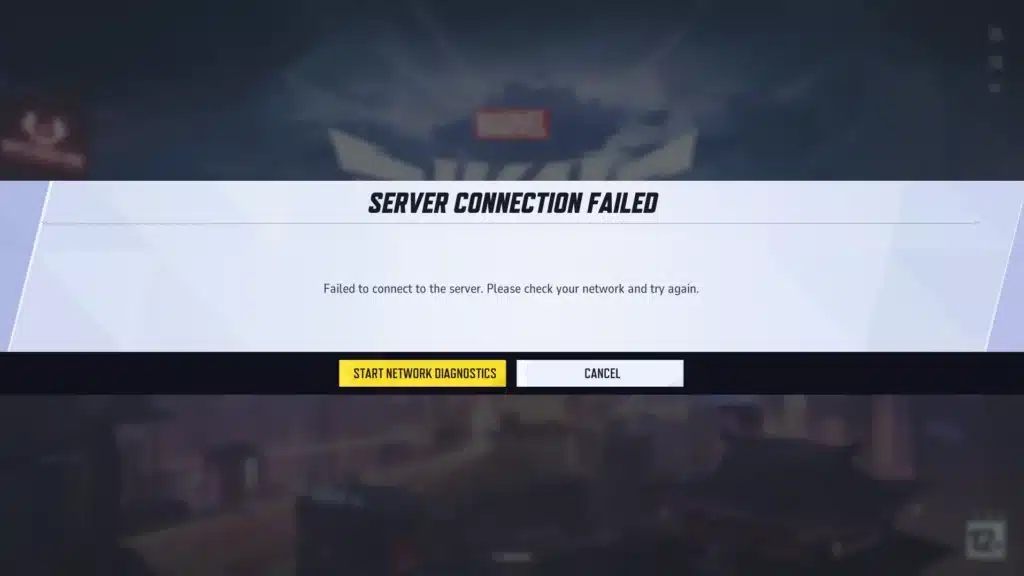
Several separate issues can each trigger a Marvel Rivals Failed To Connect To Server message. Here is what typically causes it:
- Server side overload during peak hours when EU servers are already handling heavy regional traffic
- Outdated game client files that no longer match the current patch version
- Local firewall or antivirus software blocking the game’s outbound connection
- Regional network interruptions affecting routes to Western game servers
- Corrupted local configuration files left over from a previous session
What Ping Should You Expect On Marvel Rivals In Russia?
Realistic expectations help you separate a genuinely broken connection from simply unlucky routing.
Typical Latency Ranges
Since there is no local server, players connecting from Russia to Frankfurt or Warsaw commonly see baseline ping in the range most competitive shooters would consider high. Even players physically located within Europe have reported spikes up to 500ms during unstable periods.
That means Russian players, who are geographically farther from both server locations, should expect their baseline numbers to sit even higher during congested hours.
Why Distance Alone Is Not The Whole Story
It is tempting to blame geography entirely, but that is only part of the picture. Packet loss along a long international route often hurts more than raw distance does.
| Common Cause | Typical Fix | Urgency |
|---|---|---|
| No regional server nearby | Route through nearest stable EU server | High |
| Outdated client files | Verify and update game files | Medium |
| Local firewall blocking traffic | Allow game through firewall settings | Medium |
| Network congestion during peak hours | Use optimized routing tool | High |
| Regional network disruption | Wait or switch connection method | High |
| Corrupted configuration files | Clear local configuration files | Low |
As the table shows, some fixes are quick and local, while others depend entirely on the quality of the route your traffic takes internationally.
How Can You Reduce Marvel Rivals Connection Problems?
Once you understand the cause, the fix becomes a lot more targeted. Here is a practical checklist to run through.
Quick Client Side Fixes
Before touching anything network related, rule out the basics first. These steps resolve a surprising number of reported issues.
- Clear local configuration files through the launcher when prompted
- Set your system time zone and clock to update automatically, then sync
- Verify the game files through Steam or Epic to catch corrupted installs
- Temporarily disable third party firewall software to test the connection
- Try launching through an alternate storefront client if one is available to you
Addressing The Routing Problem
Client side fixes will not help if the actual network path is the bottleneck. That is where route optimization becomes essential for anyone dealing with Marvel Rivals In Russia connection instability.
Instead of accepting whatever path your internet service provider defaults to, a smarter approach analyzes multiple possible routes and picks the fastest, most stable one available at that moment.
Pro Tips: Marvel Rivals Connection Stability
- Test at off peak hours first: Server overload is a real factor, so testing during less busy hours helps you isolate whether the issue is congestion or something local.
- Keep your client fully updated: Marvel Rivals ships frequent patches, and an outdated client is one of the most common causes of a failed handshake with the server.
- Use a wired connection when possible: WiFi introduces additional variability that makes an already long international route even less stable.
- Monitor your route, not just your ping number: A stable 80ms connection often plays better than an unstable 40ms one that spikes constantly.
- Restart your router before long sessions: This clears any stale routing tables that might be sending your traffic through a suboptimal path.
Common Mistakes Marvel Rivals Players Make
- Assuming every error is server side: Many players immediately blame the developers when the actual issue is a local firewall rule or outdated client. Fix: run through client side checks before assuming a wider outage.
- Ignoring the route entirely: Focusing only on the ping number while ignoring packet loss and jitter leads to misdiagnosing a stable but slightly higher ping as worse than an unstable lower one. Fix: track consistency over a full session, not just a single snapshot.
- Stacking multiple network tools at once: Running several optimization or security tools together often causes conflicts that make connection problems worse, not better. Fix: use one dedicated optimization tool at a time and disable overlapping software.
How Does ExitLag Help With Marvel Rivals In Russia?
For players dealing with the long, congested route to Frankfurt or Warsaw, this is where a dedicated connection optimizer earns its keep. ExitLag is not a VPN, so it will not mask your location or encrypt your traffic.
Instead, ExitLag continuously analyzes multiple network paths in real time and automatically selects the fastest, most stable route between your machine and the Marvel Rivals servers. That distinction matters a lot for anyone facing Marvel Rivals Not Working In Russia symptoms tied to routing rather than local settings.
The platform currently supports more than 4,000 games across PC and Mobile, with over 1,500 servers spread across 190plus countries. It is trusted by more than 30 million users and handles over 18 million optimizations every single week.
For a title like Marvel Rivals, where the nearest servers sit far from many Russian players, that kind of real time route selection can directly reduce the odds of hitting a Marvel Rivals Failed To Connect To Server message during a match.
- Real time Optimization: Continuously reduces delay and packet loss so your commands register faster and more precisely.
- Multipath Technology: Sends your traffic through multiple routes simultaneously, so if one path degrades, the others keep your session alive.
- Multi Internet: Supports up to four simultaneous internet connections, automatically switching over instantly if one drops.
- Traffic Shaper: Prioritizes your game traffic over background downloads or streaming apps competing for bandwidth.
- PC Boost: Frees up RAM and reduces background processes for smoother frame rates during intense team fights.
- AI powered routing: Automatically selects the best available path with one click, while still allowing manual route customization for advanced players.
Importantly, ExitLag does not modify game files, does not inject code, and does not interact with anti-cheat systems in any way. It is also worth noting that running ExitLag alongside a VPN is not recommended, since the two can interfere with each other’s routing.
If long queues and dropped connections have been ruining your sessions, grabbing the ExitLag Download is a practical first step toward a more stable route to the Marvel Rivals servers.
Final Thoughts On Marvel Rivals In Russia
Dealing with Marvel Rivals In Russia access and connection issues takes patience, but the problems are explainable rather than random. Between the missing local server and occasional regional network disruptions, players face a genuinely tougher setup than most Western regions.
Furthermore, the combination of client side maintenance and smarter route selection covers almost every scenario you are likely to run into. Marvel Rivals In Russia does not have to mean constant frustration once you understand where the bottlenecks actually live.
Start with the basics: clear your configuration files, keep the client updated, and check your firewall. Then, if the route itself is the bottleneck, letting a dedicated optimization tool handle the pathfinding is often the difference between a smooth match and another failed connection screen.
All game images used in this blog post belong to NetEase Games. They are used for informational and educational purposes only and do not imply endorsement or affiliation with the rights holders.
Got questions or want to connect with other players? Join the conversation at the ExitLag Forum!