

Playing Marvel Rivals becomes extremely frustrating when you queue for a competitive match and your skills fail to activate or your hero stutters across the map due to packet loss. Many players try to fix packet loss Marvel Rivals without understanding what truly causes it, leading to wasted time and inconsistent results. Therefore, the first step toward solving the issue is recognizing that packet loss is often tied to routing quality rather than pure internet speed.
However, even players with high-end PCs and fast connections can face Marvel Rivals connection issues because packet loss disrupts the flow of data between your device and the game servers. Like this, shots may not register, movement becomes unpredictable and abilities cast seconds late, creating an unfair disadvantage in every encounter.
Finally, once you understand how Marvel Rivals lag emerges from inconsistencies in the data path, you can apply targeted solutions. Identifying the signs early and using dedicated optimization tools makes a huge difference. With the right approach, you can reduce packet loss Marvel Rivals, stabilize your connection and regain control of every fight.

What is packet loss in Marvel Rivals?
Packet loss is the failure of data packets to successfully reach the servers during the transmission of game data. Think of it as sending a message through multiple checkpoints, but some parts never arrive at the destination. When this packet loss occurs, the server receives incomplete or delayed information about your character’s actions.
This often results in shots that never register, abilities that activate late, or characters teleporting erratically. In Marvel Rivals, where team synergy and precise positioning matter, even minor packet loss can disrupt your gameplay. Therefore, understanding packet loss is essential to diagnosing why your game feels inconsistent despite a seemingly stable connection.
How packet loss affects gameplay
Packet loss directly impacts fast-paced action shooters like Marvel Rivals. Common symptoms include:
- Delayed abilities that cast seconds after input
- Rubberbanding, making your character snap backward
- Unresponsive movement, especially during dodges
- Hit registration failures even at close range
- Sudden disconnections during team fights
- Enemies teleporting unpredictably across the map
These problems make it nearly impossible to perform well in competitive matches or coordinated team engagements.
Main causes of packet loss in Marvel Rivals
Inefficient routing
Your data may pass through multiple unstable nodes before reaching the server. Therefore, even with fast internet, bad routing can drop packets.
Unstable connection
Issues with your modem, router or ISP interference can create inconsistent data flow. This leads to minor but frequent losses that compound during matches.
Distance from servers
The farther you are from the official servers, the more checkpoints your data must travel through. Like this, the likelihood of packet loss increases.
Network congestion
Peak-hour traffic or multiple devices using your network simultaneously overload the connection, causing drops.
Damaged hardware
Faulty cables, worn-out network ports or malfunctioning routers can corrupt data packets before they leave your home network.
How to identify packet loss in Marvel Rivals
Inside Marvel Rivals, packet loss appears as irregular movement, inconsistent latency, rubberbanding and delayed ability responses. You may also notice lag despite having low ping, which is a strong sign of data loss rather than latency.
Outside the game, you can test for packet loss using ping or traceroute commands. If packets are being lost at any point in the path, you’ll see an inconsistent pattern. Values above 1% already disrupt gameplay in a competitive shooter.
Interpreting these results helps determine whether the issue is local, ISP-related or routing-based. When packet loss is persistent regardless of time of day, optimization tools become necessary.
Packet loss reference table
| Packet Loss % | Gameplay Impact | Severity |
| 0% | Perfect, stable | Low |
| 0.1–1% | Minor delay | Medium |
| 1–3% | Noticeable lag | High |
| 3%+ | Unplayable | Critical |
Basic solutions to reduce packet loss
Optimize your local connection
- Use a wired Ethernet cable instead of Wi-Fi
- Close background applications using bandwidth
- Update your network drivers
- Enable QoS on your router
- Test other cables or ports
- Adjust in-game network settings if available
Contact your ISP
If packet loss persists across multiple games, your ISP may need to inspect the line or adjust routing. However, these adjustments are rarely guaranteed, making specialized optimization crucial for consistent gameplay.
ExitLag: the definitive solution to eliminate packet loss in Marvel Rivals
What is ExitLag?
ExitLag is a specialized software designed for advanced connection optimization focused specifically on online games. It uses advanced technology to prevent packet loss by ensuring your data takes the most stable, direct and efficient route to the Marvel Rivals servers.
ExitLag doesn’t rely on simple fixes; it analyzes your network behavior constantly to adapt routing in real time. This makes it the only definitive, consistent and game-tailored solution for eliminating packet loss.
How ExitLag reduces packet loss
Using Multi-Internet technology, ExitLag ensures that your packets travel through multiple optimized routes simultaneously. If one route becomes unstable, another instantly takes over.
ExitLag delivers:
- Real-time quality analysis
- Multiple simultaneous connections
- Automatic best-route selection
- Optimized hops for fewer failures
- Stabilized connection during peak hours
Advantages for Marvel Rivals players
- Complete elimination of packet loss, ensuring reliable commands
- Lower ping, improving reaction time and responsiveness
- Stable connection, even in chaotic team fights
- Extra protection, reducing instability during intense sessions
- Simple interface, ideal for beginners
- Support for multiple server regions, official and private
These advantages provide smoother matches, cleaner hit registration and better competitive performance.
Is ExitLag worth it for Marvel Rivals?
ExitLag is absolutely worth it, especially if you play on distant servers, participate in ranked matches or frequently experience instability. It removes the frustration of unpredictable gameplay and restores consistency.
How to use ExitLag in Marvel Rivals
The process is extremely simple:
Step 1 – Access the official ExitLag website and download the application. There’s a free trial period for new users.
Step 2 – Install and open the program. Log in with your account.
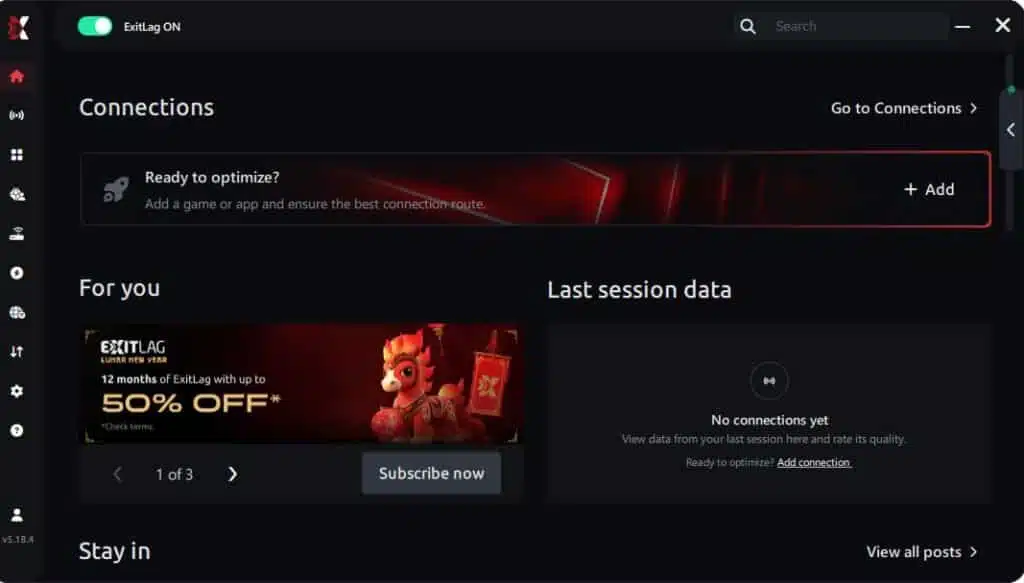
Step 3 – In the search bar, type “Marvel Rivals” and select the game from the list.

Step 4 – Choose between automated or manual route
Based on the results, you can let ExitLag automatically select the best route or manually choose the server that showed the lowest latency for your connection.
AI-optimized automated route
Based on the results, you can let ExitLag automatically select the best route through AI optimization. The system analyzes multiple connection paths in real time and automatically identifies the most efficient route for your connection, ensuring the lowest possible latency without requiring manual choices.
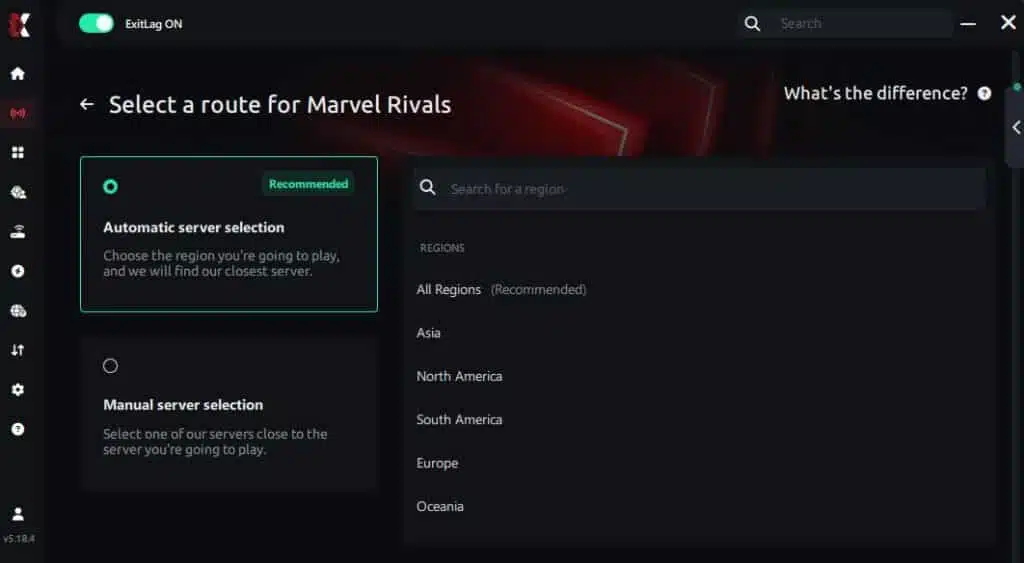
Manual route
If you prefer to have full control over your connection, you can manually choose the server based on the ping test results. Simply select the server that showed the lowest latency or the one that best meets your specific gaming needs, allowing complete customization of your experience.
Step 5 – Click “Marvel Rivals” or the play button. ExitLag will begin optimizing your connection automatically.

Step 6 – Wait a few seconds until optimization is complete. You’ll see ping indicators in the interface.
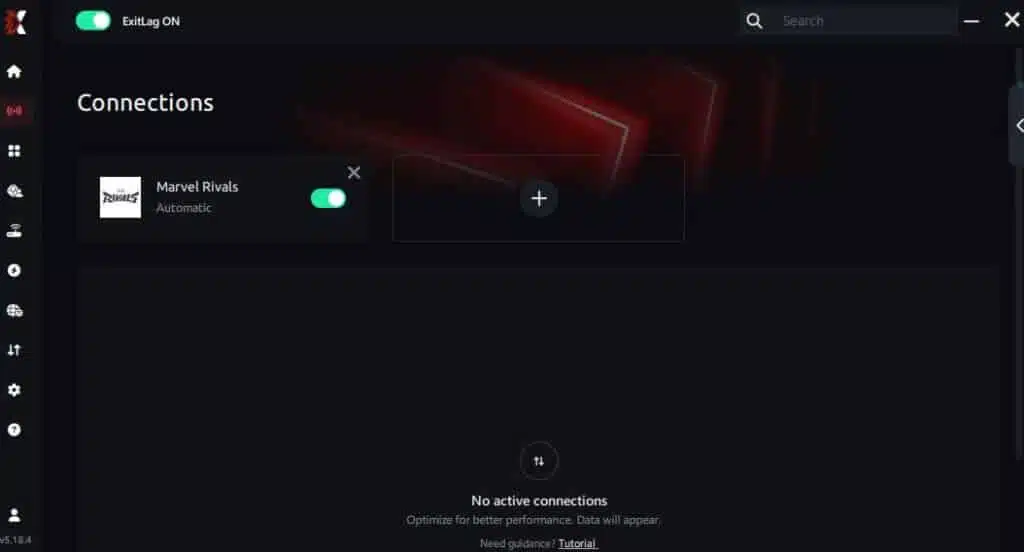
Step 7 – Launch Marvel Rivals normally. The optimization will already be active.
ExitLag runs in the background while you play, constantly adjusting routes to maintain the best possible performance.
FAQ
Is packet loss the same as lag?
No. Lag refers to high ping or latency, whereas packet loss refers to missing data. You can have low ping but still experience severe packet loss.
Why do I have packet loss only in Marvel Rivals?
Different games use different servers and routing paths. A specific node between you and Marvel Rivals servers may be causing the issue.
Can packet loss get me banned?
Generally, no. Packet loss only causes unusual movement or delays, not cheating behavior. However, severe instability may trigger disconnections.
How much packet loss is acceptable for Marvel Rivals?
For competitive play, 0% is ideal. Even 1% can affect aim, positioning and ability timing.
Can my hardware cause packet loss?
Yes. Faulty Ethernet cables, damaged routers or bad network cards can corrupt outgoing data.
Does ExitLag work for private servers?
Yes, ExitLag supports both official and properly configured private servers.
Do I need ExitLag on all the time?
Only when playing. It is recommended to launch ExitLag before starting the game.
Eliminate packet loss and play Marvel Rivals without interruptions
Packet loss doesn’t have to dictate your performance in Marvel Rivals. However, identifying the cause isn’t always enough, you need a reliable way to stabilize your connection. ExitLag delivers the most complete and efficient solution for repairing unstable routes, reducing ping and maintaining a smooth competitive experience. Finally, investing in optimized gameplay helps you focus on winning, improving your rank and mastering your heroes.
Got questions or want to connect with other players? Join the conversation at the ExitLag Forum!



