

Marvel Rivals Steam is rapidly becoming one of the most talked-about entries in the competitive hero shooter genre. Built around fast-paced 6v6 battles featuring iconic Marvel characters, the game combines strategy, team coordination, and high-impact abilities in a dynamic multiplayer environment.
The growing attention around Marvel Rivals Steam comes from its accessibility through Steam, which offers players a centralized platform for downloads, updates, community engagement, and performance tracking. As the game continues evolving, players are increasingly searching for ways to optimize gameplay and understand how the Steam version differs from other access points.
One of the key reasons Marvel Rivals Steam stands out is its integration with Steam features such as cloud saves, achievements, and community hubs. This creates a more connected experience for players who want to stay updated on patches, character changes, and competitive shifts.
Another major advantage is discoverability. Players searching for Marvel Rivals Steam can easily find the game through Steam’s search engine, wishlist system, and recommendation algorithm. This significantly improves onboarding for new users entering the Marvel Rivals ecosystem.
As interest grows, discussions around Marvel Rivals Steam also include performance optimization, system compatibility, and early access updates. This makes it essential for players to understand both technical requirements and gameplay mechanics before diving in.
What Is Marvel Rivals Steam?
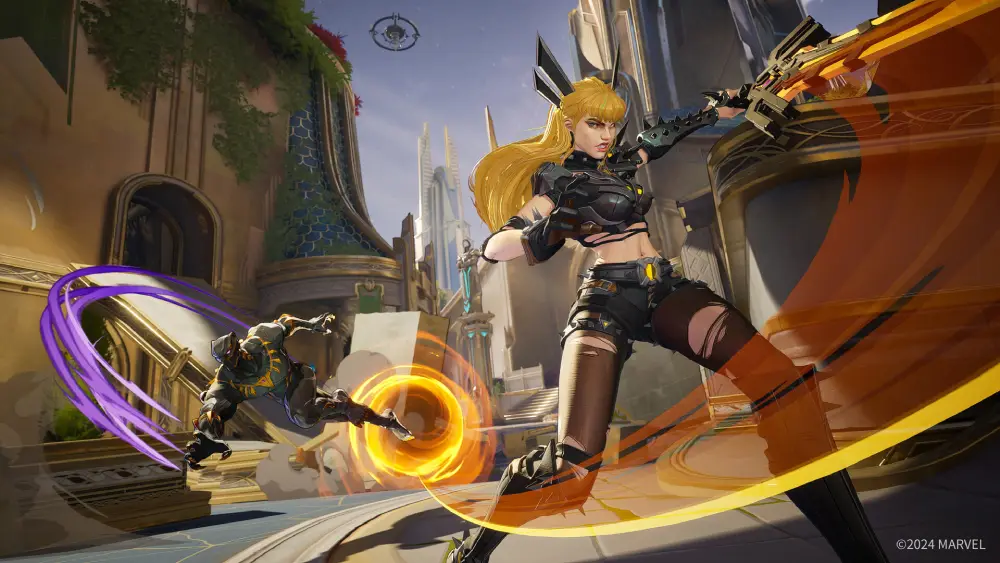
Marvel Rivals Steam refers to the official PC distribution of the game via Steam, enabling players to install, update, and manage the game through Valve’s ecosystem. It is the most widely used access point for PC players.
At its core, Marvel Rivals Steam delivers the same core gameplay experience as other platforms, but with added benefits such as Steam matchmaking integration, community guides, and performance overlays.
The game itself focuses on team-based combat where players select from a roster of heroes and villains, each with unique abilities. Whether you prefer tanks, healers, or damage-focused roles, Marvel Rivals Steam provides multiple playstyles that encourage experimentation.
Players also use tools like Marvel Rivals tracker to monitor performance stats, win rates, and character efficiency, which helps improve competitive decision-making.
Additionally, the community often discusses Marvel Rivals characters in depth, analyzing strengths, weaknesses, and team synergy. This adds another layer of strategy beyond raw mechanical skill.
How Marvel Rivals Steam Works on PC
Understanding how Marvel Rivals Steam operates on PC is essential for new players. Once installed, the game connects directly to Steam servers, enabling automatic updates and cloud synchronization.
The system works through a standard client-based model:
- Steam handles installation and patching
- The game launcher manages runtime updates
- Servers process matchmaking and combat logic
- Player data is synced via cloud saves
This structure ensures that Marvel Rivals Steam remains stable and easy to maintain for most users.
For competitive players, performance optimization becomes a key focus. Many rely on network tools and performance enhancers to reduce latency, especially in high-intensity matches where reaction time matters.
Installation Process for Marvel Rivals Steam
Installing Marvel Rivals Steam is straightforward, even for beginners. The process follows standard Steam procedures:
- Open Steam and log into your account
- Search for Marvel Rivals in the store
- Open the official game page
- Click “Install” or “Request Access” if required
- Wait for download completion
- Launch the game from your library
Once installed, Marvel Rivals Steam automatically updates whenever new patches are released. This ensures players always have access to the latest version without manual downloads.
For players using older systems, it is important to verify system requirements before installation to avoid performance issues.
External access: https://store.steampowered.com.
System Requirements and Performance Breakdown
To run Marvel Rivals Steam efficiently, your system should meet minimum hardware requirements. Below is a simplified breakdown:
| Component | Minimum | Recommended |
| OS | Windows 10 64-bit | Windows 11 64-bit |
| CPU | i5-4460 | Ryzen 7 / i7 |
| RAM | 8 GB | 16 GB |
| GPU | GTX 960 | RTX 2060+ |
| Storage | 20 GB HDD | SSD recommended |
Performance in Marvel Rivals Steam depends heavily on GPU optimization and network stability. Even high-end systems may experience issues if background applications consume resources.
Players often combine hardware upgrades with optimization tools to improve responsiveness during matches.
Marvel Rivals Steam Deck Compatibility
Steam Deck compatibility for Marvel Rivals Steam is still evolving. While the game can launch on the device, performance varies depending on configuration.
Key observations include:
- Playable but not fully optimized
- Requires Proton compatibility layer
- Performance depends on graphical settings
To improve gameplay:
- Use Proton GE for better compatibility
- Lower resolution to 720p
- Disable unnecessary overlays
- Optimize cooling to prevent throttling
Despite limitations, many users enjoy testing Marvel Rivals Steam on handheld devices for casual play sessions.
Gameplay Structure and Marvel Rivals Characters
The gameplay of Marvel Rivals Steam is built around team coordination and hero selection. Each match involves two teams competing in objective-based modes.
Players choose from a diverse roster of Marvel Rivals characters, each offering unique abilities and tactical roles.
Popular roles include:
- Tanks for frontline defense
- DPS for high damage output
- Support for healing and buffs
Some widely used Marvel Rivals characters include heroes with mobility, crowd control, and area damage abilities. Understanding synergy between characters is essential for winning matches.
The depth of Marvel Rivals Steam increases significantly when teams coordinate abilities effectively, especially during ultimate skill combinations.
Marvel Rivals Tracker and Competitive Analysis
Competitive players often rely on tools like Marvel Rivals tracker to analyze performance metrics. These tools help track win rates, character usage, and match history.
The importance of Marvel Rivals tracker lies in its ability to identify strengths and weaknesses in gameplay. By reviewing stats, players can adjust strategies and improve ranking progression.
Additionally, many players compare data using Rivals tracker systems to understand broader competitive trends.
Key benefits include:
- Performance tracking over time
- Character efficiency analysis
- Match history breakdown
- Rank progression insights
These tools significantly enhance decision-making in Marvel Rivals Steam, especially in ranked modes.
Optimization Tips for Marvel Rivals Steam
To get the best experience in Marvel Rivals Steam, optimization is crucial. Since the game is fast-paced, even small delays can impact performance.
Recommended optimization steps:
- Update GPU drivers regularly
- Close background applications
- Use SSD storage for faster loading
- Enable performance mode in Windows
Advanced players often use network optimization tools to stabilize latency during peak hours. This is especially important in ranked matches where precision matters.
Even small improvements in performance can significantly impact results in Marvel Rivals Steam gameplay.
Marvel Rivals Steam Features Overview
| Feature | Status |
| Cross-platform support | In development |
| Steam achievements | Available |
| Cloud saves | Enabled |
| Controller support | Partial |
| Competitive ranked mode | Active beta |
| Character updates | Frequent |
This feature set makes Marvel Rivals Steam a continuously evolving platform with strong live-service support.
Game Updates, Patches, and Meta Changes
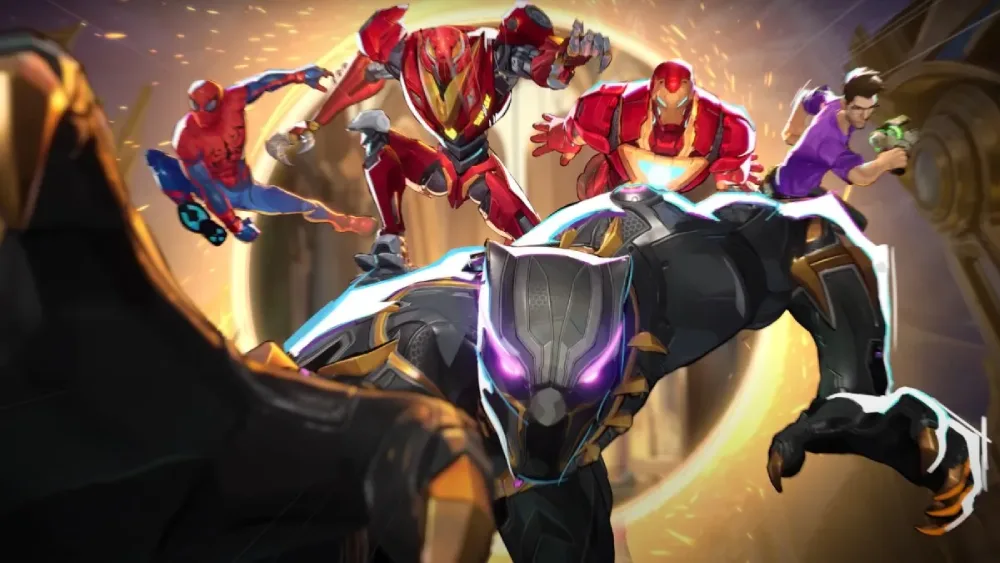
Regular updates are a core part of Marvel Rivals Steam, ensuring balance and new content.
Recent updates typically include:
- New heroes added to roster
- Balance adjustments
- Map redesigns
- Bug fixes and optimization patches
The evolving meta in Marvel Rivals Steam keeps gameplay fresh and competitive. Players must adapt strategies regularly to stay ahead.
Community discussions often revolve around Rivals meta shifts, especially after major patches that change character viability.
External Resource for Updates
Players can stay updated through official sources:
https://store.steampowered.com
This ensures access to patch notes, announcements, and community updates related to Marvel Rivals Steam.
Advanced Gameplay Strategy and Team Composition
Success in Marvel Rivals Steam depends heavily on team composition. Balanced squads typically include:
- 1–2 tanks
- 2 damage dealers
- 1–2 support characters
Understanding Marvel Rivals characters synergy is essential for executing coordinated attacks.
Advanced strategies include:
- Timing ultimate abilities together
- Controlling map zones
- Flanking enemy backlines
- Managing cooldown rotations
Players who master these elements gain a significant advantage in Marvel Rivals Steam competitive play.
Conclusion About Marvel Rivals Steam
The rise of Marvel Rivals Steam marks a major step forward in competitive hero shooters, combining iconic Marvel characters with deep tactical gameplay and accessible PC integration.
With features like Steam support, evolving updates, and a growing competitive scene, Marvel Rivals Steam continues to attract players worldwide.
Whether you’re exploring Marvel Rivals characters, analyzing performance through Marvel Rivals tracker, or improving gameplay efficiency, the experience remains dynamic and constantly evolving.
As the meta develops, staying informed and optimizing performance will be key to success in Marvel Rivals Steam. And to improve your gaming experience even further, you can rely on tools such as ExitLag to optimize connection and reduce lag.
FAQ
It is the Steam version of Marvel Rivals, offering full access to installation, updates, and community features.
Search for the game on Steam, click install, and launch it from your library after download.
Availability may vary depending on access phases and regional distribution.
They are playable heroes and villains with unique abilities and roles in combat.
Yes, many players use Marvel Rivals tracker tools to monitor stats and improve performance.
Got questions or want to connect with other players? Join the conversation at the ExitLag Forum!




