
Minecraft apk is one of the most common searches from Android players who want to install Minecraft on a phone or tablet. However, not every APK offered online is official, updated, or safe, so knowing where the legitimate Android version comes from is essential.
Minecraft apk usually refers to the Android application package used to install Minecraft Bedrock Edition on compatible devices. The safest option is to download Minecraft through Google Play, where the official game is published by Mojang and receives automatic updates.
Minecraft apk does not mean there is a separate free edition of the full game. Minecraft for Android is a paid Bedrock Edition app, while Mojang also offers an official limited free trial for Android players who want to test the game before purchasing it.
Minecraft APK: What Is It?
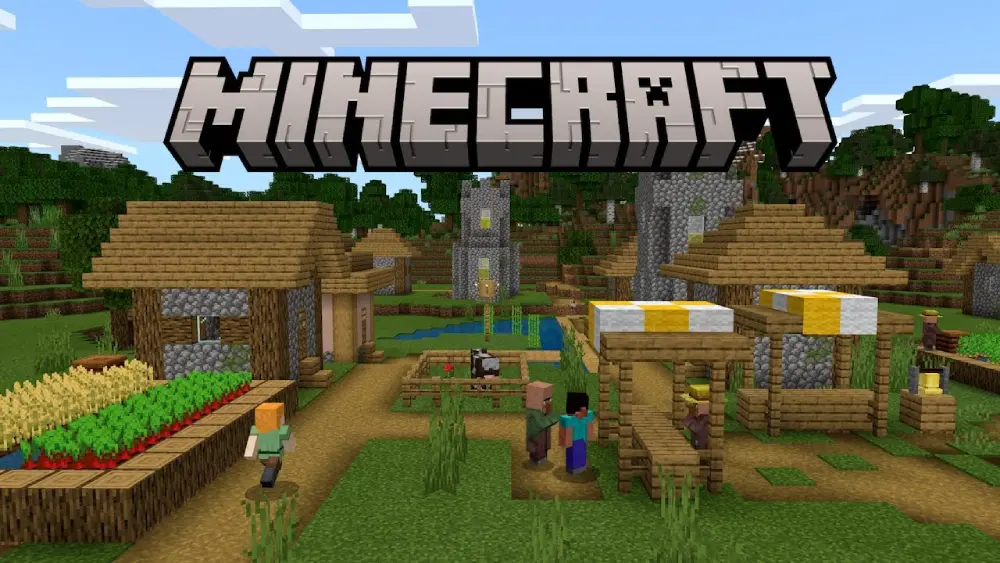
An APK is the package format Android uses for installing applications. When you download Minecraft through Google Play, Android handles the installation process automatically without requiring you to manually open or manage the APK file.
Therefore, searches such as Minecraft apk download often refer simply to installing Minecraft on Android. You do not need to download an unofficial file from another website to get the mobile version.
Minecraft on Android is Bedrock Edition
The official Android version belongs to Minecraft: Bedrock Edition. This is the version designed for platforms that include Android, iOS, Windows, consoles, and other supported devices.
Bedrock Edition supports features such as:
- Survival mode;
- Creative mode;
- Multiplayer;
- Cross-platform play;
- Minecraft Marketplace;
- Add-ons;
- Realms;
- Community servers;
- Local and online worlds.
The current Google Play listing identifies the Android game as Minecraft by Mojang and includes multiplayer, Marketplace content, Realms, and cross-platform functionality.
For players searching apk Minecraft android, this is the official version they should be looking for.
APK does not mean a different Minecraft game
Some search terms make the Android version sound like a separate edition, such as Minecraft edition apk or Minecraft Minecraft pe apk. In reality, Minecraft's mobile version has evolved significantly from the older Pocket Edition branding.
Today, the Android version is part of Bedrock Edition.
Older players may still call it Minecraft PE or Pocket Edition, which explains searches such as apk Minecraft pocket, but current official distribution simply uses the Minecraft name.
Minecraft APK Download: The Safest Way to Install Minecraft
The safest Minecraft apk download method is through Google Play. Mojang's own update instructions direct Android users to open Google Play, search for Minecraft, and install or update the game there.
Using the official store also reduces the risk of downloading modified applications, outdated builds, or malicious software disguised as Minecraft.
How to download Minecraft on Android
The official installation process is straightforward:
- Open Google Play on your Android device.
- Search for Minecraft.
- Confirm that Mojang is listed as the developer.
- Purchase the game if you do not already own it.
- Tap Install.
- Wait for the download to finish.
- Open Minecraft.
- Sign in with your Microsoft account if needed.
The Google Play listing currently shows Minecraft as a paid application published by Mojang, with more than 50 million downloads.
If you already purchased the game using the same Google account, you may be able to reinstall it without buying it again, depending on your account and store conditions.
Use Minecraft's official download page
Mojang also maintains an official download page covering Minecraft platforms, including Android and iOS.
This is helpful if you are unsure which store or version you need.
For Minecraft download apk searches, starting from Minecraft's official site or Google Play is safer than relying on random download portals.
Minecraft APK vs. Minecraft Trial
Players searching for a free Minecraft APK may actually be looking for a legitimate way to test Minecraft without paying immediately.
Mojang provides an official Minecraft trial for Android, making unofficial "free full version" APK downloads unnecessary.
Minecraft has an official Android trial
Minecraft's official free-trial page includes Android among the supported Bedrock platforms. Players can download the trial, sign in or create a Microsoft account, and test the game for a limited period.
The Android trial focuses mainly on allowing new players to experience Minecraft before purchasing the complete version.
The Google Play listing for Minecraft Trial explains that the trial provides limited-time Survival gameplay, while the complete version unlocks the broader Minecraft experience.
Trial and full version are different
The table below highlights the difference.
|
Version |
Cost |
Main Purpose |
Official Source |
|
Minecraft Full Version |
Paid |
Complete Bedrock experience |
Google Play |
|
Minecraft Trial |
Free for limited use |
Test Minecraft before buying |
Google Play / Minecraft.net |
|
Unofficial Modified APK |
Varies |
Third-party modified package |
Not recommended |
|
Minecraft Education |
Separate product |
Education-focused gameplay |
Official stores |
The trial is the safest choice if you want to test Minecraft without purchasing the full Android version immediately.
Using unknown "free premium" APK websites can expose your device and account to unnecessary security risks.
Minecraft APK Minecraft APK Searches: Why Results Can Be Confusing
The phrase Minecraft apk Minecraft apk may appear in search suggestions because players repeatedly use similar terms while trying to find the Android download.
Unfortunately, these searches can lead to pages offering modified versions that are not affiliated with Mojang.
Watch for fake Minecraft download pages
A suspicious page may claim to offer:
- Minecraft Premium for free;
- Unlimited Minecoins;
- Unlocked Marketplace content;
- Removed account requirements;
- Modified multiplayer;
- Hacked features;
- Early updates unavailable elsewhere.
These claims should be treated carefully.
An unofficial application can potentially contain malware, trackers, altered game files, or account-stealing functionality. It may also break multiplayer compatibility or stop receiving legitimate updates.
For a genuine Minecraft apk, verify that the application comes from Mojang through an official distribution channel.
Check the developer before installing
On Google Play, the current Minecraft listing identifies Mojang as the developer. Before installing, verify:
- Developer name;
- App title;
- Store source;
- Reviews;
- Update history;
- Permissions;
- Whether the page is actually Google Play.
This simple check helps separate the legitimate application from copycat apps.
Mine Minecraft APK and Older Pocket Edition Searches
Searches such as mine Minecraft apk and Minecraft Minecraft pe apk often come from players looking for older versions, Pocket Edition, or mobile-specific Minecraft downloads.
The terminology has changed, but the modern Android version remains part of Bedrock Edition.
Minecraft PE became part of Bedrock Edition
Minecraft: Pocket Edition was the older name associated with mobile versions of Minecraft.
Over time, Mojang unified several platforms under Bedrock Edition. This allows Android players to access multiplayer and cross-platform features with other supported Bedrock devices.
That is why apk Minecraft pocket results may still refer to modern Minecraft even though Pocket Edition is no longer the main official product name.
For new installations, look for Minecraft rather than trying to find an old Pocket Edition APK.
Avoid outdated APK versions
Old Minecraft Android builds may no longer support current servers, Marketplace features, multiplayer systems, or newer game content.
They may also contain bugs that have already been fixed in newer releases.
Mojang recommends updating Minecraft through Google Play on Android. If an update is available, the store will show the update option automatically.
Keeping the official game updated is generally the best way to maintain compatibility.
How to Update Minecraft APK on Android
If Minecraft is already installed from Google Play, you usually do not need to manually download another APK when a new update arrives.
Google Play handles updates for the official application.
Update through Google Play
Mojang's official instructions recommend opening Google Play, searching for Minecraft, and checking whether an update is available.
A typical update process is:
- Open Google Play.
- Search for Minecraft.
- Open the official Mojang listing.
- Tap Update if the option appears.
- Wait for installation to finish.
- Launch Minecraft.
Automatic updates may also install new releases without requiring manual action, depending on your Google Play settings.
This is much safer than repeatedly searching for a new Minecraft apk download after every game update.
Back up important worlds
Before major updates, protecting important worlds is a good habit.
Minecraft updates are designed to preserve existing content, but backups give you an additional recovery option if a device problem, storage error, or unexpected issue occurs.
This is particularly useful if you have invested many hours into a Survival world or use custom add-ons.
Minecraft Edition APK: Full Game vs. Beta
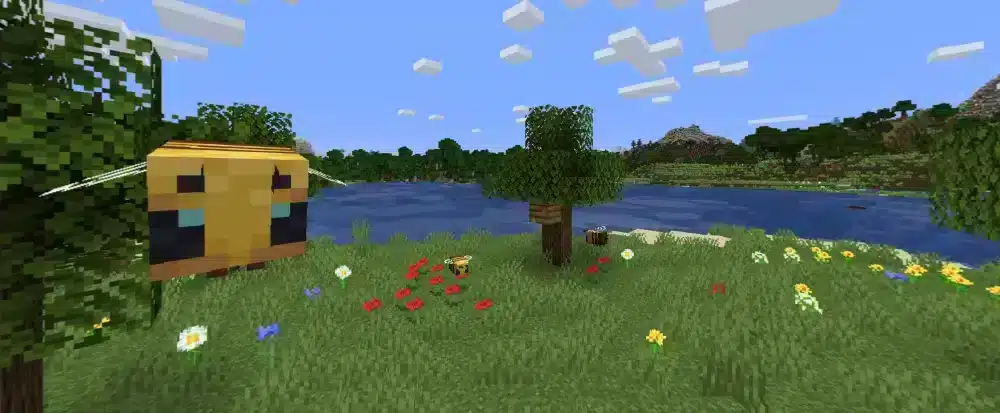
Android players may also encounter Minecraft Beta through Google Play.
Beta versions are legitimate testing builds, but they are not necessarily as stable as the normal release.
Minecraft Beta is available on Android
Mojang's 2026 preview documentation confirms that Minecraft Beta remains available on Android through Google Play.
Beta builds allow players to test features still under development.
However, Mojang warns that work-in-progress versions can be unstable and may not represent the quality of the final release.
This means players searching for Minecraft edition apk should decide whether they want stability or early access to experimental changes.
Stable version is better for most players
The normal Google Play version is usually the better option if you primarily want:
- Reliable multiplayer;
- Stable worlds;
- Fewer experimental bugs;
- Normal Marketplace access;
- Predictable updates.
Beta versions are more appropriate for players who intentionally want to test unfinished features and report problems.
Avoid confusing an unofficial modified APK with an official Minecraft Beta.
APK Minecraft Android: Device Compatibility
Not every Android device provides the same Minecraft experience. Hardware, Android version, storage, and graphics capabilities can affect performance and availability.
Check Google Play compatibility
The easiest compatibility check is to open Minecraft's Google Play page from the device you intend to use.
Google Play can determine whether the application supports that particular hardware and software configuration.
Mojang also links Android users to device-requirement information through the official store listing.
If Google Play says Minecraft is not compatible, avoid trying to force-install an unofficial apk Minecraft android build.
The compatibility restriction may exist because the device does not meet required technical conditions.
Keep enough storage available
Minecraft requires storage not only for the application itself but also for:
- Worlds;
- Marketplace content;
- Resource packs;
- Add-ons;
- Cached game data;
- Updates.
Large Survival worlds can grow over time, so leaving additional free storage is a good idea.
If installation or updating repeatedly fails, check available space before assuming the APK is broken.
Minecraft Download APK: Common Installation Problems
Even official installations can occasionally fail. Fortunately, many Android installation problems can be solved without downloading Minecraft from an unofficial source.
Minecraft will not install
If installation fails, check:
- Available device storage;
- Google Play connection;
- Android compatibility;
- Google account;
- Pending system updates;
- Whether another download is already running.
Restarting the device and reopening Google Play can also solve temporary store problems.
If Minecraft previously worked but a new version does not install, verify that the device still meets current requirements.
Minecraft will not update
If the update button appears but installation fails, first make sure enough storage is available.
Then try restarting Google Play or your device.
Avoid uninstalling Minecraft immediately if you have important local worlds that are not backed up.
A failed update does not mean you need an unofficial Minecraft download apk file. The better approach is to resolve the Google Play installation problem.
Is It Safe to Download Minecraft APK From Third-Party Sites?
There are legitimate reasons APK files exist outside Google Play, but downloading a paid game from an unknown website adds unnecessary risk. The official Minecraft Android distribution route remains Google Play.
Risks of unofficial APK files
A modified APK can potentially:
- Contain malware;
- Steal login credentials;
- Add unwanted advertisements;
- Modify game behavior;
- Include outdated files;
- Fail multiplayer authentication;
- Stop receiving updates;
- Corrupt saved data.
Downloading a cracked paid application can also involve copyright and licensing problems.
Therefore, the safest rule is simple: get Minecraft directly from Mojang's official distribution channels.
Never share account credentials with APK websites
A legitimate Minecraft installation does not require you to give your Microsoft password to a random download site.
If a page asks for login credentials before providing an APK, leave the site.
Also avoid pages requiring you to complete suspicious surveys, install unrelated applications, disable device security, or grant unnecessary permissions.
FAQ
Here are quick answers to common questions about Minecraft apk downloads, Android installation, Pocket Edition, and official versions.
What is Minecraft apk?
Minecraft apk refers to the Android application package for Minecraft Bedrock Edition. The safest way to install it is through the official Google Play listing from Mojang.
Where can I download Minecraft apk safely?
Use Google Play or begin from Minecraft's official download page. Avoid third-party sites offering cracked or modified versions.
Is Minecraft APK free?
The complete Android version is paid. However, Mojang offers an official limited Minecraft Trial for Android through Google Play.
Is Minecraft Pocket Edition still available?
The mobile game once known as Pocket Edition is now part of Minecraft Bedrock Edition. Searches for Minecraft Minecraft pe apk generally refer to the modern Android version.
How do I update Minecraft on Android?
Open Google Play, search for Minecraft, and tap Update if a newer version is available. Mojang recommends this method for Android updates.
Can I download Minecraft APK from another website?
Technically, APK files can come from other sources, but unofficial Minecraft downloads may be modified, outdated, unsafe, or unauthorized. Official distribution is the safer option.
Play Minecraft APK More Smoothly With ExitLag
Using the official Minecraft apk helps keep your game updated, compatible, and safer on Android. Download Minecraft through Google Play, use the official trial if you want to test it first, and avoid unofficial APKs promising cracked or modified versions.
If latency, packet loss, or unstable routing affects your Minecraft multiplayer sessions, ExitLag can help optimize the network route used by supported mobile gameplay.
Try ExitLag and enjoy Minecraft on Android with a more optimized and stable online connection!


