Minecraft biomes shape almost every part of exploration. They decide the terrain you cross, the mobs you meet, the resources you collect, and even the color and atmosphere of the world around you. A desert feels completely different from a mangrove swamp, and a pale garden creates a mood that no plains biome ever will. Understanding Minecraft biomes helps you build smarter, travel faster, and survive with less guesswork.
Biome exploration becomes much more practical once you stop treating terrain as background and start seeing it as part of your resource plan. Players who care about long-term survival efficiency often connect biome choice to systems like how farmland works in Minecraft, because the land around your base affects more than just aesthetics. That wider view makes biome knowledge more useful from the very start.
Minecraft biomes are more important than many players realize. They affect weather, foliage, mob spawns, structure generation, and travel priorities. That is why so many players search terms like Minecraft biome finder, biome locator Minecraft, all Minecraft biomes, and find biomes Minecraft when planning survival worlds or big building projects. Minecraft’s official help center describes biomes as regions with unique geography, plants, and other characteristics, and Mojang’s update timeline confirms recent additions such as Cherry Grove and Pale Garden.
If you want a practical guide to biomes on Minecraft, this article breaks everything down clearly. You will learn what biomes do, how to find them, which ones matter most for survival and building, what counts as a Minecraft new biome, and why old names like mesa biome Minecraft still show up even though the official name is now Badlands. You will also get a more realistic answer to questions like every biome in Minecraft and what biome makes the water look purple in Minecraft, which many older guides explain badly.
What are biomes in Minecraft?
A biome in Minecraft is a region with its own geography, vegetation, atmosphere, and gameplay behavior. Official Minecraft help describes biomes as regions with unique geography, plants, and other characteristics, which is the clearest way to understand the system. A snowy biome does not just look colder. It behaves differently. A swamp does not just look darker. It changes water appearance, vegetation, and mob expectations.
This is why Minecraft biomes matter in real gameplay. The biome around you can influence:
- what mobs spawn
- what wood types you can gather
- what structures are likely nearby
- whether snow or rain appears
- how easy farming and travel feel
- how useful the biome is for a base
For example, a taiga biome Minecraft setup is great if you want spruce wood, wolves, sweet berry bushes, and a colder forest atmosphere. A desert is better for sand, temples, and easy visibility. A swamp offers darker water, unique terrain, and witch huts, while a mangrove swamp adds mud, mangrove wood, and frogs.
How biomes affect survival
Some biomes are easier for early survival than others. Plains are friendly because they are open, often have animals, and can generate villages. Forests are comfortable because wood is easy to collect. Deserts can be rougher because food is less convenient. Swamps can slow movement. Frozen areas add visibility and snow, but not always easy food.
That means learning Minecraft biomes is not just trivia. It is survival planning.
Why biome knowledge matters for builders
Builders care about more than resources. They care about mood. Cherry Grove creates a softer visual identity. Pale Garden creates a stripped, eerie look. Badlands gives bold color contrast through terracotta and red sand. The right biome makes the same build feel completely different. Mojang’s own update history highlights Cherry Grove and Pale Garden as major biome additions, which shows how important biome identity is to the game’s design.
What are all Minecraft biomes?
Players often ask for all Minecraft biomes or every biome in Minecraft, but there is an important nuance: the game has major biome groups, variants, cave biomes, ocean biomes, Nether biomes, and newer biome additions across updates. So the exact total depends on whether you count only major biomes or every official variant and sub-type. That is why older articles often throw out outdated totals with too much confidence.
A safer and more useful way to understand Minecraft biomes is by category.
Main Overworld biome groups
Here are the core groups most players think of first:
- Plains
- Forest
- Taiga
- Jungle
- Desert
- Savanna
- Swamp
- Mangrove Swamp
- Badlands
- Meadow
- Grove
- Snowy biomes
- Oceans
- Rivers
- Mushroom Fields
- Beaches
- Stony Shores
- Mountain-related biomes
- Cave biomes like Lush Caves and Dripstone Caves
- newer themed biomes like Cherry Grove and Pale Garden
Minecraft’s official help page for biome types includes examples such as Cherry Grove and Pale Garden, confirming those as part of the current biome landscape. Mojang’s update timeline also explicitly calls Cherry Grove and Pale Garden new biome additions from recent updates.
Special and dimension-specific biomes
The biome system goes beyond the basic Overworld list. You also have:
- Ocean variants
- Nether biomes
- End environments
- cave-specific biome regions
- mountain slope and peak variants
- update-specific biome additions
So when someone searches every biome in Minecraft, the real answer is that the game includes a broad, evolving set of biome categories and variants rather than one simple fixed beginner list.
How many biomes are in Minecraft right now?
This is one of the most common search questions, but it is also one of the easiest to answer badly. Many articles still repeat outdated numbers. In practice, Minecraft has dozens of biomes once you count variants, cave biomes, mountain subtypes, ocean types, Nether biomes, and newer additions. Official help centers list the biome categories and names, but they do not present one simple universal number in the snippet we have here, which is part of why so many articles fall out of date.
So instead of locking the article to a number that may age poorly, the best current answer is this:
Minecraft has a large and evolving biome set that includes major biomes, cave biomes, ocean biomes, Nether biomes, and multiple variants, and that set has expanded with updates like Cherry Grove and Pale Garden.
That answer is more accurate and more future-proof than quoting a total from an older version.
Why biome counts keep changing
Biome counts change because Minecraft keeps updating world generation. Mojang has shifted from huge annual expansions to more frequent drops, which means biome additions and changes can happen in smaller update cycles too. The official updates timeline explains this newer game drop approach clearly.
Why older guides feel wrong
Older guides may:
- use removed or renamed biome labels
- ignore newer biomes like Cherry Grove or Pale Garden
- count only main Overworld biomes
- skip cave, Nether, or variant biomes
That is why a current Minecraft biome finder or current update note is often more reliable than a static old list.
How to find biomes in Minecraft?
Knowing how to find biomes Minecraft is one of the most useful exploration skills in the game. You can search manually, use seeds, rely on commands, or use an external Minecraft biome finder. The best method depends on whether you are in survival, creative, or just testing world generation.
Before the detailed methods, here is the key idea: biome hunting is faster when you know what you are looking for. Jungle, Badlands, Mushroom Fields, Pale Garden, and Cherry Grove all stand out for different reasons.
Official Minecraft command guidance explains that /locate can find the nearest structure or biome of a specified type, and Mojang’s Wild Update notes show the modern syntax as locate biome.
Manual exploration
Manual exploration still works well if you enjoy the journey. Good habits include:
- climbing high terrain for visibility
- carrying boats for rivers and coasts
- watching tree types and grass color
- noticing water tone and terrain shape
- traveling in broad directions instead of wandering in circles
This is especially helpful for finding taiga biome Minecraft, savanna, desert, and Badlands because their visual identities are easier to read from a distance.
Using commands and a biome locator
If cheats are enabled, the best built-in tool is /locate biome. Mojang’s official commands guide says /locate can find the nearest biome, and official update notes clarify the syntax change to locate biome in modern Minecraft.
Useful workflow:
- use /locate biome <biome_name>
- copy the coordinates
- use /tp if you want instant travel
This is basically the in-game version of a biome locator Minecraft tool.
What is the best Minecraft biome finder?
A Minecraft biome finder is useful when you want speed and accuracy without endless travel. External biome finders let you plug in your world seed and identify where specific biomes generate. That is especially useful if you need something rare like Mushroom Fields, Badlands, or Cherry Grove without wasting hours.
There is a difference, though, between an external Minecraft biome finder and Minecraft’s own built-in locate tools. External tools are better for planning entire routes. The built-in command is better for direct gameplay use if cheats are available.
If you want to go further than a simple locate command, a broader route-planning tool can save a lot of time in large worlds. That is where guides on using a Minecraft structure finder for better exploration planning become useful, especially when your biome hunt overlaps with temples, villages, or other structure goals. It turns random travel into a more deliberate search.
When to use a biome finder
A Minecraft biome finder is worth using when:
- you want a rare biome fast
- you are choosing a base location
- you need a specific wood type
- you want to test seeds
- you are writing or recording content
- you are hunting scenic generation
When manual exploration is better
Manual exploration is still better when:
- you want a true survival experience
- you enjoy discovery
- you do not want to rely on seed tools
- your world is about adventure, not efficiency
Both approaches are valid. It depends on the style of play.
What is the new biome in Minecraft?
If someone asks about a Minecraft new biome, two names matter most in recent updates: Cherry Grove and Pale Garden. Mojang’s official updates timeline highlights Cherry Grove as a biome introduced in Trails & Tales and Pale Garden as a newer biome added later. The dedicated Pale Garden article describes it as a mysterious new Overworld biome with pale oak trees, hanging moss, and the creaking.
That makes the answer to Minecraft new biome much more current than older guides that stop at Lush Caves or Mangrove Swamp.
Cherry Grove
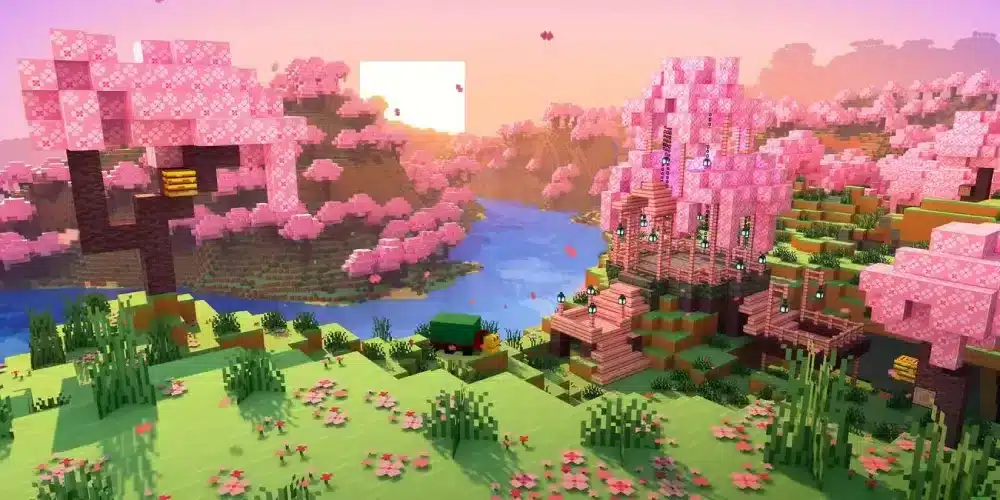
Cherry Grove is easy to recognize because of pink cherry trees and falling petals. It became one of the most visually distinctive Overworld biomes the moment it launched. Mojang’s biome help page snippet and update timeline both reference Cherry Grove directly.
Pale Garden
Pale Garden is one of the strangest recent additions. Mojang describes it as a new eerie biome in the Overworld where animal mobs do not spawn normally and where pale oak and hanging moss define the atmosphere. It also connects closely to the creaking.
What biome makes the water look purple in Minecraft?
This is one of those questions that spreads because players remember odd lighting, shaders, or texture packs. In standard Minecraft, there is not a normal official Overworld biome whose water is simply defined as “purple.” What you do get are biome-based color shifts, especially in swamps, mangrove swamps, and other areas where the water is darker, murkier, or greener than usual. Minecraft’s help center describes swamp as a dark-hued area with shallow waters, and feedback around Vibrant Visuals also notes that swamps normally have greener water in standard gameplay.
So the best answer to what biome makes the water look purple in Minecraft is:
Usually none in standard vanilla Overworld gameplay. Players often mean swamp-like dark water under certain lighting, or they are seeing shader, resource-pack, or visual-effect changes rather than a true purple-water biome.
Why players think the water is purple
This usually happens because of:
- sunset or night lighting
- shaders
- texture packs
- video compression
- Bedrock visual differences
- standing near dark foliage or unusual sky tones
Which biome changes water color the most?
Swamp and mangrove swamp are the clearest examples of biome-driven water mood changes. They are not truly official “purple water” biomes, but they are the places most likely to make players ask the question in the first place.
Is mesa biome Minecraft still a real biome?
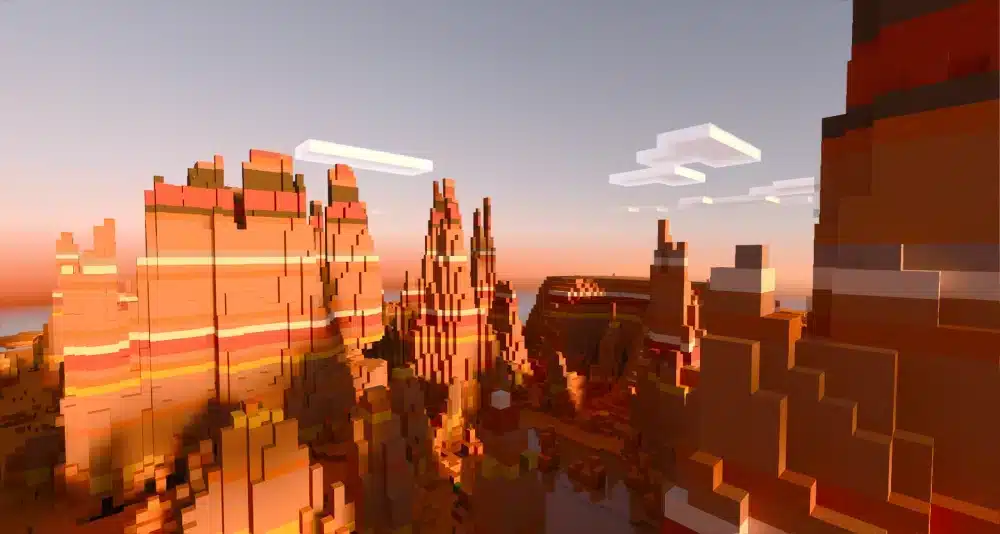
Yes and no. mesa biome Minecraft is still a very common search term, but the official in-game name players now use is Badlands. Many longtime players still say “mesa” because that was the old familiar label for the red sand and terracotta region.
So if you search mesa biome Minecraft, you are really looking for Badlands and its related forms.
Why players still say mesa
They say it because:
- the old name stuck
- the biome look is memorable
- many old guides and videos still use it
- “mesa” is easier shorthand for some players
Why Badlands is useful
Badlands is a strong biome for:
- terracotta
- red sand
- striking base locations
- mineshafts near the surface
- visual contrast
It is one of the best-looking biomes for dramatic builds.
Best biomes in Minecraft for survival and building
There is no single best biome for everyone, but some are clearly stronger depending on your goals.
Best survival biomes
For survival, the most reliable are:
- Plains
- Forest
- Taiga
- Savanna
- Cherry Grove nearby mountain zones
A taiga biome Minecraft world is often underrated because it gives spruce wood, wolves, berry bushes, and a useful colder forest environment without being as harsh as snowy open ground.
Best building biomes
For building, standout picks include:
- Cherry Grove
- Badlands
- Meadow
- Pale Garden
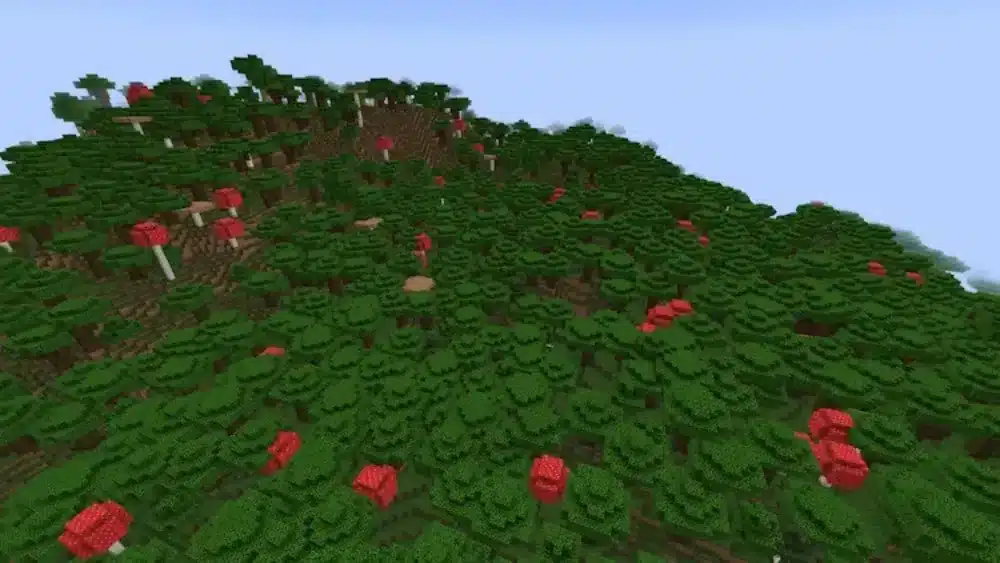
- Mushroom Fields
- Mangrove Swamp
These are all strong because they give your builds a clear visual identity.
That same logic applies when your build depends on more than terrain color alone. Players who care about matching a biome’s mood often also think about how to use a smithing table in Minecraft for gear customization, because armor and equipment can reinforce the look of a region just as much as the blocks do. A strong biome choice usually works best when the rest of your style follows it.
Why ExitLag matters for Minecraft exploration
Exploring Minecraft biomes is much smoother when your connection stays stable, especially on multiplayer servers or when traveling far from spawn. Long-distance movement, chunk loading, map sharing, and seed-based exploration can all feel worse when latency or routing problems get in the way.
That is where ExitLag helps. It can improve connection stability and reduce the interruptions that make biome hunting, world travel, and multiplayer building feel clunky.
When ExitLag helps most
ExitLag is especially useful when:
- exploring far biomes on multiplayer servers
- loading chunks during long travel
- using shared maps or large worlds
- building with friends in distant regions
Why use ExitLag for biome hunting
Because the more you travel, the more frustrating lag becomes. If you are searching for rare Minecraft biomes, smoother travel and more stable chunk loading make the whole experience better.
If you want to double-check current game information through an official storefront while planning where and how you play, the Minecraft listing on the Microsoft Store is a useful reference. It helps keep your setup grounded in the current version ecosystem instead of scattered third-party pages. That is a small but practical check when you are comparing tools, editions, or platform access.
FAQ
You can find them by exploring manually, using a seed-based Minecraft biome finder, or using /locate biome in worlds where commands are enabled. Mojang’s commands guide confirms /locate can find the nearest biome, and official update notes show the modern locate biome format.
Recent major answers include Cherry Grove and Pale Garden. Mojang’s official update timeline highlights both as newer biome additions, and Mojang’s Pale Garden article describes it as a new mysterious Overworld biome.
There is no standard official Overworld biome defined simply as purple-water. Players usually mean swamp-like dark water under certain lighting or a shader/resource-pack effect. Official help describes swamp as a dark-hued biome with shallow waters, and feedback around normal visuals mentions swamps having greener water.
Yes, in practical terms. “Mesa” is the older community-familiar name, while Badlands is the current official biome name.
The best option depends on your goal. An external Minecraft biome finder is best for seed planning, while /locate biome is best inside a world with commands enabled.
Yes. Taiga is a very solid survival biome because it offers wood, wolves, berry bushes, and a useful forested environment with good atmosphere.
Final thoughts on Minecraft biomes
Minecraft biomes are one of the biggest reasons worlds feel alive and replayable. They shape survival, mood, building choices, and travel in ways that affect almost every session. Once you understand Minecraft biomes, you stop wandering blindly and start exploring with intention.
For players who want to stay anchored to official game information while learning newer biome names, additions, and world-generation context, the official Minecraft site is still the cleanest reference point. It is a better baseline than outdated summaries when you are trying to keep track of how the world has changed over time. That makes it especially helpful for newer biome-related searches.
That matters whether you are using a Minecraft biome finder, chasing all Minecraft biomes, searching every biome in Minecraft, or just trying to decide if a taiga biome Minecraft start is better than plains. And if you want smoother chunk loading, steadier multiplayer exploration, and less friction while hunting rare regions, ExitLag is a smart way to make your next biome run feel better.
Got questions or want to connect with other players? Join the conversation at the ExitLag Forum!