
The minecraft circle generator is one of the most valuable tools for players who want to build rounded structures with precision and speed. Since Minecraft is built on square blocks, creating smooth and symmetrical circles can be challenging-especially for beginners. That’s why generators and circle charts have become essential resources for builders who want accurate results.
Whether you're designing towers, domes, fountains, cliffs, pixel art, or massive bases, understanding how the minecraft circle generator works will drastically improve the quality of your builds. In this guide, we explore generator tools, building methods, layout tips, and advanced strategies to help you master perfect circular construction.
Because the minecraft circle generator is used to map the exact placement of blocks, every builder-new or experienced-can benefit from using it to streamline planning and execution.
This section explains what a circle generator is, where it’s used, who benefits from it, and when to apply its patterns for maximum building efficiency.
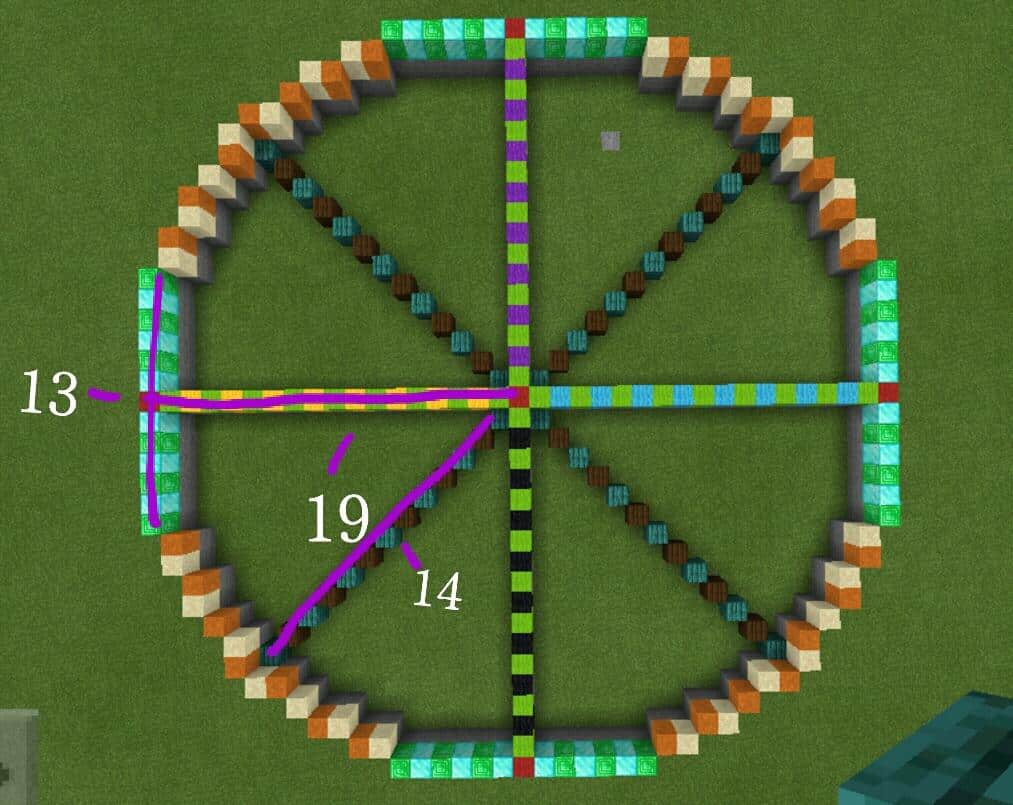
Getting Started With the Minecraft Circle Generator
Using a minecraft circle generator simplifies the creation of circular designs. These tools display layouts for circles of various diameters using simple block placements.
What the Generator Produces
Circle generators output grid-based diagrams showing:
- Block placement for each radius
- Pixel-style rings for outlines
- Layer charts for domes and spheres
Why It’s Useful
Creating accurate circles manually requires math, symmetry, and patience. A generator eliminates guesswork and saves time.
Choosing the Right Circle Generator Tool
There are several types of online and downloadable generators.
Types of Popular Tools
- Web-based circle generators
- Pixel circle chart apps
- Sphere and cylinder planners
- Blueprint-style layout tools
Features to Look For
- Adjustable radius settings
- Square and diamond grid options
- Sphere layering preview
- Copy-friendly diagrams
Planning Circles for Your Builds
Before building, decide how your circle fits into the structure.
Key Questions to Ask
- What diameter is needed?
- Will the circle serve as a foundation, roof, or wall?
- Do you need a hollow or filled pattern?
Useful Building Shapes
- Outlines for towers
- Frames for domes and roofs
- Platforms for arenas and bases
Step-by-Step: How to Build a Circle Using a Generator
With your minecraft circle generator diagram ready, follow this method.
Step 1: Mark the Center
Choose a central block for symmetry.
Step 2: Build the Cross
Place one block line north, south, east, and west.
Step 3: Build Diagonal Points
Mark the approximate diagonal corners.
Step 4: Follow the Diagram
Use the generator’s blueprint to place each block exactly.
Building Large Circles and Mega Structures
Larger circles require precise alignment.
Tips for Huge Builds
- Use scaffolding for movement
- Build in layers for accuracy
- Bring extra materials
Common Large-Scale Projects
- Colosseums
- Megabase walls
- Floating platforms
- Giant pixel art designs
Using a Circle Generator for Spheres and Domes
Generators can also create spheres.
Why Spheres Are Difficult
Spheres require layered circles stacked vertically.
Dome Applications
- Roofs for fantasy builds
- Greenhouses
- Large temples
- Sci-fi structures
How ExitLag Helps With Building on Servers
When building large structures on multiplayer servers, lag can cause block delay, misplacement, and slow chunk loading. ExitLag fixes these issues using:
- Multipath connection routing
- Real-time optimization
- Traffic shaping
- Worldwide server coverage
Steps to start building lag-free with ExitLag:
- Create your ExitLag account
- Download ExitLag
- Choose Minecraft and apply the routes
- Enjoy the best experience with ExitLag ON!
ExitLag ends ping, ends jitter, ends packet loss, and ensures smooth building on creative, SMP, and modded servers.
Circle Sizes Table for Quick Building
| Diameter | Circle Type | Difficulty | Notes |
| 5 | Small | Easy | Great for wells or tiny towers |
| 9 | Medium | Moderate | Good for basic bases |
| 15 | Large | Hard | Ideal for arenas |
| 25 | Mega | Challenging | Best for huge builds |
Advanced Building Techniques
Professional builders combine generators with additional techniques.
Blending Shapes
- Mix circles with squares for hybrid builds
- Use ellipses for stretched towers
- Combine rings for multi-layer domes
Smoothing and Detailing
- Add depth with stairs and slabs
- Create curved support beams
- Use gradients for polished aesthetics
Creating Complex Circular Structures
Many Minecraft builders rely on a minecraft circle generator to plan intricate structures that require perfect symmetry.
Popular Complex Builds
- Multi-ring fortresses
- Layered towers
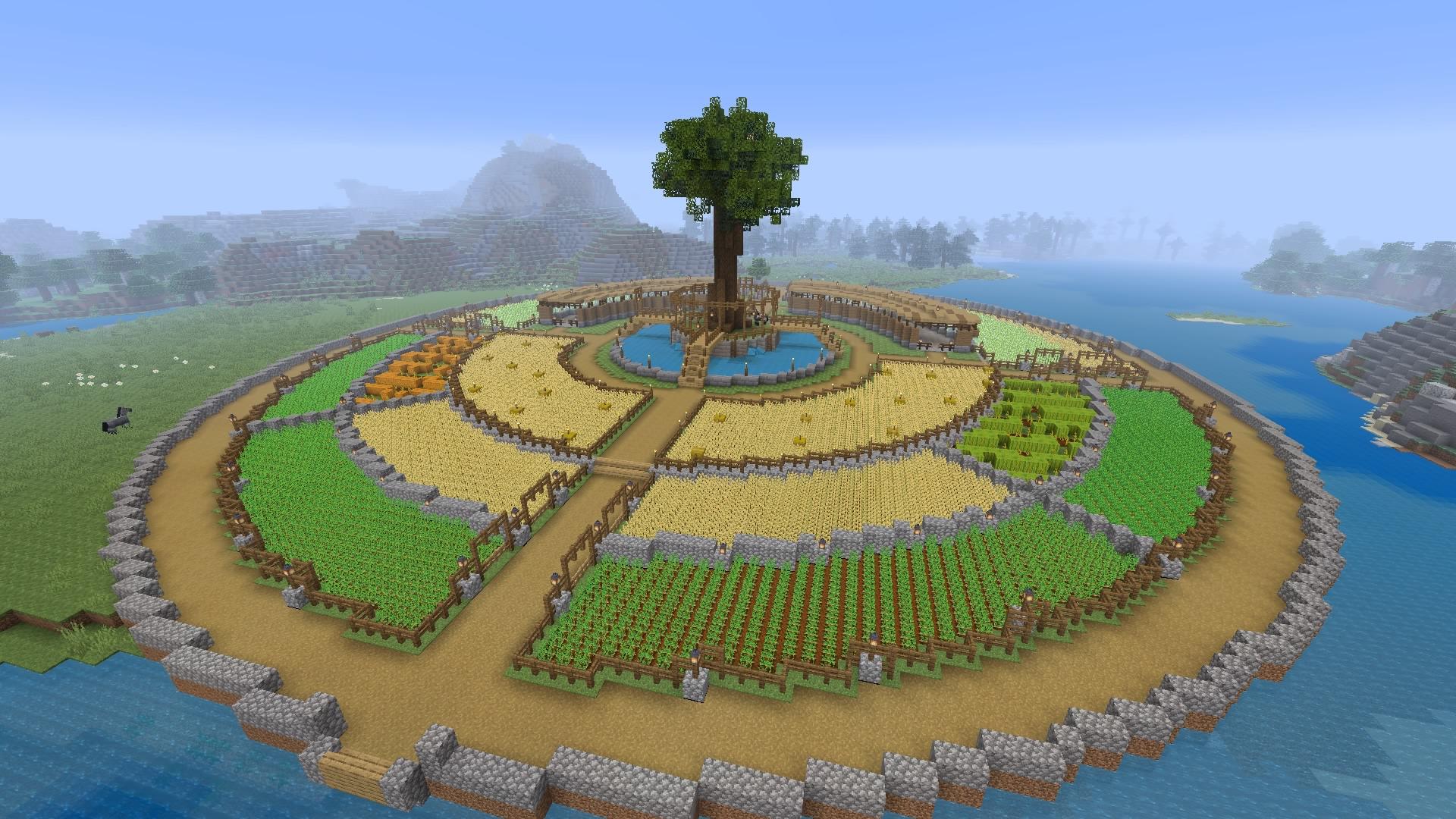
- Circular farms
- Massive domes
- Observatory spheres
Why Symmetry Matters
Clean circular symmetry improves:
- Aesthetic balance
- Build realism
- Architectural flow
- Expansion planning
A circle generator minecraft tool ensures that each layer remains perfectly consistent.
Designing Towers, Turrets, and Spiral Builds
Towers are among the most common circular builds.
Using Circles for Towers
- Use smaller circles for narrow towers
- Combine multiple circle sizes for layered towers
- Apply stairs and slabs to smooth curvature
Spiral Staircases
A circle minecraft generator helps design the perfect outer shell for spiral interiors.
Tips for spiral builds:
- Keep the radius consistent
- Alternate block heights for smooth rotation
- Use fences or walls as railing
Building Bridges, Tunnels, and Arcs
Rounded shapes aren’t just for bases-they’re perfect for infrastructure.
Circular Arches
Arches built with a circle generator in minecraft create natural and medieval aesthetics.
Tunnel Shapes
Circular tunnels are ideal for:
- Minecart rails
- Ice boat highways
- Underground bases
- Hidden smuggling tunnels
Building Spheres, Half-Spheres, and 3D Shapes
Spheres are one of the hardest shapes to build, but a minecraft circles generator solves this instantly.
Sphere Layering Guide
A sphere is built from:
- A top half made of shrinking circles
- A middle band of repeated circles
- A bottom half mirroring the top
Common Sphere Uses
- Planet builds
- Sci-fi domes
- Bio-domes
- Massive chandeliers
- Boss arenas
Using Circle Generators for Terraforming
Circles can reshape your landscapes.
Terraforming Applications
- Mountain carving
- Lake and pond creation
- Cliff smoothing
- Crater design
Why Circles Work for Natural Shapes
Nature rarely forms perfect squares. Using circular patterns creates smoother and more realistic terrain.
Underwater Domes and Ocean Bases
Underwater builds shine when using a minecraft circle generator.
Dome Construction Tips
- Build scaffolding before removing water
- Use conduits for visibility underwater
- Choose glass blocks for clarity
- Use tinted glass for aesthetics
Ideal Projects
- Underwater labs
- Ocean-view homes
- Sea temples conversions
- Submerged greenhouses
Circular Farms and Automatic Redstone Systems
Many automated farms rely on circular layouts.
Why Use Circles for Farms
- Efficient crop distribution
- Maximized water coverage
- Easy automation loops
Popular Circular Farm Designs
- Villager crop farms
- Sugar cane rings
- Bamboo towers
- Cactus spinning farms
Redstone systems also benefit from smooth circular rails.
Mega Base Planning With Circle Generators
Circle-based megabases are a favorite among expert builders.
Strategies for Large Circular Bases
- Use multiple concentric rings
- Separate each ring into districts
- Design transport lines using arcs
- Layer rings vertically for depth
District Ideas
- Storage district
- Farming zone
- Portal hub
- Trading area
- Defense wall ring
Using a circle generator minecraft ensures every ring aligns flawlessly.
Comparison Table of Circle Generator Tools
| Tool Type | Best For | Features | Difficulty |
| Basic Circle Chart | Small builds | Simple radius diagrams | Easy |
| Advanced Online Generator | Domes & spheres | Live previews, color guides | Moderate |
| Printable Grid Sheets | Offline planning | Accurate block charts | Easy |
| 3D Model Generators | Mega builds | Full sphere layers | Hard |
Most Common Mistakes When Using a Circle Generator
Learn to avoid these building errors.
Mistake 1: Building Off-Center
If the center shifts, the circle becomes distorted.
Mistake 2: Miscounting Block Segments
Use the diagram carefully-one wrong count breaks symmetry.
Mistake 3: Mixing the Wrong Diameters
Each radius requires its own unique pattern.
How ExitLag Improves the Building Experience
On creative servers, SMPs, and modded worlds, lag can ruin your precision when building circles.
ExitLag enhances performance with:
- Multipath routing
- Real-time optimization
- Worldwide servers
- Traffic shaping
- Lag reduction for block placement delays
To get started:
- Create your ExitLag account
- Download ExitLag
- Select Minecraft and apply the optimized routes
- Enjoy the best experience with ExitLag ON!
ExitLag ends ping, ends jitter, ends packet loss, and delivers smooth, uninterrupted building sessions on any server.
Final Thoughts on the Minecraft Circle Generator
The minecraft circle generator is the ultimate tool for builders who want accuracy, creativity, and symmetry in every project. From massive domes to underwater cities, from towers to terraforming, generators unlock new possibilities for players who want professional-level results.
Whether you're shaping megabases, constructing spheres, or designing pixel-perfect art, the minecraft circle generator remains your essential blueprint for perfection.
Required Disclaimers
General Disclaimer: All game images used in this blog belong to Mojang Studios. They are used for informational/educational purposes only and do not imply endorsement or affiliation with the rights holders.


