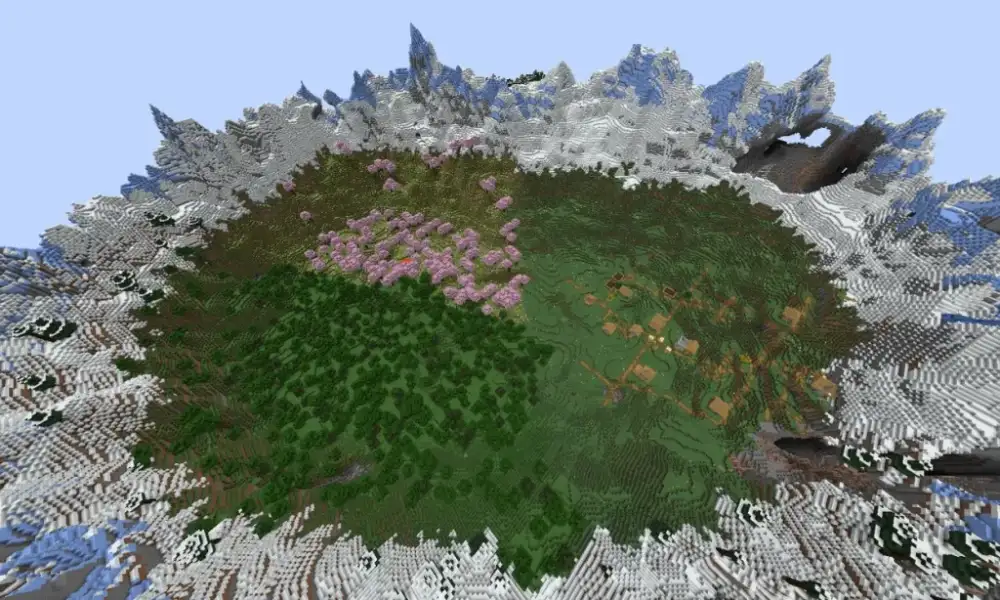
Minecraft Girl Skins are a popular way to personalize your character and make your appearance stand out in Survival, Creative, Realms, and multiplayer servers. From cute pastel outfits to darker, sporty, or more masculine styles, there are countless directions to explore.
Minecraft Girl Skins can be downloaded, created from scratch, or customized with editors before being applied to your character. Java Edition lets players import PNG skins directly, while Bedrock Edition also includes the Dressing Room and Character Creator for broader customization.
Minecraft Girl Skins are custom visual textures that change how your Minecraft character looks without affecting gameplay. Players can use them to reflect personal style, culture, favorite colors, fictional inspiration, or simply create a unique identity for multiplayer worlds.
Minecraft Girl Skins: How Do They Work?
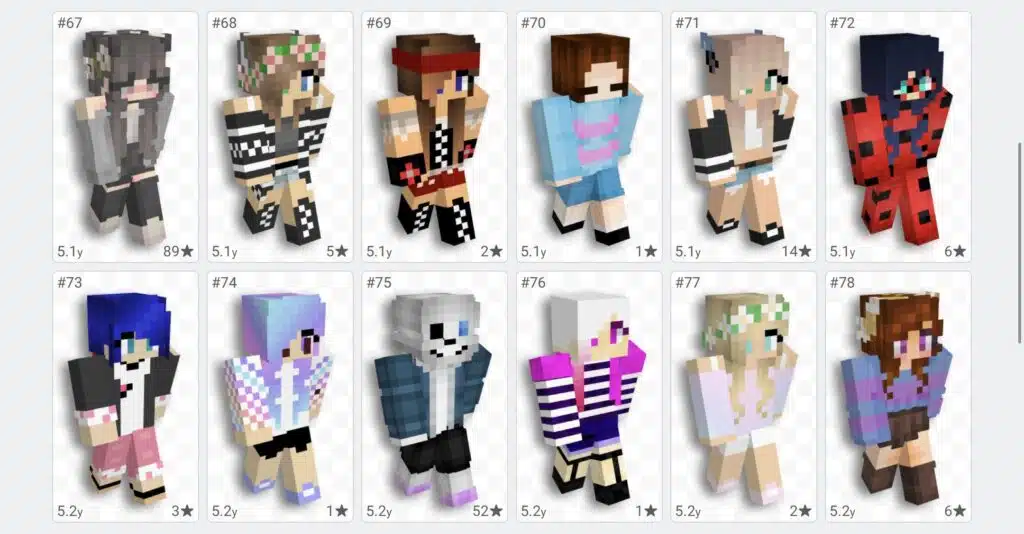
Minecraft skins are flat pixel textures wrapped around the player model. They define the appearance of your character’s head, body, arms, and legs without changing movement, abilities, health, or any other gameplay mechanic.
Minecraft officially supports both classic and slim player models. The classic model uses wider arms, while the slim model uses narrower arms, which can make a noticeable difference when choosing or creating a Minecraft girl skin.
Classic and slim skin models
The classic model is based on Steve’s proportions, while the slim model is traditionally associated with Alex. The main difference is arm width, so a skin designed for one model may look slightly wrong if applied to the other.
When choosing girl Minecraft skins, check whether the creator labels the file as classic or slim. If you are making your own skin, decide on the model before starting so details around the arms and shoulders align correctly.
Skins are cosmetic only
Minecraft skins do not improve speed, strength, visibility, mining ability, or combat performance. Mojang’s Character Creator documentation confirms that visual items remain cosmetic and do not provide gameplay advantages.
This means you can choose a style purely based on appearance. Whether you prefer cute girl Minecraft skins, a sporty design, a fantasy character, or a minimal outfit, the skin does not change how Minecraft itself plays.
Best Minecraft Girl Skins Styles
There is no single best style because Minecraft customization is highly personal. Some players want soft colors and detailed outfits, while others prefer darker clothing, streetwear, fantasy themes, or simple designs.
The easiest way to narrow your search is to decide which visual identity you want before browsing hundreds of skins.
Cute girl Minecraft skins
Cute girl Minecraft skins often use soft colors, simple accessories, and playful outfit combinations. Pastel pink, lavender, light blue, white, and beige are common choices, but there is no fixed formula.
Popular design ideas include:
- Hoodies;
- Oversized sweaters;
- Skirts;
- Sneakers;
- Hair accessories;
- Pastel outfits;
- Animal-inspired details;
- Seasonal clothing;
- Pajama themes.
A cute skin can still be simple. Too many small details can become difficult to recognize once the texture is wrapped around the blocky Minecraft model.
Dark and alternative girl skins
Not every Minecraft skin girl design needs to use bright colors. Darker skins can combine black, gray, red, purple, or muted tones for a more alternative look.
Common themes include gothic outfits, dark streetwear, fantasy characters, tactical clothing, and minimalist monochrome designs. These styles can work especially well on multiplayer servers where you want a recognizable but less colorful appearance.
Black Girl Minecraft Skins
Black girl Minecraft skins can reflect a wide range of hairstyles, skin tones, outfits, and personal styles. The best designs avoid treating one appearance as universal and instead offer genuine variety.
Minecraft skins can represent culture and identity through pixel art, and Mojang itself notes that skins can be used to express personality and culture.
Hairstyles and design ideas
Hair is one of the strongest visual elements on a Minecraft skin. Creators can use the outer skin layer to add depth and make hairstyles more recognizable.
Possible ideas include:
- Braids;
- Afros;
- Buns;
- Locs;
- Curly hair;
- Ponytails;
- Short natural styles;
- Protective hairstyles.
Outfits can range from casual streetwear to formal clothing, fantasy armor, school-inspired looks, athletic styles, or completely original designs.
Choose skin tones carefully
Pixel art uses a limited visual space, so shading can make a major difference. Multiple nearby tones can add depth while keeping the character readable from a distance.
When searching for black girl Minecraft skins, choose designs that feel intentional rather than relying only on a basic recolor of another skin. Small details in hair, clothing, and shading often make the finished character much stronger.
Masc Girl Minecraft Skin Ideas
A masc girl Minecraft skin usually uses clothing, hair, and styling associated with a more masculine or androgynous aesthetic. This can include short hairstyles, oversized clothing, jackets, sneakers, or simpler color palettes.
There are no rules about which clothing belongs to a particular character type, so the term mainly helps players search for skins closer to the style they want.
Masculine girl Minecraft skin styles
A masculine girl Minecraft skin might use:
- Short or medium hair;
- Hoodies;
- Cargo pants;
- Jackets;
- Sneakers;
- Sportswear;
- Darker palettes;
- Minimal accessories.
Some designs lean heavily into streetwear, while others combine masculine and feminine elements in the same skin.
The important part is finding a design that matches how you want your Minecraft character to appear.
Androgynous Minecraft skins
Androgynous skins can work particularly well in Minecraft because the base player models are already highly stylized. Small adjustments to hair, clothing, and color can create very different visual identities.
If existing Minecraft skins girl options feel too specific, an androgynous design can provide more flexibility without being tied strongly to one particular aesthetic.
How to Choose a Minecraft Girl Skin
The best skin is one that still looks good when actually used in Minecraft, not only when viewed as a flat image.
Always preview the design on a 3D model before deciding, especially if the skin contains detailed hair, layered clothing, or accessories.
Match the skin to your playstyle
You can also choose a skin based on what you normally do in Minecraft.
For example:
|
Playstyle |
Skin Idea |
|
Survival |
Adventurer, explorer, casual clothing |
|
Creative |
Colorful or artistic skin |
|
PvP |
Simple, recognizable design |
|
Roleplay |
Character-specific outfit |
|
Fantasy server |
Mage, warrior, elf, adventurer |
|
City server |
Streetwear or modern clothing |
|
Cozy gameplay |
Pastel or cute girl skin |
None of these combinations are required, but matching your skin to a server theme can make multiplayer experiences feel more immersive.
Check both skin layers
Minecraft skins use a base layer and an outer layer. The outer layer can add elements such as jackets, hair strands, hats, sleeves, or other details.
A good girl skin Minecraft design uses these layers carefully so that the character has depth without becoming visually cluttered.
How to Change Minecraft Girl Skins in Java Edition
Minecraft Java Edition makes custom skin installation straightforward. Mojang’s official instructions allow players to import a PNG file directly through the Minecraft Launcher.
This means players can download an existing skin or create their own before uploading it.
Upload a skin through Minecraft Launcher
To use Minecraft Girl Skins in Java Edition:
- Open Minecraft Launcher.
- Select Minecraft: Java Edition.
- Open the Skins tab.
- Click New Skin.
- Give the skin a name.
- Choose Classic/Wide or Slim.
- Browse for the PNG file.
- Upload the skin.
- Select Save & Use.
Mojang recommends using a properly formatted PNG texture designed for a Minecraft skin.
If parts of the skin appear in the wrong position, confirm that you selected the correct model type.
Create your own Java skin
You can also make a skin from scratch using a pixel-based skin editor. Mojang notes that many third-party resources provide tools where players can paint directly onto a 3D Minecraft model.
When creating a custom Minecraft girl skin, start with larger features such as skin tone, hair, shirt, pants, and shoes before adding small details. This makes it easier to maintain a clean design.
Minecraft Girl Skins in Bedrock Edition
Bedrock Edition handles skins differently because it includes the Dressing Room and Character Creator in addition to classic skins.
Players can customize their appearance with body options, clothing, hairstyles, accessories, and Marketplace items.
Use the Dressing Room
From the Bedrock Edition start screen, select Dressing Room and then Create Character. You can choose between creating a customizable character or selecting a Classic Skin.
The Character Creator includes options for:
- Hairstyles;
- Eyes;
- Clothing;
- Accessories;
- Body features;
- Cosmetic items;
- Marketplace content.
Bedrock supports multiple saved character slots, making it easy to switch between different looks.
This is useful if you want several Minecraft Girl Skins for different worlds or multiplayer servers.
Marketplace skins
Minecraft Marketplace also contains free and paid skin packs for Bedrock Edition. Once acquired, supported skins become available through your wardrobe.
Marketplace skins can be convenient for players who do not want to manually create or import a character design.
How to Make a Minecraft Girl Skin From Scratch
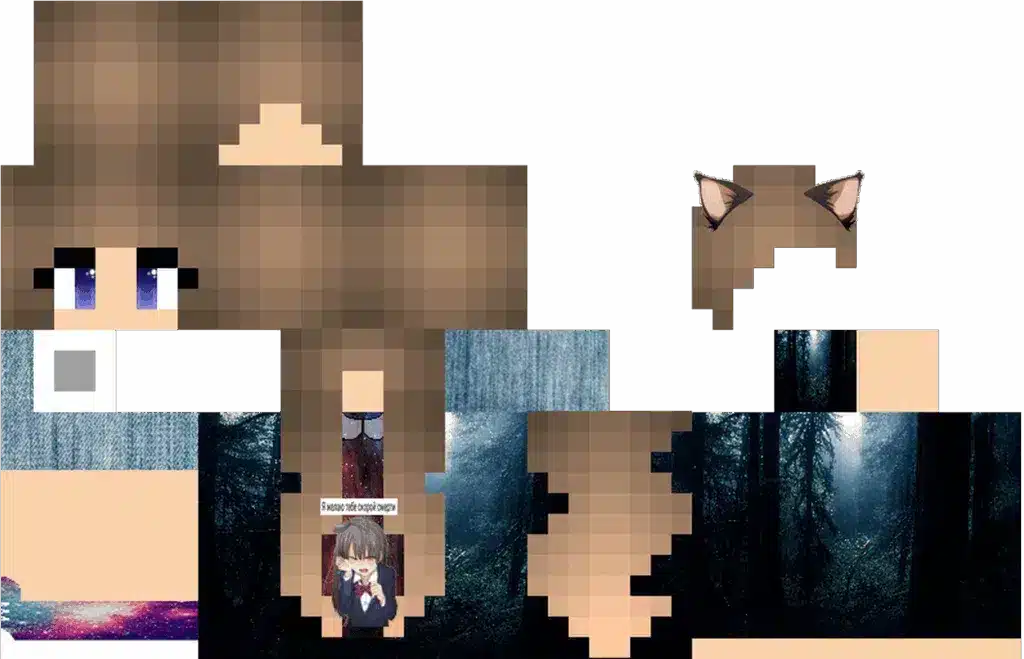
Creating your own skin gives you full control over every detail. You can recreate an outfit you like, build an original character, or combine several styles into one design.
You do not need advanced digital art skills because Minecraft skin textures use small pixel grids rather than large illustrations.
Start with a clear idea
Before editing pixels, decide on the main visual elements.
Think about:
- Skin tone;
- Hair style;
- Hair color;
- Shirt or jacket;
- Pants or skirt;
- Shoes;
- Accessories;
- Main color palette.
A clear concept prevents you from constantly redesigning the skin halfway through.
If you are making a masc girl Minecraft skin, for example, you might choose short hair, an oversized jacket, dark cargo pants, and sneakers before adding smaller details.
Add shading last
Start with flat colors and basic shapes.
Once the main design is correct, use slightly lighter and darker shades to create depth in hair, clothing, and skin.
Too much random shading can make a Minecraft girl skin look noisy. A small number of consistent tones usually works better than trying to create realistic lighting on such a small texture.
Where to Find Girl Minecraft Skins Safely
There are many websites and community platforms offering downloadable Minecraft skins. However, downloading a PNG image should never require you to install unrelated software or provide Minecraft login credentials.
Stick to reputable skin communities and always check what type of file is being downloaded.
A skin should normally be a PNG file
For Java Edition, a traditional custom skin is essentially a properly formatted PNG texture. Mojang’s official guide specifically describes importing the skin as an unwrapped PNG image.
Be cautious if a website asks you to:
- Install an EXE file;
- Enter your Microsoft password;
- Disable antivirus software;
- Download a browser extension;
- Run unknown scripts.
None of these steps are necessary just to download a normal Minecraft skin girl texture.
Preview before using
Always preview the skin on a 3D model if the site provides that option.
Check:
- Front;
- Back;
- Arms;
- Legs;
- Outer layer;
- Classic vs. slim alignment.
This helps catch mistakes before you upload the skin to your Minecraft account.
Best Minecraft Girl Skin Ideas by Style
If you do not know what kind of skin to choose, starting with an overall aesthetic can make searching much easier.
You can then customize colors, hair, and clothing to make the design more personal.
Popular girl skin aesthetics
Some common styles include:
- Cute pastel;
- Casual;
- Streetwear;
- Gothic;
- Fantasy;
- Cottagecore;
- Sporty;
- Cyberpunk;
- Medieval;
- Cozy winter;
- Summer;
- School-inspired.
A cute girl Minecraft skin might use pastel colors and an oversized sweater, while a gothic skin may combine black clothing with dark red or purple details.
A masculine girl Minecraft skin could instead use a simpler palette, cargo pants, hoodie, and short hairstyle.
Mix styles instead of copying one theme
You do not need to follow one aesthetic exactly.
Mixing styles often creates a more memorable character. A fantasy skin can use modern clothing, while a streetwear design can include magical details or unusual colors.
The flexibility of Minecraft Girl Skins is one of the main reasons player customization remains so popular.
Common Minecraft Girl Skin Problems
Most skin problems are easy to fix once you identify whether the issue comes from the file, model type, or game edition.
Do not immediately download another skin if the appearance looks wrong.
Arms look incorrect
If the arm texture appears distorted or misaligned, the skin may have been designed for the slim model while you selected classic, or vice versa.
Return to the skin settings and switch the model type.
Minecraft officially distinguishes the classic model’s wider arms from the slim model’s narrower arms.
Skin does not appear in multiplayer
Sometimes skins may not display correctly because of account, server, cache, connectivity, or platform-specific settings.
Bedrock Edition also has settings related to trusted skins, and support for imported classic skins can differ across devices. Minecraft’s official Character Creator documentation notes that custom skins remain supported on many Bedrock-based platforms.
Restart the game and verify that your selected appearance saved correctly before making additional changes.
FAQ
Here are quick answers to common questions about Minecraft Girl Skins, custom designs, Java Edition, and Bedrock Edition.
What are Minecraft Girl Skins?
Minecraft Girl Skins are cosmetic player textures designed with feminine, cute, black, masc, alternative, or other personalized character styles.
How do I install a Minecraft girl skin?
In Java Edition, open Minecraft Launcher, go to Skins, select New Skin, upload the PNG, choose Classic or Slim, and save it.
Where can I find cute girl Minecraft skins?
Cute girl Minecraft skins are available through community skin sites and editors. Choose reputable sources and download only normal skin PNG files.
Can I use black girl Minecraft skins?
Yes. Black girl Minecraft skins can use different skin tones, hairstyles, clothing, and accessories just like any other custom Minecraft character.
What is a masc girl Minecraft skin?
A masc girl Minecraft skin typically combines a girl character with masculine or androgynous styling such as short hair, hoodies, jackets, or streetwear.
Do Minecraft skins affect gameplay?
No. Skins and Character Creator items are cosmetic and do not provide gameplay advantages.
Customize Minecraft Girl Skins and Play Smoother With ExitLag
Choosing Minecraft Girl Skins lets you create a character that fits your style, whether you prefer cute, black, masc, fantasy, streetwear, or completely original designs. Java and Bedrock both provide customization options, although the exact skin workflow differs between editions.
If latency, packet loss, or unstable routing affects your Minecraft multiplayer sessions, ExitLag can help optimize your connection route for supported gameplay.
Try ExitLag and enjoy Minecraft multiplayer with your favorite skin and a more optimized connection!
Got questions or want to connect with other players? Join the conversation at the ExitLag Forum!