

Minecraft maps can mean several different things: the map item used to navigate your world, custom downloadable worlds created by the community, or online tools that visualize everything generated by a specific seed.
Minecraft maps are useful whether you are exploring Survival mode, looking for structures, planning a large build, or searching for a new community adventure. Understanding the differences between map items, seed maps, and custom worlds makes it much easier to find exactly what you need.
Minecraft maps are tools and worlds that help players explore, visualize, or experience Minecraft in different ways. A regular map records terrain around the player, a seed determines world generation, and custom maps can transform Minecraft into adventures, minigames, puzzles, or entirely new experiences.
Minecraft Maps: What Are They and How Do They Work?
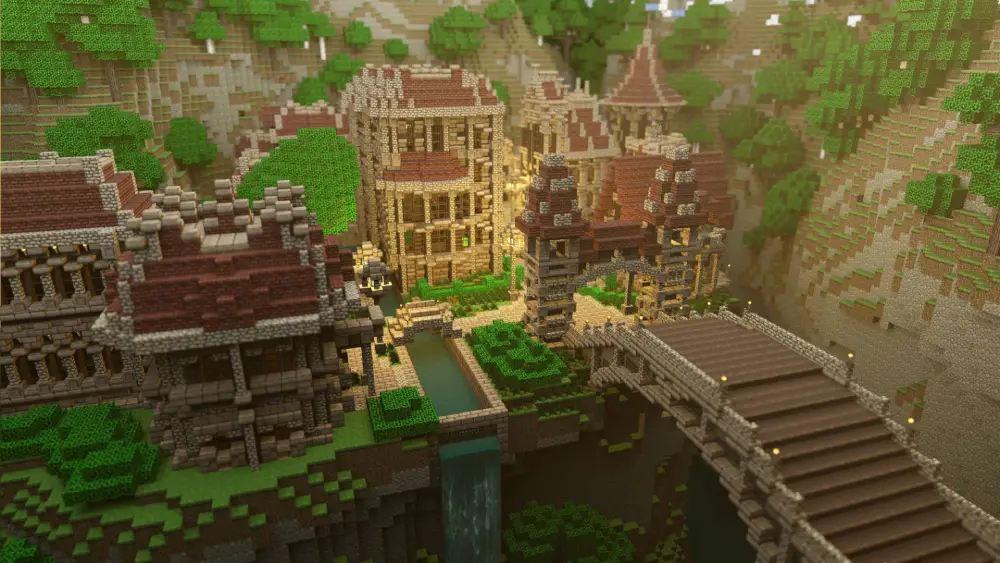
The term Minecraft maps is broad because players use it to describe several different features.
A player searching for navigation may want an in-game map item, while another player searching online may actually want a seed viewer or a downloadable custom world.
In-game maps show explored terrain
A normal map is an item that records terrain as you explore.
When you hold and use a map, it begins displaying the surrounding area from a top-down perspective. As you move through previously unexplored terrain, additional sections of the map are revealed.
Maps are especially useful for:
- Remembering where you have explored;
- Planning large builds;
- Navigating between settlements;
- Tracking explored regions;
- Creating map walls;
- Sharing geographical information with other players.
Minecraft's Cartography Table can also be used for map-related functions. Mojang introduced it as a simpler way to clone, extend, and lock maps.
As a result, Minecraft maps can become much more than a basic navigation tool.
Explorer maps help locate structures
Explorer maps point toward specific structures or locations instead of simply showing your immediate surroundings.
Traditionally, these maps have helped players locate rare destinations such as Woodland Mansions and Ocean Monuments.
Minecraft Java Edition 26.3 expanded and reorganized the Explorer Map system, including additional structure-related maps and updated names for several existing types.
This makes exploration maps particularly useful when you want a destination rather than wandering randomly.
10 Famous Minecraft Maps LOST to Time
Minecraft Seed Map: Understand Your World Before Exploring
A Minecraft seed map is different from the map item you hold inside the game.
Every Minecraft world is generated from a seed. That seed determines major aspects of world generation, including terrain, biome placement, and structures.
What is a Minecraft world seed?
A seed is the value Minecraft uses when generating a world. If two players use the same compatible seed and game version, they can generate worlds based on the same underlying layout.
Minecraft supports large numeric seed values, and Bedrock has supported 64-bit seeds while improving world-generation parity with Java Edition.
This is why players regularly share interesting seeds online. A good seed might place you near:
- Villages;
- Mountains;
- Cherry Groves;
- Ocean Monuments;
- Desert structures;
- Strongholds;
- Interesting cave systems;
- Unusual biome combinations.
For many players, Minecraft maps begin before the world is even created because choosing the right seed can determine the entire adventure.
What does a seed map Minecraft tool do?
The search phrase seed map Minecraft usually refers to an external seed visualization tool. These tools use the world's seed to display an approximate overview of generated biomes, terrain, and structures.
Depending on the tool and version support, a seed map may help you identify:
- Biomes;
- Villages;
- Strongholds;
- Ancient Cities;
- Ocean Monuments;
- Trial Chambers;
- Nether structures;
- Other generated locations.
However, third-party seed viewers are not the same as official Minecraft maps.
World generation can also change between Minecraft versions, so always configure the viewer for the correct edition and version before relying on its results.
Minecraft Map Seed: How to Use Seeds
The phrase Minecraft map seed normally refers to the seed associated with a particular Minecraft world.
Using the same seed is one of the easiest ways to recreate an interesting starting environment.
How to enter a Minecraft seed
The basic process is straightforward:
- Open Minecraft;
- Choose to create a new world;
- Open the world or advanced settings;
- Find the Seed field;
- Enter the seed value;
- Configure your preferred game settings;
- Create the world;
- Explore the generated terrain.
Bedrock Edition also includes a Seed Picker that offers predefined seeds designed to generate the player near certain biomes or world features.
This is especially useful for players who want a particular environment without searching online for seed numbers.
Java and Bedrock seeds can still differ
World-generation parity between Java and Bedrock has improved significantly.
However, players should not assume that every element of the world will always be identical between editions.
Terrain can be closely related while structures, spawn behavior, or other game systems may differ depending on edition and version.
Therefore, when sharing Minecraft maps or seeds, always include:
- Seed number;
- Minecraft version;
- Java or Bedrock Edition;
- Relevant coordinates.
That makes the information much easier for another player to reproduce.
Map Minecraft PC: Java and Bedrock Options
Players searching for map Minecraft PC may be looking for either Java Edition or Bedrock Edition.
On Windows PC, Minecraft currently includes access to both Java and Bedrock editions through the PC package.
Minecraft Java Edition maps
Java Edition has a long history of community-created custom maps.
Creators have built everything from story-driven adventures to complex minigames and technical demonstrations.
Common categories include:
- Adventure maps;
- Survival maps;
- Puzzle maps;
- Parkour maps;
- Horror maps;
- Minigames;
- World templates;
- Creative showcases.
Mojang's Java Realms Content Creator Program has supported community-created maps such as minigames and world templates for years.
In 2026, Mojang's Atlas system also remains part of the submission process for creators who want their Java maps considered for Realms publication.
Minecraft Bedrock Edition maps
Bedrock players can access community-made content through Minecraft Marketplace and Marketplace Pass, depending on the content and platform.
Bedrock maps may include:
- Adventure worlds;
- Survival challenges;
- Minigames;
- Custom environments;
- Themed worlds;
- Multiplayer experiences.
The installation process can differ from Java because Bedrock content can use packaged world files or Marketplace integration.
For that reason, always make sure a custom map is designed for your edition.
Maps From Minecraft: Different Types You Can Play
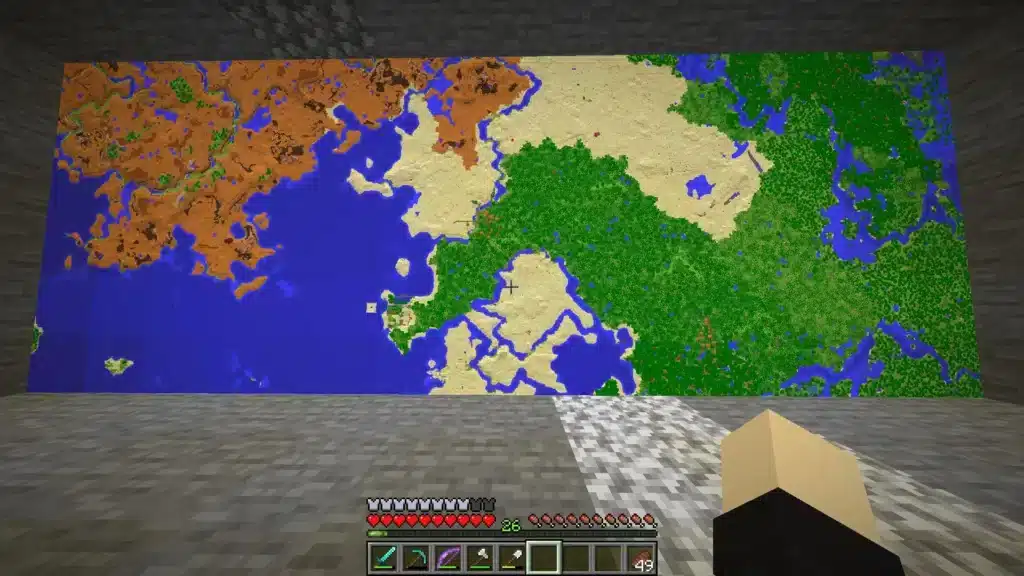
Not all maps from Minecraft are simply worlds designed for Survival mode. The community has transformed Minecraft into a platform for many different styles of gameplay.
Adventure and story maps
Adventure maps usually guide players through a structured experience.
Instead of freely progressing through Survival mode, you may follow objectives, solve puzzles, talk to characters, or explore specially designed environments.
These maps may include:
- Custom storylines;
- Scripted events;
- Boss encounters;
- Puzzles;
- Hidden areas;
- Custom resource packs.
Some can feel almost like separate games built inside Minecraft. This variety is one of the strongest reasons Minecraft maps remain popular.
Parkour, puzzle, and minigame maps
Other maps focus on a single gameplay mechanic.
Parkour maps challenge movement skills, while puzzle maps require observation and logic.
Minigame maps can transform Minecraft into activities such as racing, PvP arenas, escape challenges, or cooperative competitions.
Therefore, players searching for maps maps for Minecraft may find experiences that have very little in common with traditional Survival mode.
Minecraft Map Minecraft: Using Maps for Survival Exploration
Although custom worlds are popular, the traditional Minecraft map Minecraft item is still extremely useful in Survival.
Learning to use it properly can make long-distance exploration much easier.
Create maps before long journeys
When exploring far away from your base, maps help create a visual record of the terrain.
You can also combine them with coordinates, landmarks, signs, and other navigation methods. A good exploration kit may include:
- Maps;
- Compass;
- Food;
- Bed;
- Tools;
- Blocks for markers;
- Coordinates of your base.
Minecraft maps become particularly useful when exploring multiple neighboring regions.
You can eventually create a map wall showing a much larger area.
Use a Cartography Table
A Cartography Table provides dedicated map functions. Historically, it has allowed players to clone maps, expand their coverage, and lock completed maps so they no longer update.
Current Java Edition 26.3 also distinguishes which map types can be extended. Explorer Maps and Buried Treasure Maps can no longer simply be zoomed out in the same way as ordinary extendable maps.
This matters when planning a large mapping project.
The table below summarizes the major types discussed in this guide.
|
Map Type |
Main Purpose |
Where You Use It |
|
Regular Map |
Record explored terrain |
Inside Minecraft |
|
Explorer Map |
Locate specific destinations |
Inside Minecraft |
|
Seed Map |
Visualize world generation |
Usually third-party tools |
|
Custom Map |
Play creator-made experiences |
Java, Bedrock, or Realms |
|
Map Wall |
Display explored regions |
Player-built base |
|
World Template |
Start from a prepared world |
Marketplace or Realms |
Knowing which one you need prevents confusion when searching for Minecraft maps online.
Maps Para Minecraft and Downloadable Worlds
Players may also search using phrases such as maps para Minecraft, especially when looking for downloadable community content.
Custom map availability is enormous, but downloading random files requires caution.
Download maps from trusted sources
A custom Minecraft world is a file that will ultimately be opened on your device.
For that reason, avoid suspicious download pages, misleading buttons, executable installers, or files that claim you must disable security protections.
Mojang's own Realms map-submission guidelines recommend reputable file-hosting services for creators and warn that other file-sharing sites may contain harmful advertising.
Before downloading, check:
- Creator reputation;
- Map version;
- Required Minecraft edition;
- Installation instructions;
- Required resource packs;
- Recent comments or updates.
A map designed for an older version may not work correctly in a newer release.
Back up existing worlds
Always protect your important Minecraft worlds before experimenting with downloaded content. A backup is particularly useful if you plan to:
- Convert worlds;
- Update old maps;
- Install additional content;
- Move files manually;
- Open a world in another version.
Mojang also highlights Chunker as an open-source community tool that can convert worlds between Java and Bedrock and target specific versions, although Minecraft notes that Chunker itself is not a Mojang or Microsoft product.
Backups give you a way to recover if something does not behave as expected.
Minecraft for Maps: Best Ways to Explore
The awkward search phrase Minecraft for maps generally points toward players trying to find better ways to explore or visualize a Minecraft world.
There are several options depending on how much information you want.
Use maps without spoiling exploration
Some players prefer not to know what exists beyond the horizon. In that case, regular in-game Minecraft maps are ideal.
They reveal terrain only as you explore it, preserving the discovery element that defines Survival mode. Explorer Maps can give you more direction without showing the entire world at once.
That creates a balance between exploration and guidance.
Use seed tools when planning matters more
A Minecraft seed map is more useful when you need information before traveling. For example, you may be planning:
- A multiplayer server;
- A massive build;
- A biome-based project;
- A technical world;
- A long-distance transportation network.
Knowing where major biomes or structures are located can reduce hours of unnecessary searching.
The trade-off is that you lose some of the surprise of discovering the world naturally.
Best Ways to Organize Minecraft Maps
Mapping a large world can quickly become confusing. A little organization makes navigation much easier, especially in multiplayer worlds.
Build a map wall
A map wall is one of the most useful ways to visualize your surroundings. Create multiple neighboring maps, fully explore them, and place them in item frames.
As you add more sections, the wall becomes a large representation of your Minecraft world.
This works especially well for:
- Multiplayer bases;
- Kingdom builds;
- Transportation planning;
- Exploration hubs;
- Long-term Survival worlds.
Minecraft maps can therefore become part of your base decoration while remaining genuinely useful.
Label important coordinates separately
Maps do not replace coordinates. Keep a written list of important locations such as:
- Main base;
- Villages;
- Strongholds;
- Trial Chambers;
- Farms;
- Nether portals;
- Ancient Cities;
- Rare biomes.
This gives you a second navigation system if a map is lost. In multiplayer, shared coordinates also make it easier for everyone to reach the same location.
Common Minecraft Maps Mistakes
Maps are simple once you understand them, but several mistakes can make exploration unnecessarily difficult. Knowing them in advance can save time.
Using the wrong version for a seed
A seed may generate differently when used in a different Minecraft version. World-generation updates can change terrain or structure placement.
Always verify the version before using a Minecraft map seed found online. The same rule applies to third-party seed visualization tools.
Installing a map for the wrong edition
A Java map is not automatically a Bedrock map. Although conversion tools exist, the editions use different formats and systems.
Check compatibility before downloading. This is especially important for maps with:
- Commands;
- Redstone systems;
- Custom resources;
- Add-ons;
- Java-specific mechanics.
Installing the correct version reduces errors and missing content.
FAQ
Here are quick answers to common questions about Minecraft maps, seeds, custom worlds, and exploration.
What are Minecraft maps?
Minecraft maps can refer to in-game navigation items, Explorer Maps, seed visualization tools, or custom worlds created by the community.
What is a Minecraft seed map?
A Minecraft seed map is usually a tool that visualizes the terrain, biomes, and structures generated from a specific world seed.
How do I find my Minecraft map seed?
Open your world's settings or use the appropriate seed command where permitted. The exact method depends on your Minecraft edition and world permissions.
Can I download maps for Minecraft?
Yes. Custom maps from Minecraft creators can be downloaded or accessed through platforms such as Realms and Minecraft Marketplace, depending on edition.
Do Java Minecraft maps work on Bedrock?
Not directly in most cases. Java and Bedrock use different world formats, although compatible world-conversion tools can sometimes convert them.
What is the best map for Minecraft PC?
The best map Minecraft PC option depends on your goal: Survival exploration, adventure maps, parkour, puzzles, minigames, or seed visualization.
Explore Minecraft Maps With ExitLag
Whether you use Minecraft maps to navigate Survival worlds, explore custom adventures, or play online with friends, understanding maps and seeds can make exploration much easier. Choose the right map type for your edition and always check compatibility before installing community content.
If network latency, packet loss, or unstable routing affects your Minecraft multiplayer sessions, ExitLag can help optimize your connection route for supported gameplay.
Try ExitLag and enjoy exploring Minecraft maps with a more optimized online connection!


