Modern Warfare 4 matchmaking not working can leave you searching for a lobby much longer than expected, watching the latency range increase without ever joining a match. The problem can come from Call of Duty services, your local connection, ISP routing, player availability, or an account restriction affecting matchmaking.
Finding the cause matters because Modern Warfare 4 matchmaking not working does not automatically mean your account is shadow banned. High ping and endless searches can have several explanations, so checking service status, connection quality, and account status in the right order is more useful than assuming a 200ms search confirms a restriction. And before we continue, know that to know more about all the relevant content about gaming, you just have to check our blog.
Why is Modern Warfare 4 matchmaking not working?
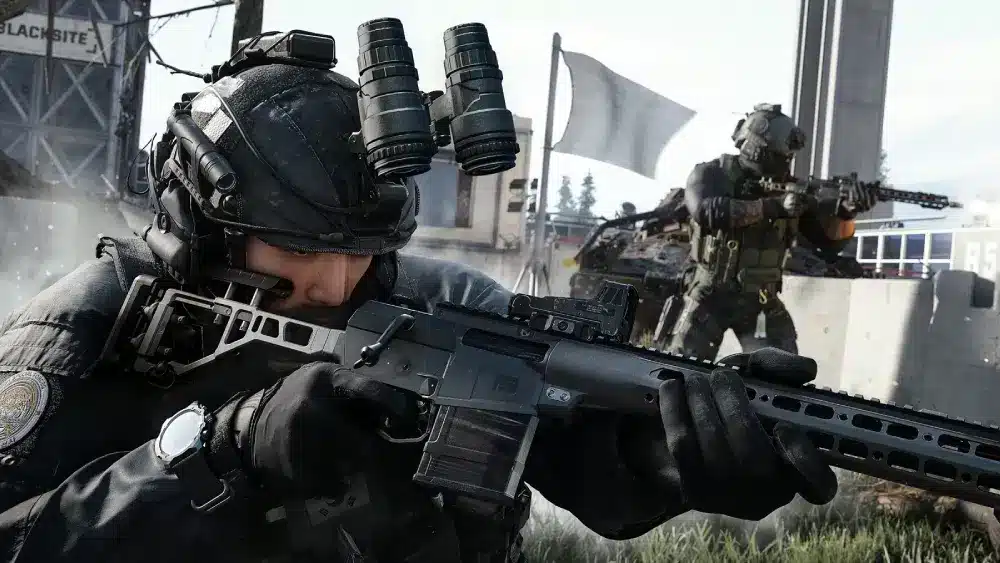
Modern Warfare 4 matchmaking not working means the game is unable to place you into an appropriate online lobby within the expected time, or matchmaking repeatedly fails before a match begins. Modern Warfare 4 is developed by Infinity Ward and published by Activision, and its online modes depend on matchmaking services plus a stable connection between your system and Call of Duty infrastructure.
The cause can be on Activision’s side or somewhere within your own connection. Service disruptions, unstable Wi-Fi, packet loss, ISP latency, network congestion, and difficulty finding suitable nearby players can all interfere with the experience.
An account restriction is another possibility, but it should not be your first assumption. Activision uses the term “limited matchmaking” for a specific account state, and checking official account status is more reliable than diagnosing it from ping alone.
Check MW4 server status first
When matchmaking suddenly stops working, check Call of Duty service status before changing network settings. Activision recommends checking whether services are online as an early step when troubleshooting connectivity problems.
If there is an active service alert, repeatedly restarting your router or reinstalling the game is unlikely to address the actual problem. Instead, wait until the service returns to normal and then test matchmaking again.
If services appear operational, use a simple troubleshooting order:
- Check Call of Duty online service status.
- Look for platform-specific connectivity problems.
- Restart matchmaking and test another search.
- Check your local internet connection.
- Reduce unnecessary network traffic.
- Investigate account status if abnormal matchmaking continues.
This order is particularly useful when MW4 stuck searching for match symptoms appear suddenly after the game previously worked normally. It prevents players from immediately making unnecessary changes to their network or account.
Connection problems that can stop matchmaking
A working internet connection does not automatically mean your network is ideal for matchmaking. Activision’s MW4 performance guidance identifies latency and packet loss as important factors in online gameplay.
Wi-Fi can also introduce instability. Wireless performance varies because of interference, router distance, walls, and other devices using the same network. Activision recommends wired Ethernet for online play when possible because it provides a more direct local connection.
Before searching again, try reducing common network problems:
- Pause game downloads and large system updates.
- Stop unnecessary video streaming.
- Close bandwidth-heavy background applications.
- Test Ethernet instead of Wi-Fi when possible.
- Check whether other devices are saturating the network.
- Restart network equipment if the connection itself is unstable.
These steps are especially relevant if matchmaking problems appear alongside rubber banding, disconnects, or inconsistent latency. If other online games are also struggling, the problem may extend beyond MW4.
MW4 stuck searching for match: what does it mean?
An MW4 stuck searching for match problem means matchmaking continues searching without successfully placing you in a suitable lobby. Sometimes the search range may expand while the game attempts to find additional players or acceptable matchmaking conditions.
This behavior does not have one universal cause. Player availability, latency, network conditions, service disruptions, and account restrictions can all affect how matchmaking behaves.
Activision explains that Call of Duty matchmaking attempts to connect geographically nearby players to reduce the impact of ping. If suitable nearby players are difficult to find or your ISP connection introduces high latency, matchmaking conditions can become less favorable.
Why matchmaking can take longer than normal
Matchmaking time can vary between sessions. The number of available players, playlist conditions, geographic location, connection quality, and current service conditions can all influence the search.
For that reason, one slow matchmaking attempt is not enough to diagnose an account problem. Compare multiple searches and check whether the issue affects every playlist or appears only under specific conditions.
The situation deserves more attention when matchmaking suddenly behaves very differently from your normal experience. If searches repeatedly expand to unusually high latency while friends in the same region are finding matches normally, checking both your connection and Activision account status becomes reasonable.
What to try when MW4 cannot find a lobby
Start with low-risk troubleshooting. Cancel the search, wait briefly, and begin matchmaking again. Then verify service status and make sure large downloads or other bandwidth-heavy applications are not competing with the game.
If you use Wi-Fi, test Ethernet when available. You can also restart your router if your home connection has become unstable, but avoid repeatedly changing advanced settings without evidence that they are responsible.
Players encountering MW4 200ms ping during searches should pay particular attention to the distinction between latency and account status. A high matchmaking latency threshold can look suspicious, but it is not official proof that an account has entered limited matchmaking.
MW4 200ms ping while searching for a match
Seeing MW4 200ms ping during matchmaking can make it seem as though the game is searching far outside your normal region. High latency can certainly produce a poor multiplayer experience, but the number alone does not reveal why matchmaking reached that range.
Activision explains that latency is affected by geographic distance and ISP quality. Matchmaking also tries to find geographically nearby players, so player availability and network conditions can influence the search.
Does 200ms ping mean you are shadow banned?
No official Activision policy states that a 200ms matchmaking search automatically confirms an MW4 shadow ban. Treating that number as definitive proof can lead players to misdiagnose normal connection or matchmaking problems.
Activision’s official terminology is limited matchmaking. If you suspect an account restriction, the reliable next step is checking your account through Activision’s official enforcement status system rather than relying on a specific ping threshold.
Why matchmaking ping keeps increasing
An expanding ping range can indicate that matchmaking is searching under broader conditions after failing to find an appropriate match immediately. However, high ISP latency or other connection problems can also affect the latency you experience.
First eliminate service and local network problems. If Modern Warfare 4 matchmaking not working continues while your connection appears stable and other players nearby are finding matches normally, checking Activision’s account status can help determine whether limited matchmaking is involved.
ExitLag can drastically improve your gameplay for an accessible price. To know more, check our pricing page.
MW4 shadow ban: how limited matchmaking actually works
An MW4 shadow ban is the community term commonly used when an account appears to have restricted matchmaking. Activision officially calls this state “limited matchmaking,” and that distinction matters because unusually long searches or high ping alone do not confirm that an account has been restricted.
Under Activision’s enforcement policy, an account suspected of violating its security rules may be placed into limited matchmaking. In that state, matchmaking can operate differently while the account is reviewed, so normal connection troubleshooting may not solve the problem.
What is limited matchmaking in MW4?
Limited matchmaking can place affected accounts into a restricted matchmaking pool. Activision also states that players who join a party with an account in limited matchmaking may experience restricted matchmaking while they remain grouped with that player.
This creates an important diagnostic clue. If friends normally find matches without problems but experience unusual searches only while grouped with one specific account, checking that account’s official status is more useful than assuming everyone suddenly developed a network issue.
However, this should still not be diagnosed from MW4 200ms ping alone. High latency can have network-related causes, while limited matchmaking is an account status that should be verified through Activision.
How to check your MW4 account status
Activision provides an official account enforcement and ban appeal system. Signing in there allows players to check whether an eligible Call of Duty account has an active enforcement status.
Depending on the situation, the system can provide information related to limited matchmaking or other enforcement actions. If your account is under review, follow Activision’s official instructions rather than attempting workarounds designed to bypass the restriction.
Activision does not provide a guaranteed universal duration for every limited matchmaking case. Therefore, avoid guides promising that an MW4 shadow ban will always disappear after a specific number of hours or days.
How to fix Modern Warfare 4 matchmaking not working
Fixing Modern Warfare 4 matchmaking not working requires matching the solution to the cause. An Activision outage, unstable Wi-Fi, inefficient ISP route, and limited matchmaking are four different problems, even though all of them can result in frustrating lobby searches.
The table below provides a quick diagnostic path.
| Problem | Likely area | First action | Can ExitLag address it? |
| MW4 service outage | Activision services | Check service status | No |
| Unstable Wi-Fi | Local network | Test Ethernet | Routing issues only |
| High ISP latency | Network route | Test connection and routing | Potentially |
| Limited matchmaking | Account status | Check Activision account status | No |
| Account enforcement | Activision account | Follow official support process | No |
This distinction prevents players from applying a network solution to an account problem. Likewise, an account-status check will not repair packet loss or an inefficient ISP route.
Fix connection and routing problems first
If Activision services are online and your account status is normal, focus on the network. Start with Ethernet when possible, stop unnecessary downloads, and check whether other devices are creating congestion.
For an MW4 stuck searching for match problem accompanied by high latency, test several matchmaking sessions under stable network conditions. If ping remains unusually high, the route between your ISP and Call of Duty infrastructure may deserve closer attention.
Do not confuse route optimization with bypassing matchmaking rules. Improving a network path can address connection-related latency, but it does not alter Activision account enforcement or guarantee access to a particular matchmaking pool.
How ExitLag can help with MW4 connection problems
For PC players, ExitLag can help when Modern Warfare 4 matchmaking not working is accompanied by network instability caused by inefficient routing. Real-Time Optimization analyzes connection routes while Multipath Connection can use multiple simultaneous paths to improve stability when network conditions change.
ExitLag also includes Traffic Shaper and other connection-focused technologies designed for gaming traffic. These features can be useful when packet delivery, routing, or ISP-related latency is contributing to an unstable online experience.
However, ExitLag cannot remove an MW4 shadow ban, bypass limited matchmaking, overturn a suspension, or repair an Activision service outage. Those situations must be handled through Activision’s systems.
ExitLag supports PC and Mobile, not consoles. Players on PlayStation, Xbox, or Nintendo hardware should use standard connection troubleshooting and official Activision support when investigating matchmaking problems.
Frequently asked questions (FAQ)
Modern Warfare 4 can remain in matchmaking because of service problems, network instability, high latency, player availability, or limited matchmaking. Check service status and your connection first, then investigate account status if the unusual behavior continues.
No. Activision does not state that MW4 200ms ping automatically means an account is shadow banned. High search latency can be suspicious when combined with other unusual behavior, but only the official account status provides stronger evidence of limited matchmaking.
Sign in to Activision’s official enforcement and ban appeal system and review your account status. Activision uses “limited matchmaking” rather than shadow ban as its official terminology.
Activision does not provide one guaranteed duration that applies to every case. Accounts under review can have different outcomes, so check your status periodically rather than relying on unofficial countdowns shared online.
ExitLag can help with connection-related problems such as inefficient routing or network instability on PC. It cannot fix an Activision outage, remove limited matchmaking, or bypass account enforcement.
Different account status, location, ISP routing, and local network conditions can produce different matchmaking experiences. If your friends find matches normally while your searches consistently behave differently, test your connection and check your Activision account status.
In conclusion
When matchmaking fails, start with Activision service status before changing your setup. Then test Ethernet, reduce network congestion, investigate high latency, and check your account status if searches remain abnormal. Most importantly, do not treat 200ms ping as automatic proof of an MW4 shadow ban.
For legitimate network problems on PC, ExitLag can optimize gaming routes and improve connection stability when inefficient routing is part of the issue. Account restrictions still require Activision’s official process, making correct diagnosis the most important step when dealing with Modern Warfare 4 matchmaking not working. Download ExitLag now!
Got questions or want to connect with other players? Join the conversation at the ExitLag Forum!