When players search desperately for solutions to bolded Otserv Lag problems, what they want is simple: stability, smooth gameplay, and zero interruptions. Nothing is more frustrating than seeing your character freeze mid-battle or losing progress because your commands take too long to reach the server. Therefore, identifying the real cause of instability is essential before applying a reliable fix.
However, many Otserv fans mistakenly assume that their internet connection is the root of the problem, even when the real issue often lies elsewhere. Lag can hit even the best setups, especially in games heavily dependent on server communication like OT servers. Like this, understanding what creates these delays including how bolded Otserv Lag affects response time and stability will help you eliminate them permanently.
Finally, once you understand what triggers lag spikes, especially the patterns behind bolded Otserv Lag, you can choose a solution designed specifically for routing optimization, something traditional internet providers simply do not deliver. That is where ExitLag becomes a final, effective answer to modern connectivity issues in multiplayer environments.

What is lag in Otserv
Lag in Otserv refers to the delay between your action and the server’s response. When you move, attack, or use a spell, the command travels through several networks before reaching the game server. If any part of this route becomes unstable or congested, the response slows down and the game feels delayed.
This type of lag often appears as:
- delayed spells or commands
- sudden character teleportation
- frozen monsters or desync
- unstable ping variations during gameplay
Therefore, the cause is not always raw internet speed. It is usually about how efficiently your data travels.
Why lag happens even with good internet
Even players with high-quality connections suffer from lag because the problem frequently happens in the route chosen by the ISP. Your internet provider does not pick the shortest or most efficient path instead, it selects automatic routes that can be slower or crowded.
However, when these paths pass through unstable nodes, packet loss increases. Packet loss is when parts of your data never reach the server, causing freezing or rubberbanding.
Like this, imagine your internet packets stuck in “digital traffic.” You press a key, but the server only receives the command seconds later. That’s the exact dynamic behind OT server lags, especially in high-population servers.
Lag, ping, and fps: quick differences
Many players confuse lag with FPS issues. Therefore, here is a simple breakdown:
| Term | Meaning | Cause |
| Lag | delay between action and server response | network route issues |
| Ping | time for data to travel back and forth | distance + routing |
| FPS | frames per second (graphics performance) | hardware, graphics load |
Understanding this helps you identify where the real issue is: network routing, not your PC.

The real reason bolded Otserv Lag happens
In the middle of any Otserv match, your connection might jump from stable to unplayable. This occurs because the server depends on consistent communication. When your ISP switches paths or uses overloaded routes, your commands take longer to reach the server.
However, advanced routing improves this by ensuring your signal travels through the best possible path every time. This is exactly why tools like ExitLag exist.
Exitlag as the solution
What if you could manually choose the fastest and most stable route instead of relying on automatic ISP decisions? ExitLag does exactly that.
ExitLag is a routing optimization software that uses:
- multi-route technology
- intelligent tunneling
- load balancing to avoid congested paths
Therefore, it stabilizes your connection by ensuring packets always take the shortest, cleanest, and fastest routes to the Otserv lag server you are playing on.
Benefits of using ExitLag for Otserv
Lower and stable ping
Your commands reach the server faster, improving responsiveness.
Reduced packet loss
Your spells, movements, and actions register consistently, even during peak hours.
Smoother gameplay in crowded areas
War zones, bosses, and high-traffic maps stop causing freeze spikes.
Simple and intuitive interface
You select the game, apply routes, and start playing — no advanced setup required.
How to use ExitLag in Otserv
The process is extremely simple:
Step 1 – Access the official ExitLag website and download the application. There’s a free trial period for new users.
Step 2 – Install and open the program. Log in with your account.
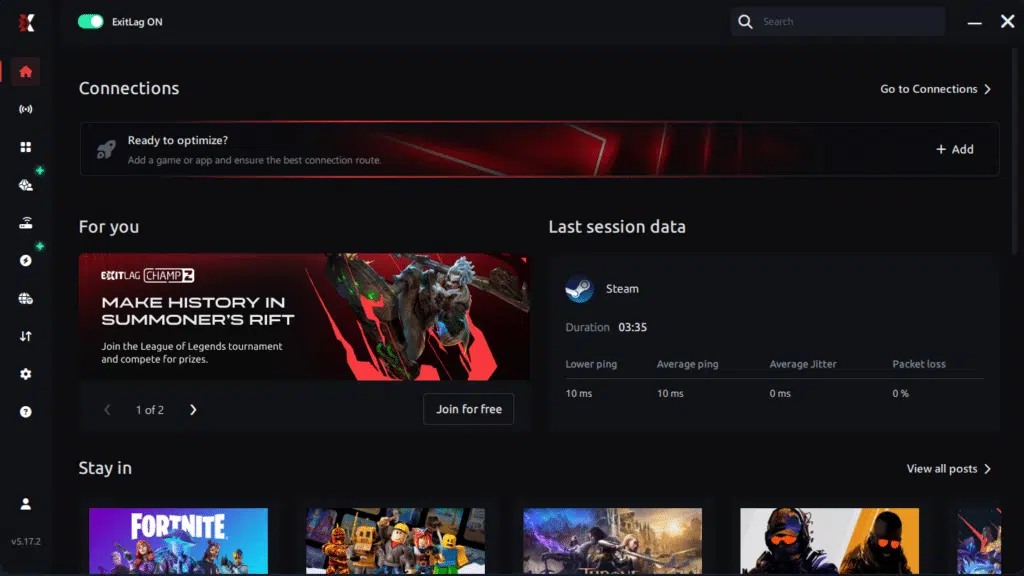
Step 3 – In the search bar, type “Otserv” and select the game from the list.
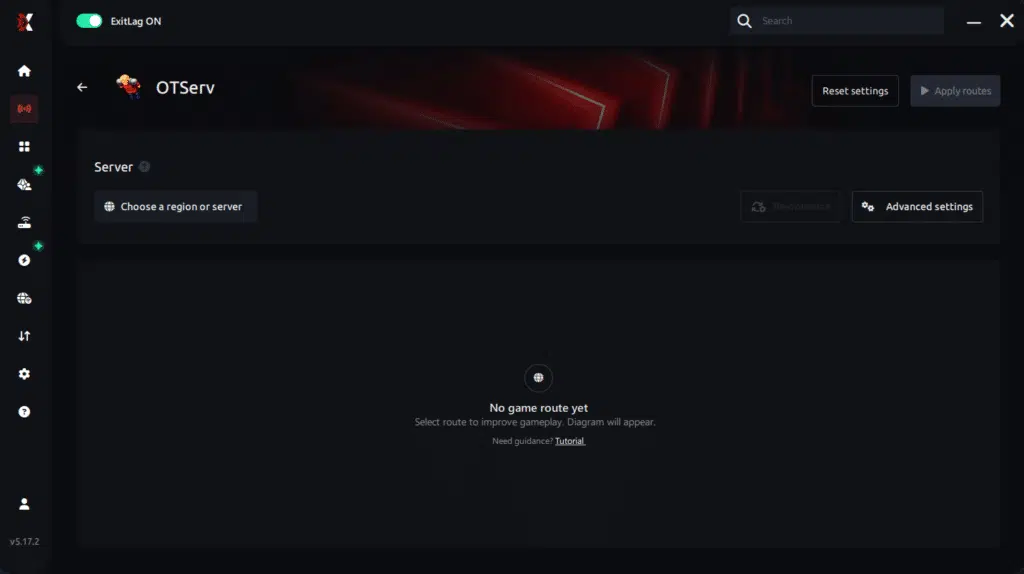
Step 4 – Choose between automated or manual route
Based on the results, you can let ExitLag automatically select the best route or manually choose the server that showed the lowest latency for your connection.
AI-optimized automated route
Based on the results, you can let ExitLag automatically select the best route through AI optimization. The system analyzes multiple connection paths in real time and automatically identifies the most efficient route for your connection, ensuring the lowest possible latency without requiring manual choices.
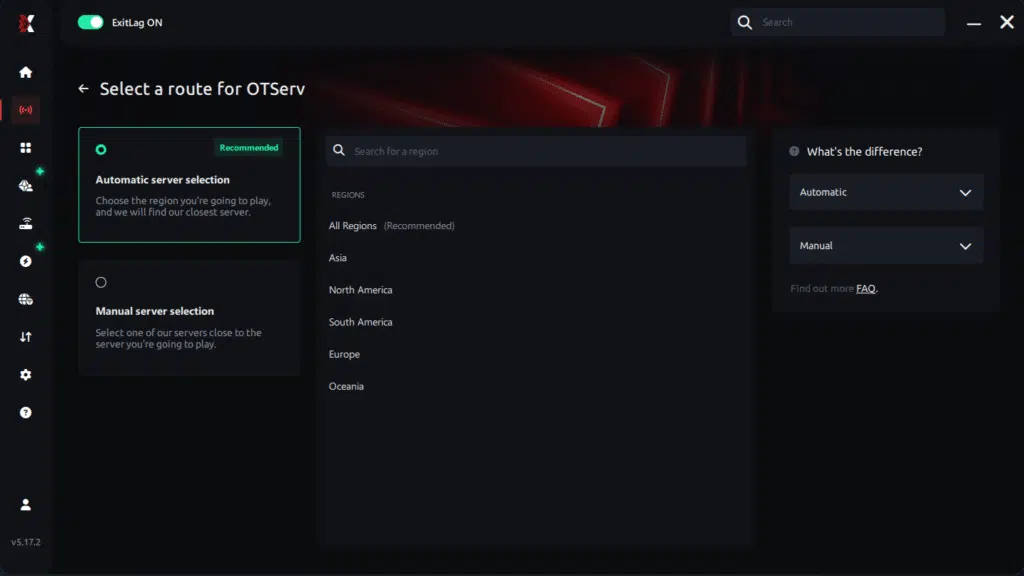
Manual route
If you prefer to have full control over your connection, you can manually choose the server based on the ping test results. Simply select the server that showed the lowest latency or the one that best meets your specific gaming needs, allowing complete customization of your experience.
Step 5 – Click “Otserv” or the play button. ExitLag will begin optimizing your connection automatically.

Step 6 – Wait a few seconds until optimization is complete. You’ll see ping indicators in the interface.
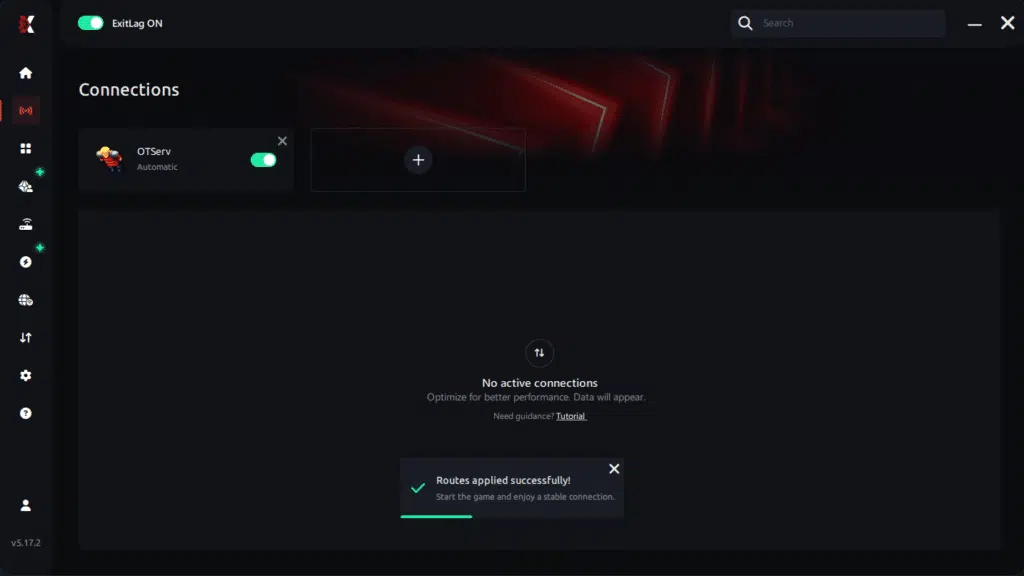
Step 7 – Launch Otserv normally. The optimization will already be active.
ExitLag runs in the background while you play, constantly adjusting routes to maintain the best possible performance.
Fix bolded Otserv Lag now
If you are tired of freeze spikes, unstable fights, or losing PvP battles due to connection delays, you no longer need to rely on chance or unstable routing. ExitLag offers a direct, optimized path between your PC and the Otserv lag server, guaranteeing stability, reduced ping, and fluid gameplay like never before.
Finally, stop letting lag control your progress. Start your free ExitLag trial now and experience Otserv with maximum performance and zero interruptions.
Got questions or want to connect with other players? Join the conversation at the ExitLag Forum!