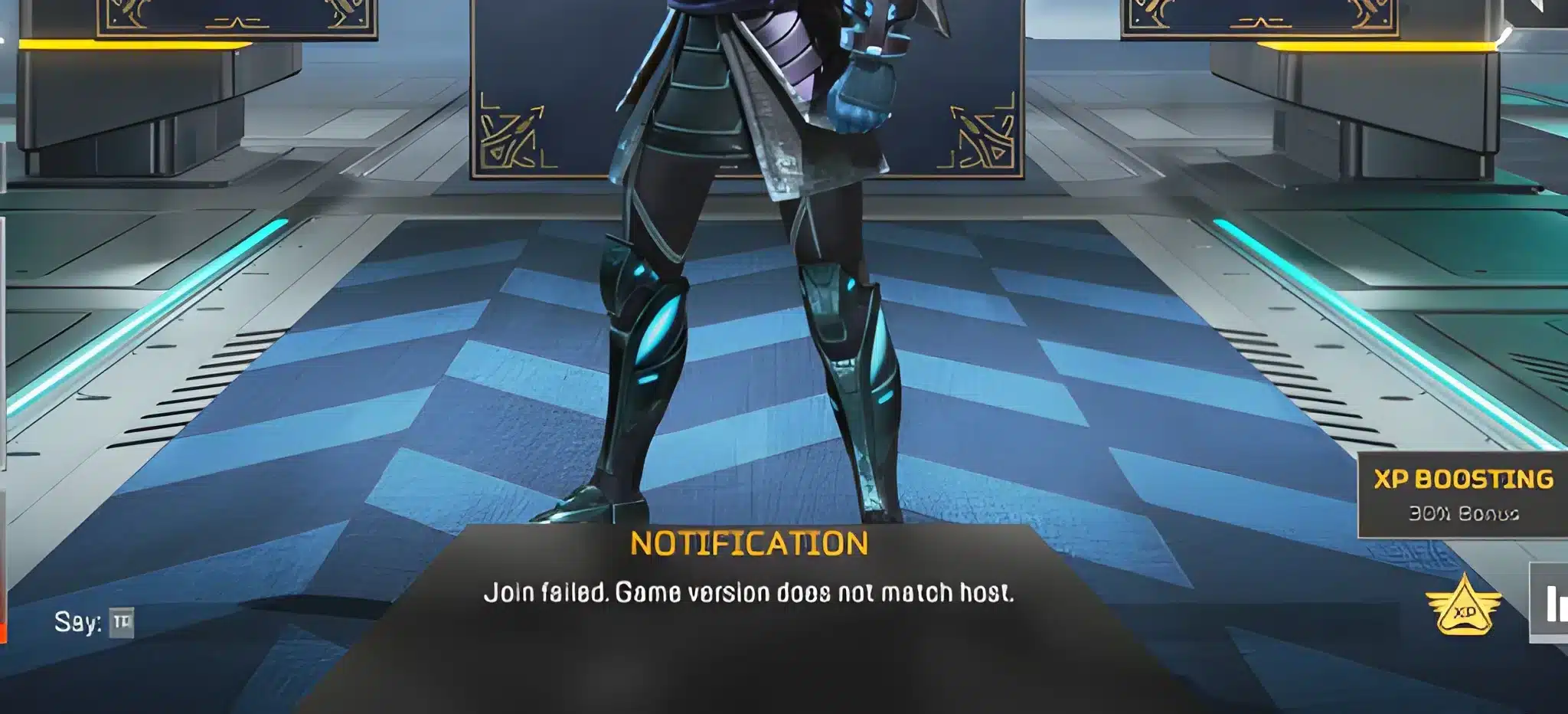
Experiencing packet loss Apex Legends problems can ruin even the most intense matches, especially when every second determines whether you win the fight or get eliminated. Many players search for ways to fix packet lossApex Legends because sudden teleporting enemies, delayed abilities, and unresponsive commands make ranked matches feel impossible. Therefore, if you’ve tried everything from restarting your router to lowering graphics but still face instability, you’re not alone.
However, before applying the right solution, it’s essential to know what truly causes Apex Legends connection issues and why packet loss behaves differently from ping spikes or FPS drops. When packets of information never reach the server, the game receives incomplete actions, causing serious gameplay disruptions. Like this, you may experience rubberbanding, broken hit registration, and freezes even if your internet seems fine.
Finally, understanding the root cause of Apex Legends lag allows you to make informed decisions regarding your setup. Whether you aim to reduce packet loss Apex Legends permanently or simply stabilize your matches, the steps below will guide you toward a smoother and more competitive gameplay experience.

What is packet loss in Apex Legends?
Packet loss, or packet loss, happens when data packets fail to reach the servers of Apex Legends. During online gameplay, your device sends constant transmission of data to the server, including movement, abilities, and hit information. When these packets disappear along the route, the game receives incomplete instructions.
Therefore, packet loss results in delayed updates and unpredictable behavior because essential information is missing. Imagine sending messages to a friend where only half the text arrives; the conversation instantly becomes confusing. Like this analogy, the server tries to interpret incomplete data, causing sudden movement jumps, missed hits, and delayed actions.
However, even a small percentage of packet loss Apex Legends is enough to disrupt ranked matches. Understanding how it works helps you identify symptoms early and apply proper solutions.
How packet loss affects Apex Legends gameplay
When packet loss occurs, several in-game issues can appear:
- Delayed commands: actions like shooting or sliding are registered seconds later.
- Rubberbanding: your character snaps back as if pulled by a rubber band.
- Sudden disconnections: you may be kicked from the server during fights.
- Teleporting enemies: opponents appear in different spots instantly.
- Ability failures: skills activate late or not at all.
- Hit registration issues: headshots simply don’t count.
Main causes of packet loss in Apex Legends
Inefficient routing
Your data passes through multiple routers before reaching Apex servers. If one of them is congested or faulty, some packets get dropped. Therefore, players often notice packet loss Apex Legends even when their home internet seems stable.
Unstable connection
Modem issues, outdated routers, or weak Wi-Fi signals cause inconsistent transmission. However, even minor instability can lead to frequent losses during intense matches.
Distance from servers
Apex Legends uses regional servers, and being physically far increases the number of hops. Like this, the more hops your packets travel, the higher the chance of packet loss.
Network congestion
Peak hours, streaming devices, or downloads consume bandwidth. Therefore, your game competes for space on the connection, increasing instability.
Hardware problems
Damaged cables, failing network cards, or overheating routers contribute to loss. Finally, checking your equipment can eliminate several hidden causes.
How to identify packet loss in Apex Legends
Recognizing packet loss starts with observing in-game behavior. If you notice lag even with low ping, rubberbanding, or inconsistent movement from other players, those are strong signs of packet loss.
Therefore, you can run a simple ping test using your Command Prompt or Terminal. By sending continuous packets to a target server, you can monitor if any response is lost. Like this, when several replies fail to come back, packet loss is confirmed.
Finally, Apex Legends itself displays connection warnings during gameplay, such as the red connection icon. These indicators reveal that packets aren’t reaching the server consistently.
Packet loss severity levels
| Packet loss level | Impact on gameplay | Recommended action |
| 0% | Perfect gameplay | No action needed |
| 1–3% | Light issues | Check router/cables |
| 4–10% | Noticeable lag | Apply advanced fixes |
| 10%+ | Unplayable | Use optimized routing |
Basic solutions to reduce packet loss in Apex Legends
Optimize your local connection
- Use a wired connection instead of Wi-Fi.
- Close background apps like downloads or streams.
- Update network drivers.
- Configure QoS in your router.
- Test different Ethernet cables.
- Restart modem and router.
Contact your ISP
If packet loss persists after local optimizations, your ISP may be experiencing routing failures. Therefore, request a line analysis or ask if there’s congestion affecting your region.
ExitLag: the ultimate fix for packet loss in Apex Legends
What is ExitLag?
ExitLag is a software specialized in connection optimization built exclusively for gamers seeking maximum stability in competitive titles. Instead of offering generic network improvements, it uses advanced technology to optimize routes and ensure your packets reach Apex servers efficiently. Therefore, it works as the definitive solution for persistent packet loss.
How ExitLag reduces packet loss
ExitLag uses a proprietary Multi-Internet algorithm to reroute your connection through the best possible paths.
Real-time route analysis
- Multiple simultaneous connections
- Automatic route switching
- Hop optimization
- Stable and consistent connection flow
Advantages of ExitLag for Apex Legends
- Elimination of packet loss: routing through multiple optimized paths prevents dropped packets.
- Lower ping: direct routes reduce latency significantly.
- Stable matches: fight without freezes or unpredictable lag.
- Hit registration improvement: better data delivery means more accurate gameplay.
- Multi-server support: works with all official regions.
Is ExitLag worth using for Apex Legends?
ExitLag is ideal if you play on distant servers, experience packet loss frequently, or compete in ranked matches where every frame counts. Therefore, for most players, the software pays for itself by preventing unfair deaths, instability, and lost RP.

How to use ExitLag in Apex Legends
The process is extremely simple:
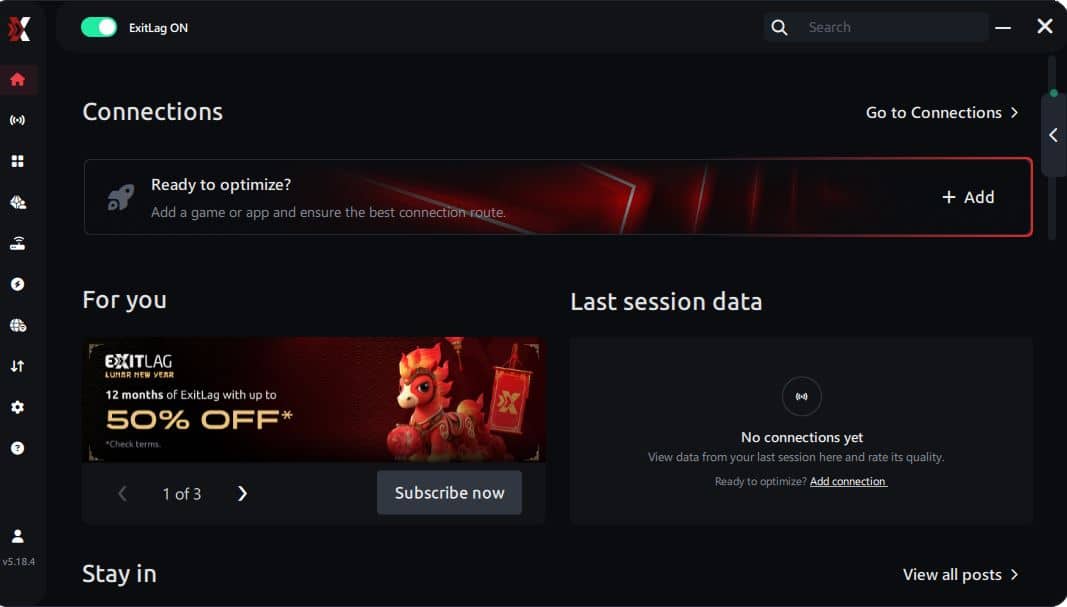
Step 1 – Access the official ExitLag website and download the application. There’s a free trial period for new users.
Step 2 – Install and open the program. Log in with your account.
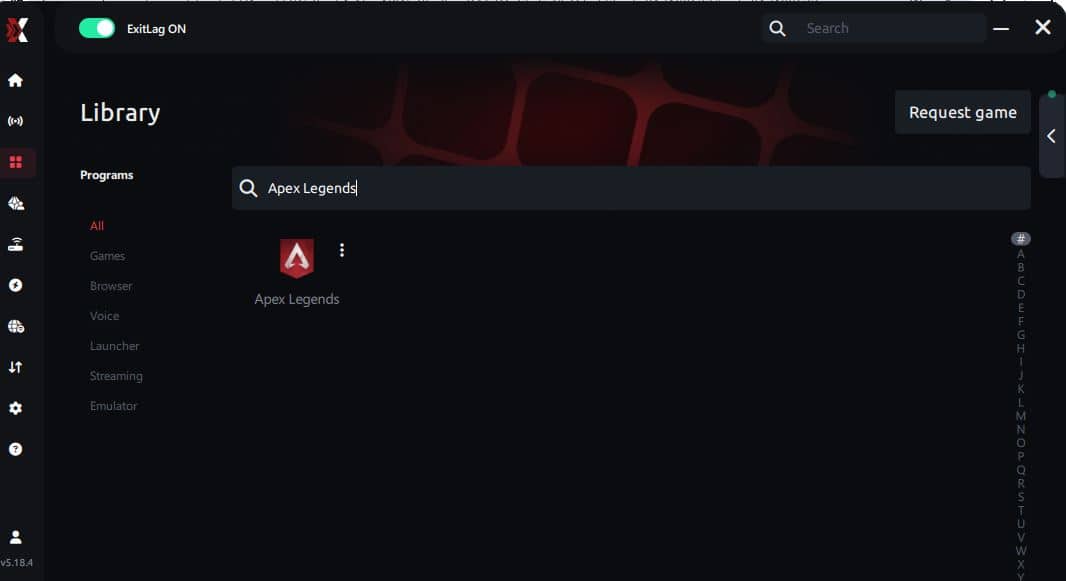
Step 3 – In the search bar, type “Apex Legends” and select the game from the list.
Step 4 – Choose between automated or manual route
Based on the results, you can let ExitLag automatically select the best route or manually choose the server that showed the lowest latency for your connection.
AI-optimized automated route
Based on the results, you can let ExitLag automatically select the best route through AI optimization. The system analyzes multiple connection paths in real time and automatically identifies the most efficient route for your connection, ensuring the lowest possible latency without requiring manual choices.
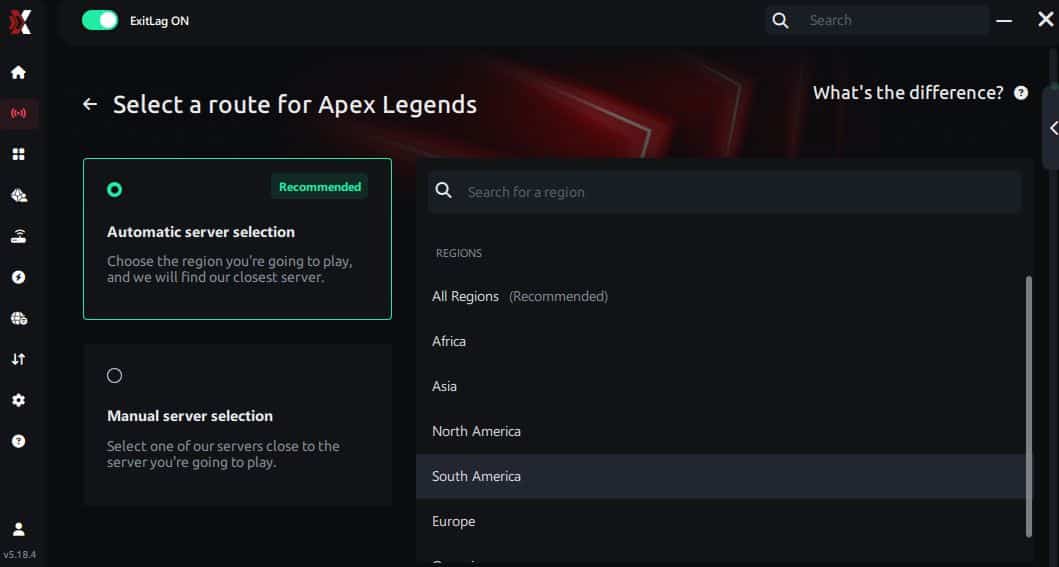
Manual route
If you prefer to have full control over your connection, you can manually choose the server based on the ping test results. Simply select the server that showed the lowest latency or the one that best meets your specific gaming needs, allowing complete customization of your experience.
Step 5 – Click “Apex Legends” or the play button. ExitLag will begin optimizing your connection automatically.
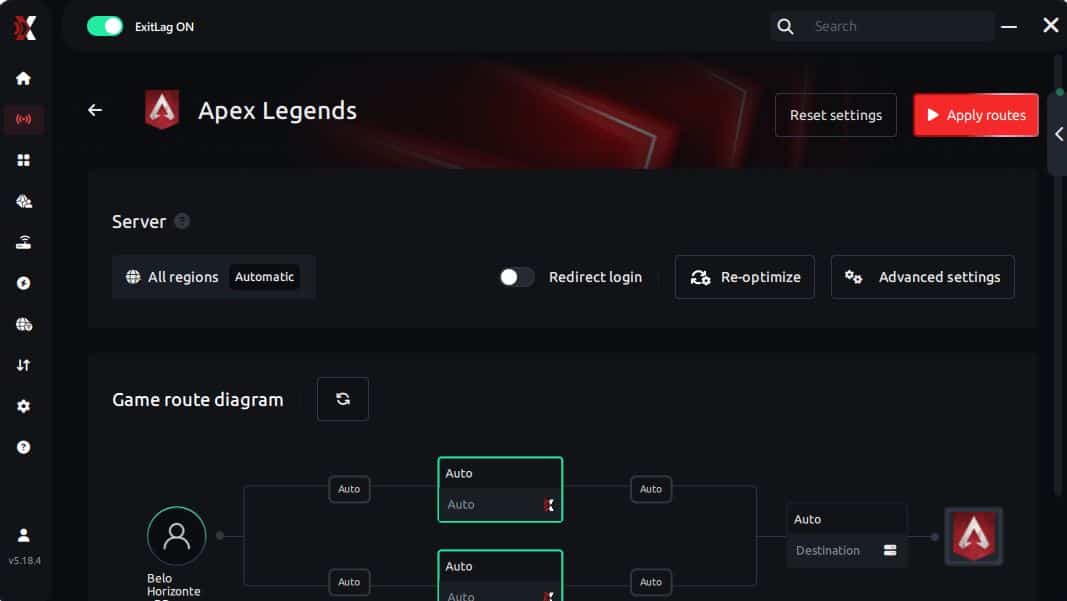
Step 6 – Wait a few seconds until optimization is complete. You’ll see ping indicators in the interface.
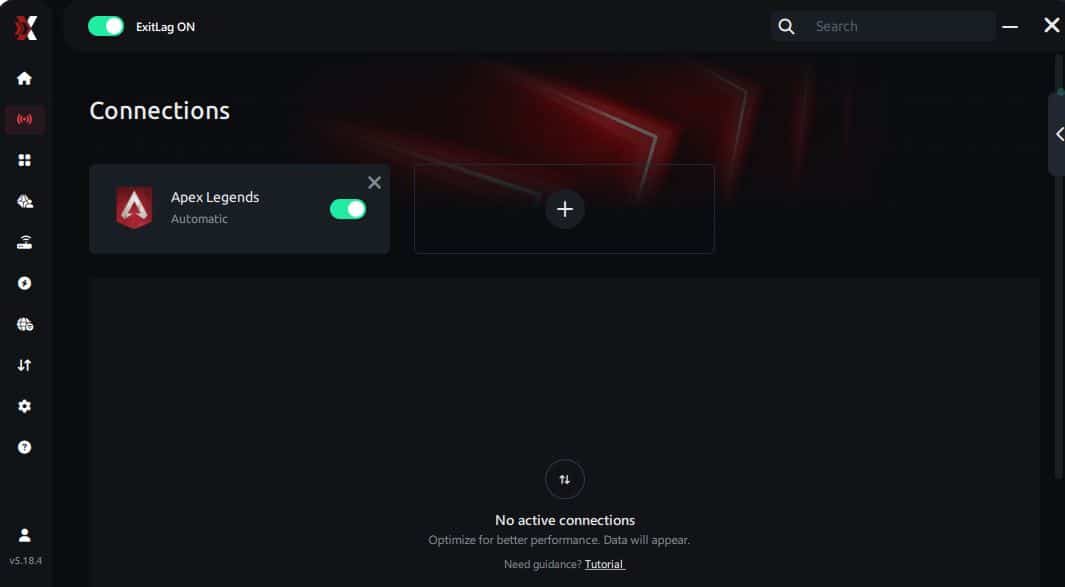
Step 7 – Launch Apex Legends normally. The optimization will already be active.
ExitLag runs in the background while you play, constantly adjusting routes to maintain the best possible performance.
FAQ: packet loss in Apex Legends
Is packet loss the same as lag?
No. Lag refers to high ping, while packet loss means data disappearing during transmission. Therefore, you can have low ping but still suffer intense lag due to packet loss.
Why do I have packet loss only in Apex Legends?
Different games use different servers and routes. Like this, Apex may rely on a problematic path that doesn’t affect other titles.
Can packet loss cause false bans?
Generally no. Instability may cause strange movement but doesn’t resemble hacking behavior. However, extremely unstable connections may trigger automatic disconnections.
How much packet loss is acceptable for Apex Legends?
Ideally 0%. Up to 1% is tolerable casually, but in ranked, any packet loss impacts performance.
Can hardware cause packet loss?
Yes. Faulty cables, damaged network cards, or outdated routers lead to significant data loss.
Does ExitLag work with all Apex regions?
Yes, it supports all official servers as long as you configure it correctly.
Conclusion
Packet loss doesn’t need to ruin your Apex Legends experience. With the right understanding and tools, you can stabilize your connection, prevent sudden freezes, and improve your ranked performance drastically.
Finally, dominating Apex Legends becomes easier when your connection works for you, not against you.