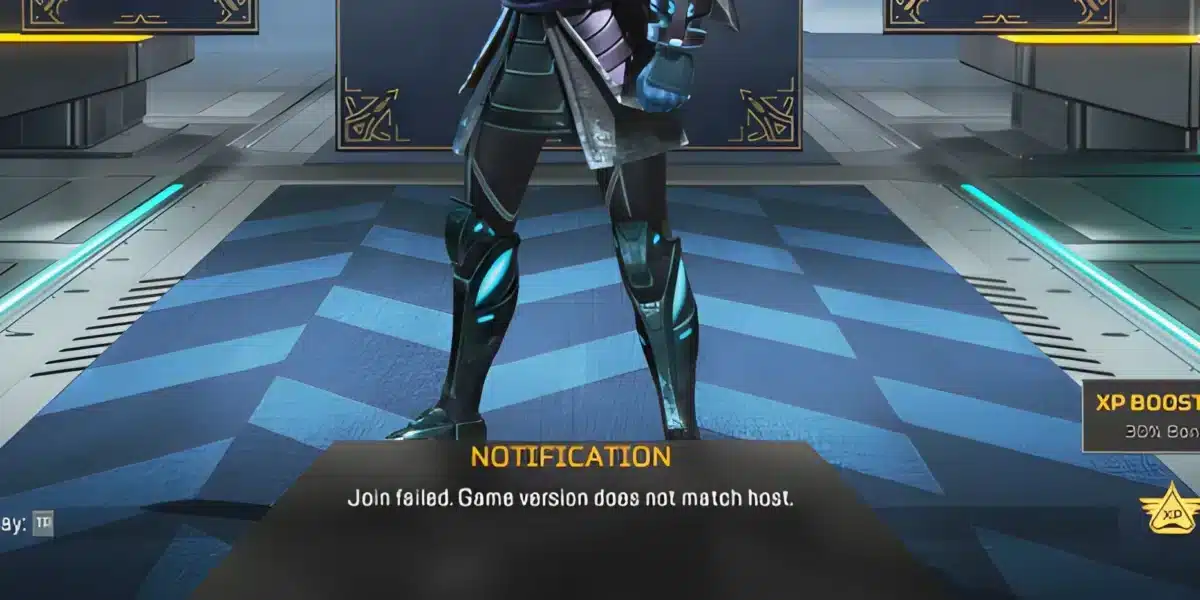
Apex servers are the backbone of the popular online battle royale game Apex Legends, created by Respawn Entertainment. As a fast-paced competitive shooter, Apex relies heavily on stable server connections. However, players around the world often encounter issues—ranging from login failures and latency spikes to full-on crashes—that affect their gameplay.
If you’ve ever asked yourself whether the Apex Servers are down, or if you’re looking for a way to stay ahead of these problems, this guide is for you. Here we’ll cover how the Apex Legends servers work, how to check their current status, and how to improve your connection for a smoother experience—even during server congestion.
Explore more connection tips for competitive games like Valorant and Apex Legends
How to check server status on Apex?
Before you gear up and dive into the action, it’s wise to check the current server status of the Apex Legends. There are several ways to do this, like:
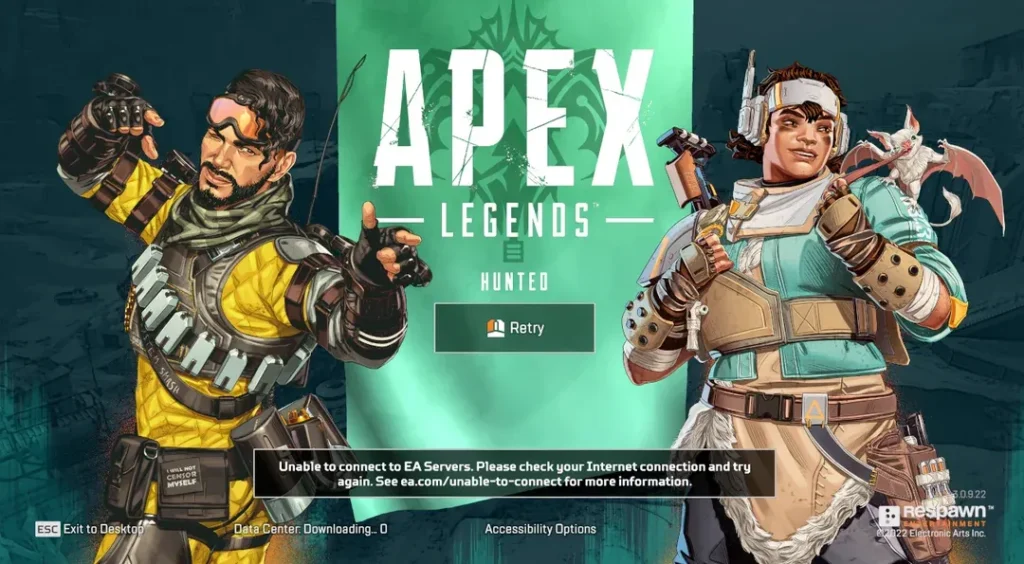
- In-game: the easiest way is usually within Apex Legends itself. Look for server status indicators or messages on the main menu or loading screen;
- Official Website & Social Media: respawn Entertainment, the developer of Apex Legends, often posts server status updates on their official website and social media channels like Twitter;
- Third-Party Websites: there are also various third-party websites and services dedicated to tracking server status for popular online games, including Apex Legends.

How do Apex Servers work?
Apex Legends operates on a global server infrastructure that divides regions to optimize latency and player experience. Each time you log into the game, Apex attempts to connect you to the server closest to your location, based on ping, packet loss, and server load.
Servers are distributed across key geographic regions such as:
- North America (NA) – Oregon, Salt Lake City, St. Louis
- Europe (EU) – London, Frankfurt, Amsterdam
- South America (SA) – São Paulo
- Asia Pacific (APAC) – Singapore, Tokyo, Sydney
These are known as most popular Apex servers NA, EU, and APAC, and players are usually matched to the one offering the lowest latency. However, issues like Apex servers down or under maintenance can reroute users to higher ping locations.
| Region | Popular Servers | Average Ping (ms) |
| NA West | Oregon 1, Salt Lake 2 | 30–50 |
| NA Central | St. Louis | 40–60 |
| EU | London, Frankfurt | 30–50 |
| SA | São Paulo | 80–110 |
| Asia Pacific | Singapore, Tokyo | 90–120 |
Depending on server traffic and your ISP, you might experience variation in connection quality. That’s why it’s important to know which Apex Servers status tools to use and how to identify issues fast.
Common problems with Apex legends servers
If you’ve played Apex Legends for any amount of time, you’ve probably run into frustrating server-related issues. Whether it’s being booted mid-match or sitting on a loading screen forever, problems with the Apex legends servers are well-known.
Here are the most frequent issues reported by players:
- Server Downtime – Planned maintenance or unexpected outages that make the Apex Servers down globally or regionally.
- High Ping – Even when connected, server distance or routing inefficiencies can lead to ping over 100ms.
- Packet Loss – This causes players to “rubberband” or miss inputs, ruining precision gameplay.
- Login Failures – Common during high-traffic periods or update rollouts.
- Server Lag or Freezing – Moments when the game locks up temporarily due to overloaded Apex legends servers.
Why do these happen?
- Scheduled maintenance (check EA or Respawn pages)
- Unplanned DDoS attacks or spikes in server demand
- New season launches or updates
- ISP issues that block game server ports
To stay updated, players often visit Apex legends status websites or follow Respawn’s official Twitter for announcements.
How to check Apex Server status

Before you blame your setup, it’s always a good idea to check whether the issue is on your end or with the Apex Servers themselves. Here’s how to quickly check server status:
1. In-game indicators
On the Apex Legends main menu, server ping and packet loss stats are shown in the bottom right. If packet loss is above 5% or ping is unusually high, that’s a sign of trouble.
2. Official channels
- EA Help – Apex Legends Server Status
- Respawn Twitter – Regularly posts downtime or outage alerts.
3. Third-party trackers
Sites like ApexLegendsStatus.com provide real-time data on:
- Individual region server pings
- Login server status
- Origin platform outages
- Ongoing maintenance
Image alt: Apex Legends server monitoring dashboard
4. Community alerts
Reddit forums like r/Apexlegends and Discord servers often alert players to outages faster than official sources.
ExitLag as a performance solution for Apex Servers

When you’re experiencing lag, stutters, or disconnections—even if the Apex legends servers are working fine—the problem might be how your internet reaches them. This is where ExitLag becomes your best ally.
ExitLag is a network optimization software designed specifically for gamers. It improves your routing path to the Apex servers, reducing ping, packet loss, and jitter by connecting you through the most efficient paths available.
How ExitLag works
- Multi-Path Routing: Uses multiple simultaneous routes to determine the best path
- Real-Time Optimization: Adjusts your route as conditions change
- Custom Game Support: Apex Legends is one of the many games with dedicated ExitLag optimization
| Metric | Without ExitLag | With ExitLag |
| Ping (NA West) | 95ms | 42ms |
| Packet Loss | 6–10% | <1% |
| Login Time | 25 seconds | 10 seconds |
FAQ – Frequently Asked Questions About Apex Servers
Are Apex servers down?
If you’re having trouble connecting to Apex Legends, the first thing to ask is: are Apex servers down right now? You can check using:
- The in-game connection indicators
- ApexLegendsStatus.com
- Official EA Help page
These platforms provide real-time server status and region-specific issues.
Image alt: Apex Legends server status notification on main menu
Is Apex down?
This is a common search when login errors or sudden disconnections happen. Is Apex down can mean the full service is offline or only a few regional servers are impacted.
To verify:
- Try restarting your game and router
- Check Twitter @PlayApex or Reddit threads
- Look at ping stats in-game (bottom right)
Comparing Apex Server performance by region

Players often wonder which Apex Servers offer the best experience globally. While North America (NA) servers like Oregon and St. Louis are known for low latency and stability, European (EU) servers like Frankfurt and London also provide strong performance—especially during off-peak hours.
South American players may experience higher average ping due to distance from content delivery networks. São Paulo remains the primary choice, but it can become congested during peak seasons. In contrast, Asian servers like Tokyo and Singapore offer excellent speeds locally but may throttle traffic from outside regions.
Knowing which region offers better performance based on your location—and pairing that with a tool like ExitLag—is key to maintaining a stable and responsive Apex Legends experience.
Understanding matchmaking and Apex Server selection
One of the lesser-known aspects of Apex Legends is how matchmaking interacts with server selection. While the game often defaults to the closest server with the lowest ping, there are layers of decision-making behind the scenes. These include player rank, recent server performance, and lobby availability.
For example, a player in Brazil might be placed on a North American Apex server if the local server (São Paulo) is experiencing overload. Similarly, during high-traffic times in Europe, a player may be temporarily rerouted to a less congested server—even at the cost of higher latency.
This server shuffling explains why you may experience fluctuating ping from one match to another. Apex prioritizes matchmaking quality and queue time, sometimes over raw latency. Understanding this helps players interpret why Apex legends server status might show green but gameplay still feels off.
How crossplay affects Apex Server load

Crossplay, which allows PC, Xbox, and PlayStation users to play together, has introduced a massive influx of concurrent users. While it enhances matchmaking speed, it also places more demand on the Apex Servers.
Each platform accesses shared regional servers. If a new season drops and console players flood the system, PC players on the same region will also feel the slowdown. That’s why high ping or rubberbanding isn’t always caused by your device—it could be server congestion from another platform.
In some cases, the Apex matchmaking system prioritizes queue time and lobby availability over server latency. This means you might be paired on a more crowded server just to get into a game faster, even if that server has inferior performance metrics.
ExitLag’s multi-platform routing technology can help reduce the impact of crossplay-related instability, ensuring smoother matches regardless of where the traffic is coming from. It identifies optimal network paths in real time, allowing for consistent low-latency gameplay—even in mixed-lobby environments.
Choosing your Apex data center manually
Apex Legends allows players to select their preferred data center manually—a powerful but underused feature. On the main menu screen, before logging in, you can press ESC (on PC) or wait on the title screen (console) for the “Data Center” option to appear.
This list shows all available Apex Servers, along with real-time ping and packet loss stats. Players can use this to:
- Avoid unstable servers that show high packet loss
- Switch to a lower ping region if Apex auto-connects to a suboptimal location
- Test how different servers perform over time
This tool is especially useful when the Apex Server status shows “Online,” but your experience says otherwise. Combined with ExitLag, you can not only choose your ideal data center but also ensure that your connection to it is stable, consistent, and fast.
Final thoughts on Apex Servers and optimizing your connection
Whether you’re a casual player or grinding your way through Apex Legends’ ranked system, having a solid connection to the Apex Servers is essential. Server downtimes, high ping, and unstable routing are all part of the online gaming landscape—but with the right tools and awareness, you can stay ahead of most problems.
Always remember to:
- Check server status before logging in
- Stay informed via official and third-party resources
- Monitor your ping and packet loss from within the game
But even when Apex legends servers are technically up, your connection might not be performing at its best. That’s where ExitLag steps in. It bridges the gap between you and the server using advanced routing technology, making sure your commands arrive fast and uninterrupted.
Why use ExitLag for Apex Legends?
- Trusted by competitive players across multiple regions
- Improves stability on Apex Servers even during peak hours
- Offers a 3-day free trial with no credit card required
- Helps in other titles too: Valorant, LoL, Fortnite, Warzone
Ready to upgrade your experience?
Don’t let unstable servers or bad routing ruin your Apex grind.
Try ExitLag today and dominate every match with pro-level connection quality.
Got questions or want to connect with other players? Join the conversation at the ExitLag Forum!