

Experiencing packet loss Overwatch 2 during a match can instantly ruin your game, especially when every second matters and your hero’s abilities fail to trigger on time. Players try to fix packet loss Overwatch 2 through dozens of homemade solutions, but few understand what actually causes these sudden freezes, rubberbanding moments, or missed inputs that cost competitive matches.
However, what many players don’t realize is that packet loss Overwatch 2 is often not caused by their PC or even the game itself, but by failures in how data travels between you and the servers. These micro-interruptions can occur even when your ping appears normal, which makes the issue harder to diagnose. Like this, animations become inconsistent, shots fail to register, and movement feels unpredictable.
Finally, if you’re searching for a reliable way to solve Overwatch 2 connection issues, you’re in the right place. This guide breaks down what packet loss is and why it occurs so frequently in Overwatch 2. Therefore, you’ll understand how unstable routing and data drops impact your gameplay. Most importantly, you’ll see how ExitLag’s technology eliminates packet instability and keeps your connection stable. By the end, you’ll know how to reduce packet loss Overwatch 2 and enjoy smooth, interruption-free matches.

What is packet loss in Overwatch 2?
In online games, packet loss happens when data packets never reach the server, or when the server’s own response fails to arrive at your PC. Think of each action you perform as a message traveling through multiple network points. However, during transmission, some packets get dropped, creating delays or missing information.
Like this, Overwatch 2 interprets incomplete commands as movement inconsistencies, delayed abilities, or temporary freezes. When these data fail to reach Blizzard’s servers, the game attempts to “guess” your intended action, resulting in the familiar rubberbanding effect. Therefore, packet loss is one of the most disruptive connection problems a player can face.
How packet loss affects your gameplay in Overwatch 2
Here are the main effects you may notice:
- Delayed abilities: Skills activate seconds after pressing the key.
- Rubberbanding: Your hero snaps back to previous positions.
- Hit registration issues: Shots land visually but don’t register.
- Enemy teleportation: Opponents appear in inconsistent locations.
- Sudden disconnections: You’re kicked mid-match without warning.
- Erratic movement: Other players jitter or slide unnaturally.
- Failed skill usage: Ultimates trigger but never execute.
Main causes of packet loss in Overwatch 2
Inefficient routing
Your data travels through multiple routers until it reaches Blizzard’s servers. If any point in the chain becomes overloaded or unstable, packets get discarded. Therefore, routing issues, especially international ones, are a frequent cause.
Unstable connection
Weak Wi-Fi signals, outdated modems, or ISP interference create instability. Small drops in signal strength can generate packet loss Overwatch 2, even when speed tests look fine.
Server distance
The further you are from Blizzard’s regional servers, the more hops your data must cross. More hops increase failure points and encourage packet loss.
Network congestion
Peak hours, streaming, downloads, or multiple devices consuming bandwidth lead to inevitable congestion. However, knowing how to manage this locally helps reduce packet loss Overwatch 2.
Hardware problems
Faulty Ethernet cables, damaged network cards, or overheating routers create intermittent data loss.
How to identify packet loss in Overwatch 2
First, look for unstable latency: your ping jumps rapidly between values. You may also experience Overwatch 2 lag even when ping seems low. Therefore, noticing rubberbanding or missed abilities is a strong sign of packet instability rather than ping.
A deeper test involves running a ping command to Blizzard’s servers. Repeated timeouts or inconsistent responses indicate dropped packets. Finally, you can monitor these patterns during gameplay to verify whether the issue appears specifically in Overwatch 2 or across other online applications.
Packet loss levels table
| Packet loss % | Gameplay impact |
| 0% | Perfect and stable |
| 1–2% | Minor delays, rare rubberbanding |
| 3–5% | Noticeable delays and ability failures |
| 6–10% | Severe lag and unstable hit registration |
| 10%+ | Nearly unplayable |
Basic solutions to reduce packet loss in Overwatch 2
Optimize your local connection
- Use wired connection instead of Wi-Fi
- Close background apps consuming bandwidth
- Update network drivers
- Enable QoS on your router
- Test different Ethernet cables
- Adjust in-game settings to reduce network load
Contact your ISP
If packet loss persists even after testing your local equipment, contacting your provider may help. However, ISPs often cannot resolve routing problems outside their network, which is why advanced solutions become necessary.
ExitLag: the definitive solution to eliminate packet loss in Overwatch 2
What is ExitLag?
ExitLag is a software specialized in connection optimization, created specifically for gamers who need absolute stability. Its advanced technology ensures every packet reaches the game server through the most efficient path possible.
How ExitLag works to reduce packet loss
ExitLag uses a multi-layered routing system to eliminate packet loss Overwatch 2 by sending your data through multiple optimized paths.
Here’s how it functions:
- Real-time route analysis
- Multiple simultaneous connections
- Automatic route switching if one path fails
- Optimized hops to reduce weak points
- Continuous stabilization for consistent gameplay
Advantages for Overwatch 2 players
ExitLag eliminates packet loss, stabilizes your connection, reduces ping, and prevents unpredictable lag spikes. It’s also compatible with almost all global servers and helps maintain consistent communication during competitive matches. Therefore, players experience reliable hit registration, smoother ability usage, and position accuracy during battles.

Is ExitLag worth using for Overwatch 2?
Absolutely, especially for competitive players, those connecting to distant servers, or anyone suffering from unstable ISP routing. The improvement in stability alone can secure more victories and prevent lost SR.
How to use ExitLag in Overwatch 2
The process is extremely simple:
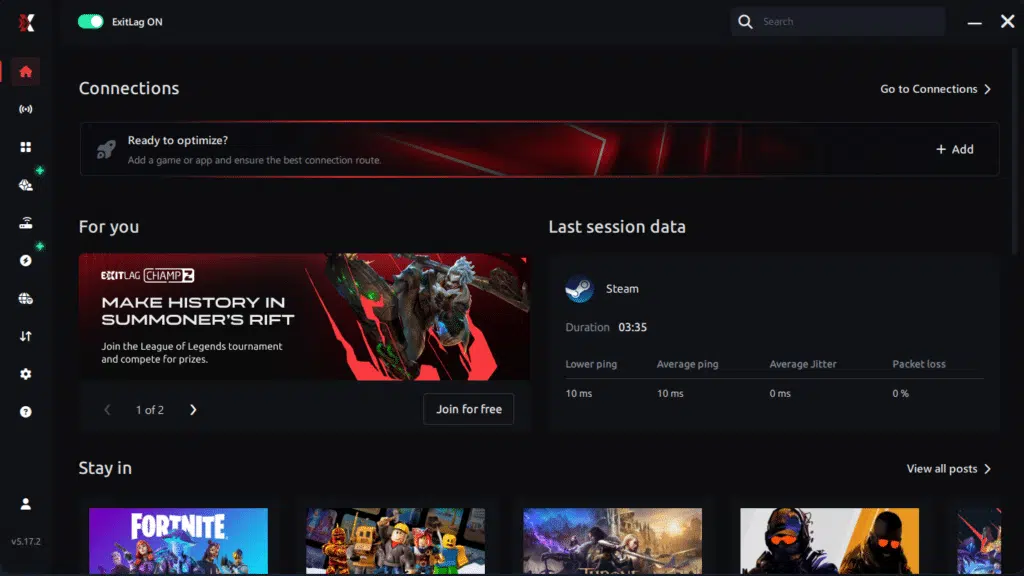
Step 1 – Access the official ExitLag website and download the application. There’s a free trial period for new users.
Step 2 – Install and open the program. Log in with your account.
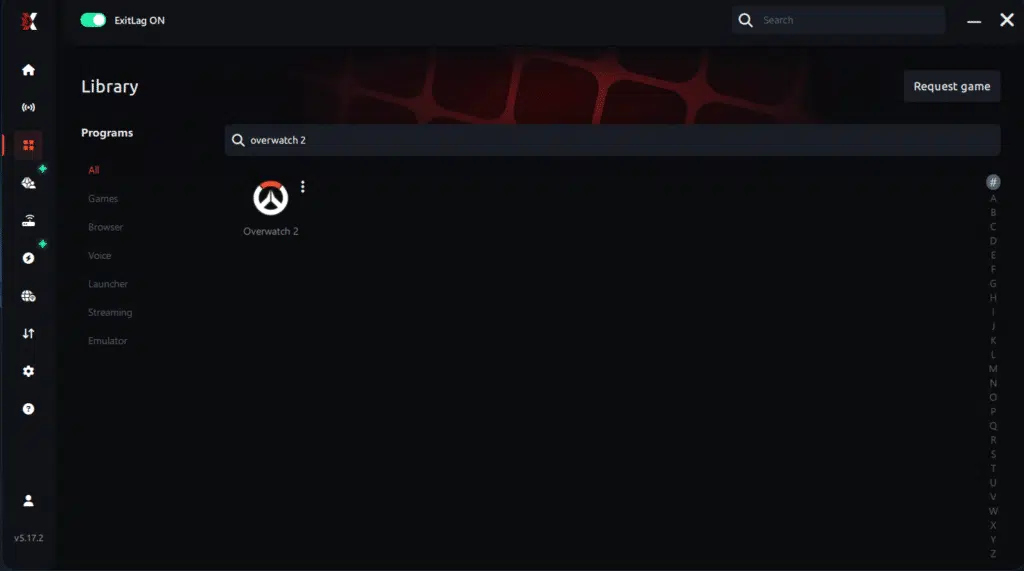
Step 3 – In the search bar, type “Overwatch 2” and select the game from the list.
Step 4 – Choose between automated or manual route

Based on the results, you can let ExitLag automatically select the best route or manually choose the server that showed the lowest latency for your connection.
AI-optimized automated route
Based on the results, you can let ExitLag automatically select the best route through AI optimization. The system analyzes multiple connection paths in real time and automatically identifies the most efficient route for your connection, ensuring the lowest possible latency without requiring manual choices.
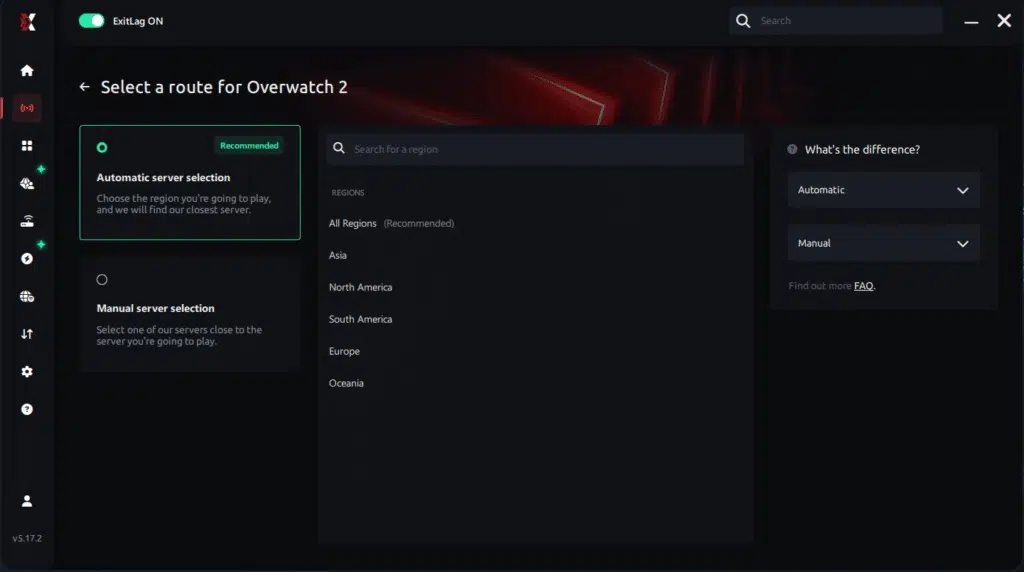
Manual route
If you prefer to have full control over your connection, you can manually choose the server based on the ping test results. Simply select the server that showed the lowest latency or the one that best meets your specific gaming needs, allowing complete customization of your experience.
Step 5 – Click “Overwatch 2” or the play button. ExitLag will begin optimizing your connection automatically.

Step 6 – Wait a few seconds until optimization is complete. You’ll see ping indicators in the interface.
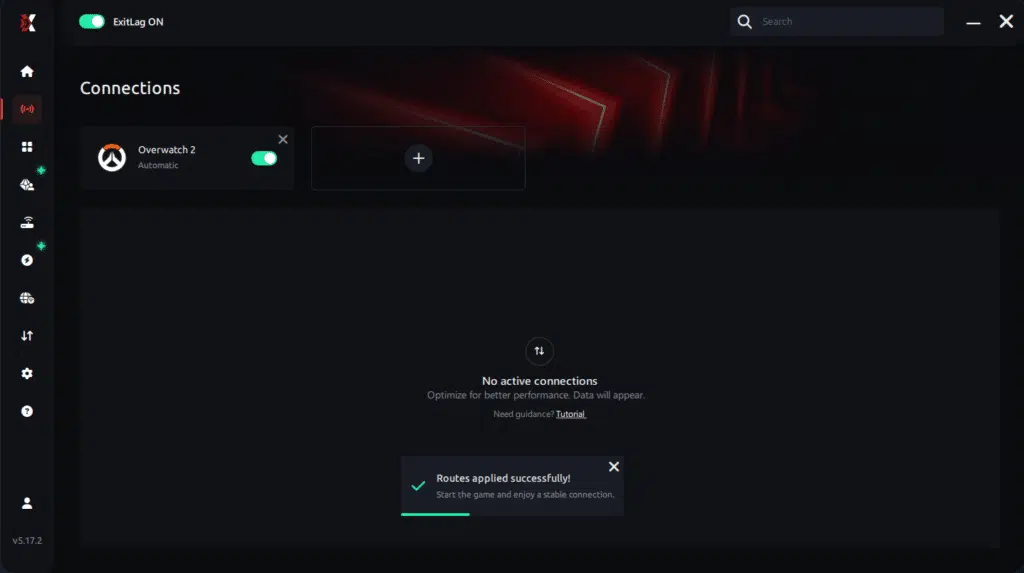
Step 7 – Launch Overwatch 2 normally. The optimization will already be active.
ExitLag runs in the background while you play, constantly adjusting routes to maintain the best possible performance.
FAQ: common Overwatch 2 packet loss questions
Is packet loss the same as lag?
No. Lag refers to latency (ping), while packet loss refers to missing dados. You can have low ping but high packet loss, which causes far more unpredictable behavior.
Why do I have packet loss only in Overwatch 2?
Different games use different server routes. One of these routes may be unstable, causing packet loss Overwatch 2 specifically.
Can packet loss cause a ban?
Generally no. Instability may cause disconnections, but it doesn’t resemble hacking behavior.
How much packet loss is acceptable for competitive play?
Ideally 0%. Anything above 1% already affects competitive precision.
Can hardware cause packet loss?
Yes, damaged cables, faulty network cards, or outdated routers can all generate packet loss.
Does ExitLag work on private servers?
Yes, as long as the server is configured.
Do I need ExitLag enabled all the time?
Only while playing. It’s designed to optimize your gaming sessions specifically.
Eliminate packet loss and play Overwatch 2 without interruptions
Experiencing packet loss Overwatch 2 doesn’t need to ruin your gaming sessions or cost you competitive matches. When your connection becomes unpredictable, understanding the root causes allows you to take control and apply effective solutions that significantly enhance your performance.
However, while basic fixes can help temporarily, none solve deep routing issues that cause severe Overwatch 2 lag and missed abilities.
Finally, if you want to reduce packet loss Overwatch 2, secure stable gameplay, climb the competitive ladder, and eliminate unfair disadvantages forever, ExitLag provides the best path toward a smooth and frustration-free experience.
Got questions or want to connect with other players? Join the conversation at the ExitLag Forum!



