Every competitive gamer has asked the same question at least once. Does a Ping VPN actually fix laggy matches, or is it just another myth passed around in Discord servers?
The truth is more nuanced than most people expect. A Ping VPN can help in a handful of specific situations, but it can also make your connection noticeably worse.
So, does using a VPN help with ping? In most cases, a regular VPN adds an extra hop to your connection, which increases latency rather than reducing it. However, if your ISP has poor routing or throttles gaming traffic, a VPN can sometimes reroute you around the problem and shave off a few milliseconds.
That single sentence explains why this topic causes so much confusion online. There is no universal yes or no answer, because everything depends on your specific network path. Understanding how ping actually works is the only way to make a smart decision here.
In this guide, we will break down exactly how a Ping VPN affects your connection, when it helps, when it hurts, and what actually works better for competitive gaming. We will also cover the classic “kill ping” approach and explain why a dedicated game connection optimizer is usually the smarter play.
What Is A Ping VPN And How Does It Affect Latency?
A Ping VPN is simply a Virtual Private Network used specifically with the goal of lowering ping in online games. Instead of focusing on privacy or streaming, the user’s main goal is performance.
Technically speaking, a VPN routes 100% of your internet traffic through an encrypted tunnel to a remote server before it reaches its final destination. That tunnel adds processing time, encryption overhead, and often extra physical distance.
Why Does A VPN Usually Add Latency?
Encryption itself takes time to process, even with modern protocols. Furthermore, your data now travels to the VPN server first, then to the game server, instead of taking the most direct route available.
Consider this simple breakdown of what actually happens to your packets:
- Your device sends a packet toward the VPN server.
- The VPN server encrypts and forwards that packet to the game server.
- The game server responds, sending data back through the same VPN server.
- The VPN server decrypts and relays the response back to you.
Each of these steps adds milliseconds. As a result, most players see their ping increase rather than decrease after turning on a traditional VPN.
Does A VPN Help With Ping In Specific Cases?
Yes, there are exceptions worth knowing about. If your internet service provider actively throttles gaming traffic during peak hours, a VPN can hide that traffic and avoid the throttle entirely.
Additionally, some ISPs use inefficient routing that sends your data on a long detour before reaching popular game servers. In that specific scenario, a VPN with a well-placed server might offer a shorter path.
- Bypassing ISP throttling during high traffic hours
- Avoiding congested local routing nodes
- Connecting to a region with better peering agreements
- Masking your IP address to reduce exposure to DDoS attempts
Notably, these benefits are situational, not guaranteed. Testing is the only way to know if your specific case falls into this category.
Would A VPN Help With Ping For Competitive Gaming?
This question comes up constantly in ranked lobbies and esports communities. Competitive gaming demands consistency, and consistency is exactly what traditional VPNs struggle to deliver.
In fast-paced titles like shooters or MOBAs, even a small latency spike can cost you a duel or a critical objective. Therefore, stability matters just as much as the raw ping number.
Can A VPN Improve Ping During Peak Hours?
During peak hours, local network congestion becomes the main culprit behind laggy matches. A VPN reroutes your traffic, which can occasionally sidestep a congested local node.
However, this same reroute can also introduce a new bottleneck if the VPN server itself is overloaded. Consequently, the outcome becomes unpredictable, which is risky for ranked play.
Would A VPN Help With Ping Or Make Jitter Worse?
Jitter refers to the inconsistency in your ping over time, and it is often more damaging than a slightly higher but stable ping. A VPN tunnel can introduce jitter if the encryption process or server load fluctuates.
Below is a quick comparison to help visualize how different scenarios typically play out.
| Scenario | Traditional VPN Result | Likely Outcome |
|---|---|---|
| Good ISP routing already | Adds extra hop and encryption | Ping increases |
| ISP throttling gaming traffic | Bypasses throttle | Ping may decrease slightly |
| VPN server far from game server | Longer physical path | Ping increases significantly |
| Congested local network node | Reroutes around congestion | Ping may improve, jitter still possible |
| Competitive ranked match | Encryption overhead every packet | Higher risk of inconsistent inputs |
As the table shows, the results are inconsistent by nature. That inconsistency is precisely why relying on a general-purpose VPN for gaming is a gamble.
Does Using A VPN Help With Ping Or Just Mask The Problem?
This is one of the most important distinctions to understand. A VPN does not analyze your route in real time or search for the fastest path to a specific game server.
Instead, a VPN simply forces all your traffic through one fixed server, regardless of whether that server is the fastest option available. That is a fundamentally different approach from real-time route optimization.
Does VPN Help With Ping Or Only Hide Your IP?
Most VPN providers are built for privacy first and performance second. Their marketing may mention gaming, but their server infrastructure is rarely optimized for the low-latency demands of ranked matches.
In fact, many VPN companies simply do not test their servers against actual game server ping benchmarks. That is a critical gap for anyone chasing consistent frame-perfect inputs.
What Is The Kill Ping Approach?
The term “kill ping” refers to tools and services specifically designed to reduce gaming latency, as opposed to general VPNs. These tools focus exclusively on optimizing the path to game servers.
- They analyze multiple possible routes to the game server
- They select the fastest and most stable path available
- They prioritize game traffic over background downloads or streaming
- They monitor the connection continuously and adjust when routes degrade
This approach is fundamentally different from a standard VPN, which simply tunnels everything through one static server without any real-time optimization.
Pro Tips: Reducing Ping The Right Way
- Test before you commit: Always run a ping test with and without your VPN active. If it does not drop by at least 10 ms, it is not worth keeping on for performance reasons.
- Use a wired connection: Ethernet cables remove Wi-Fi interference entirely, which is often a bigger source of instability than routing itself.
- Close background applications: Downloads, streaming, and cloud backups eat into your available bandwidth and can spike your ping during matches.
- Choose servers closer to you: Physical distance still matters enormously, since light through fiber takes real time to travel long distances.
- Monitor jitter, not just ping: A stable 40 ms connection often feels better than a fluctuating 20 to 60 ms connection.
Common Mistakes Players Make With Ping VPN Solutions
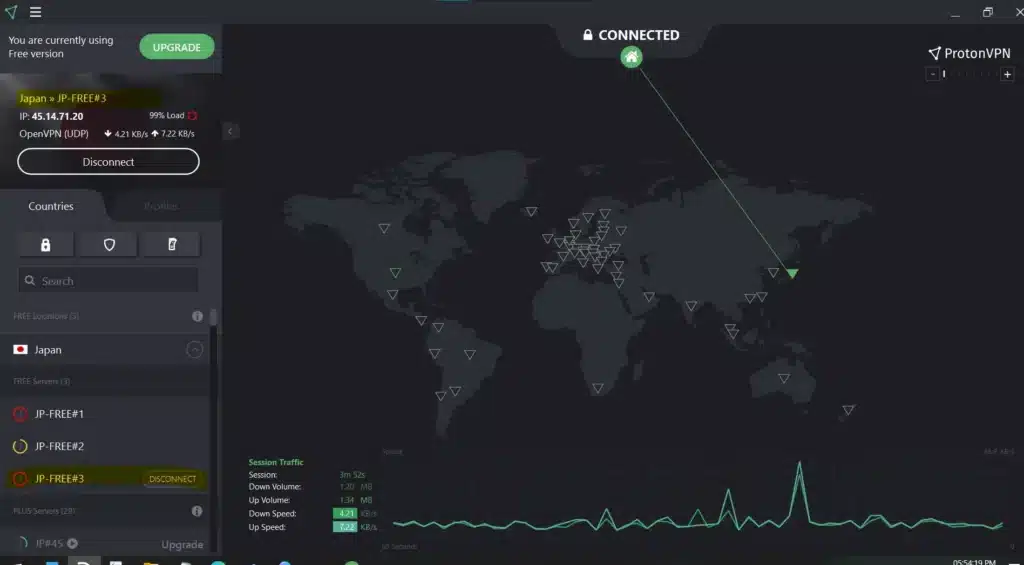
- Assuming any VPN will lower ping: Many players install a random free VPN expecting instant results. Fix: research whether the provider actually optimizes routes for gaming traffic before installing anything.
- Ignoring server location: Connecting to a VPN server on another continent almost guarantees higher latency. Fix: always pick the closest available server to your actual game server, not just to yourself.
- Running a VPN and a game optimizer together: Stacking two routing tools often creates conflicts and unpredictable results. Fix: choose one dedicated solution built specifically for gaming performance.
- Never testing before ranked matches: Some players only notice their VPN is hurting performance mid match. Fix: always test your connection in a custom lobby first.
Is There A Better Alternative To A Ping VPN?
Given everything covered above, a dedicated game connection optimizer is generally the smarter choice for players chasing consistent low latency. This is exactly where ExitLag comes in.
ExitLag is not a VPN. It is a game connection optimizer built specifically to analyze multiple network paths in real time and select the fastest, most stable route to your game’s servers.
Unlike a traditional VPN, ExitLag does not encrypt all your traffic or route unrelated apps through a distant server. It focuses exclusively on your game data, which means no unnecessary overhead.
The core of this technology is Multipath, which sends your connection through several routes simultaneously. If one path degrades or drops, the others keep your match running smoothly without a disconnect.
ExitLag also offers Multi-Internet support, allowing up to four simultaneous internet connections at once. If your primary line drops, another connection instantly takes over, which is invaluable during ranked play.
This is a direct, practical answer to the classic kill ping question many gamers search for daily. Instead of gambling on a VPN server that might add latency, ExitLag actively searches for the fastest verified route to your specific game.
With support for over 4,000 titles, 1,500 plus servers across 190 plus countries, and more than 30 million users worldwide, ExitLag has become the go to tool for players who take their ping seriously. It processes over 18 million optimizations every single week.
Ready to stop guessing and start optimizing? You can grab the ExitLag Download for your PC and see the difference within your very first match.
All game images used in this blog post belong to their respective developers and publishers. They are used for informational and educational purposes only and do not imply endorsement or affiliation with the rights holders.
Got questions or want to connect with other players? Join the conversation at the ExitLag Forum!