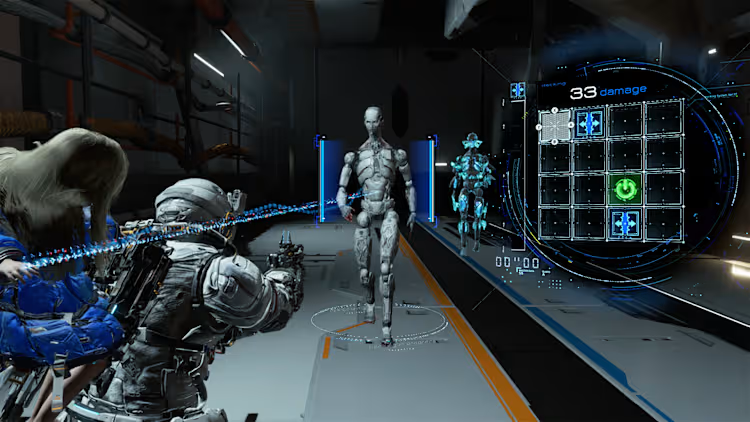
You’re exploring a futuristic environment in Pragmata, immersed in its stunning sci-fi world. Suddenly, everything freezes for a split second. Your camera stutters, your movement feels delayed, and the smooth experience disappears instantly. Moments like these define the frustration behind Pragmata FPS Drops.
Right after that, it happens again. A sudden drop in frames while turning the camera or interacting with the environment. These Pragmata FPS Drops are not just annoying—they completely break immersion and can ruin key gameplay moments. If you’ve experienced Pragmata FPS Drops, stuttering, or inconsistent performance, you’re definitely not alone. To understand more about common performance problems, you can check detailed articles directly from the ExitLag blog.
The good news? There’s a solution. With the right optimization strategy — especially using a specialized routing software like ExitLag — you can eliminate network-induced micro-stuttering, stabilize frame pacing, and dramatically improve your consistency.
What Is FPS Drop and Why Does It Happen in Pragmata?
Understanding FPS (Frames Per Second)
FPS stands for Frames Per Second. It represents how many images your system renders every second during gameplay.
Here’s how different FPS levels impact your experience:
- 144+ FPS → Ultra-smooth gameplay
- 60–120 FPS → Stable and playable
- 30–60 FPS → Noticeable stuttering
- Below 30 FPS → Severe performance issues
When Pragmata FPS Drops occur, your frame rate suddenly falls below your normal performance level. Even if your average is high, sudden drops create inconsistent frame pacing—which feels like lag or freezing.
And in a visually intensive game like Pragmata, consistency matters more than peak FPS.
FPS Drop vs Lag: What’s the Difference?
Many players confuse FPS issues with network lag. However, they are very different problems.
| Aspect | FPS Drop | Network Lag |
| Cause | GPU/CPU overload | High ping or packet loss |
| Symptom | Stutter, frame skipping | Delayed input response |
| Trigger | Graphics settings, overheating | Unstable connection |
| Fix | Hardware optimization | ExitLag routing optimization |
Here’s the key insight:
Network instability can cause micro-stuttering, which feels exactly like FPS drops.
When your connection is inconsistent, your system delays frame delivery while waiting for data synchronization. The result? Visual stutters that mimic low FPS.
Why Pragmata Is More Sensitive to FPS Drops
Pragmata is a next-generation sci-fi title designed with high visual fidelity and complex systems.
This means the game demands a lot from your system, including:
- Advanced graphical rendering
- Real-time lighting and effects
- Complex physics interactions
- Continuous data synchronization
Because of this, Pragmata FPS Drops can happen even on powerful setups—especially when both hardware and network conditions are not optimized.
Additionally, modern games rely heavily on synchronization between client and server systems. If your connection fluctuates, it can directly affect frame pacing.
7 Main Causes of Pragmata FPS Drops
Understanding the root cause is the first step to fixing Pragmata FPS Drops effectively.
1. Overheating
When your CPU or GPU overheats, performance is automatically reduced.
Symptoms include:
- FPS drops after extended play sessions
- Loud fan noise
- Gradual performance decline
2. Outdated GPU Drivers
Old drivers can create compatibility issues.
You may notice:
- Random stuttering
- Visual glitches
- Performance instability
Always keep your drivers updated.
3. High Graphics Settings
Ultra settings can overload your GPU.
Lower these first:
- Shadows
- Post-processing
- Lighting effects
This often results in immediate improvements.
4. Background Processes
Running multiple apps consumes system resources.
Common culprits:
- Browsers
- Streaming software
- System updates
Closing unnecessary programs helps stabilize FPS.
5. Hardware Limitations
If your system barely meets requirements, FPS drops are expected.
For stable performance, you should have:
- Modern CPU
- 16GB RAM
- SSD storage
- Dedicated GPU
6. Packet Loss and Route Instability
This is one of the most overlooked causes.
If your connection suffers from:
- Packet loss
- Route switching
- Latency spikes
Your system buffers data, causing stuttering that feels like FPS drops.
7. Ping Fluctuation
Stable ping is more important than low ping.
Fluctuating latency causes:
- Frame pacing issues
- Animation skipping
- Input inconsistency
And again—it feels like low FPS.
Additional optimizations to fix Pragmata FPS Drops
Even with ExitLag, combining system and network tweaks will maximize your results.
Network optimization checklist
- Use a wired (Ethernet) connection
- Avoid downloading while gaming
- Configure router QoS settings
- Use stable DNS servers
- Avoid peak network usage hours
System optimization checklist
- Set Windows to High Performance mode
- Update GPU drivers regularly
- Close background applications
- Clean temporary files
- Enable XMP profile for RAM
In-game settings optimization
Inside Pragmata settings:
- Disable V-Sync
- Limit FPS slightly below monitor refresh rate
- Reduce shadow quality
- Turn off motion blur
- Lower post-processing effects
These adjustments reduce system load and stabilize performance.
What causes Pragmata FPS Drops the most?
The most common causes include:
- Overheating hardware
- High graphics settings
- Background processes
- Network instability
In many cases, the issue is a combination of hardware and connection problems.
Now that you know everything about Fix Pragmata FPS Drops & Stutters , if you want the most stable, smooth, and competitive gameplay possible, is time to upgrade your performance toolkit. Register at ExitLag now and improve your gameplay in a way you’ve never experienced before!
Got questions or want to connect with other players? Join the conversation at the ExitLag Forum!