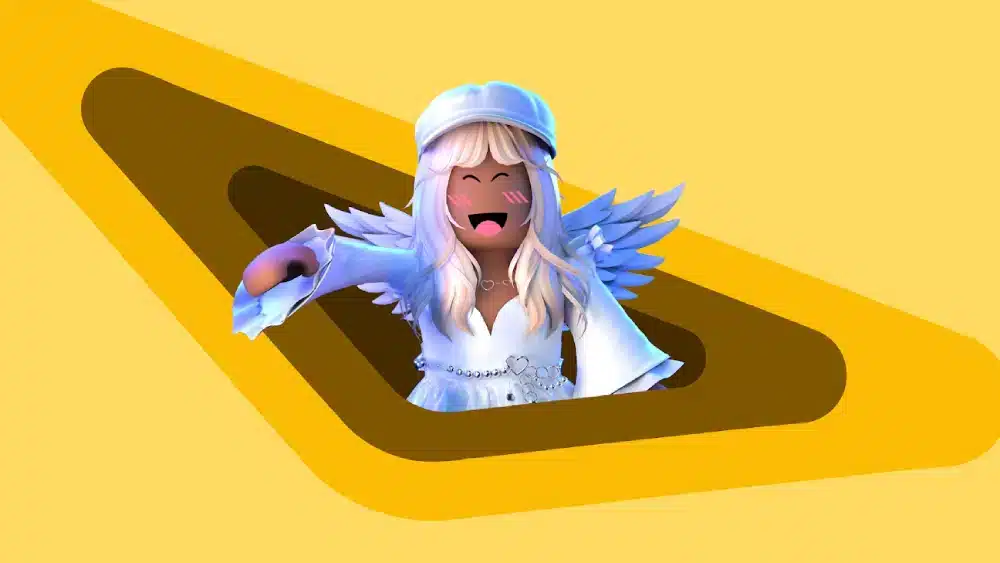
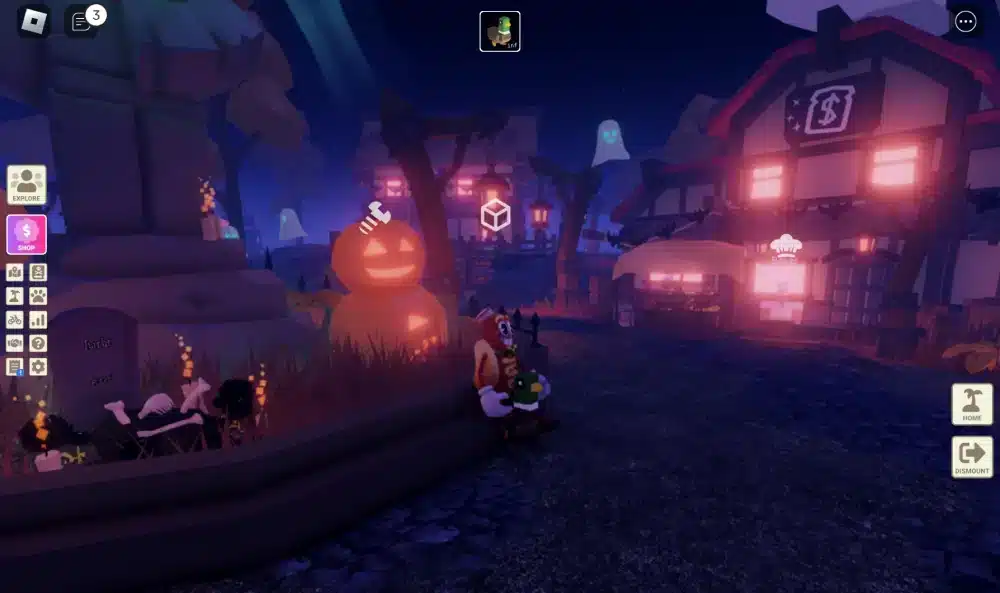
The Roblox avatar editor gives players complete control over how their character looks, making customization one of the platform’s most popular features. Whether you prefer realistic outfits, fantasy-inspired accessories, or funny costumes, the editor offers countless ways to build an avatar that reflects your personality.
With the Roblox avatar editor, changing your appearance is quick and intuitive. From clothing and accessories to animations and body types, every option allows you to personalize your experience. As Roblox continues expanding its customization tools, creating a unique avatar has never been easier. And before we continue, know that to know more about all the relevant content about gaming, you just have to check our blog.

What is the Roblox avatar editor?
Millions of players use the Roblox avatar editor every day to express themselves across thousands of games created by the community. Developed by Roblox Corporation, the platform combines user-generated experiences with extensive avatar customization, allowing players to create a recognizable identity wherever they play.
Roblox is an online gaming platform and game creation ecosystem developed by Roblox Corporation. Beyond offering millions of user-created experiences, it allows players to customize nearly every aspect of their virtual character through its powerful avatar system.
The avatar editor Roblox is the built-in customization tool where players can change clothing, hairstyles, accessories, facial expressions, body proportions, animations, and much more. Instead of being limited to a single appearance, users can create multiple styles depending on the game they want to play.
How the avatar system works
At first, the Avatar Editor may seem simple, but it includes dozens of customization categories. Every item you own automatically appears inside your inventory, making it easy to equip or remove cosmetics with only a few clicks.
Players can customize several elements, including:
- Shirts, T-shirts, and pants
- Jackets and layered clothing
- Hats, hair, glasses, and face accessories
- Back, shoulder, waist, and neck items
- Emotes and animations
- Character bundles and body parts
Because of this flexibility, every Roblox profile can look completely different, even when players own similar cosmetic items.
Who created the avatar customization system?
Roblox Corporation has continuously expanded avatar customization since the platform’s early days. Initially, players could only change basic clothing and accessories. However, today’s system is significantly more advanced.
Modern customization now includes dynamic facial expressions, layered clothing that fits different body types, and realistic animation packages. As a result, avatars feel much more expressive than they did only a few years ago.
Even more, Roblox regularly updates its technology to support new cosmetic features, allowing creators to design increasingly detailed accessories for the Marketplace.
How to use the avatar editor Roblox
Learning how to use the editor avatar Roblox is straightforward, even for beginners. Whether you’re playing on PC, mobile, or supported consoles, the customization menu follows a similar layout that makes changing your appearance simple.
After opening the Avatar section from the main menu, players can browse every owned cosmetic item by category. Selecting an item instantly updates the preview, allowing you to experiment before finalizing your look.
Editing clothing and accessories
One of the biggest advantages of the avatar editor is the ability to mix different cosmetic categories into a single outfit.
For example, you can combine:
- Classic shirts with layered jackets
- Multiple accessories on your head
- Face items with glasses and masks
- Shoulder companions with backpacks
- Different shoes using compatible avatar bundles
This flexibility lets players create casual, futuristic, medieval, horror, anime, superhero, or completely original designs.
Likewise, the Marketplace constantly introduces new accessories created by both Roblox and approved creators, giving players even more possibilities for customization.
Check this: How to Download and Use Roblox via Microsoft
Changing body types, animations, and emotes
Customization goes far beyond clothing. The avatar editor also allows players to completely change how their character moves and behaves.
Popular customization options include:
- Selecting different body bundles.
- Changing character proportions.
- Equipping running, walking, climbing, and swimming animations.
- Choosing idle poses.
- Adding expressive emotes for social interactions.
These options help create avatars that not only look different but also feel unique while exploring Roblox experiences.
Meanwhile, animation bundles remain one of the most popular cosmetic purchases because they completely transform the personality of an avatar without changing its clothing.
Best features in the avatar editor for Roblox
The avatar editor for Roblox continues receiving improvements that make customization more flexible than ever before. New technologies have introduced clothing that adapts naturally to different body shapes, creating smoother and more realistic character designs.
Rather than replacing older cosmetics, these additions expand the number of possible combinations available to players.
Layered clothing and accessories
Layered clothing represents one of the biggest upgrades introduced to Roblox avatars.
Instead of using fixed clothing textures, these items wrap naturally around different body types. Jackets fit over shirts, hoodies combine with accessories, and coats adjust automatically depending on the selected avatar bundle.
This system makes outfits look significantly more polished while giving players greater creative freedom.
In addition, accessories now support better positioning, allowing hats, headphones, glasses, wings, and shoulder companions to work together with fewer visual conflicts.
Saving outfits for later
Creating the perfect outfit often takes time. Fortunately, Roblox allows players to save multiple appearances without rebuilding them from scratch every session.
Saved outfits make it easy to switch between styles depending on the game you’re playing.
Many players maintain collections such as:
- Casual everyday avatars
- Competitive action outfits
- Fantasy-inspired characters
- Halloween costumes
- Holiday-themed looks
- Roleplay uniforms
Organizing multiple appearances saves time while encouraging players to experiment with entirely new designs whenever they discover fresh Marketplace items.
As your cosmetic collection grows, keeping everything organized becomes increasingly important. In the next section, we’ll explore how the Roblox avatar editor closet helps manage outfits efficiently while showing how ExitLag can improve your overall Roblox experience with smoother gameplay, greater connection stability, and reduced lag during online sessions.
Read also: What is Peroxide in Roblox?
How the Roblox avatar editor closet keeps your outfits organized
As your collection of cosmetics grows, managing multiple outfits becomes increasingly important. The Roblox avatar editor closet helps players organize their favorite looks, making it easy to switch between styles without rebuilding each avatar from scratch.
Whether you enjoy roleplaying, competitive experiences, or social games, having several saved outfits allows you to adapt your appearance in seconds.
Creating multiple outfits
The outfit-saving feature lets players store different avatar combinations for various situations. Instead of changing every accessory individually, you can save a complete appearance and equip it whenever you want.
Popular outfit categories include:
- Casual everyday avatars
- Fantasy and medieval characters
- Superhero-inspired outfits
- Horror and spooky themes
- Sci-fi and futuristic designs
- Seasonal holiday costumes
Using multiple outfit slots also encourages creativity since you can experiment without losing your favorite designs.
Switching styles quickly
One of the greatest advantages of the closet system is convenience. Players who frequently explore different Roblox experiences often prefer different looks depending on the game.
For example, you may want a realistic avatar while playing roleplay games but switch to a humorous character for party games.
The closet system makes these transitions nearly instant, allowing you to spend more time playing instead of customizing.
You may also like: How to Fix Roblox Lag on a Slow Phone
Tips for creating better Roblox avatars
Creating a memorable avatar isn’t only about buying expensive accessories. Instead, combining colors, proportions, and animations often produces much better results.
The avatar editor Roblox offers enough flexibility for players to build unique characters regardless of their budget.
Match accessories carefully
Too many accessories can make an avatar feel cluttered. Instead, try selecting cosmetics that follow a similar color palette or theme.
Some useful guidelines include:
- Match hats with hairstyles.
- Keep accessory colors consistent.
- Avoid oversized items that hide important details.
- Combine layered clothing naturally.
- Use face accessories sparingly.
Balanced customization usually creates a cleaner and more recognizable avatar.
Choose the right animations and bundles
Animations dramatically affect how your avatar feels.
Walking styles, idle poses, climbing movements, and emotes all contribute to your character’s personality.
Similarly, body bundles can completely transform your appearance, allowing you to create realistic humans, fantasy creatures, robots, or stylized cartoon characters.
Trying different combinations often leads to surprisingly creative results.
Common Roblox avatar editor problems and how to fix them
Although the customization system is reliable, players occasionally experience small issues when editing their avatars.
Fortunately, most problems have simple solutions.
Items are not appearing
Sometimes recently purchased cosmetics do not immediately appear inside your inventory.
If this happens, try:
- Refreshing the Avatar Editor.
- Logging out and back in.
- Checking Marketplace ownership.
- Waiting a few minutes for synchronization.
- Updating the Roblox application.
Most synchronization issues resolve automatically.
Outfit synchronization problems
Occasionally, saved outfits may display incorrectly across different devices.
This usually happens because some experiences support different avatar technologies or because the account has not fully synchronized.
Keeping Roblox updated and allowing your account to finish syncing typically fixes these issues quickly.
Check this: Everything You Should Know About the Roblox Company
Why the Roblox avatar editor keeps evolving
The Roblox avatar editor has changed dramatically over the years, and Roblox Corporation continues investing heavily in avatar technology.
As player creativity grows, the platform introduces new tools that improve realism, customization, and compatibility across millions of experiences.
New customization updates
Recent updates have expanded customization far beyond simple clothing.
Players can now enjoy features such as:
- Dynamic facial expressions
- Layered clothing
- Improved body scaling
- Better accessory positioning
- Expanded animation packages
These improvements give creators more freedom while making avatars feel increasingly lifelike.
Future personalization features
Looking ahead, Roblox is expected to continue improving avatar technology through enhanced facial animation, more realistic accessories, and additional creator tools.
Future updates may also improve outfit management, Marketplace integration, and compatibility with new avatar systems, making personalization even easier.
As Roblox grows, avatar customization will likely remain one of its biggest strengths.
How ExitLag improves your Roblox experience
While avatar customization doesn’t directly affect gameplay performance, a stable connection certainly does. Exploring massive Roblox experiences, joining multiplayer games, or attending live events becomes much smoother with consistent network performance.
ExitLag helps optimize your connection by reducing routing issues, stabilizing ping, minimizing packet loss, and improving responsiveness during online gameplay. Whether you’re exploring social hubs, competing in action games, or showing off your newest avatar, a stable connection allows you to enjoy Roblox with fewer interruptions.
If you regularly play multiplayer Roblox experiences, trying ExitLag’s free trial can be an excellent way to improve overall game stability and responsiveness.
| Feature | Benefit |
| Avatar customization | Create unique personal styles |
| Saved outfits | Switch appearances instantly |
| Layered clothing | More realistic outfit combinations |
| Animations | Add personality to your character |
| Avatar Closet | Organize multiple saved looks |
| ExitLag | Improves connection stability and smoother gameplay |
ExitLag can drastically improve your gameplay for an accessible price. To know more, check our pricing page.

Frequently asked questions (FAQ)
Does ExitLag help Roblox?
Yes. ExitLag can improve your Roblox experience by optimizing network routes, reducing ping fluctuations, minimizing packet loss, and providing a more stable connection during multiplayer sessions. Although it doesn’t affect avatar customization, it helps maintain smoother gameplay across supported Roblox experiences.
Is ExitLag compatible with Roblox?
Yes. ExitLag supports Roblox on PC, allowing players to enjoy more stable online sessions in thousands of community-created games. The setup process is simple, making it easy to optimize your connection before launching Roblox. You should check more games compatible with ExitLag at our official games page.
Does ExitLag improve Roblox performance?
ExitLag primarily improves network performance rather than graphics performance. By stabilizing your connection and reducing latency, it can help make movement, interactions, and multiplayer gameplay feel more responsive, especially in experiences that rely heavily on online synchronization. Use the free trial to explore all features!
Can I save multiple outfits in Roblox?
Yes. Roblox allows players to save multiple avatar presets, making it easy to switch between different styles whenever they want. This feature is especially useful for players who enjoy roleplaying or participating in different types of Roblox experiences.
How does the Roblox avatar editor closet work?
The Roblox avatar editor closet stores your saved outfits, allowing you to organize multiple avatar combinations in one place. Instead of rebuilding your character each time, you can simply select one of your saved appearances and equip it within seconds.
In conclusion
The Roblox avatar editor is one of the platform’s most powerful features, giving players nearly unlimited freedom to personalize their characters. From layered clothing and animations to saved outfits and the Roblox avatar editor closet, there are countless ways to create a unique identity. Combine thoughtful customization with a stable connection using ExitLag, and you’ll enjoy a smoother, more responsive Roblox experience while showing off your Roblox avatar editor creations in every adventure. Download ExitLag now!
Got questions or want to connect with other players? Join the conversation at the ExitLag Forum!