If you’re searching for Roblox for free, you’re definitely not alone. Millions of players around the world want to enjoy Roblox without spending money, and the good news is that it’s totally possible.
Understanding Roblox for free is essential if you want to access games, customize your avatar, and explore the platform without paying. Roblox for free means you can play, create, and interact with other players without needing to buy Robux right away.
So, what is Roblox for free? It’s the ability to access the Roblox platform, play games, and use basic features without any cost, while optional purchases remain available for customization and upgrades.
Roblox for Free: How It Works and What You Can Access

Before you start playing, it’s important to understand what you actually get when using Roblox for free.
What you can do in Roblox for free
First of all, Roblox is designed to be accessible to everyone.
With a free account, you can:
- play Roblox for free online in thousands of experiences;
- Access Roblox for free games created by other users;
- Chat and interact with other players;
- Customize your avatar with basic items;
- Join servers and communities.
This means you can fully enjoy the platform without spending anything.
What is limited in the free version
However, there are some limitations you should be aware of.
For example:
- Premium items may require Robux;
- Some avatar accessories are paid;
- Certain private servers may have costs.
Still, for most players, the free experience is more than enough to get started.
How to Play Roblox for Free: Step-by-Step Guide
Now let’s get practical. If you’re wondering how to play Roblox for free, the process is very simple and beginner-friendly.
How to download Roblox for free
The easiest way to start is by downloading the official app.
Steps:
- Go to the official Roblox website;
- Click on download Roblox for free;
- Install the application;
- Create a free account;
- Start playing immediately.
This is the safest and most reliable method.
Play Roblox online for free without downloading
If you prefer not to install anything, there are alternatives.
Many players search for:
- Roblox for free no download;
- Roblox for free without downloading;
- Play Roblox online for free.
While Roblox typically requires installation, some browser-based options or cloud platforms may allow limited access.
However, for the best experience, downloading is recommended.
Roblox for Free Games and Features
Once you’re inside Roblox, you’ll quickly realize how much content is available.
Best Roblox for free games to try
There are thousands of experiences available.
Some popular types include:
- Obby (obstacle) games;
- Roleplay worlds;
- Survival challenges;
- Tycoon games;
- Competitive PvP modes.
All of these fall under Roblox for free games, meaning you can access them instantly.
How to find new games easily
To explore more content:
- Use the search bar;
- Check trending games;
- Follow recommendations;
- Join communities.
This helps you discover new experiences quickly.
Free Customization: Avatars, Faces and Codes
Customization is a big part of Roblox, even without spending money.
How to get free items in Roblox
Many players look for ways to customize their avatar for free.
Here are some options:
- Use free faces for Roblox;
- Redeem free Roblox codes for robux (when available);
- Participate in events;
- Claim promotional items.
These methods allow you to stand out without spending.
How to create a unique avatar for free
If you’re wondering how to get full black avatar in Roblox for free, it’s possible using:
- Free clothing items;
- Avatar editor combinations;
- Community-created assets.
With creativity, you can build a unique look without paying.
How to Make a Roblox Game Server for Free
Roblox is not just about playing, it’s also about creating.
How to make a Roblox game server for free
If you’re curious about how to make a Roblox game server for free, here’s a basic idea:
- Use Roblox Studio;
- Create or edit a game;
- Publish it to the platform;
- Configure server settings.
This allows you to host your own experience.
Why creating your own server matters
Creating your own game lets you:
- Learn game development;
- Build your own community;
- Customize gameplay;
- Share your creations.
It’s one of Roblox’s biggest advantages.
Roblox for Free Performance and Experience
When it comes to Roblox for free, many players assume that the experience will be exactly the same regardless of how they access the game. However, that’s not entirely true.
In reality, the way you choose to play, whether through download, browser, or mobile, can significantly impact your performance, stability, and overall enjoyment.
So, before deciding how you want to start playing Roblox for free, it’s important to understand how each option compares in practice.
Comparison of Roblox free access methods
Take a look at the table below. It highlights the main differences between the most common ways to access Roblox:
| Method | Performance | Ease of Access | Experience Quality |
| Downloaded App | High | Easy | Full experience |
| Browser/Cloud Play | Medium | Moderate | Limited features |
| Mobile App | Medium | Easy | Optimized |
| Low-End Devices | Low | Easy | Reduced performance |
Now, let’s break this down so it actually makes sense for your gameplay.
- The downloaded app offers the best performance and full access to all features. This is ideal if you want the complete Roblox for free to play experience.
- Browser or cloud play options are useful if you’re looking for Roblox for free without downloading, but they usually come with limitations in performance and features.
- The mobile app is optimized for convenience, making it easy to play Roblox online for free, although it may not match PC performance.
- On low-end devices, the game can still run, but with reduced quality and possible lag issues.
So, even though all options allow you to access Roblox for free games, the experience itself can feel very different depending on your setup.
How to choose the best way to play Roblox for free
At this point, you might be wondering: which option should you choose?
Well, the answer depends on what you’re looking for.
If you want performance and stability, downloading the app is the best choice. If you want quick access without installation, browser options may work, but with limitations. If you prefer flexibility, mobile can be a great alternative.
However, no matter which option you choose, one thing remains true: your experience will always depend on how well your device and connection handle the game.
In other words, Roblox for free is accessible to everyone, but the quality of your gameplay depends on how you choose to play it.
Roblox for Free and Why Connection Still Matters
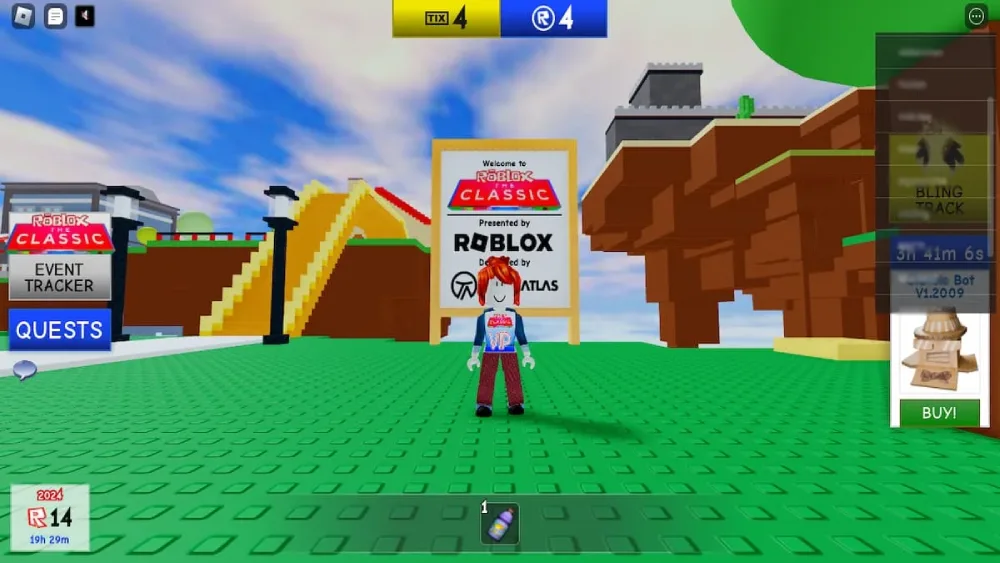
Even if you’re enjoying Roblox for free, there’s one thing many players overlook: performance still plays a huge role in your overall experience.
At first, everything may seem smooth. However, as soon as you start exploring more complex games or joining multiplayer servers, connection quality becomes much more noticeable. And that’s exactly where small issues can turn into big frustrations.
Why connection affects Roblox gameplay
When you’re playing online, every action depends on how fast your device communicates with the server.
In practice, this means:
- Lag affects your character’s movement and responsiveness;
- Delays impact interactions with objects and other players;
- Packet loss can cause actions to fail or not register properly.
Now, here’s the key point: these issues are not always constant, they can appear suddenly, especially during peak hours or in crowded servers.
As a result, even if you’re just playing Roblox for free casually, your experience can feel inconsistent. And in more competitive or fast-paced games, these problems become even more noticeable and can directly affect your performance.
How ExitLag improves your Roblox experience
So, what can you do to improve this?
Instead of relying on a single unstable connection route, ExitLag takes a smarter approach by optimizing how your data travels to the game server.
Here’s how it works:
- It identifies multiple possible routes to the server;
- It selects the fastest and most stable path in real time;
- It automatically adjusts if your connection becomes unstable.
Because of this, you get:
- More stable gameplay;
- Fewer lag spikes;
- Better responsiveness during matches.
And most importantly, everything happens automatically, you don’t need to manually configure anything.
Important: What ExitLag is (and is not)
Before using any tool, it’s important to understand exactly what it does.
So, to be clear:
- ExitLag is not a VPN;
- It does not change your IP or location;
- It does not interfere with game rules or mechanics.
Instead, it focuses entirely on optimizing your connection route.
In the end, even when playing Roblox for free, having a stable and optimized connection can make all the difference between a frustrating session and a smooth, enjoyable experience.
FAQ
Yes, Roblox is free to play, with optional purchases available.
Some limited options exist, but downloading is recommended.
You can use codes, events, and free catalog items.
Yes, as long as you download it from the official website.
Yes, Roblox Studio is completely free to use.
Play Roblox for Free with Better Performance Using ExitLag
Now that you understand Roblox for free, you’re ready to explore everything the platform offers without spending money.
Roblox for free gives you access to thousands of games, creative tools, and customization options. Roblox for free becomes even better when your gameplay is smooth and stable.
If you want fewer lag spikes and better performance, ExitLag can optimize your connection and improve your experience.
Try ExitLag now and enjoy Roblox without interruptions!
Got questions or want to connect with other players? Join the conversation at the ExitLag Forum!