The roblox strongest battlegrounds Sound Id system is one of the most fun and underrated customization features in The Strongest Battlegrounds. While most players focus on characters, combos, and damage output, sound customization adds personality, intimidation, and humor to every single kill.
In fast-paced PvP games like The Strongest Battlegrounds, audio feedback matters. The moment you eliminate an opponent, a powerful or funny sound can instantly elevate the experience. That is exactly why roblox strongest battlegrounds Sound Id codes have become so popular across the community.
So, what is this feature, who can use it, and when should you customize it? The kill sound system allows players to replace default elimination audio with custom sound effects using numeric Roblox Sound IDs. These sounds trigger when you defeat another player, making each victory feel more satisfying and unique.
Whether you want intimidating bass drops, anime voice lines, or meme sounds that make everyone laugh, understanding how roblox strongest battlegrounds Sound Id works is essential before jumping into customization.
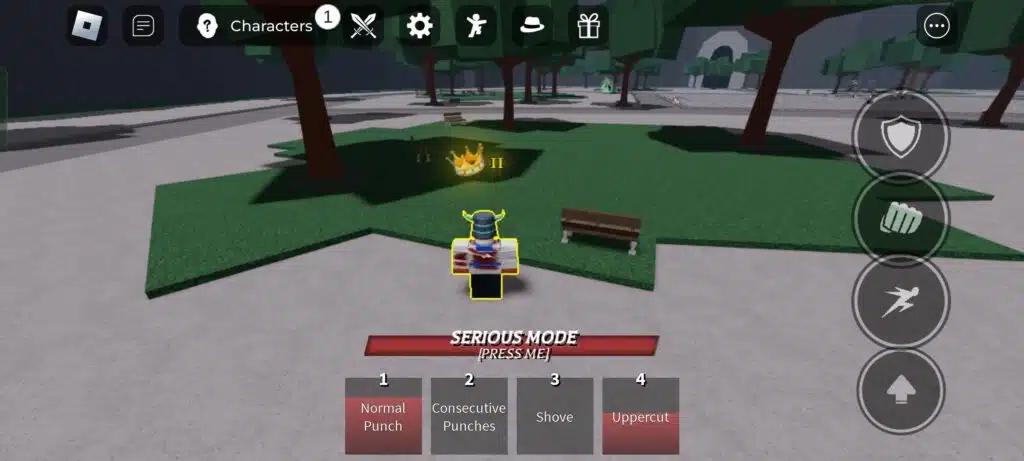
How Roblox Strongest Battlegrounds Sound ID Works
What Are Sound ID Codes in Roblox?
Sound IDs in Roblox are unique numeric identifiers assigned to audio files uploaded to the Roblox platform. When a game allows custom audio input, players can enter these codes to trigger specific sound effects during gameplay.
In The Strongest Battlegrounds, Sound IDs are used primarily for:
- Kill sounds when you eliminate another player
- Death sounds when your character is defeated
- Cosmetic audio feedback that does not affect damage or abilities
These sounds are purely cosmetic, but they heavily influence how intense, funny, or memorable your matches feel.
Where to Enter Kill and Death Sound IDs
To use a kill sound id roblox strongest battlegrounds, you must first unlock the customization feature inside the game. This option appears in the settings menu and usually requires a small Robux purchase.
Once unlocked, you can:
- Open The Strongest Battlegrounds
- Click the settings or customization menu
- Find the Kill Sound customization option
- Paste your chosen Sound ID
- Save and apply the change
After that, every elimination you get will trigger your selected sound effect.
Best Kill Sound IDs for Roblox Strongest Battlegrounds
Choosing the right roblox kill sound id strongest battlegrounds depends on your playstyle. Some players want fear‑inducing audio that asserts dominance, while others prefer funny sounds that turn every elimination into a meme moment.
Below are popular, widely used Sound IDs that fit naturally into The Strongest Battlegrounds combat pace and are known for working well in PvP scenarios.
Epic and Intimidating Kill Sounds
These Sound IDs are ideal for competitive or ranked matches where you want every elimination to feel impactful:
- Ultra Kill – 937885646
Short, aggressive confirmation sound that fits fast combo gameplay. - Headshot / Impact Hit – 8974751426
Clean and sharp audio cue that doesn’t overlap other combat sounds. - Heavy Punch Bass – 541909867
Works perfectly with high‑damage characters and close‑range finishers. - Anime Slash Effect – 160432334
Popular among players who prefer anime‑style characters and fast executions.
These kill sound effect roblox id strongest battlegrounds options are short and loud, which is essential in chaotic fights.
Funny Kill Sound Roblox ID Options
For casual servers and public lobbies, funny sounds are extremely popular. They add personality without affecting gameplay balance:
- Vine Boom – 514338316
One of the most recognizable meme sounds in Roblox PvP games. - Metal Pipe Bonk – 643396121
Loud, unexpected, and perfect for surprise kills. - Windows Error – 160715357
Great for ironic eliminations and comeback moments. - Cartoon Slip – 130814430
Works well for light‑hearted matches and meme builds.
A funny kill sound roblox id strongest battlegrounds should always be under two seconds to avoid repetition fatigue.
Death Sound ID Roblox Strongest Battlegrounds Explained
While kill sounds get the spotlight, roblox strongest battlegrounds death sound id customization is just as relevant. Death sounds trigger when your character is eliminated and can change the emotional tone of losing a fight.
Popular Death Sound IDs That Make Sense In‑Game
- Classic Roblox Death – 130767645
Nostalgic and simple, ideal for players who prefer minimal distractions. - Pain Scream – 261110377
Dramatic but short, often used for intense PvP servers. - Deep Bass Defeat Sound – 911882310
Adds weight to losses without being annoying. - Comedic Death Yell – 168513088
Best suited for casual matches and friendly servers.
Using a roblox death sound id strongest battlegrounds is purely cosmetic and does not affect respawn speed or performance.
Death Sound ID Roblox Strongest Battlegrounds Explained
While kill sounds get the most attention, roblox strongest battlegrounds death sound id customization is just as fun. Death sounds trigger when your character is eliminated and can be dramatic, hilarious, or ironic.
Popular death sound styles include:
- Classic Roblox death audio
- Exaggerated screams
- Silent or muted sounds for minimal distraction
Some competitive players prefer subtle death sounds to stay focused, while casual players enjoy meme-style audio even when losing.
Using a roblox death sound id strongest battlegrounds does not impact respawn time or gameplay mechanics, making it a purely stylistic choice.
How to Choose the Best Sound IDs for Your Playstyle
Competitive vs Casual Matches
If you play ranked or serious PvP, choose sound IDs that are:
- Short
- Clean
- Non-distracting
For casual servers, creativity wins. Funny sounds, memes, and unexpected audio effects are widely accepted and encouraged.
Audio Length and Volume Tips
Always prioritize short clips. Long audio files may:
- Get cut off mid-sound
- Overlap with combat audio
- Become annoying over time
The best roblox sound ids for strongest battlegrounds are those that trigger instantly and end quickly.
Common Issues With Roblox Sound IDs
Sometimes a roblox strongest battlegrounds kill sound id may stop working. This usually happens because:
- The audio was moderated or deleted by Roblox
- The ID was entered incorrectly
- The sound is set to private
When this happens, simply replace the ID with a new one from the Creator Marketplace.
Why Stable Connection Matters for Sound Triggers
In fast-paced games like The Strongest Battlegrounds, sound effects rely on real-time events. Lag, packet loss, or unstable routing can cause:
- Delayed kill sounds
- Sounds not playing at all
- Audio desync during intense fights
This is where ExitLag becomes a powerful ally.
ExitLag optimizes your connection using real-time routing, multipath connections, and global servers to reduce ping and stabilize packets. Even though Sound IDs are cosmetic, smooth connectivity ensures that every kill sound triggers exactly when it should.
For players who want flawless performance in Roblox PvP games, ExitLag helps maintain consistent gameplay while you focus on combos, positioning, and reaction time.
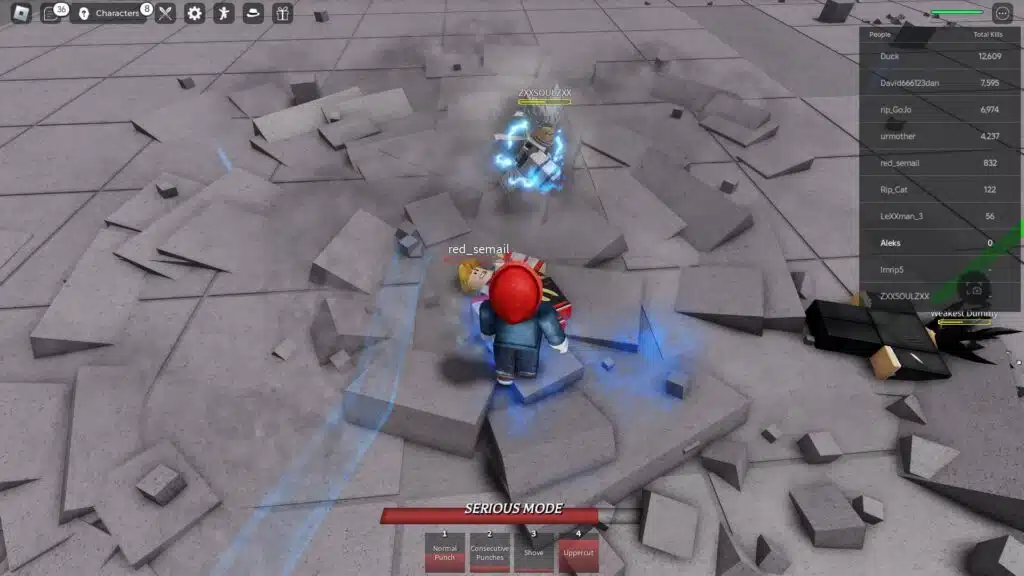
Why Roblox Strongest Battlegrounds Sound ID Customization Is Worth It
Custom sounds transform every match into a personal experience. Whether you prefer intimidation, humor, or anime-style flair, roblox strongest battlegrounds Sound Id customization lets you stand out without affecting balance.
Advanced Roblox Strongest Battlegrounds Sound IDs (Kill & Death)
Customizing audio goes far beyond basic personalization. In fast PvP games like The Strongest Battlegrounds, sound feedback directly affects how impactful each elimination feels. Choosing the right roblox strongest battlegrounds sound id can improve immersion, reinforce your playstyle, and even add psychological pressure on opponents.
Below, you’ll find advanced, well-known Sound IDs that make sense specifically for The Strongest Battlegrounds combat speed and character design.
Updated Kill Sound IDs That Actually Work
Roblox frequently moderates or removes audio assets. For that reason, the best roblox kill sound id strongest battlegrounds choices are short, public, and widely used across PvP games.
These IDs are popular because they trigger instantly and don’t overlap important combat audio.
High-Impact Kill Sound IDs
- Ultra Kill – 937885646
Perfect for ranked matches and aggressive combo characters. - Boom Headshot – 736108557
A classic confirmation sound that feels satisfying without being distracting. - Heavy Punch Impact – 541909867
Excellent for close-range fighters and burst damage executions. - Anime Slash Effect – 160432334
Ideal for anime-inspired characters and fast executions. - Deep Bass Hit – 1843529634
Adds weight to every elimination without lasting too long.
These kill sound ids for roblox strongest battlegrounds work best when paired with characters that rely on fast pressure and quick finishes.
Funny Kill Sound Roblox ID Strongest Battlegrounds
Meme sounds dominate casual servers. A well-timed funny sound can turn an ordinary elimination into a moment everyone remembers.
Popular Funny Kill Sound IDs
- Vine Boom – 514338316
One of the most iconic meme sounds in Roblox history. - Metal Pipe Bonk – 643396121
Loud, unexpected, and perfect for surprise kills. - Windows Error – 160715357
Excellent for ironic or comeback eliminations. - Bruh Sound Effect – 154693274
Short and expressive, ideal for casual PvP. - Cartoon Slip – 130814430
Works great in lighthearted matches.
A funny kill sound roblox id strongest battlegrounds should always be under two seconds to avoid repetition fatigue.
Roblox Death Sound ID Strongest Battlegrounds
Death sounds are just as important as kill sounds. The right roblox strongest battlegrounds death sound id can soften the frustration of losing or add humor to defeat.
Best Death Sound IDs by Playstyle
- Classic Roblox Death – 130767645
Minimal and nostalgic, perfect for focused players. - Pain Scream – 261110377
Dramatic without being overly loud. - Dramatic Yell – 168513088
Great for casual servers and friendly matches. - Deep Bass Defeat – 911882310
Adds impact while staying short.
Using a roblox death sound id strongest battlegrounds is purely cosmetic and never affects respawn time or stats.
Best Roblox Sound IDs for Strongest Battlegrounds
| Sound Type | Style | Roblox Sound ID | Best Use Case |
| Kill Sound | Competitive | 937885646 | Ranked and fast combos |
| Kill Sound | Anime | 160432334 | Anime characters |
| Kill Sound | Meme | 514338316 | Casual servers |
| Kill Sound | Meme | 643396121 | Funny eliminations |
| Death Sound | Classic | 130767645 | Minimal distraction |
| Death Sound | Dramatic | 261110377 | Intense PvP |
| Death Sound | Meme | 168513088 | Casual play |
Best Character in Strongest Battlegrounds (Sound Synergy)
Not every character benefits from the same audio style. Matching sound IDs with character behavior makes gameplay feel more natural.
Characters That Match Aggressive Kill Sounds
- Garou – Fast combos benefit from sharp, short sounds.
- Saitama – High burst damage pairs perfectly with bass-heavy hits.
- Atomic Samurai – Clean slash sounds complement execution speed.
Characters That Fit Meme or Casual Sounds
- Genos – Zoning gameplay works well with ironic or funny sounds.
- Metal Bat – Comeback mechanics feel more rewarding with meme audio.
Choosing the right roblox sound ids strongest battlegrounds improves immersion without affecting balance.
How to Fix Kill Sound Not Working in Strongest Battlegrounds
Sometimes a roblox strongest battlegrounds kill sound id stops working. This usually happens for simple reasons.
Common Problems
- The audio was deleted or moderated by Roblox
- The Sound ID is private
- The ID was typed incorrectly
How ExitLag Improves Sound Trigger Reliability
In high-speed PvP matches, lag can delay or cancel sound triggers. ExitLag stabilizes your connection using real-time routing and multipath technology, ensuring that kill and death sounds trigger exactly when the game registers the event.
With lower latency and reduced packet loss, ExitLag helps maintain consistent audio feedback during intense fights – especially important in competitive servers.
Pro Tips for Roblox Sound IDs in PvP Games
Best Practices
- Always use sounds under two seconds
- Avoid music or long voice lines
- Test sound volume before ranked matches
- Use different sounds for kills and deaths
How to Apply Sound IDs Correctly
- Copy the Sound ID
- Open The Strongest Battlegrounds settings
- Paste the ID into the kill or death sound field
- Save changes
- Test in a public server
Once everything is set, take a moment to play a few matches and confirm that your chosen sound triggers consistently. If the audio feels delayed, cuts off, or fails to play during intense fights, consider switching to a shorter sound or checking your connection stability.
At this point, your customization is complete. With the right sound IDs, every elimination becomes more satisfying, every defeat feels lighter, and your overall presence in The Strongest Battlegrounds becomes more distinctive. Whether you prefer competitive precision or pure meme energy, sound customization lets you express your playstyle without affecting game balance.
For players who want the smoothest possible experience, maintaining a stable connection is essential. Fast PvP games rely on instant feedback, and even cosmetic elements like kill and death sounds depend on accurate event timing. Using ExitLag helps reduce ping, stabilize routing, and ensure that audio triggers exactly when your actions happen in-game.
By combining the right roblox strongest battlegrounds sound id choices with a reliable connection, you can focus fully on combos, positioning, and winning fights – without distractions.
All game images used in this blog belong to Roblox Corporation and the developers of The Strongest Battlegrounds. They are used for informational/educational purposes only and do not imply endorsement or affiliation with the rights holders.
Got questions or want to connect with other players? Join the conversation at the ExitLag Forum!