Sea of Thieves server status is one of the first things players should check when they cannot connect, matchmaking suddenly fails, or an otherwise stable session becomes unreliable. Because Sea of Thieves is built around a shared multiplayer world, problems affecting online services can quickly interrupt voyages, naval battles, Tall Tales, and other activities.
For players returning to Sea of Thieves, understanding Sea of Thieves server status can also make it easier to determine whether a problem is caused by the game servers, matchmaking, the platform being used, or an individual internet connection. Rather than repeatedly restarting the game without knowing what is happening, players can use several signals to identify where an issue is likely coming from.
What is Sea of Thieves server status?
Sea of Thieves server status refers to the current operational condition of the online services required to access Sea of Thieves, connect to multiplayer sessions, use matchmaking, and participate in the game’s shared pirate world. A server-status check can help determine whether an outage, maintenance period, or wider service disruption is affecting players.
Why Sea of Thieves Server Status Still Matters
Checking Sea of Thieves server status is especially important in a multiplayer game where progress, matchmaking, and interaction with other crews depend on online services. A player may have a perfectly functional PC or console and still be unable to start a session if a required service is unavailable.
What Is Sea of Thieves?
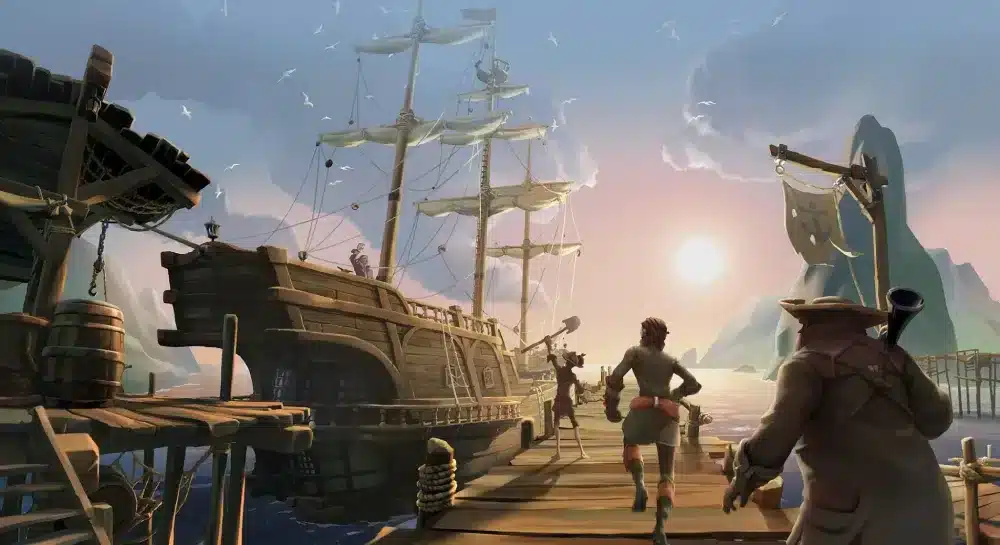
Developed by Rare and published by Xbox Game Studios, Sea of Thieves is a multiplayer action-adventure game built around the fantasy of becoming a pirate in a shared world. Players sail ships, search for treasure, complete quests, encounter other crews, participate in naval combat, and explore a world filled with dynamic events and narrative content.
Since its 2018 launch, the game has continued to evolve through seasonal content, Tall Tales, community events, new activities, and collaborations. That ongoing multiplayer structure means reliable online services remain central to the experience.
Unlike a traditional single-player adventure, Sea of Thieves expects players to remain connected to its online ecosystem. Therefore, when something goes wrong, checking the Sea of Thieves server status can provide useful context before troubleshooting local hardware or network settings.
Who Plays Sea of Thieves?
The game’s community includes several different types of players, and each group can be affected differently when online services experience problems.
- Casual explorers sailing without a fixed objective
- Hardcore PvP crews looking for naval battles
- Lore hunters completing Tall Tales
- Streamers broadcasting their adventures
- Role-players creating stories with their crews
The game supports cross-platform play between Xbox and PC ecosystems, creating a broad player pool. Consequently, server or matchmaking problems can affect crews regardless of their preferred platform.
Sea of Thieves Server Status: What Does Online Activity Tell Us?
A Sea of Thieves server status check should not be confused with a simple player-count statistic. A large number of players does not automatically mean that every online service is functioning correctly.
Similarly, a lower player count does not necessarily indicate that the servers are experiencing problems.
Server Status vs. Player Count
Player activity can nevertheless provide useful context. The source material indicates that Sea of Thieves has maintained a substantial multiplayer community, with activity coming from Xbox, Microsoft Store PC, and Steam.
Third-party tracking platforms and community observations can therefore help players understand whether a problem appears isolated or widespread.
However, these figures should be treated as estimates rather than official real-time server measurements. Rare and Xbox do not provide a single public number that can be used as a universal live indicator for every service.
Signs of a Possible Server Problem
Several symptoms may indicate that a wider service problem is occurring:
- Players cannot log into the game.
- Matchmaking repeatedly fails.
- Crews are unexpectedly disconnected.
- Friends cannot join the same session.
- Multiple players report the same issue at the same time.
- Game services become unavailable after maintenance.
- Server-related error messages appear repeatedly.
If several unrelated players experience the same problem simultaneously, checking the Sea of Thieves server status becomes especially valuable.
Signs of a Local Connection Problem
On the other hand, some symptoms are more consistent with an individual network problem:
- Only one player in a crew is disconnecting.
- Other online games work inconsistently on the same connection.
- Ping suddenly becomes unusually high.
- Packet loss appears during gameplay.
- The connection becomes unstable during specific routes or times.
- Restarting the game temporarily solves the problem.
This distinction is important because restarting a game cannot repair a problem caused by a network route or an internet service provider.
How to Check Sea of Thieves Server Status
When Sea of Thieves suddenly stops connecting, players should approach troubleshooting systematically. The goal is to determine whether the issue affects the wider game service or only the individual connection.
Start With Official Service Information
The first step should always be checking official communications from the game’s developer and platform ecosystem. Maintenance announcements, service interruptions, and emergency notices may explain why players cannot access the game.
Official channels are generally more reliable than isolated social-media posts because they can distinguish planned maintenance from unexpected incidents.
Compare Multiple Signals
A useful Sea of Thieves server status check can combine several indicators:
- Check official Sea of Thieves service announcements.
- Look for reports from other players.
- Check whether friends on different platforms can connect.
- Review platform-specific service information.
- Test the local connection if the wider service appears operational.
This approach prevents players from immediately assuming that every connection error is a server outage.
Why Community Reports Matter
Community reports can be particularly useful when an incident has just started. Players often notice connection problems before formal updates are published.
Reddit communities, Discord groups, Twitch streams, and other gaming communities can reveal whether many crews are experiencing similar symptoms.
However, individual reports should not be treated as definitive proof of a server outage. A player may have a local network issue, account problem, or platform-specific failure.
Sea of Thieves Server Status on Xbox
The Sea of Thieves server status can be particularly relevant to Xbox players because Xbox represents a major part of the game’s ecosystem.
Why Xbox Is Important
Sea of Thieves is closely connected to the Xbox ecosystem, and Game Pass has helped introduce new players to the game. Cross-platform matchmaking also means that Xbox users interact with PC players rather than remaining in a completely separate population.
This broad ecosystem can help matchmaking remain active, but it also means that several services can potentially be involved when a player has trouble connecting.
Xbox Connection Problems
When an Xbox player cannot access Sea of Thieves, it is useful to determine whether the problem affects:
- The Xbox network
- The player’s account
- Sea of Thieves services
- Matchmaking
- The local internet connection
Checking each layer avoids unnecessary troubleshooting.
For example, if Xbox services themselves are experiencing a disruption, repeatedly restarting Sea of Thieves is unlikely to solve the underlying issue.
Xbox and PC Crossplay
The game’s crossplay structure contributes to a unified multiplayer environment. Xbox and PC players can interact through shared matchmaking systems, allowing crews to form across platforms.
This also means that reports from PC players can sometimes help Xbox users identify broader service issues. If players across both ecosystems report identical connection failures, the evidence for a wider incident becomes stronger.
Cross-Platform Sea of Thieves Server Status
Understanding the Sea of Thieves server status across platforms requires looking at the entire online ecosystem rather than a single storefront.
Platforms Supporting Sea of Thieves
The source material identifies the following major platforms:
- Xbox One
- Xbox Series X|S
- PC through the Microsoft Store
- PC through Steam
Each platform contributes players to the broader Sea of Thieves community.
Why Crossplay Matters
Crossplay is important because it creates a larger matchmaking pool.
A unified ecosystem can provide:
- Faster matchmaking
- More varied crews
- More active encounters
- Shared content updates
- Broader community events
Therefore, a server-status problem can potentially affect a very large and diverse audience at once.
Platform-Specific Problems Can Be Different
Not every problem affects every platform equally.
A PC player using Steam may experience a problem that does not affect an Xbox player. Likewise, an Xbox-specific service issue may leave Steam players unaffected.
For this reason, checking reports from players on multiple platforms can be helpful when determining the scope of an incident.
How Connection Quality Affects Sea of Thieves
A normal Sea of Thieves server status does not guarantee a perfect gameplay experience. Online multiplayer performance depends on more than whether the game services are operational.
Ping and Latency
Latency measures how long data takes to travel between the player and the relevant game service. Higher latency can make actions feel delayed.
In Sea of Thieves, this can become particularly noticeable during:
- Ship-to-ship combat
- Close-range PvP encounters
- Rapid maneuvers
- Boarding attempts
- Cannon battles
- Competitive encounters
A player may therefore believe the server is malfunctioning when the actual issue is an unstable or inefficient connection route.
Packet Loss
Packet loss occurs when data traveling across a network does not successfully reach its destination.
In an online game, packet loss can result in:
- Delayed actions
- Rubber-banding
- Sudden movement corrections
- Missing or delayed interactions
- Temporary disconnections
Because Sea of Thieves relies heavily on real-time multiplayer interaction, unstable connections can become particularly frustrating during combat or important voyages.
Connection Routing
Internet traffic can travel through multiple intermediary networks before reaching the destination service.
If that route is inefficient or congested, a player may experience higher latency even when their internet package has sufficient bandwidth.
This is why connection quality should be evaluated separately from Sea of Thieves server status.
Steam vs. Xbox: Understanding Sea of Thieves Activity
Sea of Thieves expanded its PC audience when it launched on Steam in 2020. Since then, Steam has provided another visible source of information about the game’s activity.
What Steam Data Can Tell You
Steam Charts and similar services can provide information about concurrent Steam players. This can help identify broad changes in PC activity.
However, Steam numbers do not represent the entire Sea of Thieves player population.
Xbox, Microsoft Store PC players, and other parts of the ecosystem are not necessarily represented in Steam’s concurrent-player figures.
Comparing Platforms
| Platform | Relative Role | Typical Audience | Useful Status Signal |
| Xbox Series X|S | Major console ecosystem | Game Pass users, casual players, PvE and PvP crews | Xbox and community reports |
| Xbox One | Legacy console audience | Returning players and established crews | Xbox service information |
| Steam | Major PC storefront | PC players, streamers, experienced players | Steam activity and community reports |
| Microsoft Store PC | Xbox-connected PC ecosystem | Cross-platform players and Game Pass users | Microsoft and community reports |
This comparison demonstrates why no single public player counter should be interpreted as the complete Sea of Thieves server status.
Xbox Still Represents a Major Community
The source material identifies Xbox as a particularly important part of the game’s player ecosystem. Game Pass can introduce new users, while Xbox Live integration makes it easier for friends to organize crews.
Steam, meanwhile, provides another large community of players who contribute to matchmaking, streaming, discussion, and community activity.
Regional Differences
Player activity can also vary by region.
The source material highlights:
- North America and the United Kingdom as major Xbox-heavy regions
- Europe and South America as mixed ecosystems
- Growing Steam participation in parts of Asia
These regional differences matter because network performance and matchmaking experiences can vary depending on geographic location.
What to Do When Sea of Thieves Servers Are Down
If your Sea of Thieves server status check indicates a genuine service outage, there is usually little that can be accomplished locally until the affected service is restored.
Avoid Repeating the Same Troubleshooting Steps
If thousands of players are experiencing the same outage, reinstalling the game is unnecessary.
Instead, players should monitor official updates and wait for the service to recover.
Useful actions include:
- Confirming the reported outage
- Checking official announcements
- Monitoring updates from the developer
- Waiting before repeatedly attempting to reconnect
- Checking again after the incident is resolved
When to Troubleshoot Your Own Connection
If official services appear operational and other players are connecting successfully, investigate your own network.
Start by checking whether other devices can access the internet. Then consider restarting the router, checking the platform connection, and testing another online game.
If the problem persists only in Sea of Thieves, additional game-specific troubleshooting may be appropriate.
How ExitLag Can Help When Servers Are Online
A functioning Sea of Thieves server status does not automatically mean that every player has an ideal route to the game service.
ExitLag can be useful for players investigating routing-related problems because its purpose is to optimize the path used by game traffic.
Potential Benefits
Players may use a connection optimizer to address issues such as:
- High latency
- Unstable routing
- Packet loss
- Sudden ping fluctuations
- Connection instability during multiplayer sessions
The goal is not to make an unavailable server available. Instead, it is to improve the player’s route when the service itself is operational.
When It Can Be Most Useful
Connection optimization can be particularly relevant for:
- PvP crews
- Cross-platform groups
- Streamers
- Players located far from game infrastructure
- Players who experience inconsistent routing
The distinction is simple: if the game service is down for everyone, routing optimization cannot restore it. If the servers are online but your route is unstable, network optimization may be worth considering.
The Community Behind Sea of Thieves Server Reports
The Sea of Thieves server status conversation is not limited to official announcements. The community itself plays an important role in identifying unusual behavior.
Where Players Share Information
The source material highlights several major community spaces:
- Discord
- Twitch
- YouTube
These communities allow players to compare experiences quickly.
For example, if multiple crews report identical matchmaking errors at the same time, that information can indicate a wider incident.
Community Events and Activity
Sea of Thieves has maintained interest through activities such as:
- Gold Hoarder runs
- Ghost Ship PvE alliances
- Tall Tale speedruns
- Seasonal community events
These events can create periods of increased activity. During major updates or events, players may also pay closer attention to connection performance and server availability.
Why Activity Spikes Matter
Large events can attract returning players and increase the number of people attempting to connect at similar times.
This does not automatically mean the servers will fail. However, increased attention from the community can make service problems easier to notice.
Long-Term Server Stability and Player Retention
The health of a multiplayer game depends on more than a single day’s Sea of Thieves server status.
Long-term retention is influenced by content updates, community events, player expectations, and the ability of the game’s online ecosystem to support active crews.
Sea of Thieves Retention Over Time
The source material describes several important stages:
- 2018 launch: a major initial player surge
- 2020–2021: continued activity around the Steam release
- 2022–2023: renewed attention from major content and community events
- 2024–2025: continued stability driven by updates and ongoing content
These periods demonstrate why server health should be considered as part of a larger multiplayer ecosystem.
Why Players Continue Playing
Players can remain engaged because of:
- Seasonal updates
- Narrative content
- Tall Tales
- Cosmetic progression
- Community events
- PvP encounters
- Cooperative voyages
A strong and active player base is valuable because multiplayer games depend on having enough players available to populate matchmaking and create varied encounters.
Common Reasons Players Take Breaks
Not every player remains active continuously.
The source material identifies several potential drop-off points:
- Completing available Tall Tales
- Waiting between content updates
- PvP fatigue for solo players
These temporary reductions in activity do not necessarily indicate that the game is failing or that its servers are unavailable.

How to Interpret Sea of Thieves Server Status Correctly
When players search for Sea of Thieves server status, they often want one simple answer: “Are the servers working?”
In reality, several different services and conditions can affect the answer.
Server Availability
This is the broadest question: can players access the game and its online services?
Matchmaking Availability
A player may successfully log in but still encounter problems finding or joining a session.
Platform Availability
Xbox, Steam, or Microsoft services can experience problems that affect the ability to connect.
Individual Network Stability
Finally, a player may have an entirely local issue unrelated to the wider game service.
Understanding these distinctions makes troubleshooting faster and more accurate.
A Practical Sea of Thieves Server Status Checklist
When Sea of Thieves refuses to connect, use the following process rather than immediately reinstalling the game.
- Check official Sea of Thieves service information.
- Check the relevant Xbox, Microsoft, or Steam service status.
- Ask friends whether they can connect.
- Look for reports from multiple players.
- Determine whether the issue affects login or only matchmaking.
- Test your internet connection.
- Restart the game and platform.
- Restart your network equipment if appropriate.
- Check for game updates.
- Monitor the situation before making major changes.
This approach can help distinguish a temporary service outage from a local connectivity problem.
How to Track Sea of Thieves Server Status Over Time
Players who frequently encounter connection problems can develop a better understanding of service patterns by monitoring several information sources.
Official Announcements
Developer announcements are the most important source for planned maintenance and confirmed incidents.
Steam Activity
Steam activity can provide useful context about PC engagement, particularly when there is an unusual change around a major update or event.
Twitch Activity
Streaming activity can sometimes reveal whether a major event is attracting unusually large audiences.
Community Forums
Reddit and Discord can provide rapid reports from players experiencing the same problem.
Why No Single Source Is Perfect
Each source measures something different.
Official announcements provide authoritative information about known service events. Steam measures Steam activity. Community reports show player experiences. Twitch measures viewership rather than server health.
Combining these signals provides a more complete picture than relying on one number or one post.
The Future of Sea of Thieves Online Activity
The long-term outlook for a multiplayer game depends heavily on its ability to keep players engaged.
The source material identifies several areas of interest for the Sea of Thieves community, including new trade systems, expanded fleet mechanics, map expansion, and lore-driven seasonal content.
Potential Content Expansion
New activities can encourage returning players to log in, while new players can increase matchmaking activity.
This creates a cycle in which content updates support the community and the community makes multiplayer encounters more attractive.
Community Wishlist
The source material also identifies several ideas players would like to see:
- PvP toggle servers
- Custom ship naming
- Guild-based raids
- Advanced fishing mechanics
- Expanded underwater exploration
Whether these features are implemented is separate from the current Sea of Thieves server status, but community demand can influence the broader conversation surrounding the game’s future.
What Sea of Thieves Server Status Means for New Players
New players may become especially confused when they encounter connection errors during their first session.
Check Before Blaming Your Setup
A new player might assume that a failed login means something is wrong with their PC or console.
However, checking the Sea of Thieves server status first can immediately eliminate one major possibility.
Understand the Multiplayer Structure
Sea of Thieves is fundamentally an online multiplayer experience. Therefore, a reliable internet connection is part of the game’s basic requirements.
New players should expect their experience to depend on both the game service and their own network conditions.
Give the Community Time to Respond
During a widespread incident, thousands of players may be troubleshooting simultaneously.
Waiting for confirmed information can be more effective than making unnecessary changes to an otherwise healthy installation.
Sea of Thieves Server Status and the Overall Player Experience
The Sea of Thieves server status is ultimately one part of a much larger multiplayer equation.
A healthy service environment gives players access to the shared world, but the quality of that experience also depends on matchmaking, latency, routing, platform services, and the behavior of other crews.
Why Server Health Matters
Reliable online services help preserve:
- Consistent matchmaking
- Stable sessions
- Cooperative voyages
- PvP encounters
- Seasonal events
- Community activity
Why Player Activity Matters Too
A technically healthy game still benefits from a strong player population.
The source material presents Sea of Thieves as a game that has maintained a significant community across Xbox and PC. Crossplay further strengthens that ecosystem by bringing players together.
As a result, server availability and player activity are connected but distinct concepts.
Final Thoughts on Sea of Thieves Server Status
The Sea of Thieves server status is an important reference whenever Sea of Thieves suddenly refuses to connect, matchmaking stops working, or crews begin experiencing unexpected disconnections. However, checking server availability is only the first step. Even when Sea of Thieves servers are operating normally, players can still experience problems because of their own network route. A connection-optimization tool such as ExitLag can help players investigate and improve routing-related performance when the problem is not a wider server outage.
Frequently Asked Questions
How can I check the Sea of Thieves server status?
Check official Sea of Thieves service announcements first, then compare reports from other players and the relevant Xbox, Microsoft, or Steam services. This helps determine whether a connection problem is widespread or limited to your setup.
Why can’t I connect to Sea of Thieves when the servers are online?
If the Sea of Thieves server status is normal, the issue may be related to your internet connection, network routing, platform services, packet loss, or matchmaking. Testing your connection and checking whether other players can connect can help identify the cause.
Does Sea of Thieves have server outages?
Yes. Like other online multiplayer games, Sea of Thieves can experience maintenance periods or unexpected service interruptions. During a confirmed outage, players may have difficulty logging in, matchmaking, joining crews, or maintaining sessions.
Can high ping affect Sea of Thieves?
Yes. High latency and packet loss can cause delayed actions, rubber-banding, unstable movement, and disconnects. These problems can be especially noticeable during naval combat, PvP encounters, and other situations that require precise timing.
Where can I find information about Sea of Thieves server problems?
Official developer announcements are the best source for confirmed service issues. Community platforms such as Reddit, Discord, Twitch, and YouTube can also provide useful reports from players experiencing similar problems, although individual reports should not be treated as official confirmation.
Got questions or want to connect with other players? Join the conversation at the ExitLag Forum!