Seeing the message service instances unavailable Roblox can be frustrating, especially when the game suddenly stops loading or refuses to connect to an experience. Many players encounter this error without any clear explanation, leaving them unsure whether the problem is their device, their internet connection, or Roblox itself.
At first, the issue often feels random. One moment Roblox works normally, and the next, you are greeted with an error screen and no clear way forward. This confusion leads many users to reinstall the game, restart their device, or change settings that have little to do with the real cause of the problem.
So what does this error actually mean, when does it usually happen, and where does the failure occur? In short, the error appears when Roblox cannot create or reach a required backend service instance. This typically happens during peak hours, major updates, live events, or in regions affected by unstable routing.
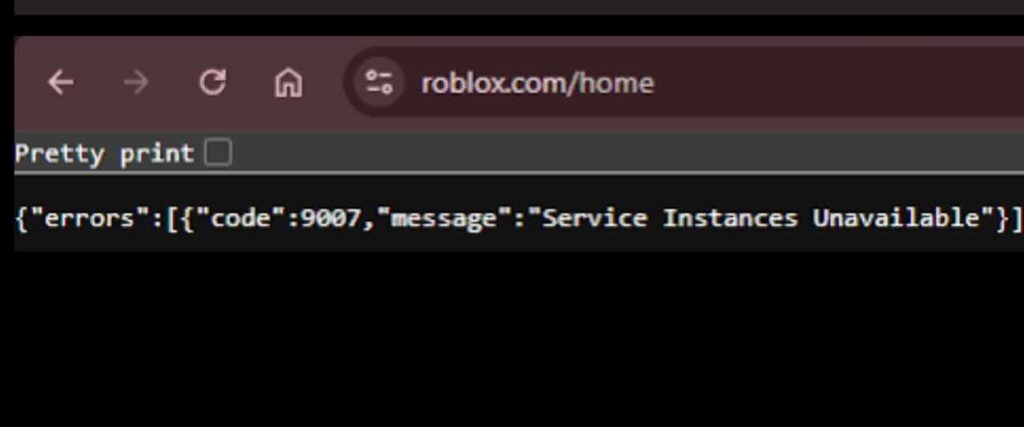
What Does “Service Instances Unavailable” Mean in Roblox
To fully understand the service instances unavailable Roblox message, it’s important to know how Roblox runs games behind the scenes. Unlike single-player games, Roblox relies on a complex backend system that connects players to cloud-based services every time an experience is launched.
How Roblox Service Instances Work
When you click “Play” on a Roblox experience, the platform does more than just load a game server. It must first allocate multiple backend services, often referred to as service instances. These instances handle tasks such as authentication, matchmaking, data synchronization, and communication between players.
Each of these services must be available and reachable for the game session to start properly. If even one of them fails to initialize or respond in time, Roblox cannot complete the connection process. As a result, the player receives an error instead of entering the game.
This system allows Roblox to scale globally, but it also means that gameplay depends heavily on server availability and stable network routing.
Why Roblox Fails to Create a Service Instance
There are several reasons why Roblox may fail to allocate a service instance:
- Temporary exhaustion of backend resources during high traffic
- Partial outages in specific data centers
- Regional cloud service disruptions
- Network routing problems between the player and Roblox servers
In most cases, the issue is not caused by your hardware or local settings. Instead, it happens because Roblox cannot complete the backend connection required to start the experience.
Error Code 9007 Message Service Instances Unavailable Roblox
The error code 9007 message service instances unavailable Roblox is one of the most common indicators of this problem. While the wording may sound technical, the underlying cause is usually related to service availability rather than a fault on the player’s end.
What Triggers Error Code 9007
Error code 9007 typically appears when Roblox attempts to communicate with its backend services but fails during the process. This can happen due to:
- Timeouts while waiting for a service instance to respond
- Failed handshakes between the client and Roblox servers
- Packet loss or unstable network paths
- Temporary service degradation in specific regions
Because these failures occur during the connection phase, the game never fully loads, and the error is shown instead.
Is Error Code 9007 a Roblox or Player Issue
In the vast majority of cases, error code 9007 is not caused by the player’s device. Even users with powerful PCs, updated drivers, and fast internet connections can experience it.
The issue is usually server-side or network-related. This explains why basic fixes such as reinstalling Roblox or lowering graphics settings rarely solve the problem. While restarting the game may help in some cases, it does not address the root cause if backend services remain unreachable.
Common Causes of Service Instances Unavailable Roblox
Although the error appears suddenly, it often follows recognizable patterns. Understanding these patterns can help players identify whether the issue is temporary or likely to persist.
Roblox Server Overload and Maintenance
One of the most frequent causes is server overload. During peak hours, weekends, or major in-game events, Roblox experiences a massive surge in player activity. When demand exceeds available backend resources, service instances may become temporarily unavailable.
Planned maintenance and updates can also trigger this issue. Even if Roblox is officially online, certain services may be restarting or operating with limited capacity, preventing new instances from being created.
Network Routing and ISP-Related Issues
Another major factor is network routing. Even when Roblox servers are operational, your connection must travel through multiple network paths to reach them. If any of these paths are unstable, congested, or poorly optimized, the connection may fail.
This is especially common with international routing, where packets must cross multiple regions before reaching Roblox’s infrastructure. In these cases, the platform may appear online, but specific players are unable to connect to service instances reliably.
How ExitLag Helps Prevent Service Instance Connection Failures
Because service instance allocation depends heavily on stable routing, improving your network path can significantly reduce the chances of encountering error code 9007. This is where ExitLag becomes an effective solution.
ExitLag works by optimizing how your connection reaches Roblox servers. Instead of relying on default ISP routing, which can be inefficient or unstable, ExitLag analyzes multiple paths in real time and selects the most reliable ones. This reduces packet loss, minimizes latency spikes, and improves overall connection stability.
For Roblox players, this means fewer failed service handshakes and a lower chance of seeing the service instances unavailable Roblox error. ExitLag is available for PC and Mobile only, supports thousands of online games, and is designed to improve performance without breaking platform rules.
By focusing on routing stability rather than local tweaks, ExitLag addresses one of the main technical causes behind service instance connection failures.
How to Fix Service Instances Unavailable Roblox Error
After understanding what the error means, the next step is knowing how to react when it happens. While the service instances unavailable Roblox error can sometimes resolve itself, players often want immediate solutions to get back into the game.
Quick Fixes That Sometimes Work
In a few situations, simple actions may temporarily solve the problem:
- Restarting the Roblox client
- Checking the official Roblox status page for outages
- Waiting a few minutes and retrying the experience
These steps can help if the issue is caused by a short-lived server overload or a service restart. However, they are not reliable when the error is tied to deeper backend or routing problems.
Why These Fixes Often Don’t Solve Error Code 9007
The error code 9007 message service instances unavailable Roblox usually occurs before the game even finishes loading. This means the failure happens during backend service allocation, not during gameplay.
Because of this, local fixes such as reinstalling Roblox, clearing cache, or lowering graphics settings rarely address the root cause. If Roblox cannot reach or create a service instance, the connection will fail regardless of device performance.
Why Error Code 9007 Is More Common in Russia
Players located in Russia report this error far more frequently than users in other regions. This is not a coincidence and is not caused by weaker devices or slower internet speeds.
Roblox Service Availability and Restrictions in Russia
Roblox services in Russia operate under partial limitations. Certain backend services experience instability or restricted access, which directly affects service instance creation. One clear example of this is the platform’s communication infrastructure.
Roblox chat systems and moderation services are closely tied to backend instances. When these services fail or are restricted, instance allocation may also fail. This is why many Russian players experience connection errors alongside communication limitations. For a deeper explanation, see our detailed breakdown of the Roblox chat banned in Russia situation and how it impacts gameplay services.
How Regional Routing Causes Service Instances Unavailable
Another major factor is network routing. Traffic from Russia often travels through longer, less stable international paths before reaching Roblox infrastructure. These routes are more prone to packet loss, timeouts, and failed handshakes.
When routing fails during the instance creation phase, Roblox cannot complete the connection. The result is the familiar service instances unavailable message, even when Roblox appears online globally.
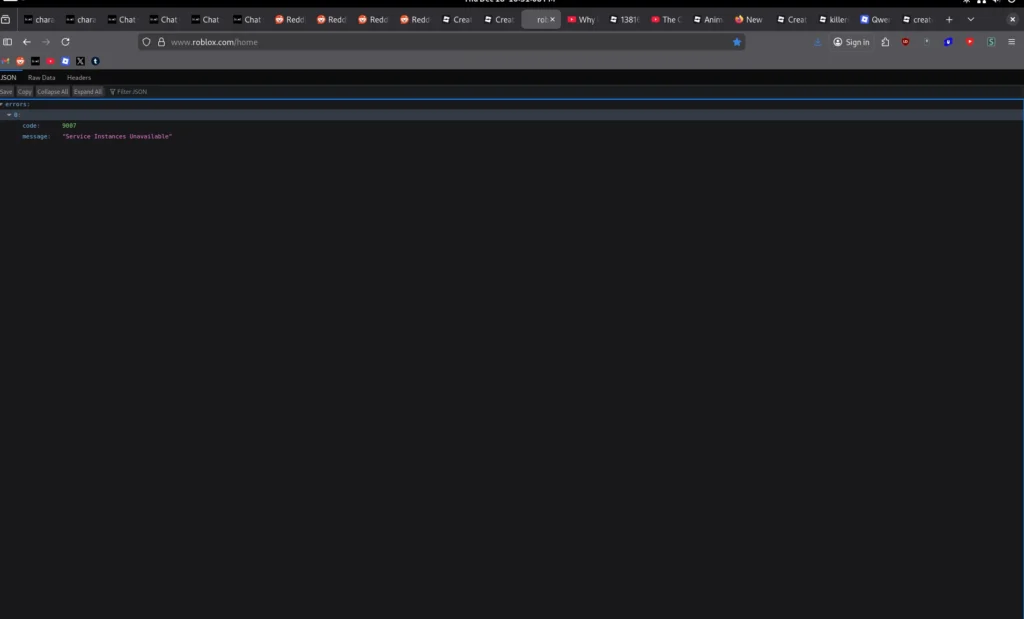
Service Instances Unavailable vs Other Roblox Errors
Not all Roblox errors mean the same thing. Understanding the difference helps determine whether the issue can be fixed locally or requires waiting.
Error 9007 vs Error 279
Error 279 is typically caused by blocked connections, firewall restrictions, or closed ports. In contrast, error 9007 indicates that Roblox servers were reached, but failed to provide a required backend service instance.
Error 529 vs Error 9007
Error 529 usually appears when Roblox login services are overloaded or temporarily unavailable. The Error 9007 happens later in the process, when the platform attempts to allocate services for a specific game session.
Error Code 9007 Causes and Effective Solutions
| Cause | Device Issue | Server Issue | Network Issue | ExitLag Helps |
| Server overload | No | Yes | No | No |
| Backend outage | No | Yes | No | No |
| Poor routing | No | No | Yes | Yes |
| ISP filtering | No | No | Yes | Yes |
This table shows that routing-related issues are the only category where players can actively improve their situation.
Should You Change Region to Fix Service Instances Unavailable Roblox
Some players assume that changing regions will fix the problem. In reality, this approach often makes things worse.
Why Changing Region Rarely Fixes Error Code 9007
Roblox does not allow manual server selection. Changing your account country or attempting to force another region does not guarantee access to different backend services. In many cases, it introduces additional verification checks or store-related issues.
If you want a full explanation of how regions actually work, our guide on how to change region in Roblox explains why server allocation is automatic and why region manipulation is ineffective for fixing backend errors.
Risks of Using VPNs or Region Spoofing
Using VPNs to bypass routing problems may seem tempting, but it often results in:
- Higher latency due to extra network hops
- Unstable connections
- Store currency and payment errors
- Increased chance of account verification issues
VPNs are not designed to stabilize gaming traffic and frequently worsen service instance allocation failures.
What NOT to Do When You Get Error Code 9007
- Reinstall Roblox repeatedly
- Change account country multiple times
- Use free or unreliable VPN services
- Spam reconnect attempts during outages
These actions do not fix backend availability and can introduce new problems.
Best Way to Prevent Service Instances Unavailable Roblox
- Check Roblox service status before troubleshooting
- Avoid playing during peak traffic when possible
- Keep your account region accurate
- Focus on network stability instead of region spoofing
- Use tools designed specifically for gaming traffic
Why ExitLag Is the Safest Way to Reduce Error Code 9007
ExitLag addresses one of the most common causes of error 9007: unstable routing. Instead of masking your location, ExitLag optimizes the path your connection takes to reach Roblox servers.
By using Multipath Connection and Traffic Shaper technologies, ExitLag reduces packet loss and improves handshake reliability during service instance allocation. This is especially important for players in regions with unstable routing, such as Russia.
ExitLag works on PC and Mobile only, supports thousands of online games, and is fully compliant with Roblox rules. By improving routing stability rather than manipulating regions, ExitLag offers a safer and more effective way to prevent the service instances unavailable Roblox error.
All game images used in this blog belong to Roblox Corporation. They are used for informational/educational purposes only and do not imply endorsement or affiliation with the rights holders.
Got questions or want to connect with other players? Join the conversation at the ExitLag Forum!