WarDogs dropped players into 100-player vehicle combat, and now the community is racing to lock down the best servers. Choosing the right Wardogs Server Hosting setup shapes almost everything about your match quality.
If you have ever joined a laggy public lobby and wondered why your shots did not register, the answer usually traces back to hosting. Wardogs Server Hosting is not just a technical checkbox, it is the foundation of every fair fight you play.
So what is the actual answer? Wardogs Server Hosting comes down to three real paths: self-hosting your own machine, renting a managed dedicated server, or joining a community-run server. Each path trades cost and convenience differently.
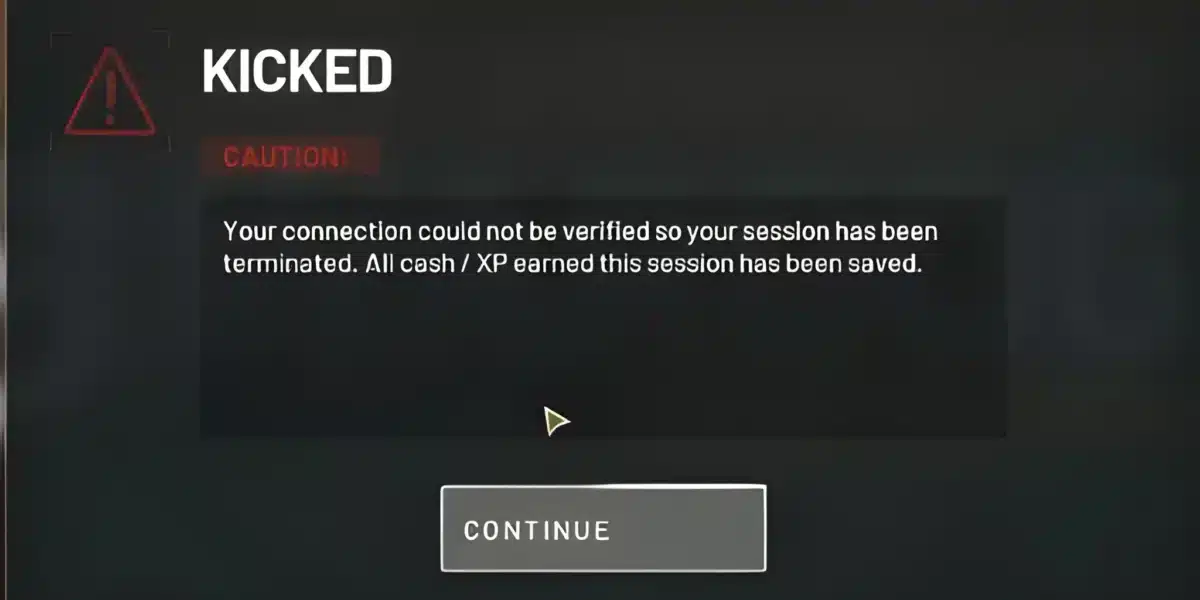
Get it wrong, and vehicles rubber-band, gunfire desyncs, and cash runs vanish mid-transaction.
Overall, this guide breaks down every option in plain language, no fluff. We will cover requirements, setup steps, common mistakes, and how to keep your connection stable no matter which host you choose.
What Is Wardogs Server Hosting In WarDogs
WarDogs is a large-scale military vehicle combat game built around tanks, aircraft, infantry, and a persistent cash economy. Naturally, because matches support up to 100 players at once, the server carrying that load matters enormously.
Notably, a weak host struggles the moment vehicles, explosions, and voice chat all compete for bandwidth. Server hosting simply means the machine (and software) that runs the actual WarDogs match logic. Instead, players connect to it, not to each other directly.
How Multiplayer Connects Through A WarDogs Server
Every WarDogs match runs authoritative logic on the server side. This, notably, stops obvious cheating and keeps vehicle positions synced for everyone. However, server quality directly caps how responsive the game feels.
- The server tracks every vehicle, projectile, and player position
- Client machines send inputs and receive corrected state back
- A Wardogs Dedicated Server typically holds a fixed IP so clans can reconnect reliably
- Region and route between you and the server largely determine your ping
Official Hosting Partners Vs A Wardogs Server Host
Notably, WarDogs launched dedicated server support through approved hosting partners rather than a single official service. As a result, players can pre-order server slots through those approved providers ahead of playing.
Alternatively, a third-party Wardogs Server Host can offer more flexibility on region, slot count, and admin tools. Indeed, many competitive clans prefer a specialized Wardogs Server Hosting provider because support tends to be faster.
How Do You Choose The Right Wardogs Dedicated Server?
This is the question almost every new Wardogs Server Hosting admin asks first. Consequently, the honest answer depends on your group size, budget, and how much manual maintenance you want to handle yourself.
Self-Hosted Setup: Running Your Own Wardogs Host Server
Running your own Wardogs Host Server from a home PC or spare machine is possible, and it is genuinely the cheapest Wardogs Server Hosting entry point. Nevertheless, it comes with real tradeoffs new admins often underestimate.
- You control every setting, mod, and admin permission directly
- Your home internet upload speed becomes the hard ceiling for player capacity
- Uptime depends entirely on your own hardware and power reliability
- Port forwarding and firewall configuration are required before anyone can join
Rented Dedicated Servers From A Hosting Provider
A rented Wardogs Dedicated Server moves the hardware burden off your home connection entirely. Additionally, the provider handles uptime, DDoS protection, and often offers a control panel for restarts and configuration changes.
Furthermore, rented servers typically sit in proper data centers with symmetrical bandwidth. That alone removes the single biggest bottleneck self-hosted setups run into during peak hours.
The paragraph above already answered the core question directly: Wardogs Server Hosting really comes down to self-hosting, renting, or joining a community server, and each fits a different type of player.
Wardogs Server Hosting Requirements You Need To Know
Before committing to any host, it helps to understand what WarDogs actually demands from the machine running the match. Notably, requirements differ between running the game client and running a dedicated server instance.
Hardware, Storage And Bandwidth Basics
Server-side installs for WarDogs are notably storage-heavy compared to older military shooters, largely due to vehicle and map assets. As a result, admins should plan generously rather than cutting storage close.
- Reserve enough SSD storage for the base install plus room for updates
- Budget for symmetrical upload bandwidth, not just download speed
- Plan CPU headroom for peak 100-player lobbies, not average lobbies
- Keep RAM well above the game’s minimum listed requirement for stability
Software, Ports And RCON Access
Beyond hardware, WarDogs dedicated servers rely on specific ports being open and reachable. Consequently, firewall and router configuration is not optional, it is a prerequisite step.
- Confirm the exact ports required and forward them correctly on your router
- Set up RCON access early so you can moderate and restart remotely
- Keep the server binary updated alongside client patches to avoid version mismatches
- Test connectivity from an outside network before inviting your full squad
Is It Worth Renting A Wardogs Server Host Instead Of Self-Hosting?
Notably, this question comes up constantly in clan Discord servers. Ultimately, it depends on whether your time or your wallet is the scarcer resource for your group.
Cost, Convenience And Uptime Tradeoffs
A rented host generally costs more month to month than electricity for a home machine, which is the classic Wardogs Server Hosting tradeoff. However, it saves you from troubleshooting router settings, ISP throttling, and unexpected outages during a scheduled match.
| Hosting Option | Setup Effort | Typical Uptime | Best For |
|---|---|---|---|
| Self-Hosted Server | High (manual setup) | Depends on home connection | Small, casual friend groups |
| Rented Dedicated Server | Low (managed panel) | Data-center grade | Competitive clans, tournaments |
| Community Server | None (just join) | Varies by admin | Casual public play |
| Official Hosting Partner Slot | Low to medium | Provider-managed | Players wanting verified stability |
When Self-Hosting Actually Makes Sense
Self-hosting is not obsolete, though. In fact, small squads that just want a private practice space with no strangers often find it perfectly adequate.
- You already have a stable, high-upload home internet plan
- Your group plays at fixed, predictable hours you control
- You are comfortable with basic networking and Windows server tools
- You do not need guaranteed 24/7 uptime for public players

Community Servers And Wardogs Dedicated Server Options Compared
Community-run servers fill a different niche entirely from either self-hosted or rented setups. In most cases, they are run by dedicated fans or clans who want a persistent public space.
What Community-Run Servers Offer Players
Community servers often build a real identity: custom rules, active moderation, and a regular player base you get to know. Moreover, this style of Wardogs Server Hosting requires zero setup on your end.
- Instant access, no hosting knowledge required
- Established communities with active admins and Discord groups
- Custom server rules around teamplay, mic usage, and vehicle limits
- No cost to the player joining, since the host covers hosting fees
What A Rented Wardogs Dedicated Server Adds
A rented Wardogs Dedicated Server gives your own clan full administrative control that a public community server simply cannot offer. Therefore, tournament organizers usually choose this route instead.
As a result, whitelisting, private practice sessions, and custom match settings all become possible. Additionally, you avoid the risk of a community server closing down unexpectedly.
How Do You Set Up A Wardogs Host Server Step By Step?
Once you have picked a hosting path, actual setup follows a fairly predictable sequence. Overall, below is the general order most admins follow, whether self-hosting or configuring a rented panel.
Before You Start: Pre-Launch Checklist
First, confirm your chosen Wardogs Server Hosting provider or machine meets the storage and bandwidth basics covered earlier. Next, gather your server name, admin password, and desired region before touching configuration files.
- Verify available storage and confirm your region choice
- Decide on player slot count based on your expected lobby size
- Prepare admin credentials and RCON login details in advance
- Check current WarDogs patch notes for any server-side changes
Configuring And Launching Your Server
- Install or provision the WarDogs dedicated server files on your chosen machine
- Configure server name, region, slot count, and password if private
- Forward required ports or confirm the provider has already done so
- Set up RCON and admin tools before opening the server publicly
- Launch the server, then test-join from a separate network to confirm reachability
- Invite your squad and monitor performance during the first few matches
Pro Tips: Wardogs Server Hosting
- Pick a region close to most of your players: Latency scales heavily with physical distance, so a server halfway across the world hurts everyone equally, not just you.
- Automate restarts during off-peak hours: WarDogs servers, like most large multiplayer titles, benefit from a scheduled restart to clear memory leaks before they cause crashes mid-match.
- Document your RCON commands for co-admins: A shared reference sheet prevents accidental kicks or bans during a live match when tempers run high.
- Monitor bandwidth during 100-player peaks: Testing with a partial lobby hides bottlenecks that only appear once the server is actually full.
Common Mistakes Wardogs Server Hosting Players Make
- Choosing the cheapest host without checking region coverage: A budget provider with no server near your region guarantees high ping regardless of your own connection. Fix: confirm regional availability before purchasing any plan.
- Skipping port forwarding on self-hosted setups: This is the single most common reason a self-hosted server never appears reachable to friends. Fix: verify the exact ports and test from an external network before inviting anyone.
- Ignoring storage headroom for updates: WarDogs patches can be sizable, and a server that runs out of space mid-update can corrupt the install. Fix: always leave meaningful buffer space beyond the base requirement.
- Never testing under full player load: A server that runs fine with five players can still choke at ninety. Fix: run at least one stress test or public session before treating the server as tournament-ready.
Optimizing Your Wardogs Server Hosting For Competitive Play
Picking a great host solves half the problem. The other half is making sure your actual route to that server stays clean every match, regardless of which hosting path you chose.
Reducing Ping And Packet Loss On Any Host
Even a perfectly configured Wardogs Server Hosting setup cannot fix a bad route between your ISP and the server’s data center. In fact, this is where most competitive players lose easy fights without realizing why.
Route quality between your home connection and the server matters just as much as your Wardogs Server Hosting choice itself. Consequently, players increasingly look at connection optimization tools alongside that choice.
Keeping Matches Stable During Peak Hours
Peak hours strain both the server and the general internet routes leading to it, no matter how solid your Wardogs Server Hosting setup is. As a result, matches that felt smooth earlier in the day can feel completely different during a crowded evening session.
This is exactly why smart players do not treat server hosting and connection optimization as separate problems. Instead, they treat both as part of the same performance stack.
Why ExitLag Fits Any Wardogs Server Hosting Setup
I will be straightforward here: ExitLag is not a VPN, and it does not encrypt your traffic or hide your IP address. It is a connection optimizer that finds the fastest, most stable route between your PC and the game server you are actually playing on.
That distinction matters a lot for Wardogs Server Hosting. Whether you picked a self-hosted machine, a rented dedicated server, or a public community lobby, your packets still travel through your ISP’s normal routing first.
ExitLag analyzes multiple network paths in real time and picks the one that actually performs best for that specific server. Currently, ExitLag supports 4,000+ games across PC and mobile, with 1,500+ servers spread across 190+ countries.
It is trusted by over 30 million users and processes more than 18 million optimizations every week, which says a lot about how common route problems really are.
A few features are especially relevant for vehicle combat games like WarDogs:
- Multipath Technology: sends your data through several routes at once, so if one path degrades, another keeps your connection alive instead of dropping you mid-firefight.
- Multi-Internet: supports up to four simultaneous internet connections with automatic failover, useful if your home connection occasionally hiccups during peak hours.
- Traffic Shaper: prioritizes your game traffic over background downloads and updates so nothing else on your network steals bandwidth mid-match.
- AI-powered routing: picks the fastest, most stable path automatically with one click, though manual route selection is available for players who like fine-tuning.
Safety-wise, ExitLag does not modify game files, does not inject code, and does not interact with anti-cheat systems. Therefore, it stays safe to run alongside competitive titles.
One practical note: avoid running it alongside a VPN at the same time. A VPN adds an extra encrypted hop, which reduces how effectively ExitLag can optimize your route.
If you are serious about getting consistent, low-latency matches no matter which Wardogs Server Hosting option you settle on, grabbing the ExitLag Download and testing your route before your next session is a smart, low-effort move.
All game images used in this blog post belong to Bulkhead and Team17. They are used for informational and educational purposes only and do not imply endorsement or affiliation with the rights holders.
Got questions or want to connect with other players? Join the conversation at the ExitLag Forum!