World of Warcraft Classic remains one of the most iconic MMORPG experiences ever created. However, nothing disrupts immersion faster than lag spikes, delayed abilities, or sudden freezes during crucial moments.
World of Warcraft classic players often encounter frustrating latency issues that impact raids, PvP, and even simple quests. Understanding how to fix these issues is essential for a smooth experience in Azeroth.
What is World of Warcraft classic?
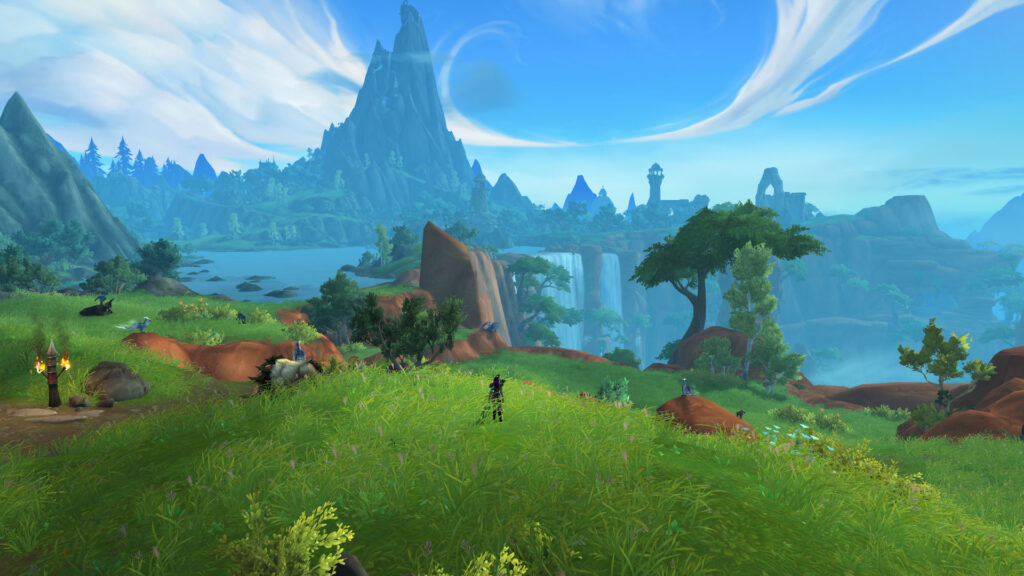
World of Warcraft Classic is a legacy version of Blizzard’s MMORPG that recreates the original gameplay experience from its early expansions. It focuses on slower progression, challenging combat, and strong community-driven gameplay compared to modern versions.
World of Warcraft Classic lag explained
What causes lag in gameplay
Lag occurs when there is a delay between your input and the server response. This delay can manifest in several ways:
- Skills not activating instantly
- Characters teleporting or rubber-banding
- Delayed loot or interaction responses
- Freezes during combat
Why latency matters in classic World of Warcraft
In classic World of Warcraft, timing is critical. Combat mechanics are slower but less forgiving, meaning that delays can significantly impact performance. Missing a heal or interrupt due to lag can wipe an entire group.
Common causes of World of Warcraft classic lag
Network instability issues
Unstable connections are the primary cause of lag. Packet loss and jitter can disrupt data flow between your device and the server, leading to inconsistent gameplay.
Distance from servers
The farther you are from Blizzard servers, the higher your latency will be. This physical limitation affects how fast data travels.
Background applications
Streaming, downloads, or updates running in the background consume bandwidth and affect performance.
Hardware limitations
Older systems may struggle to maintain stable FPS during intense gameplay scenarios, especially in crowded zones.
Lag vs ping vs performance
Understanding the differences
| Term | Meaning | Cause | Impact |
| Lag | Delay in response | Network | Skill delay |
| Ping | Data travel time | Distance | Input delay |
| Performance | FPS and smoothness | Hardware | Stutter |
Why this matters
Identifying whether the issue is network or hardware-related helps apply the correct fix and avoid unnecessary upgrades.
Fixing World of Warcraft classic lag effectively
Optimize your connection
- Use Ethernet instead of Wi-Fi
- Close background apps
- Choose the closest server
Update your system
- Update drivers
- Keep the game updated
Adjust in-game settings
- Lower graphics settings
- Disable heavy add-ons
Upgrade hardware
- Increase RAM
- Improve CPU or GPU
Additionally, regularly restarting your router and ensuring firmware updates are installed can significantly improve stability.
Advanced tips for raids and dungeons
Improve routing efficiency
Routing tools can significantly reduce latency by selecting better paths between your device and servers.
Monitor system usage
Check CPU, GPU, and network usage to identify bottlenecks that may not be obvious.
Use cloud alternatives
Sometimes cloud gaming reduces local performance issues, especially on older machines.
World of Warcraft classic dungeons performance tips
Handling high player density
Large groups increase server load and can cause lag spikes. Reducing unnecessary visual effects can help maintain stability.
Optimizing during boss fights
Disable add-ons that are not essential and lower particle effects to improve responsiveness.
World of Warcraft classic leveling guide performance tips
Efficient leveling without lag
- Avoid peak hours
- Use optimized routes
- Stick to less crowded zones
Stability during quests
Stable connections ensure faster quest completion and fewer interruptions.
World of Warcraft classic engineering guide and performance
Why engineering matters
Engineering provides tools that enhance gameplay efficiency and survivability.
Minimizing lag with utilities
Certain gadgets reduce downtime and improve combat readiness, indirectly helping performance.
Summary of solutions
| Issue | Solution | Benefit |
| Network | Wired connection | Stability |
| Ping | Better routing | Faster response |
| Hardware | Upgrade | Smooth gameplay |
| Software | Updates | Fewer crashes |
Improve World of Warcraft classic today
Taking action now ensures smoother gameplay and better performance in all activities, whether you are farming, leveling, or engaging in PvP. Consistency is key in World of Warcraft classic, and eliminating lag allows you to fully experience every mechanic without interruptions.
Additionally, players who invest time in optimizing their setup often notice long-term benefits. Reduced frustration, faster reaction times, and better coordination with teammates all contribute to improved overall performance.
World of Warcraft classic hardcore performance considerations
Why stability matters in hardcore mode
In World of Warcraft classic hardcore, every decision matters because death is permanent. Even a small lag spike can result in losing hours or days of progress.
Preventing fatal lag spikes
- Always test your connection before playing
- Avoid unstable Wi-Fi networks
- Monitor latency in real time
World of Warcraft cataclysm classic and mop classic performance
Differences in performance demands
World of warcraft cataclysm classic and World of Warcraft mop classic introduce more complex environments and effects, which can increase hardware and network demands.
Optimizing newer classic expansions
Players should ensure their systems are updated and capable of handling additional graphical load while maintaining stable network performance.
World of Warcraft classic mining guide performance tips

Farming routes and lag
Mining routes often pass through contested or populated areas, increasing the chance of lag spikes.
Efficient gathering without interruptions
- Choose low-population zones
- Optimize routes during off-peak hours
World of Warcraft classic first aid and survival efficiency
Why quick reactions matter
First aid can save your character in critical situations, but lag can delay bandage use and cause unnecessary deaths.
Improving responsiveness
Lower latency ensures faster healing and better survivability in combat.
How to use ExitLag with World of Warcraft classic
- Download ExitLag
- Install and log in
- Select World of Warcraft
- Choose routing mode
- Apply routes
- Wait for optimization
- Launch the game
Network analyzer guide: Steps to test ping
- Open ExitLag
- Select game
- Choose server
- Start test
- Analyze results
Final thoughts on World of Warcraft classic
World of Warcraft classic performance depends on network stability, hardware, and optimization tools. Fixing lag ensures a smoother and more enjoyable experience. Moreover, understanding how different systems interact—from your ISP routing to your in-game settings—can give you a significant advantage.
Players who proactively optimize their World of Warcraft classic setup tend to perform better in raids, dominate in PvP, and enjoy uninterrupted exploration. Ultimately, if you want to eliminate latency issues and maintain consistent performance during raids, dungeons, and PvP, using a specialized routing solution like ExitLag can make a significant difference by optimizing your connection in real time and keeping your gameplay stable.
FAQ
Network instability, server distance, and hardware limitations.
Use wired connections and routing tools.
Yes, especially FPS-related performance.
Yes, it optimizes routing and reduces latency.
Yes, it can impact timing and coordination.
Got questions or want to connect with other players? Join the conversation at the ExitLag Forum!