The global launch brought hundreds of thousands of players to Atreia at once, and with them came queues, packed servers and dropped connections. That is why knowing how to play Aion 2 without problems became the top question in the first days.
The good news is that most of these issues have known causes. Learning how to play Aion 2 without problems starts with separating what depends on NC, such as maintenance and server capacity, from what depends on your connection, such as lag and packet loss.
In short, to play Aion 2 without problems you need to pick a server in the region closest to you, check official notices before logging in and keep a stable internet route to the server. Throughout this guide, we flag what NC has confirmed and what comes from community reports.
How to Play Aion 2 Without Problems: Find the Source of Each Issue

Before changing any settings, figure out where the error comes from. This step, which many players skip, is the core of how to play Aion 2 without problems.
Server-Side Issues vs Connection Issues
Not every failure is on your PC. Some problems happen on NC’s side and only resolve with time:
- Login queues and full servers: the server has hit capacity and is limiting entries.
- Maintenance: servers go offline for a scheduled window.
- Generic errors at peak hours: temporary overload on the game servers.
On the other hand, other problems are born on the path between you and the server:
- High ping: distance and long routes increase response time.
- Packet loss: data gets lost along the way and causes stutters.
- Disconnects: unstable routes drop your session mid-fight.
Quick Diagnosis Table
Use the table below to identify the problem and the first recommended action.
| Problem | Likely cause | What to do | Information status |
| Server full or character creation locked | Server population | Use a recommended server and wait for transfers | Confirmed by NC |
| Long login queue | Capacity reached | Stay in queue, do not reinstall | Confirmed by NC |
| Error S:8970 (no connection to game server) | Peak-hour overload | Wait, restart the client and check notices | Community reports, code not detailed by NC |
| Game listed as unavailable on Steam | Temporary client issue | Restart Steam or your PC | Community reports |
| High ping, lag and packet loss | Unstable internet route | Optimize your connection and pick a nearby region | Common behavior in online games |
Full Servers, Queues and How to Choose a Server
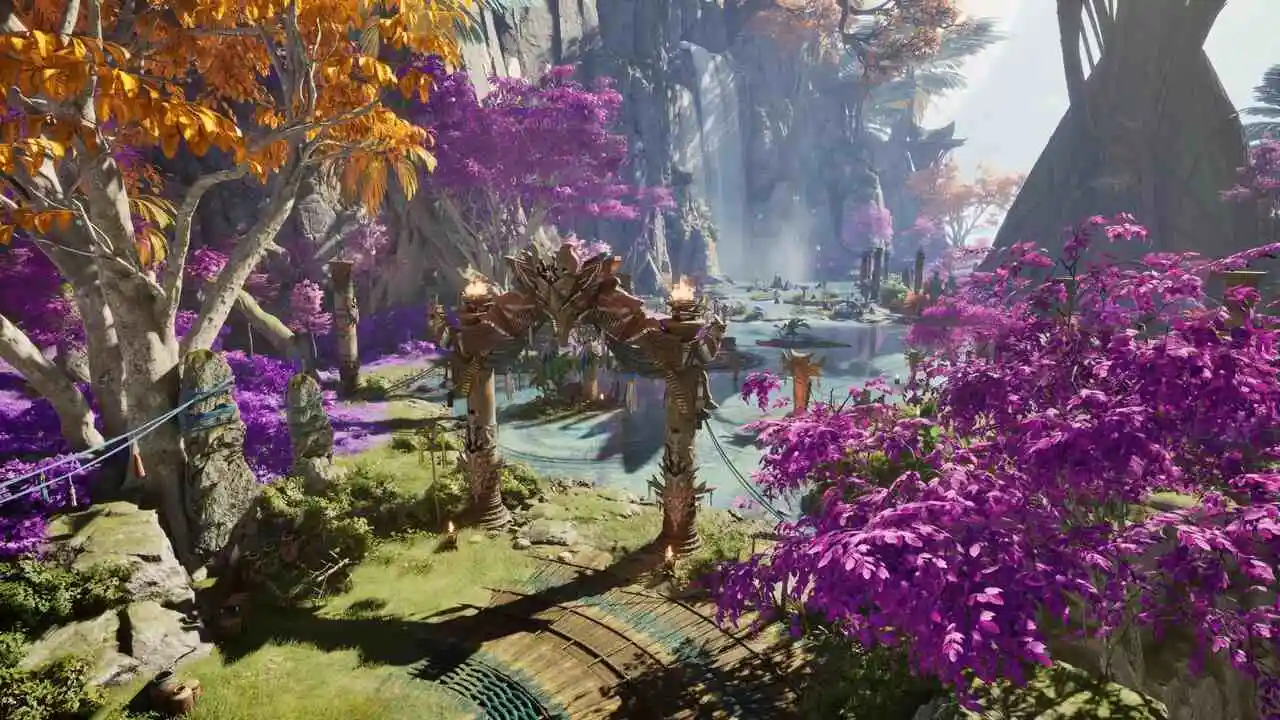
A full server was the most common problem at launch. As a result, server choice carries extra weight in Aion 2.
Why Servers Fill Up
When a server reaches capacity, character creation can be locked and logins go through a queue. NC stated that members in good standing join a priority queue, but described it as a privilege rather than a guarantee.
In addition, NC itself recommended that new players create characters on servers marked as recommended. According to the official server transfer notice, transfers start on October 14 and will initially be free.
Key points from that official notice:
- Transfers only happen between servers of the same faction.
- Early Access characters can only move to other Early Access servers.
- Dungeons and other instanced content work cross-server, so you can play with friends from other worlds.
How to Choose a Server Step by Step
Knowing how to choose a server saves you headaches in the weeks ahead. Follow this order:
- Pick the closest region: NC split servers across Europe, North America (East and West), Latin America and Asia. The closer the region, the lower your ping tends to be.
- Choose your faction: each server hosts only Elyos or only Asmodians, so your faction already filters your options.
- Match your group: play on the same server and faction as your friends and future Legion.
- Favor recommended servers: they have shorter queues and more room to grow.
- Test your ping before creating a character: your real latency says more than a server’s name.
Lag, High Ping and Packet Loss: The Connection Villains

Once you are in the game, lag becomes the biggest enemy. In Aion 2, it shows up as delayed dodges, skills that do not fire and characters “teleporting” on screen.
What Causes High Ping in Aion 2
High ping is the time your inputs take to reach the server and come back. The farther the server and the messier your ISP’s route, the higher it gets.
Among the most common causes are:
- A server in another region: playing far from your region drives latency up sharply.
- Poor ISP routing: your internet’s default path is not always the shortest.
- Unstable Wi-Fi: interference causes sudden ping spikes.
- Background downloads: updates and streaming compete with the game for bandwidth.
For a deeper look at each layer of the problem, check our Aion 2 connection optimization guide.
Packet Loss and Mid-Fight Disconnects
Packet loss happens when part of your data gets lost on the way to the server. The result is stutters, ignored inputs and, in the worst cases, a full disconnect.
In an Expedition dungeon or a Sanctuary raid, dropping during a boss can cost the whole party the run. That is why stability matters as much as low ping.
To troubleshoot these issues step by step, see our guide on how to fix server connection issues in Aion 2.
Maintenance and Login Errors: What to Do
Not every error screen is your problem. During maintenance, nothing you do on your PC will get you in.
How Maintenance Works in Aion 2
NC announces maintenance on the game’s official channels, with a start time and an expected return. On global launch day, for example, servers were offline from 05:00 to 13:00 UTC.
Besides scheduled windows, NC also runs extra maintenance to fix urgent issues. During Early Access, one of them resolved bottlenecks with quest objects. For more on how downtime works, read our Aion 2 maintenance guide.
Checklist Before Trying to Fix Any Error
Before reinstalling the game or touching your router, follow this checklist:
- Check for announced maintenance on NC’s official channels.
- Read the exact error message, since a queue, a full server and a connection failure are different problems.
- Restart Aion 2, Steam or PURPLE.
- Verify file integrity through the launcher.
- Only then move on to network and connection tweaks.
If you keep seeing a generic error popup, our Aion 2 Temporary Error Occurred fix checklist covers the most common causes.
PvP Without Lag: Why Your Connection Decides Fights
In PvP, your connection matters even more than in PvE. After all, you face people reacting in real time, not fixed boss patterns.
The Abyss, Rifts and Aerial Combat
According to NC, each server is paired with an enemy-faction server for clashes in the Abyss and Spacetime Rifts. In these modes, dozens of players fight at once, often in the air.
Consequently, the amount of data exchanged with the server rises sharply. Any routing instability turns into delayed dodges, blocks and skill chains.
What Stable Ping Changes in PvP
With a stable connection, you notice clear differences:
- Well-timed dodges: the server registers your movement the moment you press the key.
- Smooth skill chains: combos no longer break because of delay.
- Fewer “unfair” deaths: you stop dying to hits you had already avoided on your screen.
Pro Tips and Common Connection Mistakes in Aion 2
Small habits greatly reduce everyday connection problems.
Pro Tips: A Stable Connection in Aion 2
- Play on a wired connection: Ethernet removes Wi-Fi interference, one of the biggest sources of ping spikes.
- Pause downloads while playing: updates and streaming compete for bandwidth and raise latency.
- Log in outside peak hours when you can: queues and server load drop noticeably outside prime time.
- Test your ping before picking a server: real latency shows which region works best for your internet.
- Follow the official channels: knowing about maintenance in advance saves you from trying to fix a problem that is not yours.
Common Mistakes Aion 2 Players Make
- Reinstalling the game because of a queue or full server: it does not fix server capacity. Fix: wait in the queue or use a recommended server.
- Using a VPN to “lower ping”: a VPN adds an extra hop and usually makes latency worse, as we explain in our breakdown of why an Aion 2 VPN is a bad idea. Fix: use a route optimizer built for games.
- Picking a far-away region because of population: high ping will weigh on you every day. Fix: prioritize the closest region.
- Ignoring the transfer notice: Early Access characters cannot move to launch servers. Fix: decide on the server type before investing in your character.
How Does ExitLag Help You Play Aion 2 Without Problems?
Some issues depend only on NC, such as maintenance and capacity. However, what happens on the path between you and the server is exactly where ExitLag works.
How ExitLag Fixes Lag, High Ping and Disconnects
ExitLag is not a VPN: it does not encrypt your traffic or hide your IP. Instead, it analyzes multiple routes in real time and picks the fastest, most stable one to the Aion 2 servers.
The most useful features for the problems in this guide are:
- Multipath: sends your data through more than one path at once, so your connection holds if a route fails.
- Multi-Internet: combines up to four connections, and if one drops, another takes over instantly.
- Traffic Shaper: prioritizes game traffic and limits bandwidth use from other apps.
- PC Boost: frees up memory and trims background processes to keep FPS stable.
- Ping test by region: shows your real latency before you choose a server.
Moreover, ExitLag does not modify game files, inject code or interact with anti-cheat systems. Keep in mind that it does not fix queues or full servers, which depend on NC’s capacity.
How to Set Up ExitLag for Aion 2
The setup takes just a few minutes:
- Install ExitLag on your PC and log in.
- Search for “Aion 2” in the game list.
- Select your server’s region and let the AI pick the best route, or adjust it manually.
- Apply the optimization and launch the game through Steam or PURPLE.
If you want to enter Atreia on an optimized route from your very first login, grab the ExitLag Download and play with more stability.
How to Play Aion 2 Without Problems: Key Takeaways
To wrap up, turn these lessons into a simple routine before every session.
What Depends on NC
Maintenance, queues and full servers are part of any big launch. In these cases, follow the official notices and take advantage of the free transfers planned for mid-October.
What Depends on You
The right region, a wired connection and a stable route solve most lag, high ping and disconnects. By following these tips on how to play Aion 2 without problems, you spend less time on error screens and more time flying across Atreia.
All game images used in this blog post belong to NC. They are used for informational and educational purposes only and do not imply endorsement or affiliation with the rights holders.