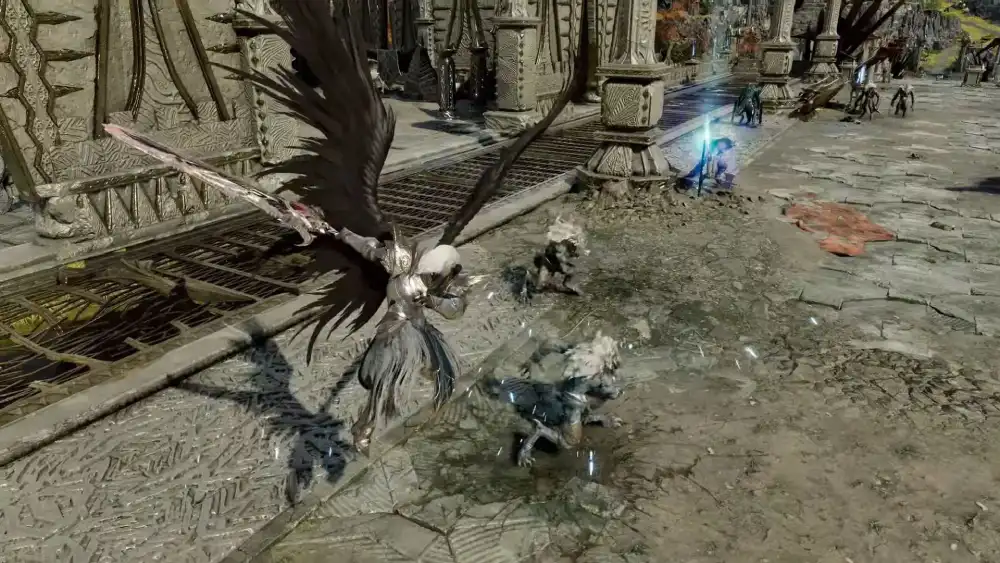
Nothing hurts more than losing an Abyss fight because your skill fired half a second late. You pressed the button on time, yet your character froze, the enemy moved first, and the fight was over. For many players, Aion 2 High Ping is the hidden reason behind those losses.
The worst part is that Aion 2 High Ping often shows up even when your internet plan looks fast on paper. Your ping climbs, your character snaps back mid-flight, and dungeon mechanics become a guessing game. Clearly, raw speed is not the whole story.
So why does Aion 2 High Ping happen, and what actually fixes it? In most cases, the problem is the route your data takes to NC’s servers, not your internet speed. Therefore, the most effective fix is optimizing that route, which is exactly what ExitLag does.
What causes Aion 2 High Ping?

Aion 2 is built around fast, precision-based combat where timing and positioning decide every battle. Because of that, it punishes latency more than most traditional MMORPGs. Even small delays change how skill chains, dodges, and flight maneuvers feel.
Since the global launch, players have connected to regional servers in North America, South America, Europe, and Asia. However, choosing the right region is only the first step. Several other factors still push your ping up.
The main technical causes
- Inefficient routing: Your provider sends your data through a path that is automatic, not necessarily the fastest.
- Aion 2 Packet Loss: When data gets lost along the way, it has to be resent, which adds delay and causes rubberbanding.
- Network congestion: Too many devices or apps using your connection at once compete with the game for priority.
- Geographic distance: The farther you are from your server, the more routers your data passes through.
- ISP instability: Overloaded provider infrastructure delivers inconsistent connections, especially at night.
Why peak hours make it worse
Many players notice that ping is fine in the morning but spikes in the evening. In fact, this pattern usually points to congestion on your provider’s network during peak hours. As a result, your route gets slower exactly when you want to play.
Moreover, big in-game moments make the effect more visible. During Abyss battles, sieges, or world boss fights, the game exchanges far more data with the server. Consequently, any weakness in your route becomes obvious immediately.
Aion 2 Lag, ping, and FPS: understand the difference
Many players treat every slowdown as the same problem. Nevertheless, lag, ping, and FPS are different things, and confusing them leads to the wrong fix. Understanding the difference shows you where the real issue is.
What each term means
- Lag: The delay between your command and the game’s response. It is the symptom you feel.
- Ping: The time, in milliseconds, for data to travel from your PC to the server and back. It is a network measurement.
- FPS: Frames per second, which measure how smoothly your PC renders the game. It is a hardware measurement.
In other words, you can have high FPS and still suffer from Aion 2 Lag. Likewise, upgrading your graphics card will not lower your ping at all.
Ping reference table
| Ping range | Connection quality | What you feel in Aion 2 |
| Under 50ms | Excellent | Instant skill response, smooth flight combat |
| 50ms to 80ms | Good | Playable, minor delay in tight skill chains |
| 80ms to 120ms | Fair | Noticeable delay in dodges and PvP timing |
| 120ms to 180ms | Poor | Missed mechanics, frequent rubberbanding |
| Above 180ms | Very poor | Unreliable PvP, dungeon wipes, disconnects |
Keep in mind that stability matters as much as the number itself. A steady 70ms feels better than a ping that jumps between 40ms and 150ms.
Why Aion 2 Unstable Connection happens even with good internet
Here is the part most players never hear about. Your internet speed measures how much data you can download. However, ping depends on the path your data takes, and that path is chosen by your provider.
How your provider picks your route
Your provider sends game traffic along routes that are convenient for its network. Often, these are not the shortest or least crowded paths to NC’s servers. Therefore, a fast plan can still produce an Aion 2 Unstable Connection.
Think of it as digital traffic. Your data packet is a car trying to reach the server, and your provider always sends it down the same highway. If that highway is jammed, it does not matter how powerful your car is.
How to confirm the problem is routing
You can test this yourself in a few minutes:
- Open the Command Prompt on Windows.
- Type ping -t followed by the Aion 2 server IP you connect to.
- Let it run for at least 60 seconds while you play or idle in game.
- Watch the results: consistently high values point to routing distance or inefficiency.
- Large swings between responses (such as 40ms, 200ms, 45ms) point to an unstable route.
- Press Ctrl + C to stop and check the packet loss percentage at the end.
Additionally, pay attention to where the problem appears. Rubberbanding even in empty zones usually means a network routing issue. On the other hand, lag only in massive Abyss battles can also involve server load.
How to Reduce Lag In Aion 2 with basic fixes
Before tackling routing, make sure your local setup is not adding extra delay. These fixes are simple, but they remove the most common sources of instability at home.
Local adjustments that help
- Use an ethernet cable: Wi-Fi is vulnerable to interference and creates sudden ping spikes.
- Close background apps: Downloads, streaming, and cloud sync compete with the game for bandwidth.
- Pick the closest region: Choose the server cluster nearest to where you physically live.
- Update network drivers: Outdated drivers can cause instability and dropped packets.
- Enable QoS on your router: Quality of Service lets you prioritize game traffic over other devices.
Pro Tips: Aion 2 High Ping
- Test before raid night: Run a ping test before an 8-player raid or Abyss session. Fixing a problem in advance prevents wipes caused by a sudden spike.
- Watch the trend, not one number: A single ping reading means little. Observing variation over time reveals whether your route is unstable.
- Pause other devices at home: Smart TVs and phones updating apps silently eat bandwidth. Limiting them during play keeps your connection predictable.
- Separate network lag from server load: Compare lag in quiet zones with lag in crowded events. This tells you whether a routing fix will actually help.
Common Mistakes Aion 2 players make
- Upgrading the internet plan: Players pay for more speed hoping to lower ping. Fix: speed rarely changes routing, so optimize the route instead.
- Picking a crowded far-away server for friends: High ping will weigh on every session. Fix: prioritize the closest region, since dungeon matchmaking is region-wide anyway.
- Reinstalling the game to fix lag: This does nothing for a network problem. Fix: test your connection first and treat the real cause.
- Blaming the graphics card: Low FPS and high ping are different issues. Fix: check your ping before changing graphics settings.
ExitLag for Aion 2: the definitive fix for High Ping
What if you could choose a better route for your data, avoiding the congested highway your provider insists on using? That is exactly the idea behind ExitLag. Instead of accepting a bad path, you get the fastest and most stable one available.
What ExitLag is and how it works
ExitLag is a connection optimizer built specifically for online games. It analyzes multiple network paths in real time and selects the fastest, most stable route between you and the Aion 2 servers. Importantly, it only affects the games you optimize.
Its core technology works on several fronts at once:
- Multipath Technology: Sends your packets through multiple routes simultaneously, so if one path fails, the others keep you connected.
- AI-powered routing: Picks the best route in one click, while still letting you customize it manually.
- Traffic Shaper: Prioritizes Aion 2 traffic and limits bandwidth used by other apps on your PC.
- Multi-Internet: Combines up to 4 internet connections, so if one drops, another takes over instantly.
Furthermore, ExitLag supports more than 4,000 titles with over 1,500 servers in 190+ countries. Millions of players already use it to keep their connection stable.
Benefits of ExitLag For Aion 2 players
- Lower and more stable ping: Skills fire when you press them, which is essential for tight skill chains.
- Less Aion 2 Packet Loss: Redundant routes reduce rubberbanding and teleporting enemies, even at peak hours.
- Better hit registration: Your attacks register reliably, so you stop losing trades you should win.
- Competitive consistency: In Abyss PvP and ranked content, predictable timing is a real advantage.
- Easy to use: No technical knowledge needed, since setup takes only a few clicks.
How to set up ExitLag for Aion 2 step by step
- Go to the ExitLag website and download the ExitLag app.
- Install the app and create your account.
- Activate the free trial to test it with your own connection.
- Search for Aion 2 in the game list.
- Select your server region (NA, SA, EU, or Asia).
- Click “Apply Routes” and keep ExitLag running.
- Launch Aion 2 normally through Steam or the PURPLE launcher.
In just a few minutes, you will feel the difference in how fluid the game becomes. Your flight combat, dodges, and skill chains finally respond the way they should.
FAQ
Is Aion 2 ping reliant?
Yes. Aion 2 combines tab-targeting with fast action combat, where timing, positioning, and dodges decide fights. Because of that, latency directly affects how responsive your character feels.
In PvE, a moderately high ping is still playable for questing and open-world content. However, in Abyss PvP, 8-player raids, and dungeons with tight mechanics, every extra millisecond makes it harder to react on time.
How to see ping in Aion 2?
Aion 2 has a built-in network indicator. To turn it on, follow these steps:
- Open Settings in the game menu.
- Go to Information Display, then General.
- Enable Display Network Status.
- Close the menu and check the indicator on your interface while you play.
If the indicator does not appear, toggle the option off and on again or restart the game. Additionally, ExitLag shows your real-time ping while optimizing, so you can compare values before and after.
How to fix Aion 2 High Ping?
Start with your local setup, then fix the route. Combining both is what delivers consistent results:
- Use a wired connection: Ethernet removes the ping spikes caused by Wi-Fi interference.
- Pick the closest region: Play on the server cluster nearest to where you live.
- Free up bandwidth: Close downloads, streaming, and cloud sync before launching the game.
- Optimize your route: Use ExitLag to send your data through faster, more stable paths to NC’s servers.
How to fix extremely high ping?
When your ping jumps to several hundred milliseconds, first check whether the problem is on your side. Run a ping -t test and compare the results with and without other devices using your network.
If the ping stays extreme even with a wired connection and nothing else running, the issue is almost always routing or your provider. In that case:
- Confirm you are connected to the correct regional server.
- Restart your modem and router to clear temporary faults.
- Activate ExitLag with Multipath enabled to bypass the congested route.
- If the problem persists every day, contact your provider and report the instability.
Is Aion 2 sustainable on high ping?
You can level, quest, and explore on high ping, but it becomes hard to sustain over time. Missed dodges, delayed skill chains, and rubberbanding add up, especially in group content where others depend on your timing.
In the long run, a stable connection matters more than a perfect number. Therefore, reducing ping spikes with route optimization is what makes Aion 2 enjoyable session after session.
Stop letting Aion 2 High Ping decide your fights
Lag should never decide your Abyss fights or your raid progress. Once you understand that routing, not speed, is the real issue, the solution becomes clear.
Why stability wins fights
Aion 2 rewards precision, timing, and positioning above almost everything else. Consequently, a stable connection is not a luxury but a core part of playing well. Every millisecond you recover gives you more control over the outcome.
Your next step
With ExitLag, you get the fastest route, lower ping, and the stability that competitive play demands. Stop letting Aion 2 High Ping ruin your sessions and start your ExitLag free trial to play Aion 2 at full performance.
All images used in this blog post belong to their respective owners and are used for informational and educational purposes only. They do not imply endorsement or affiliation with the rights holders.
Got questions or want to connect with other players? Join the conversation at the ExitLag Forum!