If you are seeing the error Arc Raiders can’t connect to server, you are not alone. Since the latest playtests and server waves, many players have reported sudden disconnects, login failures, and matchmaking issues.
The message Arc Raiders can’t connect to server can appear when launching the game, entering a raid, or even after a successful match. This problem usually points to server instability, routing conflicts, or platform-specific network restrictions.
So what causes Arc Raiders can’t connect to server errors in the first place? In most cases, it happens due to server overload during playtests, NAT type restrictions, firewall blocks, packet loss, or unstable ISP routing.
Because Arc Raiders is an always-online PvPvE extraction shooter developed by Embark Studios, it requires a constant and stable connection. Even small network interruptions can trigger a full disconnect from the game servers.
Why Arc Raiders Can’t Connect to Server Happens
Understanding why Arc Raiders can’t connect to server appears is the first step toward fixing it permanently.
Server Overload During Playtests
Arc Raiders has gone through multiple closed tests and technical phases. During these periods, thousands of players try to connect simultaneously.
When servers hit capacity, you may experience:
- Login failures
- Infinite loading screens
- Sudden mid-match disconnects
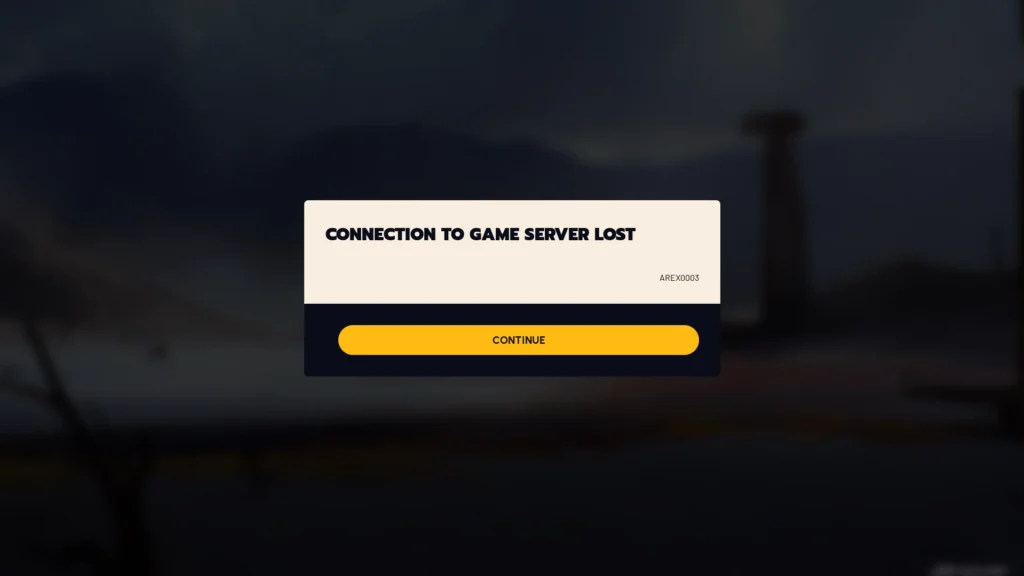
- “Connection to server lost” pop-ups
If you recently encountered connection to the game server lost Arc Raiders, chances are the issue was server-side and temporary.
Online-Only Architecture
Unlike single-player titles, Arc Raiders does not offer offline functionality. Every action requires real-time communication with game servers.
This means that even brief packet loss or unstable routing can trigger an Arc Raiders connection error instantly.
Common triggers include:
- Wi-Fi instability
- Background downloads
- ISP congestion
- Router firmware issues
Because extraction shooters depend on synchronized data, the system disconnects players quickly to prevent desync problems.
Firewall, Anti-Cheat, and Security Blocks (PC)
On PC, security software is a frequent cause of online connection error Arc Raiders issues.
Arc Raiders uses anti-cheat protection that may be blocked by:
- Windows Defender
- Third-party antivirus
- Strict firewall configurations
- VPN routing conflicts
If the anti-cheat handshake fails, the server rejects the connection attempt immediately.
NAT Type Restrictions on PS5
Console players often report online connection error Arc Raiders ps5 when their NAT Type is set to Strict (Type 3).
A strict NAT limits peer-to-server communication and may prevent successful matchmaking.
On PlayStation, connection errors are commonly caused by:
- Router-level port restrictions
- ISP carrier-grade NAT
- PSN maintenance windows
- Outdated system firmware
Arc Raiders Connection Error on PC: Step-by-Step Fixes
If you are facing an Arc Raiders connection error on PC, follow these steps in order.
1. Check Server Status First
Before changing anything locally, verify whether the servers are online.
If servers are undergoing maintenance, the only solution is to wait.
2. Verify Game Files on Steam
Corrupted or incomplete files can trigger Arc Raiders can’t connect to server errors.
To verify files:
- Open Steam Library
- Right-click Arc Raiders
- Click Properties
- Select Installed Files
- Click Verify Integrity
This process replaces missing or damaged files automatically.
3. Restart Your Router and Flush DNS
Routing instability is one of the most underestimated causes of Arc Raiders online connection error problems.
First, power cycle your router for at least 3 minutes.
Then flush your DNS cache:
- Open Command Prompt as Administrator
- Type: ipconfig /flushdns
- Press Enter
This clears outdated routing records and refreshes your network handshake.
4. Disable VPN or Proxy Services
VPNs can cause authentication failures.
If you are using a VPN, disable it completely and restart the game.
Many anti-cheat systems block masked IP addresses, which can result in immediate disconnects.
Online Connection Error Arc Raiders PS5: How to Fix It
If you are dealing with online connection error Arc Raiders ps5, try these solutions.
Check PSN Status
PlayStation Network outages can prevent Arc Raiders from authenticating your account.
If PSN is down, connection attempts will fail automatically.
Change NAT Type to Open or Moderate
To improve your NAT Type:
- Enable UPnP in router settings
- Manually forward required ports
- Restart your modem and router
Open NAT (Type 1 or 2) significantly reduces matchmaking errors.
Reinstall Arc Raiders
Corrupted updates can cause recurring Arc Raiders connection error messages.
Delete the game and reinstall it to ensure all patches are properly applied.
Why Arc Raiders Online Connection Error Keeps Coming Back
Sometimes the problem is not local at all.
Recurring Arc Raiders can’t connect to server errors are often linked to ISP routing instability.
ISP Routing Congestion
Internet providers do not always route traffic through the fastest path.
Congested routing paths increase:
- Ping
- Packet loss
- Jitter
Extraction shooters like Arc Raiders are extremely sensitive to these fluctuations.
Packet Loss and High Latency
Even 1-2% packet loss can trigger a disconnect.
If you frequently see Arc Raiders online connection error, your connection may be unstable rather than slow.
Common signs include:
- Random rubberbanding
- Sudden teleporting enemies
- Shots not registering
- Matchmaking timeouts
How ExitLag Helps Fix Arc Raiders Can’t Connect to Server
When Arc Raiders can’t connect to server issues are caused by unstable routing, standard fixes may not be enough.
ExitLag works on PC by optimizing your connection path in real time. Instead of relying on a single ISP route, it uses Multipath Connection technology to send packets through multiple optimized paths simultaneously.
This reduces:
- Packet loss
- Ping spikes
- Jitter
- Sudden disconnects
Because Arc Raiders depends on constant server communication, stable routing can dramatically reduce Arc Raiders connection error occurrences.
ExitLag is available for PC and Mobile platforms, but not consoles. For PC players experiencing persistent Arc Raiders can’t connect to server problems, optimizing routing can be the difference between constant disconnects and smooth extractions.
If you want to stop seeing Arc Raiders can’t connect to server every time you queue for a raid, improving connection stability is just as important as updating drivers or restarting your router.
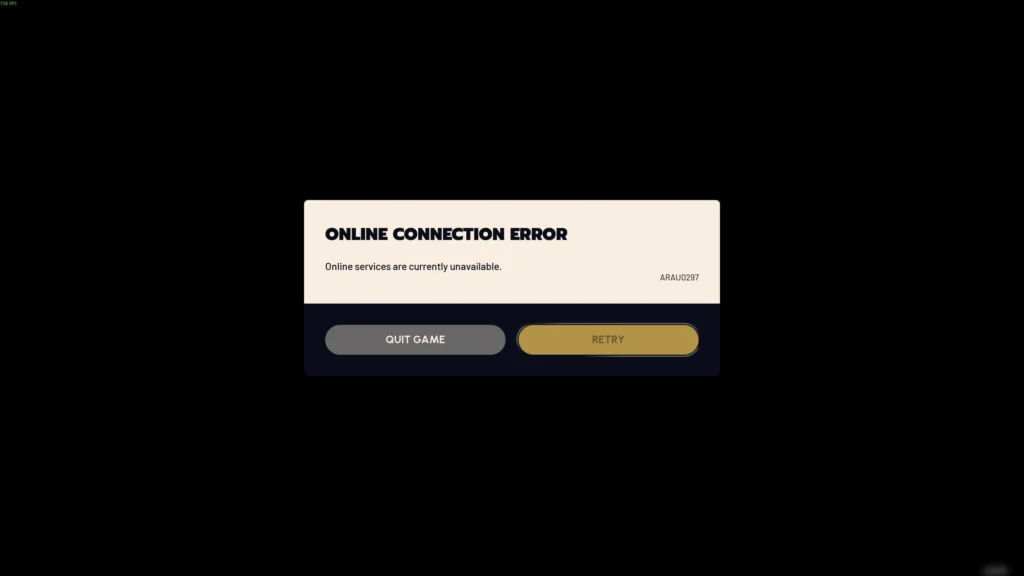
Connection to the Game Server Lost Arc Raiders – What It Really Means
If you keep seeing the message connection to the game server lost Arc Raiders, it is important to understand what is actually happening behind the scenes. This error does not always mean the servers are down. In many cases, it signals a break in communication between your system and Embark’s servers.
Arc Raiders uses a server-authoritative PvPvE model. That means every movement, shot, and interaction is validated by the server in real time. If your connection becomes unstable for even a short moment, the server may terminate the session to prevent desynchronization.
Server-Side Disconnect vs Client-Side Drop
There are two major types of disconnects:
- Server-side disconnect: happens during maintenance, overload, or patch deployment.
- Client-side drop: caused by packet loss, routing instability, firewall interference, or ISP congestion.
If the issue happens during peak hours or right after a patch, it is more likely server-side. However, if it happens randomly across multiple sessions, the issue is probably on your network.
How Arc Raiders Handles Disconnects
Unlike some shooters that allow reconnection windows, Arc Raiders prioritizes match integrity. When instability is detected, the session closes immediately. That is why Arc Raiders online connection error messages can feel sudden and unforgiving.
Because extraction shooters depend on real-time synchronization, stability is more important than raw download speed.
Arc Raiders Online Connection Error – Advanced Network Fixes
If basic troubleshooting did not solve your Arc Raiders online connection error, it is time to apply deeper network optimizations.
Port Forwarding for Better Stability
Opening the correct ports can improve communication between your device and the game servers.
Common gaming ports:
| Protocol | Port |
| TCP | 80, 443 |
| UDP | 3074 |
| UDP | 3478-3479 |
Access your router settings and enable either UPnP or manual port forwarding. This reduces handshake failures and authentication timeouts.
Switch to Ethernet Instead of Wi-Fi
Wi-Fi introduces jitter and packet loss, especially in crowded networks. Ethernet provides:
- Lower latency
- Stable packet delivery
- Reduced interference
- Consistent routing performance
For competitive extraction sessions, wired connections are strongly recommended.
Disable Background Bandwidth Usage
Large downloads, cloud sync, and streaming services can silently affect your connection. Before launching Arc Raiders:
- Pause Steam downloads
- Disable Windows Update temporarily
- Close cloud backup apps
- Avoid 4K streaming on the same network
These adjustments reduce the chance of recurring online connection error Arc Raiders messages.
Online Connection Error Arc Raiders PS5 – Deep Fix Guide
Console players facing online connection error Arc Raiders ps5 should focus on NAT configuration and network stability.
Test Your PS5 Internet Connection
Navigate to:
Settings → Network → Test Internet Connection
Check for:
- NAT Type (aim for Type 1 or Type 2)
- Upload stability
- Packet loss indicators
Strict NAT (Type 3) is one of the most common causes of connection failure.
Change DNS Settings on PS5
Manual DNS configuration can improve routing in certain regions.
Suggested DNS:
- Primary: 8.8.8.8
- Secondary: 8.8.4.4
After changing DNS, restart your console and router.
Update Router Firmware
Outdated router firmware may cause recurring connection to the game server lost Arc Raiders errors. Log into your router panel and check for firmware updates.
Restart both modem and router for at least five minutes to fully reset the network path.
Why Arc Raiders Online Connection Error Happens After Updates
Many players report Arc Raiders online connection error immediately after patches.
Patch File Conflicts
If your update download was interrupted, corrupted files can prevent proper authentication. Always restart your PC or PS5 after installing a patch.
On PC, verify game files through Steam. On PS5, reinstall the game if the problem persists.
Server Version Mismatch
Sometimes servers update before clients fully refresh. If you attempt to log in during this short window, you may see Arc Raiders connection error messages repeatedly.
Waiting 10-20 minutes and restarting the client often resolves this issue.
PC vs PS5 – Where Connection Errors Are More Common
Different platforms face different connection challenges.
| Issue Type | PC | PS5 |
| Firewall Blocks | High | Low |
| NAT Type Issues | Medium | High |
| Anti-Cheat Conflicts | High | None |
| ISP Routing Instability | High | High |
| PSN Maintenance | None | High |
PC users typically experience firewall and anti-cheat handshake conflicts. PS5 users more commonly face NAT restrictions and PSN outages.
Understanding your platform’s most common issue helps you solve Arc Raiders online connection error faster.
How ExitLag Reduces Arc Raiders Connection Errors on PC
When routing instability is the root cause, restarting your router may not be enough.
ExitLag works on PC by optimizing traffic paths in real time. Instead of sending data through a single ISP-selected route, it uses Multipath Connection technology to transmit packets through multiple optimized routes simultaneously.
This reduces:
- Packet loss
- Jitter
- Ping spikes
- Random disconnects
Because Arc Raiders requires constant server communication, even minor instability can trigger connection to the game server lost Arc Raiders errors.
By stabilizing routing and applying Real-Time Optimization with Traffic Shaper technology, ExitLag helps prevent Arc Raiders online connection error scenarios on PC.
Important: ExitLag is available for PC and Mobile platforms only. It is not supported on consoles such as PS5.
Preventing Arc Raiders Online Connection Error in the Future
Prevention is always more effective than repeated troubleshooting.
Best Practices
- Use Ethernet instead of Wi-Fi
- Restart your router weekly
- Keep GPU and network drivers updated
- Avoid VPNs while gaming
- Check server status before logging in
Step-by-Step Stability Routine
- Check official server status
- Verify game files
- Restart modem and router
- Close background apps
- Launch Arc Raiders after network stabilizes
Following this routine significantly reduces the chance of recurring online connection error Arc Raiders messages.
Arc Raiders is designed as a competitive online extraction experience. Maintaining a stable connection is as critical as mastering aim and movement. If you want consistent raids without interruption, optimizing your network should be part of your standard setup.
All game images used in this blog belong to Embark Studios. They are used for informational/educational purposes only and do not imply endorsement or affiliation with the rights holders.
Got questions or want to connect with other players? Join the conversation at the ExitLag Forum!