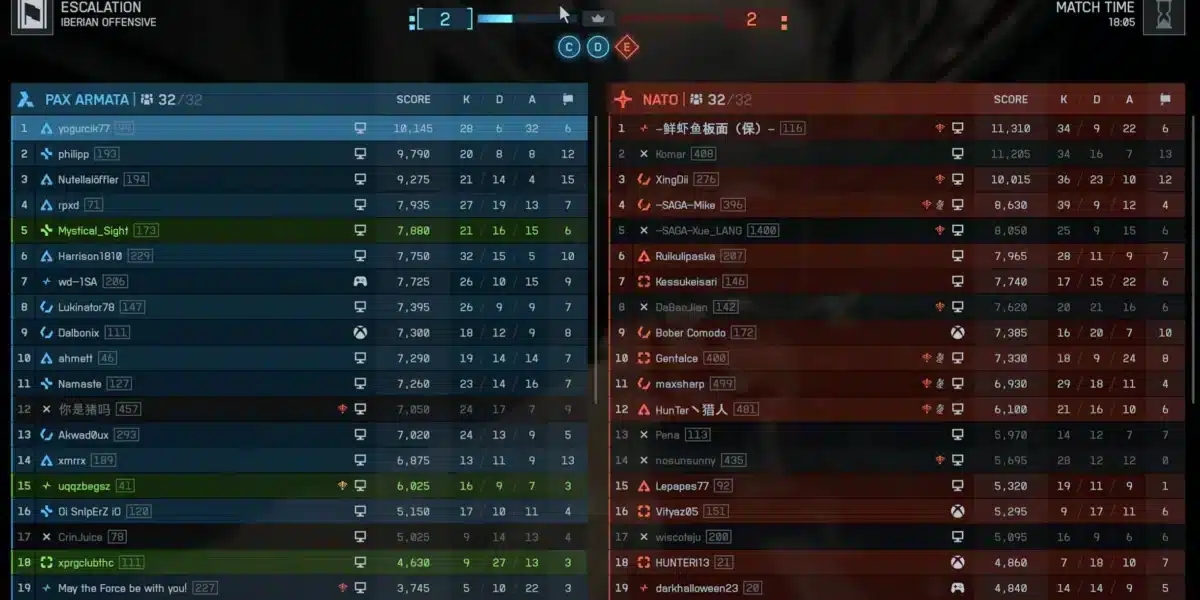
If you play competitive online games, choosing the best ethernet cable for gaming can dramatically improve your overall experience. In modern multiplayer titles like Valorant, Fortnite, Call of Duty, and League of Legends, every millisecond matters. Because of that, a stable wired connection often becomes the difference between victory and defeat.
At the same time, many gamers underestimate how much connection quality impacts gameplay. The best ethernet cable for gaming helps reduce packet loss, stabilize ping, and eliminate wireless interference that commonly affects online matches. As a result, movement feels smoother, hit registration becomes more reliable, and lag spikes happen less frequently. And before we continue, know that to know more about all the relevant content about gaming, you just have to check our blog.
Why the best ethernet cable for gaming matters

To begin with, many players ask whether upgrading to the best ethernet cable for gaming truly matters. The answer is yes. Wired gaming connections deliver lower latency and more consistent performance compared to wireless setups. In other words, Ethernet provides a direct communication path between your device and router without the instability caused by Wi-Fi congestion.
Lower latency and faster response times
One of the biggest reasons gamers switch to wired connections is latency reduction. Ping measures how long it takes for information to travel between your setup and the game server. Therefore, lower latency means faster reactions during online matches.
Wireless networks often suffer from inconsistent signal quality. Walls, phones, neighboring routers, and Bluetooth devices all create interference. On the other hand, the best wired connection gaming setups eliminate most of these issues entirely.
Benefits of wired gaming include:
- Lower ping spikes
- Stable online performance
- Faster game downloads
- Reduced packet loss
- Better competitive responsiveness
Similarly, Ethernet cables maintain consistent speeds even during high network usage inside your home.
Firstly, you should read: Why Is My Ping So High? Troubleshooting Guide
Why wired gaming reduces packet loss
Packet loss happens when information fails to reach the game server correctly. This creates rubberbanding, delayed actions, teleporting enemies, and inconsistent gameplay.
For example, in competitive shooters, packet loss may cause missed shots or delayed movement registration. In MOBAs and MMOs, it can interrupt abilities or create frustrating input delays.
Because of that, many esports players prioritize stable wired connections instead of relying on Wi-Fi.
Additionally, the fastest ethernet cable gaming setups improve reliability during:
- Competitive ranked matches
- Live streaming sessions
- Multiplayer raids
- Voice chat communication
- Large game updates
Above all, consistency matters more than raw internet speed for competitive gaming.
Ethernet vs wifi gaming: which is better?
Why Wi-Fi suffers from interference
The debate around ethernet vs wifi gaming continues today, but wired connections still dominate competitive environments.
Wi-Fi remains convenient for casual browsing and mobile devices. However, online gaming demands stable communication with servers at all times.
Unfortunately, wireless signals face several limitations:
- Signal interference
- Shared household bandwidth
- Router congestion
- Physical obstacles like walls
- Distance-related instability
As a result, gamers frequently experience inconsistent latency during peak usage hours.
In apartment buildings or crowded neighborhoods, dozens of nearby routers compete for the same wireless channels. Therefore, ping spikes become increasingly common during online gameplay.
You may also like: Lag spikes: how to reduce lag in online game for a smoother experience
Benefits of wired gaming setups
By contrast, Ethernet creates a direct connection between your gaming system and router. This dramatically improves reliability and responsiveness.
A strong ethernet cable gaming setup helps maintain stable performance across long gaming sessions. Even more importantly, wired gaming reduces sudden ping fluctuations that can ruin competitive matches.
Wired gaming advantages include:
- Consistent latency
- Better packet delivery
- Faster updates and downloads
- Improved streaming quality
- Stable voice communication
Likewise, many professional players refuse to compete on Wi-Fi because consistency directly affects performance.
At the same time, Ethernet alone cannot solve every networking issue. While the cable stabilizes your local connection, routing problems between your ISP and game servers may still create lag.
That’s where ExitLag becomes extremely useful. ExitLag optimizes traffic routes in real time, reducing latency spikes and improving server communication. Combined with Ethernet, it creates one of the strongest possible setups for competitive online gaming.
Cat6 vs Cat8 gaming: what’s the difference?
Speed and bandwidth comparison
When shopping for cables, many players encounter the debate around cat6 vs cat8 gaming performance.
Ethernet categories determine bandwidth capacity, shielding quality, and maximum transmission speeds. However, not every gamer actually benefits from the highest-end cables available.
Here’s a simplified breakdown:
- Cat5e supports up to 1 Gbps
- Cat6 supports up to 10 Gbps
- Cat6a improves shielding and stability
- Cat7 increases interference protection
- Cat8 supports up to 40 Gbps
For most gamers, Cat6 already provides more than enough performance.
Which ethernet cable gamers actually need
Many players assume the most expensive option automatically delivers better gaming results. However, that is not always true.
If your internet speed remains below 1 Gbps, upgrading from Cat6 to Cat8 likely will not reduce ping significantly. In other words, the cable itself does not magically improve server responsiveness.
Still, higher-category cables can help in environments with heavy interference or advanced networking hardware.
Most gamers should choose based on their setup:
- Casual gamers: Cat5e or Cat6
- Competitive gamers: Cat6 or Cat6a
- Streamers and creators: Cat7
- Future-proof enthusiasts: Cat8
Therefore, Cat6 continues being the sweet spot between affordability, speed, and reliability.
Read this: Ping Test: learn how to do it and interpret the results properly
Building the perfect ethernet cable gaming setup
Best cable lengths and shielding
Cable quality matters just as much as category. Extremely cheap cables often suffer from poor shielding and inconsistent construction quality.
For best results:
- Avoid excessively long cables
- Use braided or shielded designs
- Keep cables away from power adapters
- Prevent tight bends and twisting
- Choose snagless connectors
Similarly, shielded cables help reduce electromagnetic interference in setups filled with electronics.
Gaming router and ethernet optimization tips
Your Ethernet cable is only one part of the equation. Router quality and network optimization also impact online gaming performance.
To improve stability:
- Update router firmware
- Enable Quality of Service (QoS)
- Prioritize gaming traffic
- Restart networking equipment regularly
- Use wired connections whenever possible
Finally, pairing a strong Ethernet setup with ExitLag creates an ideal competitive gaming environment. ExitLag improves routing stability, minimizes packet loss, and reduces connection fluctuations during intense online matches.
With the right configuration, the best ethernet cable for gaming helps create faster, smoother, and more reliable gameplay across every major online title.
Best ethernet cables for different gamer profiles
Choosing the right Ethernet cable depends heavily on your gaming habits, internet speed, and overall setup. While some players simply want stable matchmaking, others need maximum consistency for streaming, ranked ladders, or esports competition.
Because of that, selecting the correct cable category helps optimize both performance and long-term reliability.
Casual and console gamers
For casual players, stability matters more than extreme bandwidth. Most console gamers and standard PC users do not need enterprise-grade cables to achieve smooth gameplay.
In many cases, Cat5e still performs surprisingly well for standard home internet plans under 1 Gbps. However, upgrading to Cat6 creates better future-proofing and improved shielding.
A good best ethernet cable option for casual gaming should provide:
- Stable latency
- Reliable download speeds
- Low packet loss
- Basic shielding
- Affordable pricing
Similarly, Cat6 cables remain one of the most balanced options available today.
Check this: Ping for Gaming: what’s slowing your sessions and how to prevent
Competitive and streaming setups
Competitive gamers, creators, and streamers often push their networks significantly harder. Streaming software, cloud syncing, Discord communication, and game traffic all compete simultaneously for bandwidth.
Therefore, stronger shielding and higher stability become increasingly important.
For advanced setups, many players choose:
- Cat6a for improved shielding
- Cat7 for interference-heavy environments
- Cat8 for future-proof multi-gig networking
At the same time, expensive cables alone cannot guarantee low ping. Internet routing quality still affects server responsiveness heavily.
That’s why combining Ethernet with ExitLag helps create one of the strongest possible online gaming environments.
| Cable | Speed | Shielding | Best For |
| Cat5e | 1 Gbps | Basic | Casual gaming |
| Cat6 | 10 Gbps | Improved | Mainstream PC gamers |
| Cat6a | 10 Gbps | Advanced | Competitive setups |
| Cat7 | 10 Gbps | Full shielding | Streaming and esports |
| Cat8 | 40 Gbps | Maximum | Future-proof enthusiasts |
How to improve gaming performance beyond ethernet
Router optimization tips
Even with the best wired connection gaming setup, poor router configuration can still create latency issues.
Many gamers forget that routers handle every device connected to the network simultaneously. Phones, TVs, downloads, and streaming services all compete for bandwidth.
To improve gaming stability:
- Enable Quality of Service (QoS)
- Prioritize gaming devices
- Update router firmware
- Restart the router regularly
- Avoid overloaded Wi-Fi channels
Similarly, modern gaming routers include traffic prioritization systems specifically designed for online games.
Positioning also matters. While Ethernet removes most wireless instability, nearby interference can still affect surrounding devices and local networking quality.
Read also: Ping ms for Gaming: reduce the lag, enhance your experience
Combining Ethernet with ExitLag
Ethernet improves local stability inside your home network. However, routing problems between your ISP and the game server may still cause high ping or lag spikes.
Because of that, many competitive players combine Ethernet with ExitLag.
ExitLag helps by:
- Optimizing traffic routes
- Reducing packet loss
- Stabilizing server communication
- Lowering latency fluctuations
- Improving responsiveness
As a result, players experience smoother online matches even during peak internet traffic hours.
This combination becomes especially useful for:
- Ranked competitive matches
- Online tournaments
- MMORPG raids
- Battle royale games
- High-intensity FPS matches
Above all, consistency is what separates stable gameplay from frustrating online experiences.
You should check more games compatible with ExitLag at our official games page.
Common ethernet mistakes gamers should avoid

Cheap cables and unstable speeds
One of the biggest mistakes gamers make is buying extremely cheap cables with poor construction quality.
Low-quality cables often suffer from:
- Weak shielding
- Loose connectors
- Poor internal wiring
- Signal degradation
- Reduced durability
Similarly, fake “gaming cables” with exaggerated marketing rarely provide meaningful improvements over properly certified Cat6 cables.
Players should prioritize quality construction instead of flashy branding.
You may also like: PACKET LOSS: What is the packet loss and How to fix?
Wrong cable length and interference issues
Cable management also affects performance and longevity.
Very long cables increase the risk of signal degradation and physical damage. At the same time, poorly routed cables near power strips or adapters may experience additional interference.
For a clean ethernet cable gaming setup, players should:
- Keep cable lengths reasonable
- Avoid sharp cable bends
- Use proper shielding if needed
- Separate Ethernet from power cables
- Protect connectors from stress damage
Likewise, braided cables often improve durability for long-term gaming setups.
Frequently asked questions (FAQ)
For most gamers, Cat6 provides the ideal balance between speed, stability, affordability, and future-proofing. Competitive users may prefer Cat6a or Cat7 for additional shielding.
In the debate around cat6 vs cat8 gaming, Cat6 remains sufficient for most players. Cat8 offers higher theoretical speeds, but most gaming setups do not fully utilize its capabilities yet.
Yes. Ethernet significantly improves connection stability, lowers packet loss, and reduces latency fluctuations compared to Wi-Fi.
Absolutely. The discussion around ethernet vs wifi gaming usually favors wired connections because Ethernet delivers lower latency, fewer interruptions, and more stable online performance.
Yes. ExitLag optimizes traffic routing between your ISP and game servers. Combined with Ethernet, it creates smoother and more stable gameplay with lower latency spikes.
ExitLag can drastically improve your gameplay for an accessible price. To know more, check our pricing page.
In conclusion
Choosing the right Ethernet cable remains one of the smartest upgrades for competitive and casual gamers alike. Stable wired connections improve responsiveness, reduce lag spikes, and create smoother online experiences across every major multiplayer title.
At the same time, selecting the proper cable category matters. While Cat6 remains the best overall choice for most users, advanced players may benefit from stronger shielding and future-proof options like Cat7 or Cat8.
Finally, combining optimized networking hardware with ExitLag delivers even better results. With stable routing, lower packet loss, and smoother server communication, the best ethernet cable for gaming becomes an essential part of any serious gaming setup. Download ExitLag now!
Got questions or want to connect with other players? Join the conversation at the ExitLag Forum!