
If you want to change the way you play, explore, build, and survive, the best Minecraft mods are one of the easiest ways to reinvent the game. From visual upgrades to brutal survival systems, modding can turn a familiar world into something that feels almost brand new.
Modding is only one way to reshape the game. Players who also want stronger survival planning can get useful ideas from this guide on ways to defend and improve your Minecraft base, especially when the goal is building a world that feels more secure and more alive.
The best Minecraft mods do much more than add a few extra blocks. They can improve performance, expand exploration, deepen combat, and create richer building tools for every type of player. Whether you want best SMP mods for Minecraft, best Minecraft horror mods, best building mods Minecraft, or best Minecraft mod packs, the right setup can completely reshape your experience.
For many players, the best Minecraft mods are the ones that solve a specific need. Some want smoother FPS. Others want furniture, RPG systems, guns, magic, or new biomes. Meanwhile, multiplayer fans often look for Minecraft best mods that improve quality of life without making servers unstable. That is why choosing by category is usually smarter than downloading everything at once.
What are the best Minecraft mods?
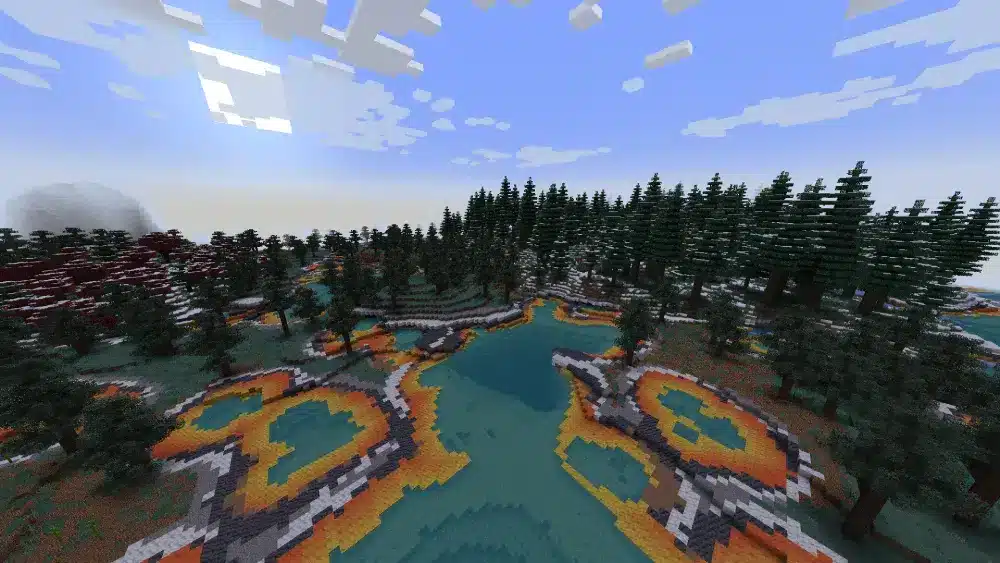
In simple terms, the best mods are the ones that improve your experience without creating unnecessary friction. A great mod should match your playstyle, work well with your current version, and stay relatively stable with your chosen modloader.
That means there is no single universal list for every player. Instead, the best Minecraft mods usually fall into a few major categories:
- Performance and optimization
- Building and decoration
- Adventure and RPG
- Horror and survival
- Weapons and combat
- Multiplayer and SMP tools
- Tech and automation
- Utility and interface improvements
Because of that, a builder will have a very different “best mods” list than a hardcore survival player. A casual SMP server might prioritize convenience, while a solo player may care more about atmosphere or new dimensions.
Why do players use Minecraft mods in the first place?
Mods matter because they let Minecraft grow with you. The base game is flexible, but mods can make it more specialized, more complex, or simply more fun.
Players usually install mods for a few core reasons:
- To improve frame rate and reduce lag
- To add fresh content without waiting for official updates
- To customize survival, combat, or exploration
- To make building faster and more detailed
- To create themed experiences like horror, fantasy, or sci-fi
As a result, the best Minecraft mods download choices are often the ones that fit a clear goal. If your objective is not defined, your mod folder becomes a mess very quickly.
Performance mods that improve stability
Performance mods are often the smartest place to start. They are not flashy, but they make everything else run better.
Popular picks include:
- Sodium for better rendering performance on Fabric
- Lithium for logic optimization
- FerriteCore for memory savings
- Starlight for lighting improvements
- OptiFine for visual controls and shader support in some setups
These are especially useful if you plan to run larger packs or combine several categories of mods.
Content mods that refresh gameplay
Content mods add the feeling of discovery back into the game. They are perfect for players who already know vanilla Minecraft too well.
Strong examples include:
- Biomes O’ Plenty
- Alex’s Mobs
- The Aether
- Ice and Fire
- Botania
- Mekanism
These mods can introduce new enemies, dimensions, loot, systems, and progression layers.
Best Minecraft mods by category
Below is a cleaner way to understand which mods are actually worth trying.
Performance and optimization mods
If you want smoother gameplay, these are some of the best starting points:
- Sodium
- Lithium
- FerriteCore
- Starlight
- OptiFine
These are ideal for players using shaders, high-resolution resource packs, or larger modpacks. They also reduce frustration before you start adding heavier content mods.
Building and decoration mods
For builders, the best Minecraft mods are usually the ones that improve block variety, decoration options, and construction speed. This is where best Minecraft decoration mod packs and best building mods Minecraft become especially relevant.
Top options include:
- Chisel
- Building Gadgets
- LittleTiles
- Macaw’s Mods
- Decocraft
- MrCrayfish’s Furniture Mod
These mods help transform empty bases into detailed homes, castles, towns, and themed environments.
RPG and adventure mods
If you want progression, quests, magic, or fantasy combat, look into best Minecraft RPG mods like:
- Botania
- Electroblob’s Wizardry
- Thaumcraft
- Ice and Fire
- The Aether
- Advent of Ascension
These are great for players who want a more structured adventure instead of pure sandbox freedom.
Horror and survival mods
For darker gameplay, best horror mods Minecraft and best Minecraft horror mods can turn Minecraft into a much more intense experience.
Popular horror-oriented or survival-heavy picks include:
- The Cave Dweller mod
- From The Fog
- Scape and Run: Parasites
- Tough As Nails
- Whisperwoods
- Sons of Sins
These mods add dread, pressure, and unpredictability. They work best when combined with darker shaders, custom sounds, and limited HUD settings.
Gun and combat mods
Combat-focused players usually search for best gun mods for Minecraft and best Minecraft gun mods when vanilla weapons feel too limited.
Notable options include:
- MrCrayfish’s Gun Mod
- Vic’s Modern Warfare
- Spartan Weaponry
- Tinkers’ Construct
- Timeless and Classics Zero
Some of these mods lean realistic, while others feel more arcade-style. Always check version and modloader compatibility first.
Which Minecraft version is best for mods?
This is one of the most common questions from players starting out. The truth is that the best Minecraft version for mods depends on what you want to install.
Some versions are especially popular because they have broad community support and lots of stable releases. These usually include:
- 1.12.2
- 1.16.5
- 1.18.2
- 1.19.2
- 1.20.1
In practice, 1.12.2 is famous for older, massive modpacks. Meanwhile, 1.16.5 and 1.18.2 are strong middle-ground choices. More recently, 1.20.1 has become a favorite for players who want modern content without jumping into unstable edge cases.
So, if you are unsure where to begin, 1.20.1 or 1.18.2 are usually safe bets for the best Minecraft mods experience.
Why older versions are still popular
Older versions remain relevant because mod ecosystems take time to mature. A new Minecraft update may look exciting, but many major mods take months to catch up.
That is why version 1.12.2 is still loved. It has huge packs, deep compatibility, and years of testing behind it.
Should you use the newest version?
Only if your chosen mods support it well. Newer versions can be excellent, but they may also mean fewer available mods, more alpha builds, and more bugs.
A smart rule is simple: pick your mods first, then choose the Minecraft version that supports them best.
That step becomes much easier when your base installation is already sorted out correctly. Before building a bigger setup, it helps to review a complete Minecraft download and installation guide so your version, launcher, and Java environment are all aligned with the mods you plan to use.
How do you install the best Minecraft mods safely?
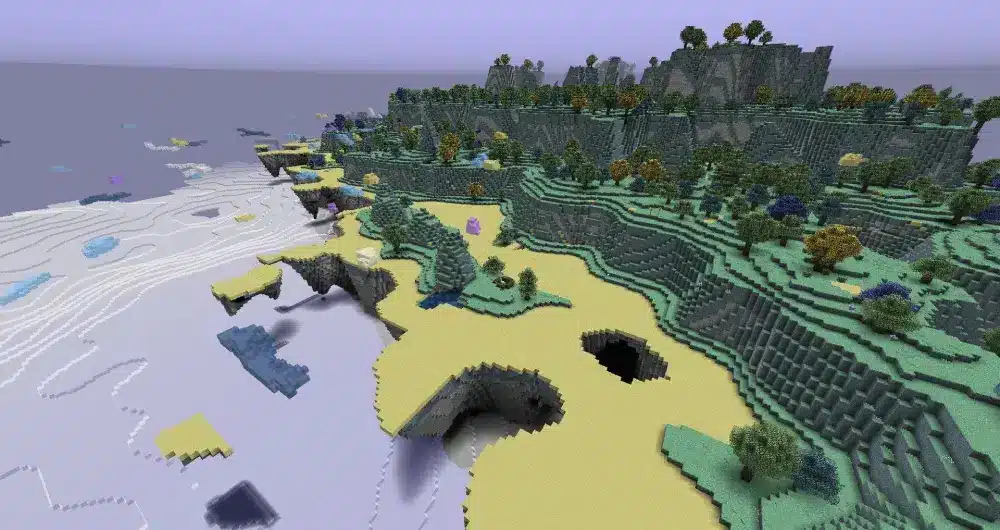
Installing mods is easy once you understand the workflow. The bigger risk is downloading from shady websites or mixing incompatible files.
Start with this process:
- Install Minecraft Java Edition
- Choose a modloader like Forge, Fabric, or NeoForge
- Download your mods from trusted sources
- Put the files in the “mods” folder
- Launch the correct modded profile
- Test your world before adding more mods
Before anything else, back up your saves. That single step can save hours of frustration.
Best trusted sites for mod downloads
For safe downloads, these are usually the best options:
- CurseForge
- Modrinth
- Official GitHub pages from verified developers
Avoid random ad-heavy sites that bundle suspicious installers. When people search best Minecraft mods download, safety should matter just as much as variety.
Forge, Fabric, or NeoForge?
Each modloader has a different strength:
| Modloader | Best for | Main advantage | Possible downside |
| Forge | Big mod libraries | Broad legacy support | Can feel heavier |
| Fabric | Fast updates, lightweight mods | Excellent performance-focused ecosystem | Some major mods are missing |
| NeoForge | Growing modern alternative | Increasing support on newer projects | Smaller library than Forge |
If you want the best furniture mod for NeoForge Minecraft, keep an eye on newer releases of furniture and building mods that are actively updated for NeoForge support.
Best Minecraft mods for building and decoration
Builders often care less about combat and more about expression. In that case, the best Minecraft mods are the ones that improve shape, texture variety, interior design, and workflow speed.
A few of the strongest building mods are:
- Building Gadgets
- Chisel
- LittleTiles
- Macaw’s Doors, Roofs, Windows, and Bridges
- FramedBlocks
These help with scale, detail, symmetry, and repetition. They are especially useful for large bases, fantasy builds, and modern architecture.
Before going into specific tools, it helps to separate building mods from decoration mods. Building mods improve construction itself. Decoration mods improve what you place inside or around a structure.
Best mods for faster construction
If you build large projects, speed matters.
Useful options include:
- Building Gadgets for copying and placing patterns
- Effortless Building for easier large-scale placement
- WorldEdit for advanced editing in creative projects
These are among the best building mods Minecraft players use when vanilla placement becomes too slow.
Best decoration and furniture mods
Decoration mods bring your world to life. They make bases feel inhabited instead of empty.
Top picks include:
- MrCrayfish’s Furniture Mod
- Decocraft
- Macaw’s furniture-style structural packs
- Supplementaries
- Handcrafted
For players specifically looking for the best furniture mod for NeoForge Minecraft, current compatibility matters more than reputation alone. A mod may be famous, but if it is not maintained for your loader and version, it is not the right choice.
Best Minecraft mods for SMP and multiplayer servers
Multiplayer changes how you should mod the game. On a server, stability and fairness usually matter more than pure spectacle. That is why best SMP mods for Minecraft often focus on usability, communication, moderation, and shared quality-of-life improvements.
Good SMP-friendly mods and server tools include:
- EssentialsX
- Dynmap
- LuckPerms
- Simple Voice Chat
- JourneyMap
- Mouse Tweaks
- Inventory Profiles Next
These improve teamwork, coordination, and administration without overwhelming casual players.
For multiplayer, the best Minecraft mods are usually the ones that make sessions smoother rather than harder.
Server-side mods that improve management
Admins benefit most from:
- EssentialsX for commands and utilities
- LuckPerms for permissions
- Dynmap for a live web map
- CoreProtect for rollback and grief tracking
These are practical, stable, and worth prioritizing.
Client-side mods for better multiplayer quality of life
Players often enjoy:
- Simple Voice Chat
- JourneyMap
- Controlling
- Mouse Tweaks
- JEI
These do not always need to alter the full server experience, but they make moment-to-moment play much better.
ExitLag for modded Minecraft multiplayer
When you play solo, mods affect local performance. However, on online worlds and modded servers, connection quality becomes just as important. That is where ExitLag fits naturally into the conversation about the best Minecraft mods.
ExitLag does not replace mods, and it does not affect offline gameplay. Instead, it helps optimize the route between you and the server. That matters on modded SMPs, larger communities, and servers where latency can make combat, movement, or chunk loading feel inconsistent.
In other words, the better your multiplayer environment becomes, the more obvious connection problems can feel. A heavily modded world with extra entities, custom systems, and larger maps can feel much worse when your ping is unstable.
Why ExitLag can help Minecraft players
ExitLag may improve:
- Route stability to online servers
- Ping consistency during multiplayer sessions
- Responsiveness in combat and exploration
- Overall smoothness on distant or crowded servers
That makes it especially relevant for players using best SMP mods for Minecraft or joining modded communities with friends.
When ExitLag matters most
ExitLag is most useful when:
- You play on servers outside your region
- Your ping spikes during busy hours
- Modded servers feel inconsistent even with decent FPS
- You want more stable sessions in co-op or SMP worlds
For players who spend most of their time online, ExitLag is a smart companion to the best Minecraft mods because it targets network performance while mods improve gameplay.
Best Minecraft mods for horror, RPG, and challenge runs
Some players want Minecraft to feel dangerous again. Others want a deeper fantasy or progression loop. In both cases, specialized categories do the heavy lifting.
Here is a quick comparison:
| Category | Great mods to try | Best for |
| Horror | From The Fog, Cave Dweller, Parasites | Fear, tension, darker survival |
| RPG | Botania, Thaumcraft, Ice and Fire | Progression, magic, fantasy builds |
| Hardcore | Tough As Nails, RLCraft, Serene Seasons | Difficulty and survival realism |
| Combat | MrCrayfish’s Gun Mod, Spartan Weaponry | Action-focused gameplay |
If you want atmospheric survival, combine best Minecraft horror mods with lighting and sound upgrades. If you want long-term progression, go with best Minecraft RPG mods instead.
Recommended mod combinations by playstyle
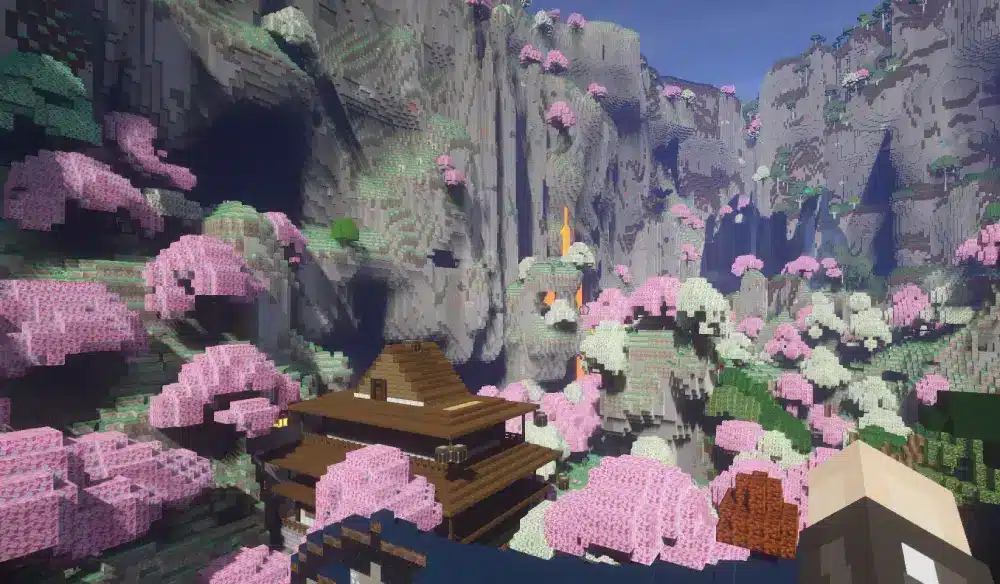
To make your choices easier, here are a few practical combinations.
For builders
Use:
- Building Gadgets
- Chisel
- Macaw’s Mods
- MrCrayfish’s Furniture Mod
- Sodium or OptiFine
This setup supports creativity, screenshots, and large-scale design.
Large projects usually work better when the world around them is chosen with intention. A Minecraft structure finder for planning landmarks and locations can be a useful companion here, especially if you want your builds to connect naturally with villages, strongholds, temples, or other generated points of interest.
For horror survival fans
Use:
- From The Fog
- Cave Dweller
- Tough As Nails
- Serene Seasons
- Sodium or Starlight
This creates a much darker and more stressful experience.
For RPG and adventure players
Use:
- Botania
- The Aether
- Ice and Fire
- Electroblob’s Wizardry
- JEI
This works well for players who want quests, lore, fantasy combat, and world progression.
For multiplayer SMP groups
Use:
- EssentialsX
- LuckPerms
- Dynmap
- Simple Voice Chat
- JourneyMap
Pair this with ExitLag if your server performance feels inconsistent across regions.
FAQ
The easiest beginner-friendly choices are JEI, JourneyMap, AppleSkin, Sodium, and Mouse Tweaks. They improve the game immediately and need very little configuration.
Java Edition is still the strongest option for modding. While best Minecraft Bedrock mods searches are common, Bedrock modding is more limited and usually does not offer the same depth as Java.
Versions like 1.18.2, 1.19.2, and 1.20.1 are strong choices. The best option depends on the mods you want most.
Yes, especially if you want a very different atmosphere. Best horror mods Minecraft setups can make familiar caves and forests feel genuinely tense.
MrCrayfish’s Gun Mod, Timeless and Classics Zero, and Vic’s Modern Warfare are among the most popular picks, depending on version support.
Yes, but compatibility matters. Some are server-side, some are client-side, and some require everyone to use the same files and versions.
Once compatibility is clear, the next concern is finding files from places that are actually trustworthy. Browsing established Minecraft mod collections on CurseForge is one of the safest ways to compare projects, check version support, and avoid the mess that comes from random third-party download pages.
Yes, mainly for online and modded multiplayer. It helps with routing and connection stability, not offline performance.
Final thoughts on the best Minecraft mods
The best Minecraft mods are not just the most famous ones. They are the ones that fit your version, your playstyle, and your goals. Some players want smoother FPS. Others want richer decoration, harder survival, better SMP tools, or deeper fantasy progression. The smartest approach is to build a focused mod list instead of chasing every trend at once.
So, start small. Pick a stable version. Choose a reliable modloader. Download from trusted sources. Then shape your game around what you actually enjoy most, whether that means best Minecraft mod packs, best Minecraft gun mods, best Minecraft decoration mod packs, or a more personalized mix. And if your favorite experience happens online, ExitLag is a strong addition to the best Minecraft mods setup because it helps keep your multiplayer sessions smoother, more stable, and more responsive.
Keeping one eye on the base game is useful while you build a custom setup around it. The official Minecraft website is still the best reference point for core game access, version updates, and the broader ecosystem your modded experience is built on.
Ready to upgrade your world? Test a curated mod list, optimize your multiplayer with ExitLag, and turn your next Minecraft session into something far more immersive.


