Classic Minecraft takes players back to where it all began — a stripped-down, minimalist version of the game that started the sandbox revolution. Before biomes, mobs, Redstone, and survival mechanics, there was simply a flat world made of blocks, waiting to be explored and shaped by creativity.
For those who want to jump into modern servers after revisiting the past, checking a curated Minecraft server list can help you explore thriving multiplayer communities.
Revisiting Classic Minecraft offers more than just a gaming experience; it’s a digital time capsule of one of the most influential games of all time. Whether you’re a veteran looking to relive the early days or a newcomer curious about Minecraft’s roots, this guide will walk you through what Minecraft Classic is, how to play it today, and why it’s still worth exploring.
What Is Minecraft Classic?
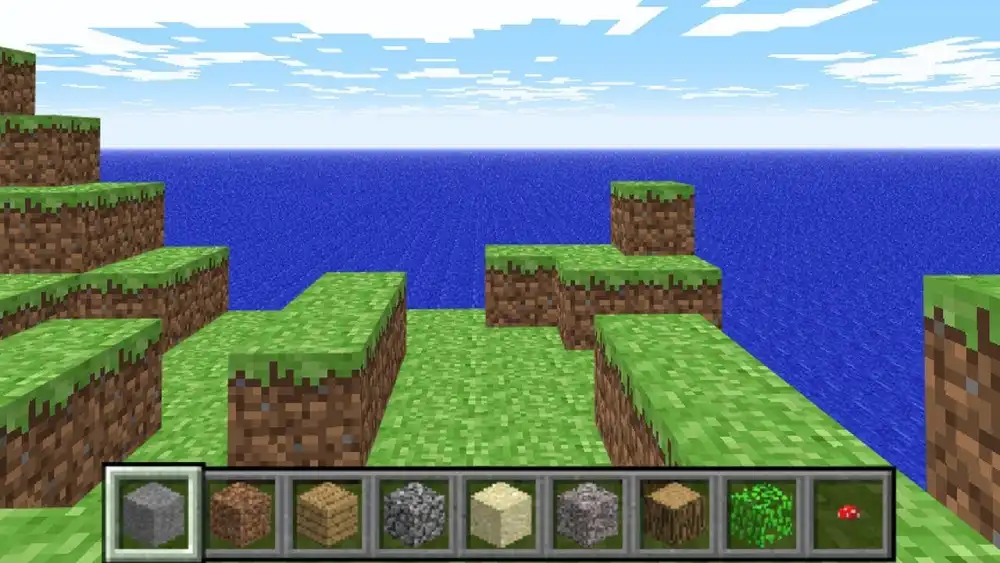
Minecraft Classic is the earliest publicly available version of Minecraft, originally released in May 2009 by Markus Persson, also known as Notch. It was the prototype that laid the groundwork for what would become one of the most iconic games in history.
In 2019, Mojang released a browser-based version of this original build to celebrate Minecraft’s 10th anniversary. This allowed players to play Classic Minecraft for free online, directly from their web browsers.
Modern fans might also explore community-driven formats like Minecraft SMP survival multiplayer, which build on the foundations of creativity and collaboration that started with Classic.
Unlike modern editions, Classic Minecraft is purely creative mode — there’s no survival, no mobs, no health bar. The goal? Build, explore, and enjoy the simplicity.
What makes it special?
- No crafting or smelting — just blocks
- 32 types of blocks, all accessible from a simple menu
- No day-night cycle or hostile threats
- Basic multiplayer support via browser
- Flat terrain with random cave generation
Despite its limitations, this version captures the raw spirit of Minecraft’s early experimentation. Playing minecraft.net classic is like opening a preserved artifact from a pivotal moment in gaming history.
How to Play Classic Minecraft Today
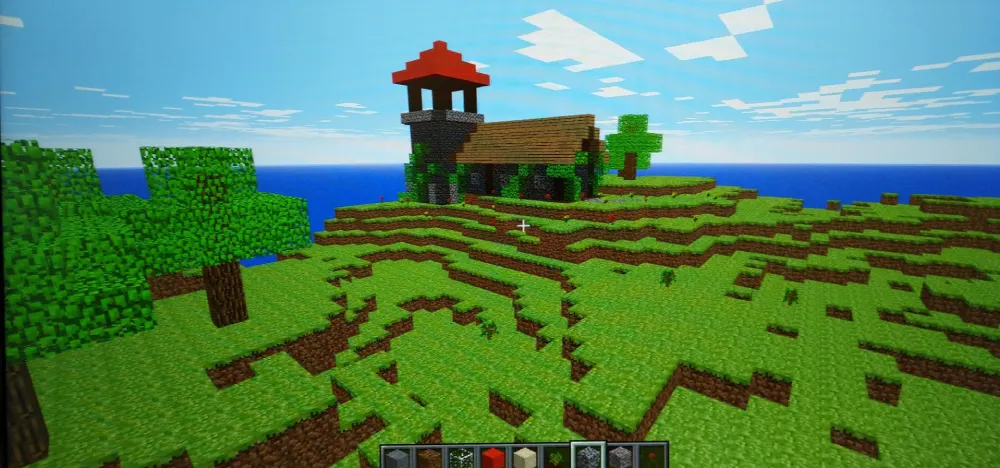
Playing Classic Minecraft online is surprisingly simple and doesn’t require any downloads or installations. The experience is lightweight, making it accessible on most devices with modern web browsers.
Play Classic Minecraft in your browser
Here’s how to get started:
- Go to the official site: Visit https://classic.minecraft.net
- Enter your username: Choose a nickname to use in-game
- Start playing: The game loads instantly in-browser
- Share your link (optional): Invite friends to join your session
No accounts, no setup, no payment — just click and play.
Compatibility with modern browsers
You can run Classic Minecraft in:
- Chrome
- Firefox
- Edge
- Safari
Just make sure your browser is updated to the latest version. Since the game runs on basic WebGL, performance should be stable even on modest hardware.
Does it work on mobile?
Unfortunately, not natively.
While Classic Minecraft is designed for browsers, mobile support is extremely limited due to:
- Lack of touchscreen optimization
- Incompatible browser-based keyboard controls
- Potential memory issues on mobile browsers
Workarounds include using Android’s “desktop site” toggle in Chrome, but gameplay remains clunky. For the best experience, use a desktop or laptop.
Key Differences Between Classic and Modern Minecraft
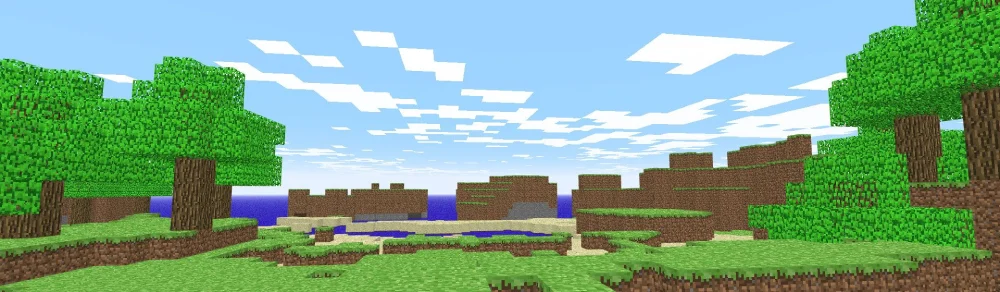
While Classic Minecraft might look familiar, it plays very differently from today’s Java or Bedrock editions. It lacks the mechanics, complexity, and polish found in the full versions — but that’s part of its charm.
What Classic Minecraft includes
- Block breaking and placing
- Basic building with 32 block types
- Limited world generation (flat terrain with caves)
- Simple creative mode with no enemies
- Up to 9-player multiplayer via shareable links
What it doesn’t include
- Crafting, survival, mobs, or hunger
- Redstone, enchantments, or biomes
- Weather effects or command blocks
- Inventory management or structure generation
If you want to dive into the full experience afterward, it’s worth reading a step-by-step guide on how to play Minecraft to understand the richer survival and creative gameplay that came later.
Classic vs Java vs Bedrock
| Feature | Classic Minecraft | Java Edition | Bedrock Edition |
| Platform | Browser | PC/Mac/Linux | Mobile, Console, PC |
| Game Mode | Creative only | Survival + Creative | Survival + Creative |
| Multiplayer | Up to 9 players | Unlimited via servers | Cross-platform online |
| Crafting & Inventory | No | Full | Full |
| Mobs | None | Hostile & Passive | Hostile & Passive |
| World Generation | Flat, basic | Procedural Biomes | Procedural Biomes |
| Redstone/Mechanics | None | Full | Full |
| Performance Requirements | Very low | Medium–High | Low–Medium |
| Availability | Free via browser | Paid download | Paid, multi-platform |
This simplified form of Minecraft strips away the complexity and focuses entirely on pure building and creativity — which is exactly what drew players in at the beginning.
Is It Worth Playing Classic Minecraft?
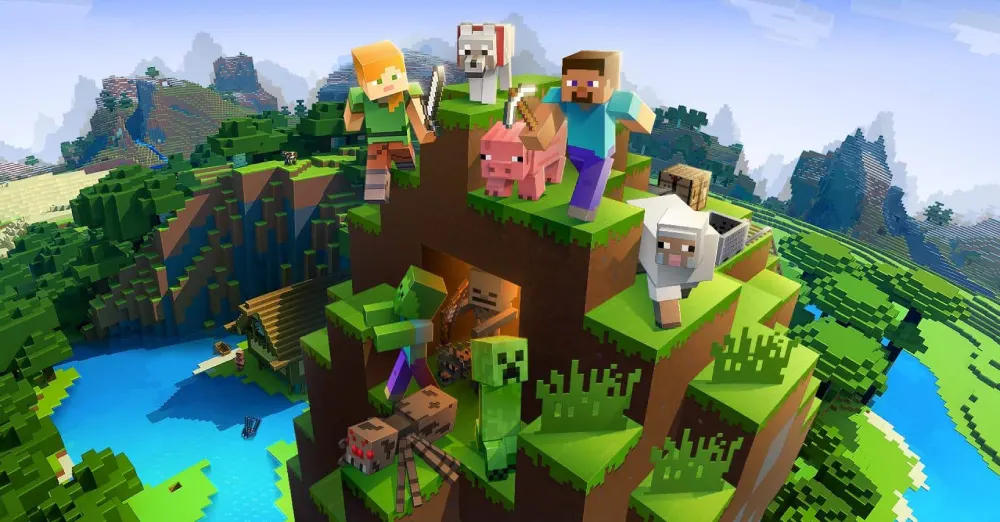
Revisiting Classic Minecraft isn’t just a fun distraction — it’s a journey into game design history. It strips away the endless features of modern editions and reminds players of the core mechanics that made the game revolutionary: simplicity, creativity, and freedom.
It’s also perfect for nostalgic sessions with friends. Whether you’re teaching kids, hosting a retro event, or exploring creativity at its purest, Classic Minecraft offers unique value. Still, if you want to unlock the full official experience with rewards, skins, and expansions, you can redeem access through the Minecraft redeem portal.
Whether you’re reminiscing about your first block placement or seeing the game for the first time, this version has real value.
Who benefits from playing Classic Minecraft?
- Longtime players: Want to relive the early days and appreciate how much the game has evolved.
- Newcomers: Curious about how the global phenomenon began.
- Content creators: Looking to compare versions or host themed challenges.
- Educators: Seeking a low-risk, ad-free, and intuitive environment for young learners.
Why Classic Minecraft still matters in 2025
Despite the release of countless updates, nostalgic Minecraft versions remain relevant due to:
- Minimal hardware requirements: Works even on old laptops and school computers.
- No downloads or accounts needed: Perfect for quick sessions or educational use.
- Multiplayer simplicity: No need for paid realms or mod loaders.
- Historical context: A unique glimpse into how sandbox design began.
Classic Minecraft teaches us that sometimes less is more. Without distractions or performance demands, players focus on what truly matters: imagination and expression.
Ideal moments to revisit Classic Minecraft
- Celebrating Minecraft anniversaries
- Introducing children to safe creative play
- Hosting “retro build” sessions with friends
- Studying how far the game has evolved
While it’s not for daily grinding or competitive multiplayer, Minecraft Classic is a free, no-commitment journey into the past, and absolutely worth 10–30 minutes of your time.
FAQ
Minecraft Classic is the original version of Minecraft released in 2009. It features creative-only gameplay, with 32 block types, no mobs, and flat world generation. It’s available for free on minecraft.net/classic.
Go to https://classic.minecraft.net, enter a nickname, and the game will load in-browser. No login, download, or account is required. You can also invite friends via a shared link to play together.
Yes, the version hosted on Minecraft.net is completely safe and official. Avoid downloading “classic” versions from unofficial sources, as they may contain malware. Always use the official website or trusted communities for access.
Yes. When the game launches in your browser, it generates a unique link. You can share this link with up to 8 other players to join your session. Multiplayer is browser-based and requires no server setup.
The biggest difference is that Classic Minecraft is limited to creative-only play with basic block types and flat world generation. It lacks crafting, mobs, Redstone, biomes, and survival mechanics found in Java and Bedrock editions.
No, the browser-based version requires an internet connection to load. However, if you download archived standalone versions (from trusted sources), some builds can run offline — though these are unofficial and should be used cautiously.
Unfortunately, world saving is not supported in the browser version. Once you close the tab, your world is lost. For saving capabilities, consider using older offline builds or move to Java Edition for persistent worlds.
There are no commands, cheats, or mod support in the Classic browser version. It runs as a locked build with limited functionality, which is part of its charm — but also a limitation for modern players used to extensive customization.
Why ExitLag Improves Even Your Minecraft Experience
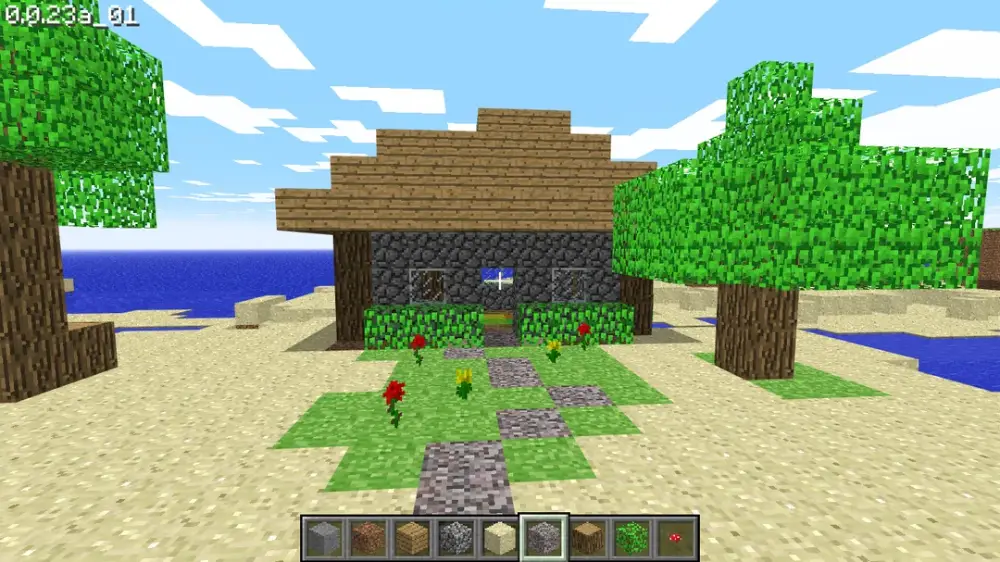
Though Classic Minecraft is a lightweight game, connection quality still matters — especially in multiplayer sessions. When playing online with friends, lag and packet loss can affect building responsiveness and movement.
Here’s how ExitLag helps:
- Stabilizes browser latency for smoother online play
- Optimizes routing when connecting to global Minecraft servers
- Prevents disconnections or freezes in shared sessions
- Enhances network performance for multiplayer creativity
Even in a low-spec game like Minecraft Classic, having a solid, optimized connection ensures your nostalgic trip isn’t disrupted by modern network issues.
Play like it’s 2009 — but connect like it’s 2025. Use ExitLag.
Final Thoughts on Classic Minecraft
Whether you’re reliving the early days or discovering them for the first time, Classic Minecraft offers an experience that’s both nostalgic and educational. It shows how far the game has come — and why it became a phenomenon.
The simplicity, accessibility, and charm make it a must-try for any Minecraft enthusiast.
So open your browser, drop some blocks, and remember: before there was a Nether, before Ender Dragons and Redstone machines… there was this.
Try Classic Minecraft — and optimize your connection with ExitLag to enjoy it at its best.
Got questions or want to connect with other players? Join the conversation at the ExitLag Forum!