Minecraft Mods open up a whole new world of gameplay. From new dimensions to powerful tools and creatures, the modding community has shaped Minecraft into a platform of endless creativity.
In this guide you’ll learn how to install mods, where to get them, and the best mods worth trying in Minecraft right now. This article is a beginner-friendly and detailed look at Minecraft Modding, giving you practical steps and clear advice to level up your game.
What Are Minecraft Mods?
Minecraft Mods are player-made modifications. They change how Minecraft works. Mods can add new biomes, creatures, weapons, mechanics, interfaces, and more. Unlike vanilla Minecraft, mods let players customize the game far beyond the original design.
These mod files are written in Java and run on Minecraft: Java Edition not Bedrock Edition. That means you can only install most mods on PC versions of Minecraft.
Mods usually come as .jar files and require a mod loader like Forge or Fabric to work properly.
Why Use Mods in Minecraft
Minecraft mods can:
- Add new gameplay mechanics
- Introduce new creatures and mobs
- Improve visuals and performance
- Expand building and exploration
- Enhance multiplayer features
- Let you create unique worlds and challenges
With mods, Minecraft feels like a different game one you can tailor to your play style.
How Mods Work Simple Overview
Mods must match three things:
| Requirement | Why It Matters |
| Minecraft Version | Mods are coded for specific game versions. |
| Mod Loader | Mods need Forge, Fabric, or another loader to run. |
| Dependencies | Some mods require other mods to work. |
If any of these don’t match, the mod might crash Minecraft or not load at all.
Best Tools for Minecraft Modding
To mod Minecraft safely and efficiently, you’ll want these tools:
- CurseForge App – Easiest way to browse and install mods.
- Forge – Classic mod loader with the most mod support.
- Fabric – Lightweight and optimized loader.
- Modrinth – Alternative mod site with modern UI.
How to Install Minecraft Mods (Step-by-Step)
Installing mods can be easy if you follow the steps carefully. Here’s the standard method:
Step 1 Choose the Minecraft Version
Before downloading anything, open the Minecraft Launcher.
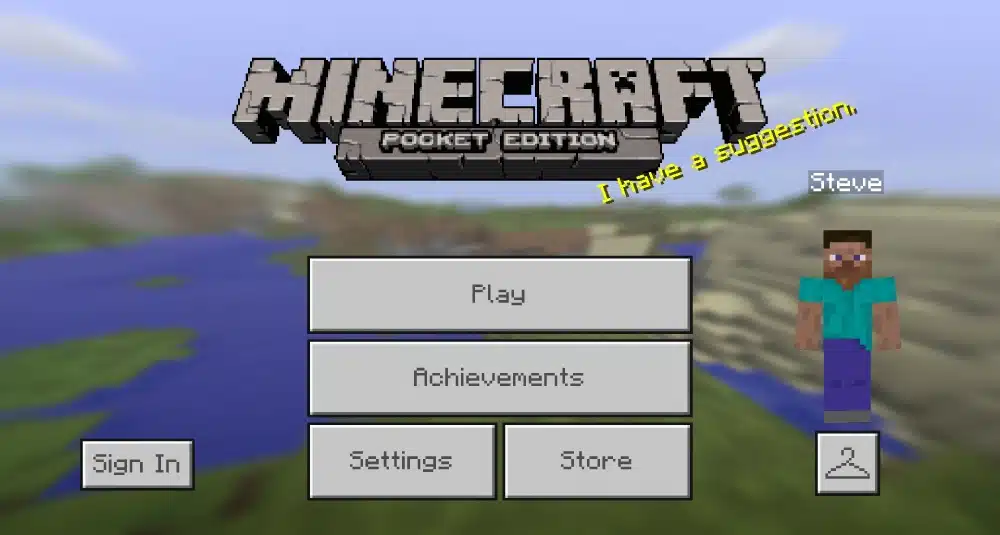
Look at the main menu. If it says Java Edition, you’re in the right place. Mods only work on Java Edition if it does not say Java Edition, you’ll need to install it first.
Step 2 Install a Mod Loader
A mod loader makes Minecraft able to understand mods.
Two popular choices:
Forge
- More mods available
- Great for big modpacks
Fabric
- Lightweight
- Faster performance
To install a loader:
- Go to the loader site (Forge or Fabric).
- Download the installer for the Minecraft version you picked.
- Run the .jar installer.
- Open Minecraft Launcher and select the newly added profile.
Step 3 Locate the Mods Folder
Once the loader is installed:
- Open the Minecraft Launcher
- Start the profile with the loader once
- Minecraft will create a folder called mods in the .minecraft directory
- On Windows: %appdata%\.minecraft\mods
- On macOS: ~/Library/Application Support/minecraft/mods
If the mods folder doesn’t exist, create it manually.
Step 4 Download Mods
Use trusted sites:
| Site | What It Offers |
| CurseForge.com | Huge mod library and safe downloads. |
| Modrinth.com | Lightweight community mods. |
Always check that:
- The mod supports your Minecraft version
- The mod is for your mod loader (Forge/Fabric)
- You have any required dependencies installed
Avoid random mod sites malware can hide in unverified downloads.
Step 5 Add Mods to Minecraft
- Move the downloaded .jar mod files into the mods folder.
- Launch Minecraft.
- Select the Forge or Fabric profile and click Play.
- If installed correctly, you’ll see a “Mods” button in the main menu.
Installing Mods Using CurseForge (Easiest Way)
CurseForge simplifies the entire process:
- Download and install the CurseForge app.
- Open CurseForge and pick Minecraft.
- Search for mods you want.
- Click Install.
- Launch the game from CurseForge.
The app handles profiles, mods, and versions for you ideal for beginners.
Common Modding Mistakes to Avoid
- Installing the wrong mod version
- Forgetting mod dependencies
- Mixing different mod loaders
- Downloading from unsafe sites
- Expecting Bedrock compatibility
Modding can be tricky at first, but staying organized prevents most issues.
Popular and Highly Rated Minecraft Mods
Below is a sample table of great mods worth trying.
| Mod Name | Category | What It Does |
| Mowzie’s Mobs | Mobs | Adds unique creatures with new AI. |
| The Aether | Dimension | Adds new sky realm with floating islands. |
| Controlify | Utility | Adds full controller support. |
| Waystones | Travel | Enables teleporting between waypoints. |
| JEI (Just Enough Items) | UI | Shows item recipes and uses. |
| Biomes O’ Plenty | World | Adds many new biomes. |
These mods enhance exploration, visuals, and gameplay depth.
Tips for Modded Minecraft Performance
- Use Fabric for lightweight mods.
- Increase Java RAM allocation in launcher settings.
- Update to the latest Minecraft version supported by mods.
- Keep mods compatible mixing old and new mods can cause crashes.
Advanced Minecraft Modding Explained
Advanced modding goes beyond dragging files into a folder. It involves managing compatibility, optimizing performance, and combining mods into stable setups. This is where players move from casual mod use to true Minecraft Mods mastery.
What makes modding “advanced”?
- Large mod collections
- Custom modpacks
- Performance optimization
- Manual conflict resolution
- Server-side modding
Advanced modding gives you full control, but it also requires planning.
Best Minecraft Mods for Long-Term Gameplay
Some mods are fun for a few hours. Others completely redefine how Minecraft is played. Below are categories that define the best Minecraft Mods for long-term worlds.
Exploration and World Expansion Mods
These mods are ideal for survival players who love discovery.
- New dimensions
- Unique structures
- Custom mobs
- Expanded terrain generation
Popular examples include large biome overhauls and dimension-based mods that add hundreds of hours of content.
Technology and Automation Mods
These mods focus on machines, energy, and systems.
- Automatic farms
- Power networks
- Storage systems
- Industrial crafting
They are perfect for players who enjoy logic, efficiency, and progression.
Magic and RPG Mods
Magic-based mods add spells, skills, and progression trees. They are often combined with RPG elements such as leveling, classes, and bosses. This turns Minecraft into a full fantasy RPG experience.
Best Minecraft Mods by Category
| Category | Mod Focus | Ideal For |
| Exploration | Biomes, structures, dimensions | Survival players |
| Tech | Machines, automation, power | Builders & engineers |
| Magic | Spells, rituals, progression | RPG fans |
| Performance | FPS and memory optimization | Low-end PCs |
| UI & QoL | Inventory, maps, recipes | All players |
Using the best Minecraft Mods across categories creates a balanced and stable experience.
How to Install Mods Safely in Large Quantities
When installing many mods, doing things manually becomes risky.
This is where structured tools matter.
Recommended methods for large setups
- Use the CurseForge launcher
- Create version-locked profiles
- Install mods in small batches
- Launch and test after every batch
- Read crash logs carefully
This approach prevents major corruption and saves time.
Understanding how to install mods correctly is the difference between a smooth experience and constant crashes.
Mod Compatibility and Common Conflicts
Most crashes happen for three reasons:
- Wrong Minecraft version
- Incompatible mod loaders
- Missing dependencies
How to avoid conflicts
- Never mix Forge and Fabric mods
- Match mod versions exactly
- Read mod descriptions fully
- Check required libraries
If Minecraft crashes on launch, the log file usually tells you which mod caused the issue. Learning to read logs is a core skill in Minecraft Modding.
Minecraft Modding Performance Tips
Mods can heavily impact performance if unmanaged.
To keep the game smooth:
- Allocate enough RAM (4–8 GB for large packs)
- Avoid overlapping world-gen mods
- Use optimization mods
- Disable unused features
Performance mods are often overlooked, yet they are some of the most important Minecraft Mods you can install.
Modded Multiplayer and Servers
Modding is not limited to single-player, many communities run fully modded servers.
What you need for modded servers
- Same mod list as the server
- Same mod versions
- Same mod loader
- Stable internet connection
Servers often provide modpacks to ensure consistency.
Why Connection Stability Matters in Modded Minecraft
Modded Minecraft sends more data than vanilla.
- More entities.
- More mechanics.
- More calculations.
This means lag becomes more noticeable. That’s where ExitLag makes a real difference.
ExitLag optimizes your network route, reducing packet loss and stabilizing latency. In modded environments, this results in:
- Faster chunk loading
- Smoother multiplayer combat
- Stable automation systems
- Fewer disconnects
If you play modded Minecraft online, ExitLag helps ensure that performance issues don’t ruin your experience.
Minecraft Modding vs Vanilla Gameplay
| Aspect | Vanilla Minecraft | Modded Minecraft |
| Content depth | Limited | Virtually endless |
| Customization | Minimal | Extreme |
| Replay value | Moderate | Very high |
| Learning curve | Easy | Scales with mods |
| Performance needs | Low | Moderate to high |
Once players experience modded gameplay, going back to vanilla often feels restrictive.
When Modding Is Not Recommended
Despite its benefits, modding is not for everyone.
Avoid modding if:
- You play on Bedrock Edition
- You use very old hardware
- You dislike troubleshooting
- You prefer competitive vanilla servers
Modding shines most for creative and survival players who enjoy experimentation.
Future of Minecraft Modding
Minecraft modding continues to evolve.
Key trends include:
- Better performance optimization
- Fabric-based lightweight mods
- Cross-compatibility libraries
- Community-driven modpacks
As Minecraft updates continue, modding adapts quickly, keeping the game fresh year after year.
Thoughts on Minecraft Mods
Minecraft mods are the reason the game remains one of the most played titles in the world. Whether you want deeper survival, advanced automation, RPG mechanics, or massive worlds, Minecraft Modding gives you complete freedom.
Learning how to install mods, choosing the best Minecraft Mods, and optimizing performance transforms Minecraft into something uniquely yours with the right setup and a stable connection powered by ExitLag, modded Minecraft becomes a smooth, immersive, and endlessly replayable experience.
Got questions or want to connect with other players? Join the conversation at the ExitLag Forum!