The dots projector phasmophobia mechanic is one of the most misunderstood yet powerful evidence tools in Phasmophobia. At first glance, the D.O.T.S Projector looks simple: place it down, turn it on, and wait. In practice, however, mastering how it works can be the difference between confidently identifying a ghost or wasting valuable investigation time.
Many players struggle with phasmophobia dots projector evidence because it behaves differently from traditional tools like EMF Readers or Spirit Boxes. It relies heavily on positioning, lighting, ghost movement patterns, and player awareness. To make things even more complex, not every ghost uses D.O.T.S, and those that do often reveal themselves only briefly.
In this complete guide, you’ll learn exactly how the D.O.T.S Projector works, which ghosts use it, where to place it, common mistakes, advanced strategies, and clear examples so you can reliably identify D.O.T.S evidence in any contract.
What Is the D.O.T.S Projector in Phasmophobia?
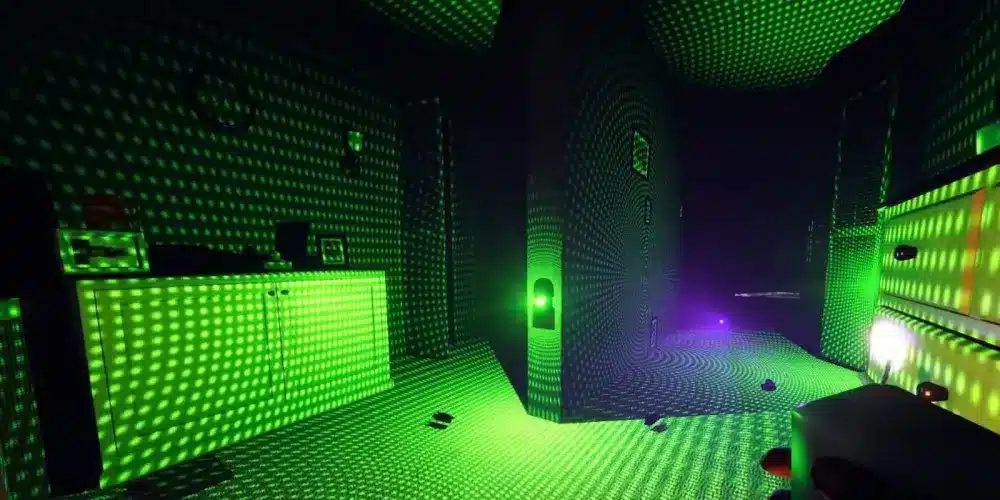
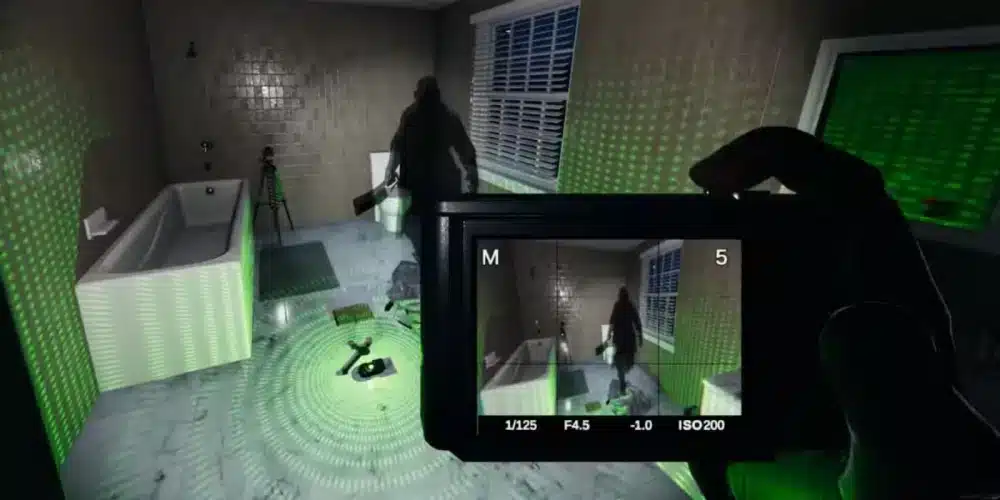
The D.O.T.S Projector (short for Directional Optical Tracking Sensor) is an evidence-gathering device in Phasmophobia that projects a cone-shaped field of green laser dots across surfaces in a room.
When a ghost that has D.O.T.S evidence enters its D.O.T.S state within this projection, its silhouette briefly appears, running or walking through the dots.
This is what officially counts as dots projector phasmophobia evidence.
Key characteristics of the tool:
- Projects green laser dots in a cone-shaped area
- Works best in dark or low-light rooms
- Requires the ghost to enter a D.O.T.S state within the projection
- Evidence can be seen by players or on video cameras
Unlike EMF or Spirit Box, D.O.T.S does not trigger automatically. It depends on ghost behavior and correct placement.
Why the D.O.T.S Projector Is So Important
As Phasmophobia evolved, the D.O.T.S Projector became essential for identifying several high-risk ghosts, especially on higher difficulties where evidence is limited.
On Nightmare or Insanity difficulty, understanding how to use dots projector phasmophobia correctly is often mandatory. Misplacing it or misunderstanding ghost behavior can lead to incorrect conclusions and failed contracts.
The D.O.T.S Projector also plays a role in:
- Differentiating visually similar ghosts
- Confirming aggressive ghost types
- Completing optional objectives
- Gathering evidence safely from the truck
How the D.O.T.S Projector Works (Mechanics Explained)
The phasmophobia dots projector operates on a simple rule:
If a D.O.T.S-compatible ghost enters its D.O.T.S state within the projected field, its form becomes visible.
However, several conditions affect this:
- Ghost roaming behavior
- Room size
- Object placement
- Lighting conditions
- Player presence
Ghosts do not deliberately walk into the dots. Instead, the dots must be placed where the ghost naturally roams or interacts.
Ghosts That Use D.O.T.S Projector Evidence
Not every ghost in Phasmophobia interacts with the D.O.T.S Projector. Knowing which ones do helps narrow down possibilities quickly.
Ghosts That Can Show D.O.T.S Evidence
| Ghost Type | Uses D.O.T.S? | Notes |
| Banshee | Yes | Often shows D.O.T.S when roaming |
| Goryo | Yes | Only visible on camera, not to players |
| Oni | Yes | High activity increases chance |
| Phantom | Yes | Can be harder to notice due to brief visibility |
| Revenant | Yes | Usually brief appearances |
| Yurei | Yes | Often during roaming phases |
| Yokai | Yes | Standard D.O.T.S behavior |
This table is crucial when interpreting a dots projector phasmophobia example during investigations.
The Goryo Exception: A Special Case
The Goryo is the most important exception when dealing with phasmophobia dots projector evidence.
Goryo D.O.T.S behavior:
- Only visible through a video camera
- Cannot be seen directly by players
- Must be viewed from outside the room
If you see a D.O.T.S silhouette only on camera and never in person, you are likely dealing with a Goryo.
This single rule has caused countless misidentifications among new players.
How to Use D.O.T.S Projector Phasmophobia Correctly
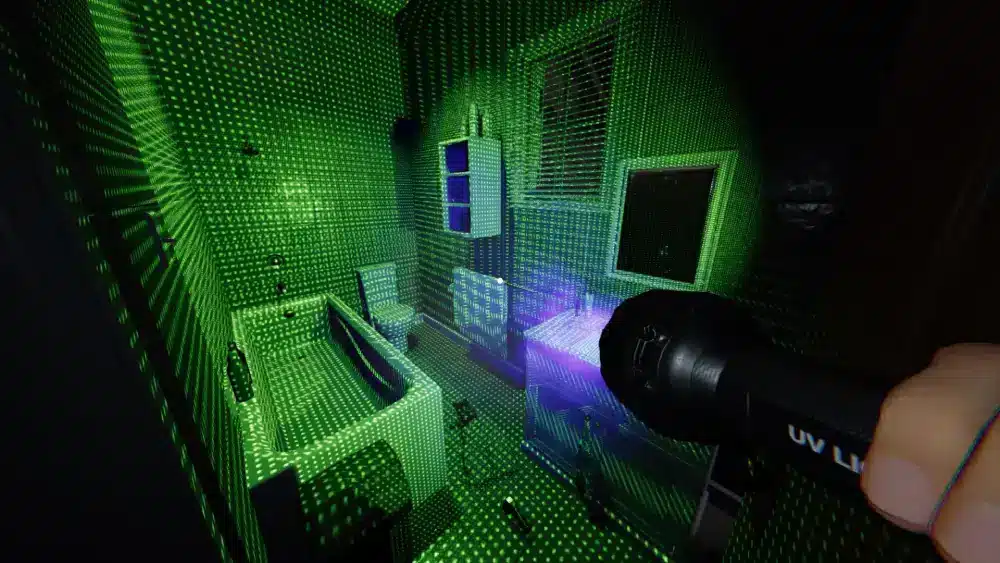
Understanding how to use dots projector phasmophobia requires more than placing it randomly.
How to Use the D.O.T.S Projector Properly
- Identify the ghost room using temperature or interactions
- Turn off main lights in the room
- Place the D.O.T.S Projector at waist height or slightly above
- Aim it across walkways, doors, or open space
- Use multiple projectors for coverage
- Observe from a safe angle or via camera
Proper placement dramatically increases success rate.
Best Placement Strategies for D.O.T.S Projector
Placement is everything.
Bad placement results in no evidence, even if the ghost uses D.O.T.S.
Recommended Placement Areas
- Doorways
- Hallways
- Center of the ghost room
- Between frequently moved objects
- Near ghost writing books
Avoid placing D.O.T.S:
- Behind furniture
- Facing walls too closely
- On floors aiming downward only
Common D.O.T.S Projector Mistakes
- Leaving room lights on
- Placing it too low or too high
- Covering only one direction
- Watching from inside the ghost room unnecessarily
- Giving up too early
D.O.T.S evidence can take time. Patience matters.
Using Video Cameras with D.O.T.S Projector
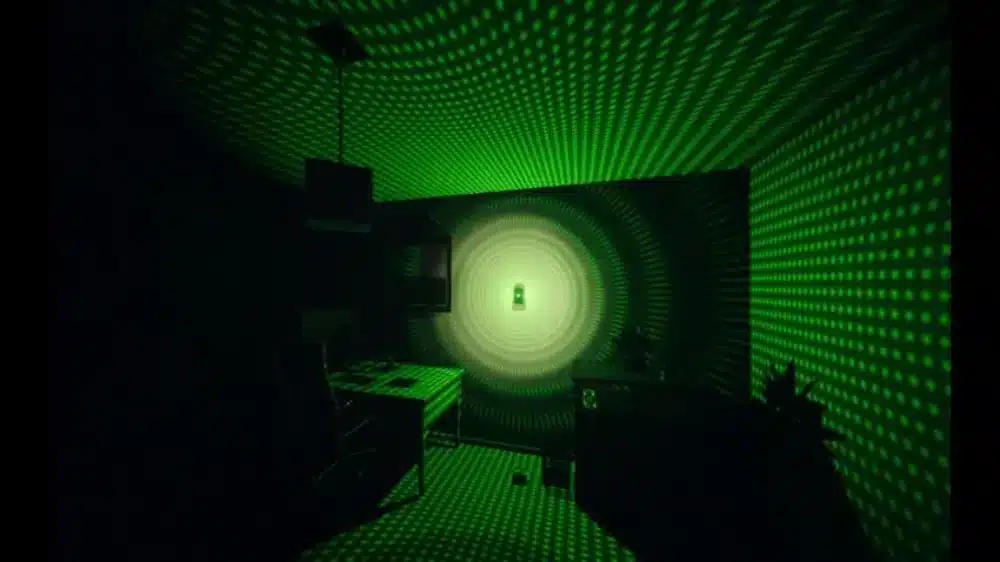
One of the safest and most effective methods is combining the phasmophobia dots projector with video cameras.
Advantages:
- Allows observation from the truck
- Reduces sanity loss
- Essential for Goryo identification
- Makes brief appearances easier to catch
Many experienced players rely almost entirely on cameras for D.O.T.S confirmation.
D.O.T.S Visibility – Player vs Camera
| Situation | Player View | Camera View |
| Normal Ghost | Yes | Yes |
| Goryo | No | Yes |
| Lights On | Hard to see | Still visible |
| During Hunt | No | No |
| Low Sanity | Easier | Easier |
This comparison helps interpret every dots projector phasmophobia example correctly.
D.O.T.S Projector on Different Maps
Map size affects D.O.T.S effectiveness.
Small Maps
- Faster confirmation
- Less roaming
- Easier placement
Large Maps
- Requires multiple projectors
- Ghost roams more
- Evidence may take longer
On large maps, always use at least two D.O.T.S Projectors.
Advanced D.O.T.S Strategies for High Difficulty
On Nightmare or Insanity difficulty, players may only get two or even one piece of evidence.
Advanced strategies include:
- Combining D.O.T.S with motion sensors
- Observing ghost behavior patterns
- Forcing movement with player presence
- Watching for D.O.T.S during events
Understanding dots projector phasmophobia deeply allows identification even with limited evidence.
How Sanity and Player Presence Affect D.O.T.S
Ghosts are more active when players are nearby.
However:
- Standing inside the room too long drains sanity
- Too many players can cause hunts
- Sometimes leaving the room increases roaming
A balanced approach works best.
D.O.T.S Projector vs Ghost Events
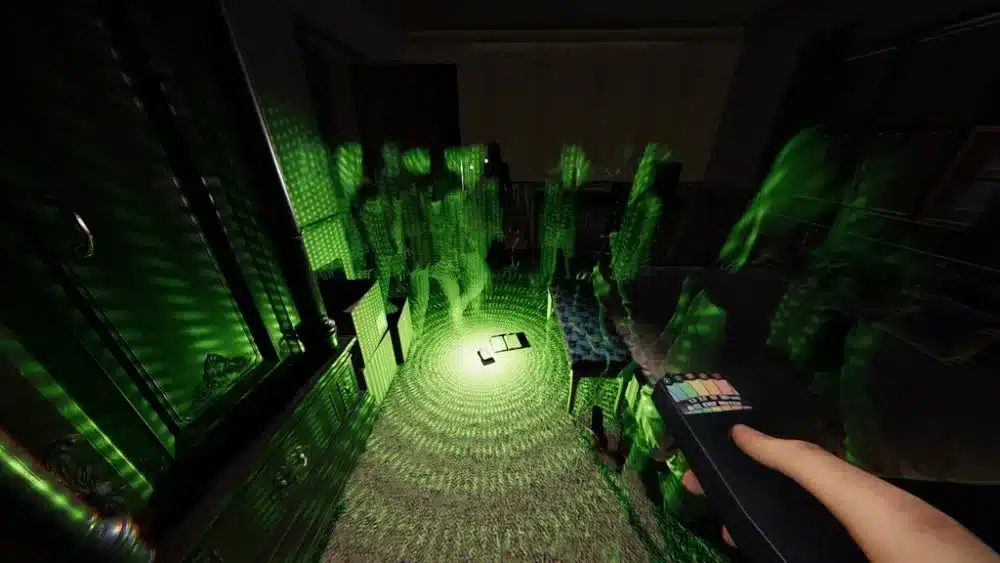
Not every visible ghost is D.O.T.S evidence.
D.O.T.S evidence:
- Appears as a running or walking silhouette
- Brief but distinct
- Always within the laser grid
Ghost events may look similar but do not count unless clearly seen in the dots.
Practical Example: D.O.T.S Projector in Action
A clear dots projector phasmophobia example:
- Ghost room identified as the kitchen
- D.O.T.S placed covering doorway and counter
- Lights turned off
- Camera placed facing grid
- From the truck, a silhouette runs through dots
- Evidence confirmed
This is textbook D.O.T.S usage.
How ExitLag Helps During D.O.T.S Investigations
In multiplayer sessions, lag or packet loss can cause players to miss brief D.O.T.S appearances.
ExitLag helps Phasmophobia players by:
- Stabilizing network connection
- Reducing packet loss
- Preventing desync between players
- Ensuring camera feeds update smoothly
When D.O.T.S evidence appears for less than a second, stability matters.
Why Players Struggle with D.O.T.S Evidence
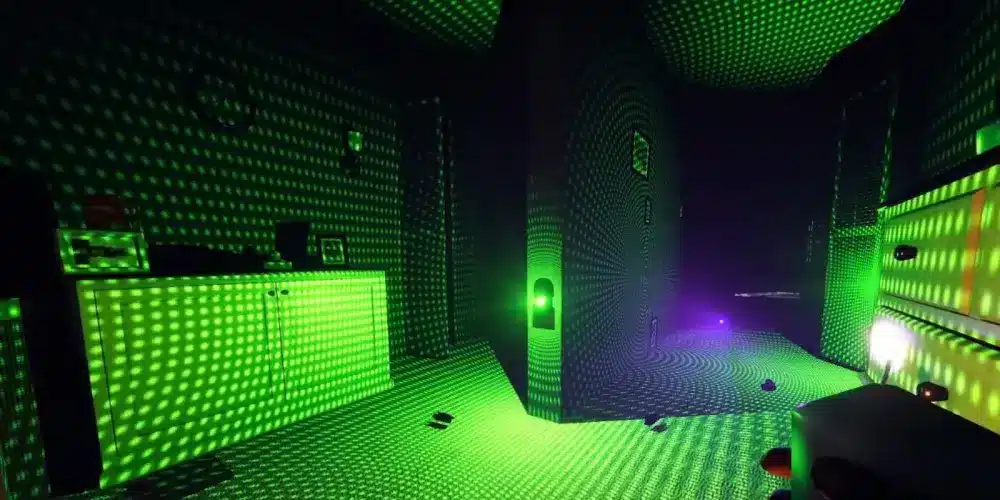
Most difficulties come from:
- Poor placement
- Misunderstanding ghost behavior
- Impatience
- Confusing events with evidence
Once these are corrected, D.O.T.S becomes one of the most reliable tools.
Final Tips for Mastering the D.O.T.S Projector
- Always use cameras when possible
- Cover movement paths, not corners
- Use multiple projectors
- Be patient
- Learn ghost-specific rules
Mastery of phasmophobia dots projector mechanics dramatically improves success rate.
FAQ – D.O.T.S Projector Phasmophobia
It is an evidence tool that reveals a ghost’s silhouette when it enters a D.O.T.S state within a projected laser field.
No. Only specific ghost types use D.O.T.S as evidence.
You may be dealing with a Goryo, which only shows D.O.T.S on video cameras.
Yes. Turning off lights makes D.O.T.S evidence much easier to see.
It varies. Some ghosts show it quickly, while others require patience and proper placement.
Got questions or want to connect with other players? Join the conversation at the ExitLag Forum!