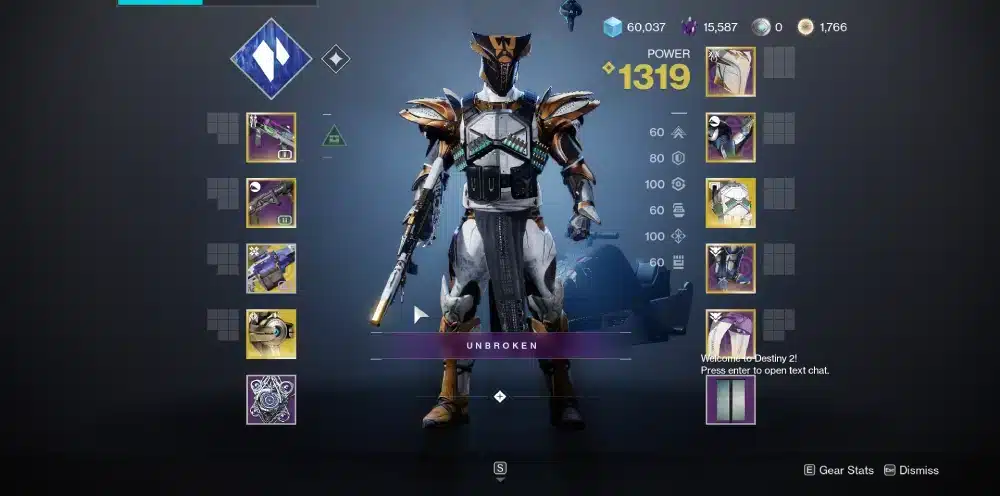
If you’ve ever juggled hundreds of weapons, gear pieces, and mods across three Destiny 2 characters, you know the struggle. That’s where DIM Destiny 2, short for Destiny Item Manager, becomes essential. Trusted by millions of Guardians, DIM is a free, browser-based and mobile-compatible tool that completely transforms the way you manage your inventory.
For deeper build crafting beyond DIM’s loadouts, check this comprehensive Destiny 2 builds guide.
In a game where loot is everything, being able to transfer gear instantly, build custom loadouts, and compare stats in real time gives you an edge — whether you're raiding, running PvP, or prepping for Grandmasters.
What Is DIM in Destiny 2?
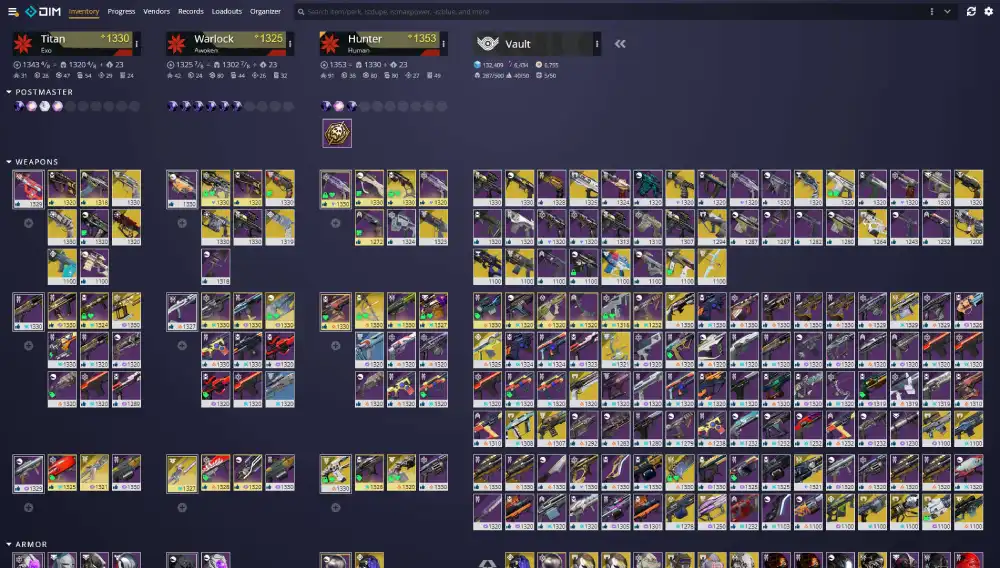
Destiny Item Manager (DIM) is an official third-party tool built on the Bungie.net API that allows players to manage their inventory across all characters and the vault in real time. Available as a web app or browser extension, DIM has become a cornerstone for anyone serious about Destiny 2.
Once you link your Bungie.net account, DIM connects directly to your profile, giving you instant access to your weapons, armor, mods, loadouts, and even seasonal activities.
Why Is DIM So Popular?
- Speed and control: Transfer items without logging out.
- Loadout creation: Save and swap full builds with one click.
- Deep insights: Compare rolls, perks, stat distribution, and mod compatibility.
- Free and open-source: Maintained by trusted community developers.
FAQ: What Is DIM Destiny 2?
DIM is a Destiny 2 inventory manager that allows real-time gear transfers, loadout builds, and stat analysis across your account using the Bungie API.
How Does DIM Work in Destiny 2?
Once connected to your Bungie profile, DIM syncs your entire inventory, including gear in your vault and equipped items across all three characters. Its interface is highly intuitive, with sortable columns for power level, mods, element types, and more.
Key Interface Features
- Inventory Grid: Displays items per character and vault with drag-and-drop functionality.
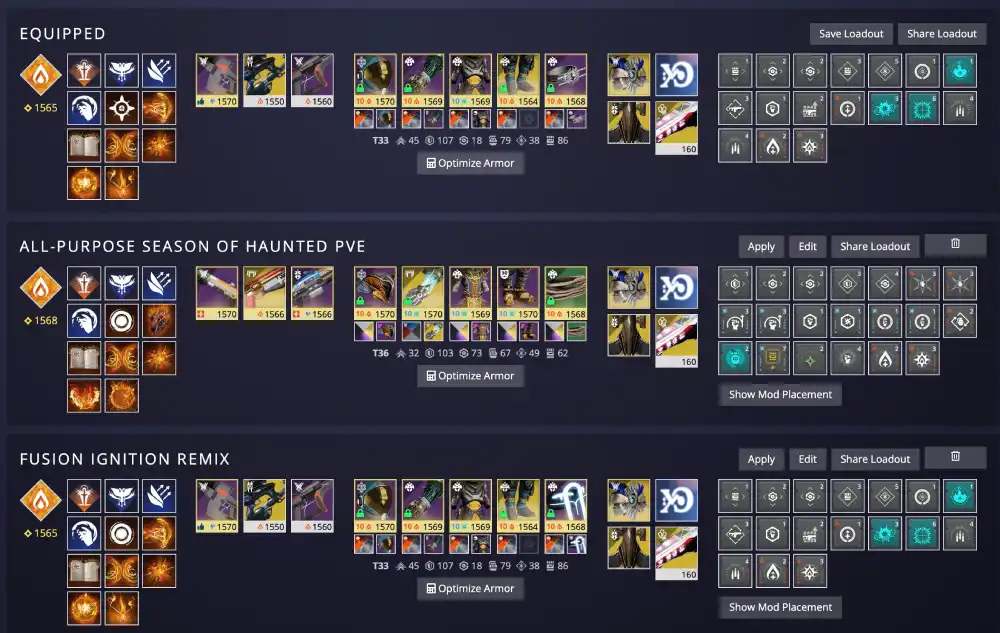
- Loadouts Tab: Create, save, and instantly apply builds.
- Mod Manager: Preview builds by adding mods and seeing energy costs live.
- Compare Tool: View side-by-side stats of weapons or armor pieces.
- Engram Tracker: View Prime Engrams, vendor resets, and postmaster overflow.
If you’re experimenting with new seasonal gear, read this exotic class item explainer to understand perk rolls and synergies.
FAQ: How Does DIM Work Destiny 2?
DIM connects to your Bungie.net account, reads your inventory data through the API, and allows real-time transfers, build creation, and stat comparison using a browser or mobile device.
How to Use DIM in Destiny 2
Getting started with DIM is simple. You don’t need to download anything unless you prefer the browser extension. It works on Chrome, Firefox, Edge, or through its mobile app on iOS and Android.
Step-by-Step Guide to Using DIM
- Visit https://destinyitemmanager.com
- Click "Log in with Bungie.net"
- Choose your platform (Steam, Xbox, PlayStation)
- Grant access to view inventory data
- Explore your synced characters and gear
You can now:
- Drag and drop gear between characters and vault
- Build complete loadouts (subclass + armor + mods)
- Optimize armor builds based on stat goals
- Search for rolls by perk or stat distribution
FAQ: How to Use DIM Destiny 2?
Go to the DIM website, log in with your Bungie account, and gain full access to your Destiny 2 inventory, enabling gear management, loadout builds, and mod planning.
Is DIM Safe for Destiny 2?
Yes — DIM is safe and authorized. It operates entirely within Bungie’s public API system, meaning it does not manipulate your game or require sensitive credentials. Bungie has acknowledged DIM and similar tools as legitimate inventory managers.
Key Safety Notes
- Does not modify gameplay or memory
- Uses Bungie’s OAuth system for secure login
- Data only flows one way (read/write to inventory)
- No account bans or suspensions have ever been linked to DIM use
FAQ: Is DIM Safe Destiny 2?
Absolutely. DIM is a community-trusted tool approved by Bungie, using their official API. It does not access sensitive data or violate game rules.
Is DIM Down? What to Do When It’s Not Working
DIM relies heavily on the Bungie API — so if Bungie’s services are down, DIM may also stop working temporarily. These outages are often tied to server maintenance, hotfixes, or Destiny 2 updates.
How to Check DIM Status
- Visit @ThisIsDIM on Twitter for real-time updates
- Check reddit.com/r/destiny2 for user reports
- If in doubt, check the Bungie Help page
Most issues resolve within 30–60 minutes after maintenance ends.
FAQ: Is DIM Down Destiny 2?
DIM may be temporarily unavailable during Bungie maintenance or API outages. Check Twitter or Reddit for updates. The tool resumes functionality once Bungie’s services are restored.
Top Features of Destiny Item Manager
DIM isn’t just about moving gear — it’s about playing smarter. Here are the core features that make DIM a game-changer:
- Real-time inventory transfers
- Custom loadout creation (including subclass, gear, and mods)
- Armor stat filters (e.g., Resilience + Discipline builds)
- Comparative roll analysis
- Postmaster overflow warning
- Vault cleanup tools
- Engram and vendor reset tracker
These features make DIM one of the most powerful tools for D2 endgame players, especially for PvP and PvE loadout switching.
Planning your season? Here’s a Destiny 2 DLC roadmap and expansions overview to align your builds and farming with upcoming content.
Alternatives to DIM
While DIM remains the top choice for most Guardians, there are several solid alternatives that offer unique features or focus areas.
| Tool | Features | Website |
| Destiny Tracker | Stat tracking, PvP leaderboards, Trials reports | destinytracker.com |
| Destiny Armor Picker | Auto-generate optimal armor sets based on desired stats | destinyarmorpicker.com |
| Light.gg | Database of weapons, perks, curated rolls | light.gg |
| D2Checklist | Raid and quest tracking, Triumphs, collections | d2checklist.com |
Each tool complements DIM, but for inventory and loadout management, DIM remains unmatched.
ExitLag and Destiny 2 — Boost Your Connection Performance
Managing your gear is only half the battle. If you’re running flawless PvP loadouts but still dropping frames or spiking to 180ms, you’re missing a crucial piece of the puzzle.
That’s where ExitLag comes in — it optimizes your internet routing, reducing ping and packet loss in Destiny 2. Whether you're playing from South America, Europe, or Southeast Asia, ExitLag dynamically finds the best route to Bungie’s servers.
Key Benefits for Destiny 2 Players
- Stabilized ping during high-traffic periods
- Reduced input lag for better aim and ability timing
- Better connection consistency in Trials, Iron Banner, and Raids
🎯 Don’t let lag ruin your perfect loadout. Try ExitLag free today and experience Destiny 2 at peak performance.
Frequently Asked Questions About DIM Destiny 2
What is DIM Destiny 2?
It’s a third-party inventory manager that helps players transfer gear, build loadouts, and optimize stats in Destiny 2 using Bungie’s official API.
How does DIM work Destiny 2?
DIM accesses your character and vault inventory through Bungie’s OAuth login, allowing real-time control over your gear.
How to use DIM Destiny 2?
Visit the official site, log in with your Bungie.net account, and start managing your inventory across all characters instantly.
Is DIM safe Destiny 2?
Yes. DIM is 100% secure and approved by Bungie. It does not require access to your password or personal data.
Is DIM down Destiny 2?
Occasionally, DIM becomes temporarily unavailable during Bungie maintenance. Follow @ThisIsDIM on Twitter for updates.
Conclusion — Why DIM Is Essential for Every Destiny 2 Player
In a game like Destiny 2, where gear is king, having the right tools to manage it is non-negotiable. Destiny Item Manager makes it easier than ever to build the perfect loadout, swap between characters instantly, and stay competitive across all content.
DIM is trusted, fast, and designed by players — for players. Combine it with ExitLag’s network optimization and you’ll have both the gear and performance to dominate in PvE and PvP.
🎯 Master your inventory with DIM and master your connection with ExitLag.