Escape from Tarkov is known for its unforgiving PvP combat, but not every player wants to risk losing gear against highly skilled opponents. That’s where the Tarkov PvE mode comes in. Designed for practice and casual fun, this mode allows you to fight AI-controlled enemies instead of real players.
For a broader understanding of Tarkov’s foundations, you can check this Getting to the Core Tarkov guide that explains essential gameplay mechanics in detail.
If you’re a beginner, Tarkov PvE mode explained means freedom to explore maps, test weapons, and train without worrying about wipes or losing progress. In this guide, we’ll break down how it works, what it costs, and tips to make the most of your PvE sessions.
What is PvE mode in Escape from Tarkov?

In Escape from Tarkov, PvE (Player vs Environment) mode replaces human enemies with AI Scavs. Instead of competing against other players, you face bots with varying difficulty settings.
Key features of Tarkov PvE
- Offline environment: Matches do not affect your main profile.]
- AI Scavs: Enemies behave like normal Scavs but are computer-controlled.
- Customizable difficulty: Adjust AI skill level for easier training or tougher fights.
- Co-op mode: Invite friends to PvE raids for a safer, team-based experience.
- No permanent progress: Loot and XP earned in PvE do not transfer to your live account.
Does Tarkov PvE wipe?
A common concern is: does Tarkov PvE wipe your progress?
The answer: No. PvE raids do not affect your main profile. They exist purely for training and fun.
This makes PvE the perfect way to explore Tarkov without risking your hard-earned stash.
For those preparing for PvP later, you can also study recommended loadouts in this Escape from Tarkov best gear guide to optimize your builds.
How does Tarkov PvE mode work?
The Escape from Tarkov PvE mode is straightforward once you know where to find it.
Setup and customization
- Enter the offline mode lobby.
- Enable the “Enable PvE” option.
- Adjust AI difficulty (easy, normal, hard, impossible).
- Select spawn waves and scav aggression levels.
- Choose your map and time of day.
Playing with friends
- Use the co-op PvE option (available for certain editions/packages).
- Invite squadmates to your lobby.
- Only the host’s network stability matters — making optimized routing (with tools like ExitLag) essential.
Map availability
PvE is available across the main Tarkov maps, including:
- Customs
- Factory
- Woods
- Interchange
- Shoreline
- Reserve
- Lighthouse
- Streets of Tarkov
Each map can be explored freely without PvP pressure, giving beginners time to learn extraction points and loot routes.
Tarkov PvE mode price: How much does it cost?
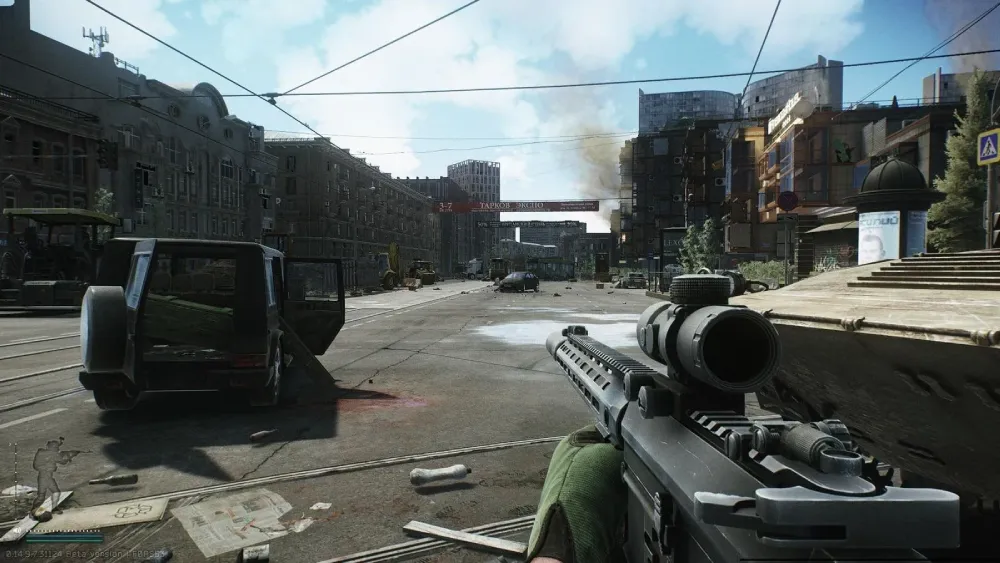
Another frequent question: how much is Tarkov PvE mode?
Currently, PvE is only available to players who purchased:
- Edge of Darkness (EoD) Edition — premium version with exclusive benefits.
- PvE package add-on (if purchased separately).
The official pricing and editions are listed on the Escape from Tarkov website, where players can also upgrade their accounts.
Tarkov PvE mode access options
| Edition / Package | Includes PvE? | Notes |
| Standard Edition | ❌ No | PvE not included. |
| Left Behind Edition | ❌ No | PvE not included. |
| Prepare for Escape | ❌ No | PvE not included. |
| Edge of Darkness (EoD) | ✅ Yes | PvE included with full benefits. |
| PvE Package Add-on | ✅ Yes | Can be purchased separately. |
While the Tarkov PvE mode price varies depending on regional availability, players generally pay a premium for the EoD edition or the separate PvE access package.
Beginner tips: How to play Tarkov PvE effectively
Once you’ve enabled the mode, the next step is learning how to use it to your advantage. Here are practical tips to get started.
1. Learn maps safely
- Use PvE to walk through Customs and Interchange without PvP pressure.
- Mark extraction points and common loot areas.
- Practice moving between landmarks under AI fire.
2. Experiment with gear
PvE is the best place to test builds without losing money. Try:
- Assault rifles vs. DMRs.
- Heavy armor vs. lightweight rigs.
- Attachments like suppressors, scopes, and lasers.
3. Best helmet for PvE Tarkov
Since PvE carries no long-term risk, many players ask: what is the best helmet for PvE Tarkov?
- Recommendation: Choose mid-tier helmets like Kiver-M or ULACH.
- High-end helmets (Fast MT, Altyn) are not necessary since loot doesn’t carry over.
- Instead, use PvE to test comfort vs. visibility trade-offs before investing in PvP gear.
4. Train with squad communication
If you plan to raid with friends, use PvE to:
- Practice callouts.
- Test strategies for building pushes.
- Simulate real firefights with AI distractions.
5. Practice healing under pressure
PvE gives you freedom to experiment with Tarkov’s complex medical system:
- Use IFAKs and Salewas mid-combat.
- Test fracture treatment and heavy bleed control.
- Time your medkit use for maximum efficiency.
Benefits of practicing in Tarkov PvE mode
- Risk-free gear testing.
- Safer map learning.
- Squad training environment.
- Low-pressure introduction for beginners.
- Opportunity to study AI patterns.
For more advanced tactics beyond basic survival, this resource on Escape from Tarkov strategies will help you plan smarter raids.
Can you mod Tarkov PvE mode?
Many players wonder: can you mod Tarkov PvE? The short answer: not officially.
Official restrictions
- Battlestate Games does not support mods in official Tarkov PvE mode.
- Modding could risk account penalties if attempted on live servers.
- All PvE sessions are tied to Battlestate’s infrastructure, not open-source environments.
Community-created mods
That said, the community has experimented with unofficial PvE servers and mods in the past. These include:
- AI overhaul mods — Adjusting how Scavs patrol and engage.
- Loot rebalancing mods — Increasing drop rates for testing purposes.
- Offline tweaks — Editing bot counts and aggression beyond in-game sliders.
⚠️ Keep in mind:
- Mods are unsupported and may not be compatible with future patches.
- Always use them offline only, never in official PvE or PvP modes.
So, while players can test modded environments, the official Tarkov PvE mode explained here is limited to in-game customization options.[
Why ExitLag improves Tarkov PvE performance
Even though Tarkov PvE removes PvP competition, your connection still matters. The host player’s network in co-op PvE sessions affects the entire squad.
Common PvE issues without optimization
- Desync: AI Scavs behaving differently for players.
- Lag spikes: Delays in hit registration.
- Connection drops: Host disconnections ending entire sessions.
How ExitLag helps Tarkov PvE players
ExitLag optimizes your routing to Battlestate servers, ensuring smooth sessions:
- Stable host performance — Crucial for co-op PvE with friends.
- Lower ping — Even when playing from regions far from servers.
- Multi-routing — Keeps backup network paths active in case of congestion.
- Improved sync — Reduces AI rubberbanding or delayed actions.
Benefits of ExitLag in Tarkov PvE mode
- Reliable squad training without interruptions.
- Smooth testing of weapons and gear in offline sessions.
- Faster reaction times when practicing firefights.
- Stability during long PvE runs with friends.
👉 Test ExitLag free for 3 days and experience Tarkov PvE with stable, low-latency gameplay.
Future updates for Tarkov PvE
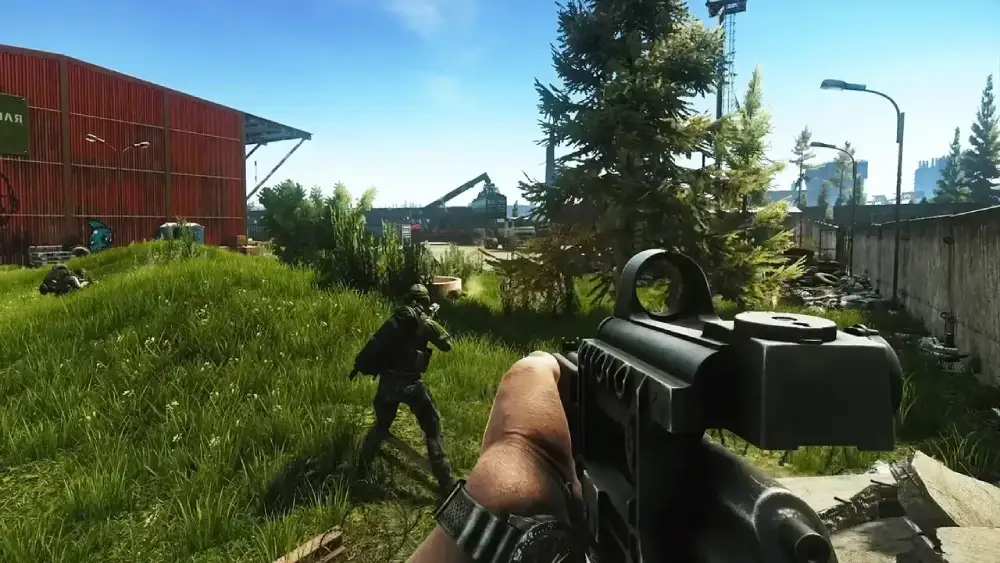
Battlestate Games confirmed that PvE is still evolving. Many beginners ask about the Escape from Tarkov PvE mode release date for future versions.
For the latest developer notes, check the Escape from Tarkov news page to stay updated on PvE features and expansions.
Expected improvements in 2025+
- More maps and scenarios — PvE expanding to Streets of Tarkov and upcoming areas.
- Better AI — Smarter Scavs with improved pathfinding.
- Progression-lite modes — Developers have hinted at experimental systems that may allow partial loot retention.
- Integration with Arena — PvE elements may connect with Tarkov Arena for training modes.
As Tarkov moves toward its 1.0 release, the PvE experience will expand, offering both casual and competitive players more reasons to dive in.
Conclusion: Why Tarkov PvE mode is perfect for beginners
The Tarkov PvE mode is the ultimate sandbox for new players to learn the game without the fear of PvP wipes. It provides:
- Risk-free exploration of maps.
- Safe loadout testing.
- AI practice for combat and healing.
- Squad communication training.
But to truly get the most out of it, network stability is key. With ExitLag, you’ll eliminate lag, improve sync, and ensure your PvE sessions run smoothly — especially in co-op with friends.
Master the maps, refine your loadouts, and train with your squad in PvE — then take those skills confidently into PvP.
FAQ: Tarkov PvE Mode
It’s a game mode where players face AI Scavs instead of human opponents, available in offline co-op sessions.
No. PvE matches do not affect your stash, gear, or account progression.
Yes. You can invite friends into PvE raids for cooperative training.
PvE is included with the Edge of Darkness edition or purchasable as a PvE package add-on.
Enable PvE in offline mode, create a lobby, invite friends, and adjust AI difficulty before launching.
Not officially. Community mods exist for offline play, but they are unsupported by Battlestate Games.
Yes, but it requires either the EoD edition or the dedicated PvE package.