Surviving in the war-torn Norvinsk region requires tactical discipline, map knowledge, and rapid decision-making under intense pressure. Beginners and experienced operators alike must adapt constantly to overcome lethal PMC rivals and ruthless Scav factions in Escape From Tarkov.
Entering a raid unprepared always leads to catastrophic gear loss, failed extractions, and wasted resources. Consequently, understanding core game systems, ballistics, audio cues, and hideout progression is critical if you want to excel consistently in Escape From Tarkov.
Escape From Tarkov is a hardcore tactical extraction shooter where players deploy into hostile zones, scavenge valuable loot, complete complex trader tasks, and survive intense combat to extract alive. Success depends on strategic route planning, precise weapon modding, and resilient network performance during high-stakes gunfights.
- Deploy with a clear operational objective for every raid.
- Secure critical quest items inside your lockbox immediately.
- Monitor your character hydration, energy, and limb health.
- Choose high-penetration ammunition over expensive weapon attachments.
Escape From Tarkov Core Mechanics and Raid Fundamentals
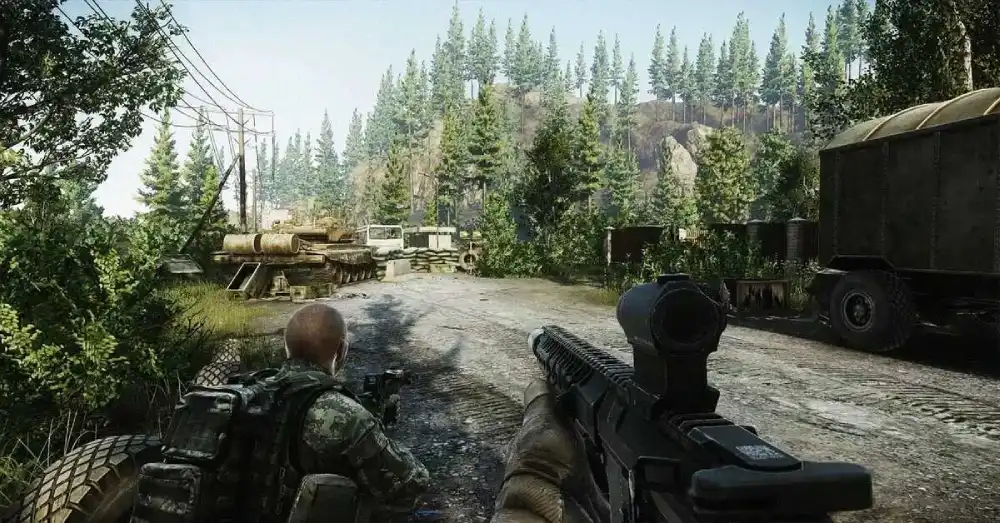
Every raid demands strict resource management and complete situational awareness. Therefore, understanding health management and weapon ballistics determines whether you extract with elite loot or lose everything to a single sniper shot.
How Extraction Raids Work in Escape From Tarkov
Raids place PMCs and player Scavs into large maps with designated extraction points that rotate based on spawn locations. Furthermore, players must navigate dangerous chokepoints and eliminate AI scavengers while moving steadily toward an active extract.
Time management is vital because running out of raid time results in an automatic MIA status. Consequently, you lose all equipped gear and unextracted loot if you fail to reach a green extraction point before the timer hits zero.
- Check your active extractions immediately upon spawning by double-tapping your extract keybind.
- Note conditional extracts that require special currency, keys, or cooperative PMC-Scav cooperation.
- Keep a mental timer to allow at least five minutes for unexpected gunfights near your extraction zone.
- Clear the extraction perimeter thoroughly before stepping into the extraction countdown zone.
Health System, Ballistics, and Armor Durability
Damage in this tactical shooter is calculated per individual body limb rather than a single health pool. In fact, a blacked-out head or thorax results in instant death from subsequent damage unless protected by high-tier armor.
Ammunition penetration values matter significantly more than the weapon platform firing them. As a result, low-tier ammunition will simply shatter against class four, five, or six body armor plates without dealing meaningful flesh damage.
- Treat heavy bleeding immediately using specialized tourniquets to avoid rapid blood loss.
- Pack surgical kits like CMS or Surv12 units to restore destroyed limbs during quiet raid moments.
- Prioritize armor class and material repairability when purchasing vests from loyalty traders.
- Match high-penetration bullets against armored targets to achieve quick time-to-kill efficiency.
Navigating Escape From Tarkov Maps for Safe Extractions
Map knowledge separates casual players from elite survivalists across every raid. Navigating Escape From Tarkov Maps requires recognizing distinctive terrain landmarks, understanding player spawn timings, and avoiding dangerous high-traffic sniper corridors.
Mastering the Escape From Tarkov Woods Map and Forest Navigation
The Escape From Tarkov Woods Map is infamous for disorienting new operators with dense foliage, unmarked minefields, and expansive sniper sightlines. Therefore, locating distinctive landmarks like the central sawmill, plane crash, and sniper mountain is essential for staying oriented.
Navigating this sprawling woodland requires careful perimeter movement rather than sprinting through open fields. In addition, players must identify active minefield warning signs along the northern and southern borders to avoid instant lethal explosions.
- Use the northern mountain ridge as a static navigational compass while traversing dense forests.
- Avoid lingering around the central lumber mill unless hunting the boss Shturman for quest rewards.
- Check abandoned bunkers and medical camps for valuable stimulants and loose medical loot.
- Move quietly between tree clusters to catch loud sprinting players along lumber transport roads.
High-Tier Loot Routes on Customs and Streets of Tarkov
Urban environments offer tremendous financial rewards alongside extreme close-quarters combat risks. For example, Customs features intense chokepoint clashes around the dormitories, while Streets of Tarkov offers unmatched loot density inside commercial complexes.
Navigating these urban sectors demands steady room clearing and precise grenade usage. In addition, knowing which locked doors hold high-value technical crates allows players to maximize profit per inventory slot rapidly.
- Plan dedicated budget loot runs targeting hidden ground stashes across map outskirts.
- Carry essential keys inside your secure container to unlock high-tier electronic and weapon spawns.
- Avoid narrow indoor hallways where tactical retreat becomes impossible during automatic weapon fire.
- Listen for distinct audio footsteps on metal stairs and broken glass to pinpoint enemy ambushes.
Is Escape From Tarkov Steam Bound or Standalone Only?
Prospective players frequently wonder if Escape From Tarkov Steam integration exists or if the shooter remains exclusive to its proprietary launcher. Clarifying platform distribution helps operators purchase genuine editions and maintain secure account credentials.
Understanding the Steam Escape From Tarkov Release Status
Currently, the title operates exclusively through its official standalone launcher provided by the development team. While long-term plans for Steam Escape From Tarkov distribution have been discussed, players must currently purchase and download the game through official developer channels.
Searching for an Escape From Tarkov Game Steam store page today will yield no official client downloads. Therefore, players should avoid third-party reseller portals that falsely claim to sell platform keys for external digital storefronts.
- Purchase game editions solely through the official developer portal to guarantee valid licensing.
- Beware of fraudulent third-party listings claiming to offer external digital platform access.
- Download updates directly through the dedicated Battlestate launcher for verified game file integrity.
- Stay informed through official developer announcements regarding future multi-platform deployment plans.
Official Launcher Setup and Account Security Tips
Setting up your launcher correctly ensures smooth patch installations and robust profile protection. Furthermore, enabling two-factor authentication safeguards your stash from unauthorized access and credential compromise.
- Enable hardware-bound two-factor authentication on your primary account profile.
- Set clean installation directories on a fast solid-state drive to reduce map loading times.
- Clear launcher cache and temporary logs regularly to prevent integrity verification errors.
- Select optimal data center servers manually within the launcher to ensure low latency matchmaking.
Surviving an Escape From Tarkov Wipe Cycle
Seasonal server resets create a thrilling, level playing field where all operators lose accumulated gear, stash upgrades, and trader reputation. Preparing for an Escape From Tarkov Wipe ensures you outpace the general player base and unlock elite flea market privileges quickly.
Early Wipe Checklist:
1. Complete introductory Ground Zero and Customs questlines.
2. Upgrade Hideout Medstation and Workbench modules.
3. Level up loyalty with Prapor, Therapist, and Skier.
Early Wipe Strategy: Hideout Progression and Quest Prioritization
Speeding through early trader assignments unlocks superior ammunition, weapon attachments, and barter trades before prices skyrocket on the flea market. Consequently, focusing on task objectives rather than aimless PvP provides massive experience advantages during opening wipe weeks.
Simultaneously, constructing foundational hideout modules yields continuous passive income and crafting capabilities. Building your shooting range, generator, and nutrition station allows you to test weapon recoil patterns and produce vital medical supplies in-house.
- Hoard found-in-raid quest items early, including gas analyzers, salewa kits, and spark plugs.
- Upgrade your hideout workbench quickly to unlock powerful ammunition crafting recipes.
- Prioritize survival over greedy looting when carrying high-value task documents.
- Run Scav raids between PMC deployments to gather free construction hardware for hideout expansion.
Economy Management and Building Trader Loyalty
Accumulating roubles requires disciplined stash organization and smart market barters. In fact, trading common items like matchboxes and sugar can fund fully customized tactical loadouts if managed strategically across different trader levels.
- Complete daily operational tasks to earn steady trader reputation without grinding difficult raids.
- Sell scavenged weapon parts to Mechanic and medical items to Therapist for maximum rouble returns.
- Utilize trader barters to acquire competitive armor plates at a fraction of outright purchase costs.
- Maintain a healthy emergency cash reserve to absorb unavoidable losing streaks during heavy PvP sessions.
Active Escape From Tarkov Codes and Promotional Rewards
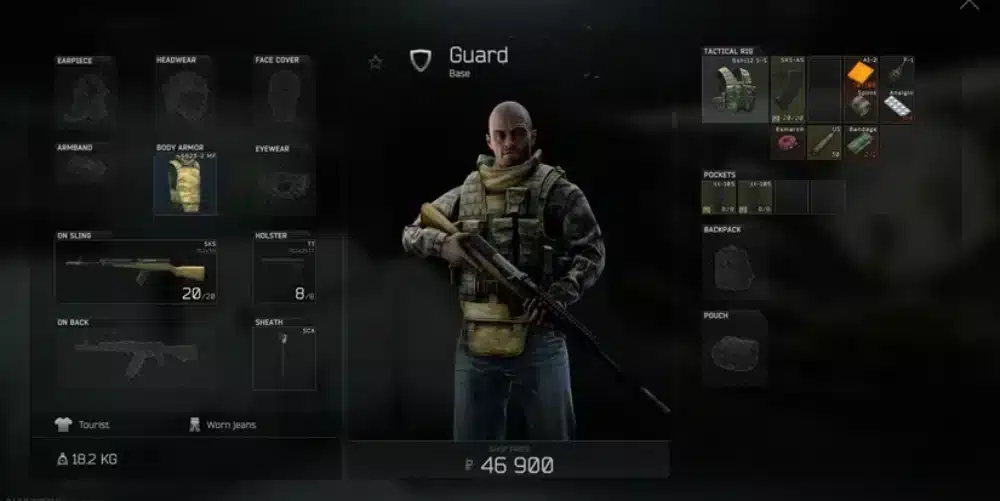
Special promotional campaigns occasionally grant players free containers, weapons, and medical kits. Redeeming valid Escape From Tarkov Codes provides an instant gear injection to bolster your early-raid economy and stash capacity.
How to Redeem Escape From Tarkov Codes Successfully
Promotional vouchers must be activated directly through your official web profile rather than in-game menus. Once redeemed, the associated reward package arrives via internal game mail from the system messenger.
- Log into your verified player profile on the official game website.
- Navigate to the profile management dashboard and select the code activation tab.
- Enter the promotional string carefully and submit the redemption request.
- Launch your game client and claim the delivered equipment package from your messenger inbox.
Inventory Management and Stash Optimization
Claiming large code packages can quickly overwhelm standard stash dimensions. Therefore, utilizing specialized storage containers keeps your inventory organized and prevents accidental sales of critical equipment.
- Store loose ammunition inside dedicated ammo boxes to reclaim massive vertical stash space.
- Keep valuable barter items organized within lucky Scav junkboxes during early wipe stages.
- Remove magazine clips and pistol grips from stored weapons to compress their physical slot size.
- Fold compatible weapon stocks before storing rifles to double your locker storage efficiency.
Essential Strategies: Pro Tips and Mistakes to Avoid
Mastering combat engagements requires combining mechanical precision with tactical patience. Whether you have just Escaped From Tarkov with elite gear or suffered a brutal squad wipe, these insights will elevate your survival consistency.
Comparison of Popular Raid Maps
| Map Name | Threat Level | Primary Loot Focus | Extraction Complexity |
| Customs | Moderate | Quest Items & Weapon Crates | Medium |
| Woods | High | Medical Supplies & Valuables | High |
| Factory | Extreme | Player Gear & Fast PvP | Low |
| Streets | Extreme | Electronics, Hardware & Bitcoins | High |
| Reserve | High | Military Hardware & Tech Loot | Very High |
Pro Tips: Surviving Tough Raids
- Audit sound discipline: Walk slowly through interior wooden floors because running footsteps broadcast your exact position through walls.
- Inspect bullet penetration: Prioritize high armor-piercing cartridges over hollow-point rounds to defeat heavy ballistic plates reliably.
- Pre-medicate before fights: Consume painkillers prior to crossing open danger zones so fractured legs never prevent you from sprinting to cover.
- Leverage right-hand peaks: Expose only a fraction of your character silhouette by leaning around right-hand cover during aggressive peeks.
Common Mistakes Escape From Tarkov Players Make
- Sprinting everywhere across maps: Rushing across open terrain depletes stamina and makes your approach audible from extreme distances. Fix: Walk during transitions and save full stamina for sudden emergency retreats.
- Looting immediately after kills: Rushing directly onto fresh casualty bodies leaves you completely vulnerable to lurking enemy teammates. Fix: Secure the entire perimeter, reload magazines, and wait before looting safely.
- Neglecting secure container value: Leaving valuable single-slot items in standard pockets leads to total gear loss upon death. Fix: Place high-value keys, graphics cards, and bitcoins into your secure pouch instantly.
Escape From Tarkov Performance Optimization and Network Stability
Peak tactical performance demands smooth frame rates and rock-solid network connections. In high-stakes firefights, a minor stutter, rubber-banding event, or micro-disconnect will send you back to the main menu without your hard-earned loadout.
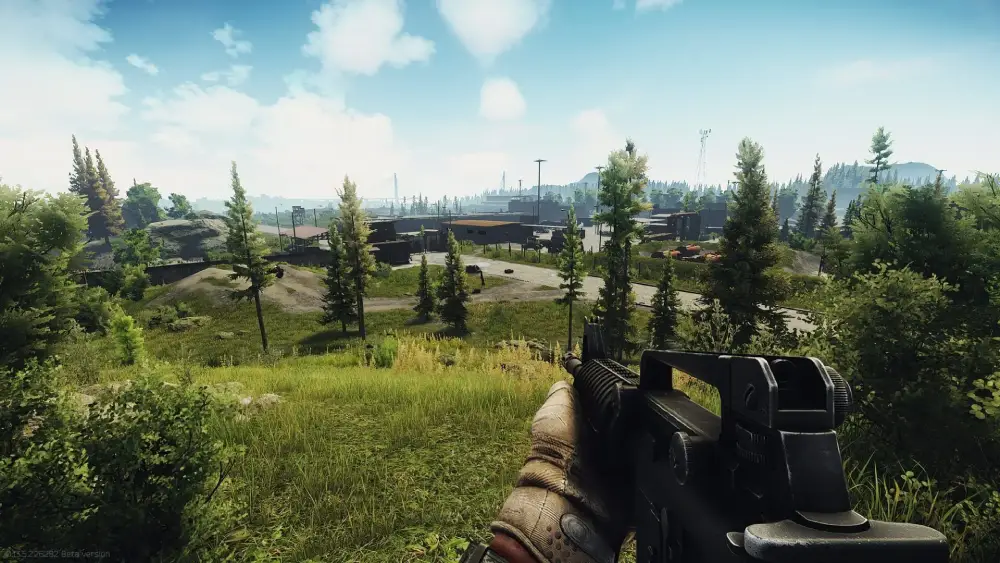
In-Game Graphics Settings for Maximum Competitive Clarity
Balancing graphical fidelity against raw frame rate performance is critical for spotting camouflaged enemies in dense foliage. Turning off unnecessary post-processing effects dramatically cleans up visual clutter during long-range engagements.
- Disable motion blur, chromatic aberration, and noise filters to maximize target acquisition speed.
- Set texture quality to high while lowering shadow details to stabilize interior frame rates.
- Enable automatic RAM cleaner options within the game engine settings to eliminate stuttering.
- Utilize DLSS or FSR balanced modes on high-resolution monitors to boost overall frame consistency.
Eliminate Desync and Packet Loss with ExitLag
Online tactical shooters rely heavily on uninterrupted data packet transfer between your PC and regional game servers. When network routing encounters traffic bottlenecks, players experience devastating desync, unregistered hit registration, and fatal rubber-banding.
ExitLag acts as a dedicated game connection optimizer designed specifically to solve these routing inefficiencies. Instead of letting your internet provider route data through congested pathways, it uses proprietary Multipath Technology to analyze multiple server routes in real time.
By transmitting your data across the fastest, most stable pathways simultaneously, packet loss and jitter are virtually eliminated. Furthermore, the Traffic Shaper feature prioritizes gaming traffic over background PC applications, ensuring zero input delay during critical gunfights.
- Launch the software client and search for the game inside the search directory.
- Select your preferred game server region to optimize your connection path automatically.
- Apply routes to activate multi-path network delivery and reduce unstable ping spikes.
Equip your setup for peak competitive reliability and downloadExitLag Download today to ensure smooth, low-latency performance in every extraction raid of Escape From Tarkov.
All game images used in this blog post belong to Battlestate Games. They are used for informational and educational purposes only and do not imply endorsement or affiliation with the rights holders.
Got questions or want to connect with other players? Join the conversation at the ExitLag Forum!