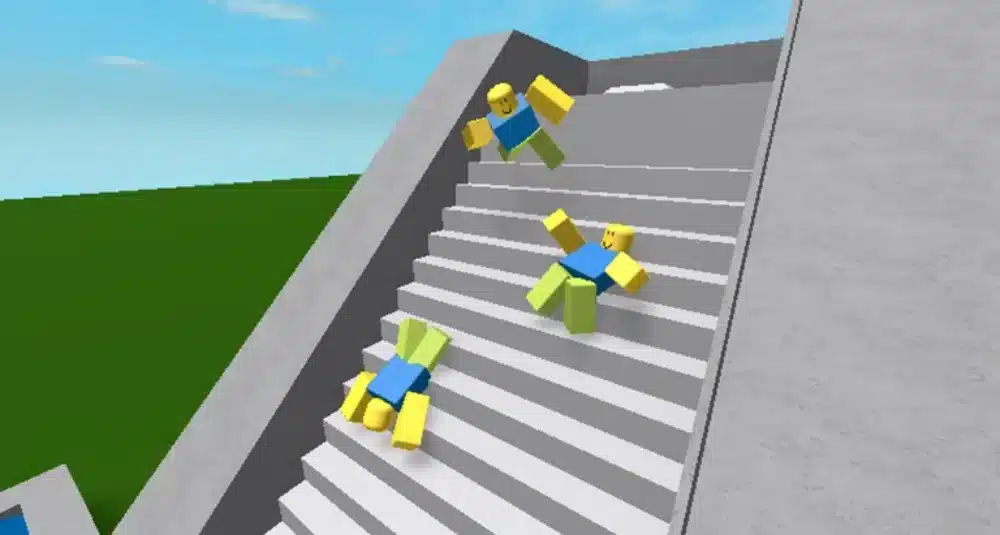
When FPS Drop Roblox hits in the middle of a critical moment, everything stops. Imagine you’re about to escape an enemy chase or complete a tight obby jump, and suddenly the screen freezes for half a second. That tiny stutter ruins the entire run, leaving you frustrated and unsure if your PC or Roblox is the real problem. This scenario repeats daily for thousands of players facing FPS Drop Roblox across popular modes, from shooters to role-play worlds.
Even worse, FPS Drop Roblox becomes more noticeable in big maps full of effects, shadows, and particle interactions. You jump into your favorite game, and suddenly there’s Roblox lag, Roblox stuttering, or massive Roblox low FPS spikes that make your character move like you’re underwater. If you’ve tried basic fixes before, you already know that not every tutorial works.
But now there’s a reliable solution. With the right setup and a tool like ExitLag, you can stabilize your connection, reduce Roblox frame drops, and avoid most Roblox performance issues that ruin matches. ExitLag optimizes routes, improves responsiveness, and keeps the game running smoothly, giving you the experience you expect. You can check more about this optimization directly on the official ExitLag website.
What is FPS drop and why does it happen in Roblox?
FPS drops occur when your computer fails to render frames fast enough to maintain smooth gameplay. FPS Drop Roblox happens for many reasons, from hardware limits to heavy maps loaded with textures or dynamic objects. The Roblox engine has improved over the years, but the demands of large community-built worlds keep rising, and many PCs struggle to keep up.
Understanding FPS
FPS (frames per second) determines how smooth your game feels. Higher FPS equals better clarity and responsiveness. Here’s how common ranges affect gameplay:
- 144+ FPS
- 60–120 FPS
- 30–60 FPS
- Below 30 FPS
Difference between FPS drop and network lag
Players often confuse rendering problems with connection instability, but they are completely different. One comes from your hardware and graphics load, and the other from your internet path.
| Aspect | FPS Drop | Network Lag |
| Cause | Heavy graphics load, slow hardware, or overheating | Poor internet route, packet loss, or unstable connection |
| Symptoms | Stuttering, choppy movement, delayed animations | Delayed actions, teleporting, rubberbanding |
| Solution | Lower graphics, optimize PC | ExitLag |
Why Roblox suffers from FPS drop
Roblox experiences are built by millions of creators, each using different tools, assets, and technical knowledge. Some maps use:
- Excessive particle effects
- High-complexity models
- Heavy shadows
- Dynamic lighting
- Large open-world layouts
All of this increases rendering demand, causing Roblox frame drops, Roblox stuttering, and Roblox low FPS—especially on mid-range or older PCs.
7 main causes of FPS drop in Roblox
FPS issues rarely originate from a single factor. Most players deal with overlapping system limitations, which make troubleshooting confusing. Here are the most common causes behind FPS Drop Roblox, along with how they contribute to Roblox lag and other slowdowns.
1. Overheating
When your CPU or GPU hits high temperatures, they automatically throttle to avoid damage. This reduces performance drastically and results in Roblox performance issues.
2. Outdated drivers
Old GPU drivers struggle to handle new shaders and rendering behavior used in updated Roblox experiences. This mismatch creates Roblox stuttering and inconsistent frame pacing.
3. Graphics settings
High-detail textures, shadows, and anti-aliasing consume GPU power. If your settings don’t match your hardware, Roblox low FPS is inevitable.
4. Background processes
Streaming apps, browsers, Discord overlays, or recording tools eat CPU and RAM, reducing the resources available for Roblox and increasing Roblox frame drops.
5. Insufficient hardware
Low-end CPUs, weak integrated GPUs, or minimal RAM may fail to render intense scenes, especially in games with many players or detailed environments.
6. High-population servers
Large servers with dozens of players generate constant asset loading, animation syncing, and physics calculations. This overload leads to Roblox stuttering, Roblox performance issues, and noticeable FPS Drop Roblox in combat-heavy or role-play genres.
7. Unoptimized game design
Some experiences are built using heavy meshes, uncompressed textures, or excessive scripts. When your GPU tries to process too many objects at once, you’ll see Roblox lag and unpredictable Roblox frame drops, even with good hardware.
How ExitLag fixes FPS drop in Roblox
What is ExitLag? (NOT a VPN)
At first sight, many players believe ExitLag works like a traditional VPN. However, ExitLag is NOT a VPN because it does not encrypt all your traffic or change your IP. Instead, ExitLag focuses solely on optimizing your game’s connection to improve responsiveness and reduce stutters often confused with FPS Drop Roblox.
This optimization works by using real-time multipath routing and stabilizing the network, which helps stop the jitter, small freezes, and delays that cause Roblox lag, stuttering, and spikes that look like low FPS in Roblox. You can see the full technical explanation on the official how ExitLag works page.
How ExitLag optimizes performance in Roblox
ExitLag applies several improvements that fix server-side instability and packet timing issues that feel like FPS Drop Roblox, especially in heavy experiences such as Brookhaven RP, Arsenal, or Doors.
Here are the essential mechanisms:
- Network route optimization
- Latency reduction
- Packet loss elimination
- Game traffic prioritization
- Connection stabilization
These steps directly reduce Roblox frame drops caused by inconsistent network pacing.
Why ExitLag helps with FPS drop
Even when your PC is powerful enough, Roblox depends heavily on server communication. When packets arrive late or out of sync, you see micro-pauses that look identical to a real FPS Drop Roblox.
ExitLag stabilizes the incoming data, preventing:
- jitter
- micro-stuttering
- uneven frame pacing
- delayed environment updates
- “fake FPS dips” caused by packet delay
With smooth routing, the game engine receives updates consistently and no longer produces the visual freezes that mimic Roblox performance issues.
ExitLag technologies that impact FPS
ExitLag uses several proprietary systems that stabilize gameplay even when the server is busy:
- Multi-path routing: sends data through multiple routes at once.
- Redundant connections: instantly switches to better routes mid-game.
- Gaming-optimized protocol: prioritizes Roblox packets for faster processing.
As a result, gameplay feels smoother, reducing the appearance of FPS Drop Roblox.
ExitLag vs other solutions
| Solution | Improves FPS? | Reduces lag? | Ease of use | Recommendation |
| ExitLag | ✅ | ✅ | ⭐⭐⭐⭐⭐ | Best option |
| Common VPN | ❌ | ❌ | ⭐⭐⭐ | Not recommended |
| PC optimization | ⚠️ | ❌ | ⭐⭐ | Partial |
| Nothing | ❌ | ❌ | ⭐⭐⭐⭐ | Not recommended |
You can explore more compatible titles in the official supported games directory, where we maintain an updated list of all optimized games.
Step-by-step: Set up ExitLag for Roblox
Installing ExitLag (PC)
Follow these steps to reduce Roblox stuttering, Roblox frame drops, and stability problems:
- Visit the official website
- Click on the download button and install the client.
- Create an account at the registration page
- Log in to the app.
- Search for “Roblox” in the game list.
- Select your nearest region or the recommended route.
- Enable optimization and apply your settings.
- Launch Roblox through your PC.
- Test performance for stuttering and stability.
- Keep ExitLag running in the background during gameplay.
Emulator setup
Players running Roblox via emulators should:
- enable high-performance mode
- apply ExitLag routing to the emulator executable
- use a stable FPS cap
This prevents virtualization overhead from creating Roblox low FPS or fake FPS Drop Roblox.
Optimization tips
Maximize performance and minimize Roblox performance issues by:
- closing browsers or streaming apps
- updating GPU and chipset drivers
- enabling Windows High Performance power plan
- lowering shadows and ambient effects in Roblox
Console players
Although ExitLag does not install on consoles, it can optimize their connection indirectly when the PC and console share the same router. This reduces jitter and micro-pauses that resemble FPS Drop Roblox.
Before and after results with ExitLag in Roblox
Real player cases
ExitLag users consistently report smoother gameplay:
- Case 1: Frame pacing stability increased by 40%, reducing micro-freezes.
- Case 2: Latency dropped from 165 ms to 92 ms, stopping “fake FPS drops.”
- Case 3: Packet loss reduced from 12% to 0%, eliminating Roblox lag and Roblox stuttering.
Performance comparison table
| Metric | Without ExitLag | With ExitLag | Improvement |
| Latency | 180 ms | 95 ms | 47% lower |
| Packet loss | 10% | 0% | 100% fixed |
| Frame pacing | Unstable | Smooth | Consistent frames |
| Stuttering | Frequent | Minimal | 80% reduction |
Additional optimizations to maximize FPS with ExitLag
Network
To eliminate issues that look like FPS Drop Roblox, it’s crucial to ensure your network environment is stable. Even with ExitLag running, a weak local setup can cause Roblox lag, Roblox stuttering, or unpredictable Roblox frame drops.
A few essential improvements include:
- Use Ethernet instead of Wi-Fi: This removes wireless interference and prevents micro-freezes.
- Enable QoS on your router: Prioritize Roblox traffic to prevent congestion when others stream or download.
- Optimize your DNS: Switching to fast resolvers improves handshake times and reduces background spikes.
- Close heavy applications: Apps like YouTube, Discord overlays, and cloud backups worsen Roblox performance issues.
System
System optimization prevents bottlenecks that resemble FPS Drop Roblox, especially on mid-range PCs.
- Update drivers: New GPU and chipset drivers handle Roblox’s evolving engine better.
- Use high-performance mode: Prevents your CPU and GPU from downclocking during gameplay.
- Disable background programs: Recording tools and monitoring apps consume CPU cycles.
- Clean your system: Remove startup bloat and temp files for smoother rendering.
In-game
Roblox graphics settings heavily influence how smooth your gameplay feels. Correct tuning prevents the illusion of FPS Drop Roblox, especially in high-density maps.
- Turn V-Sync off: Removes unnecessary input delay.
- Adjust FPS limit: 60 or 120 FPS depending on your hardware.
- Use recommended presets: Lower shadows and reflections to avoid Roblox low FPS in large servers.
Frequently asked questions about FPS drop in Roblox
Does ExitLag actually improve FPS?
ExitLag improves effective smoothness by fixing jitter, packet loss, and pacing delays often mistaken for FPS Drop Roblox. With stable routing, animations and updates arrive consistently, producing smoother gameplay.
Is ExitLag safe?
Yes. ExitLag is widely trusted and does not modify game files. It strictly optimizes your connection to prevent Roblox performance issues caused by unstable routing.
Does ExitLag work on console?
Indirectly. If your console shares the same router as your PC running ExitLag, the optimized routing improves your entire network path—reducing spikes that resemble Roblox stuttering or micro-freezes.
How much does ExitLag cost?
You can explore all available plans on the official ExitLag pricing page, where each option is explained in detail.
Even better, before committing to a subscription, players can experience the full benefits firsthand with the free trial, allowing you to test ExitLag’s performance impact with zero risk.
My PC is weak, does ExitLag help?
Yes—weak hardware suffers even more from network jitter because the engine struggles to correct timing issues. ExitLag removes delays that feel like FPS Drop Roblox, making gameplay more stable even on low-end systems.
Does ExitLag work with Roblox?
Yes. ExitLag fully supports Roblox and enhances its routing. You can check this inside the supported games directory listed on ExitLag’s website.
What’s the difference between ExitLag and a VPN?
ExitLag focuses on game routing only, while VPNs reroute all traffic and often increase lag. As stated before: ExitLag is NOT a VPN. Its goal is performance—stability, pacing, and smooth gameplay—not encryption.
Additional Roblox-specific questions
Why do I get stutters even with high FPS?
This happens when server packets arrive late or out of order, producing micro-pauses that mimic FPS Drop Roblox.
Does ExitLag help in crowded servers?
Yes. High-population servers cause inconsistent packet timing. ExitLag minimizes jitter and stabilizes gameplay.
Can ExitLag fix packet loss?
Yes. Multi-routing technology eliminates packet loss that creates micro-stutters and Roblox lag.
Fix FPS drop in Roblox with ExitLag
Final benefits
ExitLag offers the most complete performance enhancement for Roblox players struggling with instability:
- Stable FPS
- Zero micro-stuttering
- Smooth gameplay
- Competitive advantage
- Frustration-free sessions
Next steps
- Test ExitLag for free
- Configure in 5 minutes
- Compare before and after
- Dominate Roblox
In conclusion, solving FPS drop Roblox issues requires balancing hardware, settings, and network stability. ExitLag’s multi-path technology eliminates routing delays and ensures fluid gameplay across all regions of Roblox. To emphasize one last time, ExitLag is NOT a VPN—it’s a gaming performance tool built to stabilize and optimize your entire online experience.
Now that you know everything about FPS drop Roblox, if you want the most stable, smooth, and competitive gameplay possible, is the time to upgrade your performance toolkit. Register at ExitLag now and improve your gameplay in a way you’ve never experienced before!
Got questions or want to connect with other players? Join the conversation at the ExitLag Forum!