Phasmophobia investigations revolve around collecting reliable evidence under pressure. Among all evidence types, few confuse players as much as Phasmophobia Ghost Orbs. Even experienced investigators often mistake them for snow, dust, or visual noise, leading to wrong ghost identification.
Understanding ghost orb phasmophobia mechanics is essential if you want consistent results. Ghost Orbs are visual evidence, which means they depend heavily on correct equipment usage, camera placement, and environmental conditions. Missing them often comes down to small technical or positioning errors.
In this guide, you will learn what a phasmophobia ghost orb really is, how it behaves, how to identify it correctly, and why patience and precision matter when hunting visual evidence. Mastering Ghost Orbs removes guesswork and speeds up investigations dramatically.

Ghost Orbs in Phasmophobia: What They Are and How They Work
Ghost Orbs are one of the core evidence types in Phasmophobia. Unlike EMF or Spirit Box responses, they require players to rely on visual confirmation rather than audio or interaction cues.
What Is a Ghost Orb in Phasmophobia?
A Ghost Orb is a small, floating, ball-like visual anomaly that appears only in the ghost room. It represents paranormal energy and is directly tied to specific ghost types.
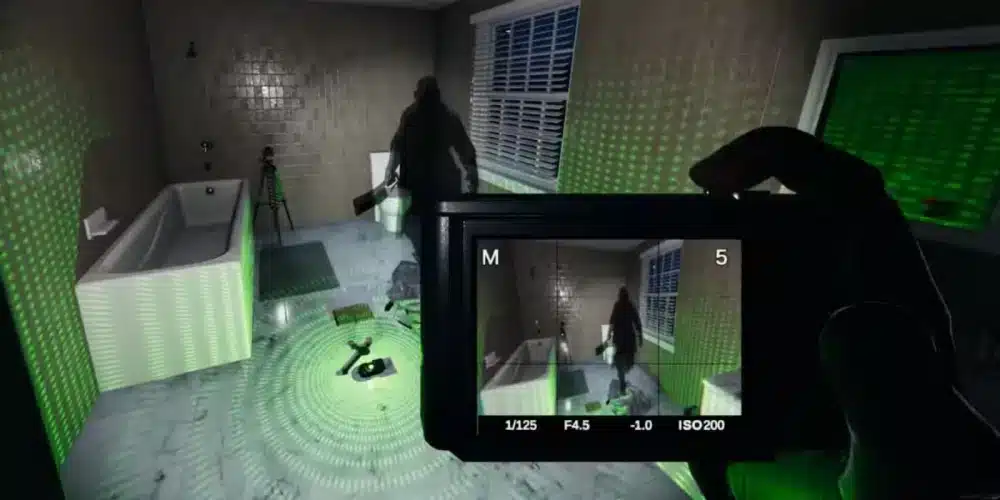
Ghost Orbs are invisible to the naked eye. They can only be seen through video-based equipment with night vision enabled. This makes proper setup mandatory.
Which Ghosts Have Ghost Orbs
Not every ghost type produces Ghost Orbs. Identifying them immediately removes multiple ghost options from consideration.
Ghost Orbs commonly appear with ghosts such as:
- Mare
- Yurei
- Revenant
- Onryo
- Thaye
This is why confirming Ghost Orbs early can drastically shorten investigations.
What Do Ghost Orbs Look Like in Phasmophobia?
Visual identification is the most important skill when dealing with Ghost Orbs.
Visual Characteristics of Ghost Orbs
Ghost Orbs have very specific traits:
- Small, round, white or transparent spheres
- Smooth, slow floating movement
- Repetitive looping paths
- Consistent size and speed
They do not flicker randomly or fall like particles. Their movement is controlled and deliberate.
Ghost Orbs vs Snow, Dust, and Bugs
Many false identifications come from confusing Ghost Orbs with environmental effects.
Key differences include:
- Snow falls downward, Ghost Orbs float horizontally
- Dust particles move erratically, Ghost Orbs move smoothly
- Bugs appear briefly and disappear, Ghost Orbs loop continuously
Weather conditions and poor camera angles increase confusion, especially on outdoor-facing rooms.
How to Find Ghost Orbs in Phasmophobia
Finding Ghost Orbs requires correct equipment and careful positioning.
Required Equipment to See Ghost Orbs
To spot Ghost Orbs, you need:
- Video Camera
- Head Mounted Camera (optional)
- Night vision enabled
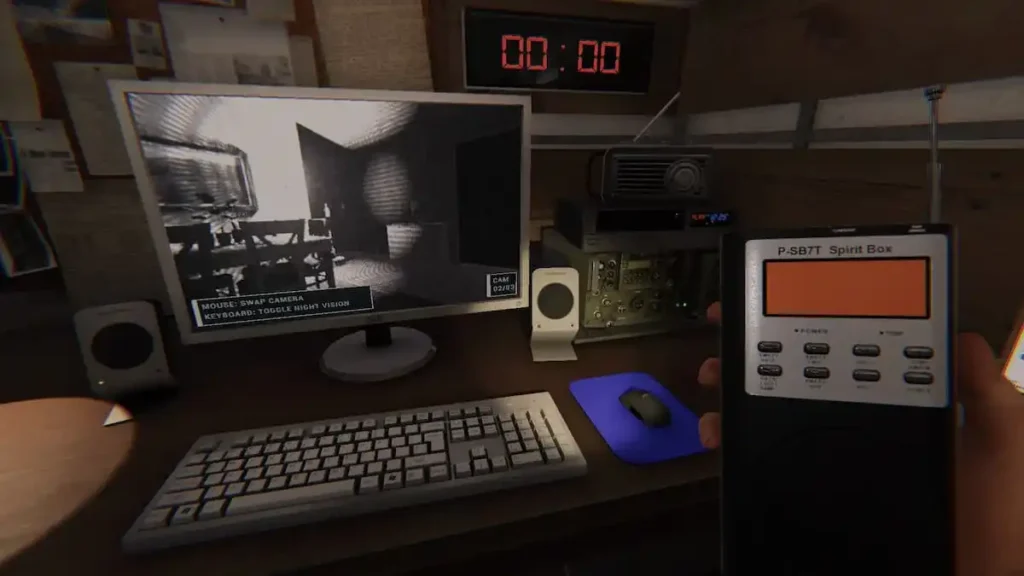
- Truck monitor for observation
Without night vision, Ghost Orbs will not appear at all.
Best Camera Placement for Ghost Orbs
Proper placement dramatically improves detection.
Best practices include:
- Point the camera toward the center of the ghost room
- Avoid aiming at windows or doors
- Place the camera at chest height
- Use multiple angles if needed
Checking from the truck often makes Orbs easier to spot due to larger screens and stable viewing.
Common Mistakes When Identifying Ghost Orbs
Many missed Ghost Orbs result from avoidable errors.
Why Players Miss Ghost Orbs
The most common reasons include:
- Searching the wrong room
- Camera placed too high or too low
- Forgetting to enable night vision
- Checking too briefly
Ghost Orbs can take time to appear, especially right after setting up cameras.
When Ghost Orbs Can Disappear
Ghost Orbs themselves do not randomly disappear, but confusion can occur if:
- The ghost changes rooms
- Difficulty settings hide certain evidence
- Players misinterpret visual noise
Always re-check the ghost room if activity shifts.
Why Technical Stability Matters for Ghost Orbs
Visual evidence depends on consistent rendering and synchronization.
Multiplayer Sync and Video Feed Delay
In multiplayer sessions, camera feeds can desync between host and clients. This may cause one player to see Ghost Orbs while others do not.
Delays, stuttering, or packet loss can result in false negatives, especially when relying on quick checks.
Preparing for High-Risk Visual Evidence
As investigations scale up in difficulty, technical stability becomes increasingly important. Missing Ghost Orbs due to unstable video feeds can lead to incorrect ghost identification and failed contracts.
Ghost Orbs Phasmophobia: Advanced Detection Strategies
Once you understand the basics, identifying ghost orbs phasmophobia consistently requires refined technique and patience. At higher difficulties and in multiplayer sessions, small adjustments in camera placement and timing make a massive difference.
Best Camera Angles to Spot Ghost Orbs Consistently
Camera angle is one of the most overlooked factors when searching for ghost orbs in phasmophobia.
Best practices include:
- Place the camera at chest height, not on the floor
- Angle it slightly downward toward the center of the room
- Avoid windows, mirrors, and door frames
- Use tripods whenever possible for stability
Ghost Orbs tend to float at mid-room height. Cameras placed too high or too low often miss them entirely.
How Long You Should Watch Before Confirming Ghost Orbs
Ghost Orbs do not always appear instantly. Many players check the camera feed for only a few seconds and move on.
For reliable confirmation:
- Watch the feed for at least 30–60 seconds
- Use the truck monitor for a larger, clearer view
- Re-check after major ghost activity
Patience is critical. Rushing leads to false negatives.
Ghost Orbs in Phasmophobia by Difficulty Level
Difficulty settings heavily influence how easy Ghost Orbs are to confirm.
Ghost Orbs on Amateur, Intermediate, and Professional
On lower difficulties:
- All ghost evidence is available
- Ghost Orbs are reliable if the room is correct
- Errors usually come from poor placement or impatience
These modes are ideal for learning what do ghost orbs look like in phasmophobia without added pressure.
Ghost Orbs in Nightmare and Insanity Difficulty
On higher difficulties:
- One or more evidence types may be hidden
- Ghost Orbs may not appear even if the ghost normally has them
- Logical deduction becomes essential
Players must rely on behavior, speed, and special traits when visual evidence is missing.
Ghost Orbs vs Mimics and Other Special Cases
Some ghost types complicate orb identification.
The Mimic and Fake Ghost Orbs
The Mimic always produces Ghost Orbs, even though Orbs are not part of its official evidence set.
This makes it one of the most common sources of misidentification. Seeing Orbs alongside incompatible evidence should immediately raise suspicion.
When Ghost Orbs Appear Outside the Ghost Room
Ghost Orbs generally stay in the ghost room, but they can appear to shift when:
- The ghost changes rooms
- The ghost roams frequently
- The original room was misidentified
If Orbs seem inconsistent, re-evaluate the ghost room instead of dismissing the evidence.
Common Advanced Mistakes with Ghost Orbs
Even experienced players make errors when relying on visual evidence.
Why Players Still Misidentify Ghost Orbs
The most frequent advanced mistakes include:
- Trusting a single camera angle
- Ignoring weather and lighting conditions
- Assuming Orbs must appear instantly
- Relying on client-side views only
Visual confirmation should always be double-checked.
How to Reconfirm Ghost Orbs Safely
If unsure:
- Reposition the camera
- Add a second angle
- Turn lights off briefly
- Cross-check with other evidence
Confirmation is stronger when multiple indicators align.

Network Stability and Visual Evidence in Phasmophobia
Visual evidence depends heavily on stable rendering and synchronization.
Why Lag Causes False Negatives for Ghost Orbs
Lag and instability can cause:
- Delayed video feeds
- Frame drops
- Host and client mismatches
This may result in one player seeing Orbs while others do not.
How ExitLag Improves Ghost Orb Detection
ExitLag optimizes routing to game servers in real time, reducing packet loss and latency spikes. This results in smoother camera feeds, better synchronization, and more reliable visual evidence.
For cooperative investigations, this stability helps teams confirm Ghost Orbs faster and avoid costly misidentifications.
Ghost Orbs Detection Checklist by Difficulty
| Difficulty | Ghost Orbs Visible | Common Issues | Best Strategy |
| Amateur | Yes | Confusing with dust | Confirm early |
| Intermediate | Yes | Bad camera angle | Adjust placement |
| Professional | Yes | Impatience | Observe longer |
| Nightmare | Sometimes | Hidden evidence | Logical deduction |
| Insanity | Sometimes | Heavy roaming | Behavior analysis |
All game images used in this blog belong to Kinetic Games. They are used for informational/educational purposes only and do not imply endorsement or affiliation with the rights holders.
Got questions or want to connect with other players? Join the conversation at the ExitLag Forum!